How CostLoop Compares to Other Tools
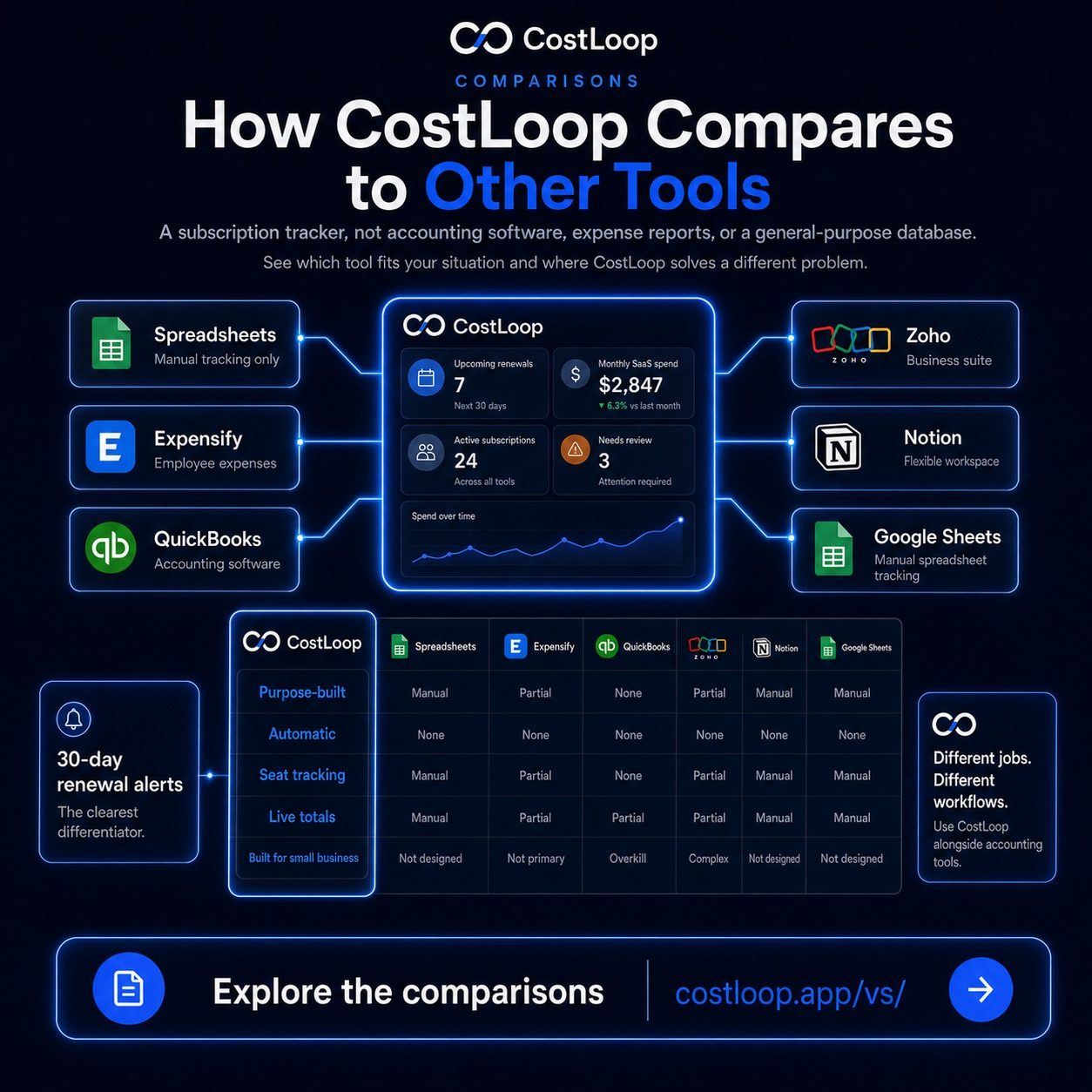
subscription management tool CostLoop is a subscription tracker - not accounting software, not an expense report tool, not a general-purpose database. These comparisons explain what that distinction means in practice, and which tool is right for your situation.
A different kind of tool for a specific problem
A typical small business runs software across project management, design, communication, analytics, AI tools, storage, and security - and that list only grows over time. Those subscriptions quietly renew every month or every year, often without anyone noticing until the bill arrives or, worse, until you're locked in for another year on a tool nobody uses anymore.
CostLoop is built specifically for that problem: tracking recurring SaaS and software subscriptions, alerting you before renewals, and giving your team a single place to see what you're spending. It is not a general accounting system, not an employee expense reimbursement platform, and not a spreadsheet with macros.
The comparisons below are honest. Where a competing tool does something better, we say so. Where the tools solve completely different problems - and often they do - we explain how to use them alongside CostLoop rather than pretending one replaces the other.
Pick a comparison
Each page covers the genuine differences, who each tool is for, and when to use them together.
CostLoop vs Spreadsheets
Why a manual spreadsheet stops working once your subscription list grows - and what you gain by switching to a purpose-built tracker.
Read comparison ->CostLoop vs Expensify
Expensify handles employee receipts and expense reports. CostLoop tracks recurring software subscriptions. They solve different problems - here is how to tell which one you need.
Read comparison ->CostLoop vs QuickBooks
QuickBooks is a full accounting platform. CostLoop is a subscription tracker. This comparison explains why accounting software alone does not solve the subscription visibility problem.
Read comparison ->CostLoop vs Zoho
Zoho is a broad business suite. CostLoop focuses entirely on SaaS cost tracking and renewal alerts. This comparison covers what each tool is actually designed to do.
Read comparison ->CostLoop vs Notion
Notion is a flexible workspace that many teams use to manually track subscriptions. This comparison explains where that approach breaks down and what you get with a dedicated tool instead.
Read comparison ->CostLoop vs Google Sheets
A Google Sheet can hold a list of subscriptions, but it cannot send you renewal alerts or surface unused seats. This comparison shows where the manual approach runs out of road.
Read comparison ->CostLoop vs Wave
Wave is free accounting software for invoicing and bookkeeping. CostLoop tracks recurring SaaS subscriptions and alerts you before they renew. This comparison shows how the two fit together.
Read comparison ->CostLoop vs Fiken
Fiken handles Norwegian accounting, invoicing, and VAT. CostLoop tracks the recurring SaaS subscriptions Fiken was never built to monitor. See why most Norwegian small businesses run both.
Read comparison ->CostLoop vs Tripletex
Tripletex is a full Norwegian ERP covering accounting, project management, and payroll. CostLoop adds the SaaS subscription tracking layer Tripletex does not provide.
Read comparison ->Best Cledara Alternatives
Cledara is built for enterprise procurement. If your team is smaller and you just need subscription tracking and renewal alerts, these alternatives are worth comparing.
See alternatives ->The short version
How CostLoop compares on the five capabilities that matter most for subscription management.
| Capability | CostLoop | Spreadsheets | Expensify | QuickBooks | Zoho | Notion | Google Sheets |
|---|---|---|---|---|---|---|---|
| Subscription tracking | Purpose-built | Manual only | Not designed for this | Partial, via reports | Partial, via modules | Manual only | Manual only |
| Renewal reminders | Automatic, 30-day advance | None | None | None | None | None | None |
| License management | Seat counts + unused detection | Manual columns | Not applicable | Not applicable | Limited | Manual properties | Manual columns |
| Cost dashboard | Live monthly + annual totals | Formula-dependent | Expense reports only | Accounting reports | Accounting reports | No built-in totals | Formula-dependent |
| Built for small and medium business | Yes - free tier, 5-min setup | Yes, but unscalable | Primarily mid-market | Complex onboarding | Complex onboarding | Yes, but no automation | Yes, but no automation |
Renewal reminders are the clearest differentiator. No other tool in this list sends you a 30-day advance alert before a subscription auto-renews.
What CostLoop is - and is not
It is worth being direct about this, because it shapes every comparison on this page.
CostLoop is not accounting software. It does not replace QuickBooks or Xero. It does not handle invoicing, payroll, tax calculations, or general ledger entries. If you need a full accounting platform, those tools exist and they are good at what they do.
CostLoop is not an expense reimbursement tool. It does not scan receipts, manage corporate card programs, or process employee reimbursements. Expensify and similar tools are built for that workflow.
CostLoop is not a general-purpose project management or database tool. Notion and similar tools can technically hold a list of subscriptions, but they require manual maintenance, have no renewal alert logic, and do not calculate your software spend automatically.
What CostLoop does - and does specifically well - is track recurring software costs, remind you before renewals hit, flag unused seats, and give your whole team visibility into what the business is spending on software. That is the problem it was built to solve, and it is the problem none of the tools above were built to solve.
See your full software spend in one place.
Free to start. Takes 5 minutes. No bank connections or credential sharing required.