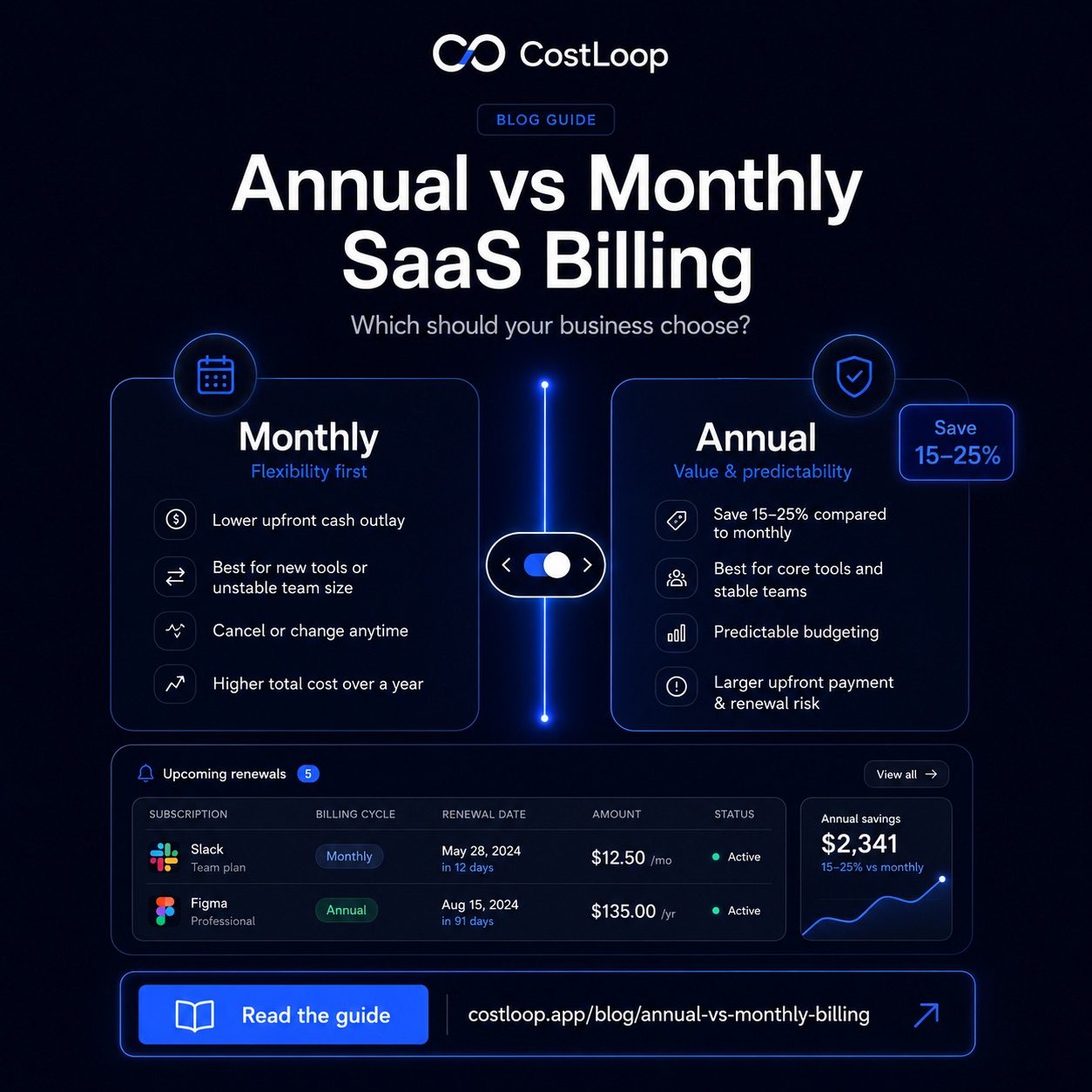
Annual vs monthly SaaS billing is a decision many businesses never consciously make: they pick whatever is pre-selected on the pricing page and never revisit it. The right choice depends on the vendor's current pricing, usage confidence, contract flexibility, and cash flow. Without a deliberate review, teams can end up paying for billing terms that no longer match how they use the tool.
This guide gives you a practical framework for deciding which billing cycle to choose - and how to stop letting SaaS vendors make that choice for you.
The Real Cost Difference Between Annual and Monthly
Start by comparing the vendor's current monthly and annual price pages for the exact plan you use. Some tools make annual billing noticeably cheaper; others change pricing by tier, seat count, or region. Use the current vendor quote rather than a generic benchmark.
The math on a 10-person Notion team:
- Monthly billing: $160/month × 12 = $1,920/year
- Annual billing: $120/month × 12 = $1,440/year
- Savings: documented reduction from one tool review
Multiply that across your full stack and you start to see why the annual vs monthly SaaS billing decision matters. The vendors know this too - annual SaaS billing is good for their revenue predictability, so they price monthly plans to make annual look attractive.
When Annual Billing Makes Clear Sense
Not every tool deserves an annual commitment. But some do, and the criteria are straightforward.
You've used it daily for at least 3 months and know the billing cycle
If a tool has survived 90 days of real use without being considered for cancellation, it's probably embedded. Your team has workflows built around it. That's the right time to ask whether you can save money by locking in on an annual commitment. Three months is enough to know whether a tool has sticking power - or whether it's quietly becoming shelf-ware.
The SaaS billing discount is 15% or more
Below 10%, the flexibility cost isn't worth it. Between 10–15%, it's marginal. At 15%+ - which covers most major SaaS vendors - annual billing is almost always the smarter financial move if your usage is stable. The upfront payment is larger, but the monthly subscription cost comes out significantly lower across the year.
The tool is core to your operations
Accounting software, CRM, your primary project management tool, communication platform - these aren't going anywhere. Switching costs are high, and your team would notice immediately if they disappeared. These are your annual billing candidates. As part of your SaaS cost reduction strategy, locking these in saves real money without real risk.
When to Stick With Monthly Billing
Annual billing isn't always the answer. Here are situations where staying monthly is the smarter call.
You're still evaluating the tool. Plenty of teams sign up, spend a few days exploring, then forget the tool exists. Don't commit annually before you know actual usage patterns. Monthly billing gives you the freedom to cut cleanly if adoption doesn't happen.
Your team size is volatile. If you're scaling fast (or might need to downsize), annual per-seat licenses can become expensive and complicated. Monthly keeps you nimble. A startup going from 8 to 20 people in six months doesn't want to be renegotiating a SaaS contract every quarter.
The vendor has a shaky track record. New tools, small companies, or vendors who've had pricing or reliability issues - monthly keeps you from being trapped if things go sideways. It's the reason small and medium business SaaS budgets should always include a mix of both billing cycles.
A subscription cost management tool like CostLoop shows you which tools are on monthly billing vs annual, flags upcoming renewals 30 days out, and helps you spot which subscriptions are worth switching to annual. No spreadsheet required.
Start free - no credit card neededA Simple Decision Framework
Run every subscription through these four questions before choosing a billing cycle:
- Have we used it consistently for 90+ days? If no - stay monthly.
- Is the annual discount meaningful enough? If no, the savings may not justify the lock-in.
- Could we realistically switch tools in the next 12 months? If yes - stay monthly and revisit in Q4.
- Do we have stable headcount for this tool? If no - monthly keeps you from overpaying on seats.
Tools that pass all four checks are strong annual billing candidates. Tools that fail even one deserve a second look before you commit.
Comparison Table: Annual vs Monthly at a Glance
| Factor | Monthly Billing | Annual Billing |
|---|---|---|
| Cost | Usually higher if the vendor offers an annual discount | Lower |
| Flexibility | Cancel anytime | Locked in for 12 months |
| Cash flow | Spread out | Lump sum upfront |
| Best for | New tools, volatile teams | Core tools, stable teams |
| Refund if you cancel early | N/A | Rarely offered |
| Renewal risk | Monthly autopay | Annual surprise if forgotten |
The Hidden Risk of Annual Billing: Forgotten Renewals
Here's the irony. You commit to annual SaaS billing to save money - but if you forget the renewal is coming, you end up paying for another 12 months of a tool you stopped using in month 4. Annual billing lowers your per-month cost but raises the stakes when you forget.
The fix is simple: every annual subscription needs a reminder 30–45 days before renewal so you can actually decide whether to continue. That's long enough to evaluate, negotiate, or find an alternative. If you want to negotiate SaaS pricing, you need that lead time - vendors won't budge if you're three days from renewal.
CostLoop was built specifically for this problem. When you add a subscription, you set the renewal date, and CostLoop pings you well before the charge hits. It's the kind of thing a spreadsheet can technically do, but never does reliably because nobody updates it. If you're managing five or more annual subscriptions, a dedicated subscription tracker is worth it just to avoid the renewal surprises.
How billing cycles affect your software budget
Annual billing creates budget spikes that monthly billing avoids. A $1,200 annual renewal looks like a one-time expense on your books, but it's really $100/month that should appear in your monthly software budget template. If you only account for it when the charge hits, your monthly software spend looks artificially low for 11 months and then jumps in month 12.
The fix: convert every annual subscription to monthly for budgeting purposes by dividing the annual cost by 12. Your real monthly software spend includes both monthly subscriptions and the monthly equivalent of annual ones. A team with $400/month in monthly-billed tools and $3,600/year in annual tools has a real monthly software budget of $700 - not $400.
For SaaS budgeting software: CostLoop shows both the actual billing cycle and the monthly equivalent for each subscription, so your software budget is accurate regardless of how each tool bills. That means no budget surprises and no end-of-year scramble when several annual renewals land in the same quarter.
How should I handle annual subscriptions in my software budget?
Divide the annual cost by 12 and include the monthly equivalent in your monthly budget line. This prevents the shock of a large annual charge that wasn't accounted for and gives you a more accurate picture of your real monthly software spend.
What is recurring subscription management?
The ongoing practice of tracking all recurring software costs - both monthly and annual - with reminders before each renewal date. It means maintaining a current inventory of tools, knowing the billing cycle and next charge date for each, and making deliberate renewal decisions rather than auto-renewing by default.
Frequently Asked Questions
How much cheaper is annual billing compared to monthly?
Annual billing is often cheaper than monthly billing, but the difference is vendor-specific. Compare the current monthly and annual price for each tool, then decide whether the savings are worth the commitment and renewal risk.
Can you get a refund if you cancel an annual SaaS subscription early?
Most vendors don't offer pro-rated refunds for annual plans. Some will let you downgrade or pause rather than cancel. Always read the refund policy before committing to an annual plan.
Which SaaS tools are worth paying annually?
Tools you use every working day - project management, communication, design, or core accounting software - are good annual billing candidates. Experimental or seasonal tools should stay monthly until you're confident you need them.
How do I keep track of annual renewal dates?
Use a dedicated subscription tracker like CostLoop to log renewal dates and get advance reminders, so annual renewals don't catch you off-guard 12 months later.
The bottom line: annual billing is almost always cheaper for tools you're genuinely committed to. The key is being honest about which tools are truly embedded in your workflow and which are just getting auto-renewed out of inertia. CostLoop helps you make that call with clear visibility into every subscription, billing cycle, and upcoming renewal date.