Best spend management software comparison showing budgets, approvals, recurring SaaS spend, invoices, cards, purchases and vendor oversight

Key takeaways

  • There is no universal best spend management platform. Card-first spend control, travel and expense, procurement, accounts payable, and SaaS spend management solve different parts of the spending lifecycle.
  • Ramp, Brex and BILL are strongest when corporate cards and employee spend controls are central. Ramp and Brex extend further into broader finance workflows, while BILL Spend & Expense has a $0-per-user software plan tied to its card program.
  • Navan and SAP Concur make more sense when travel and expense are the primary problem. Navan is especially travel-centric, while SAP Concur offers a mature travel, expense and invoice ecosystem.
  • Coupa and Procurify are procurement-led. They are more relevant when purchase requests, approvals, purchase orders, vendors and procure-to-pay processes matter more than simply issuing cards.
  • Payhawk is one of the broadest modular options for international finance teams. Its current offering covers cards and expenses, AP, travel and procure-to-pay, and it can connect an existing card program.
  • CostLoop is not a replacement for a corporate-card or procurement suite. It is best for small and growing teams that specifically need visibility into recurring SaaS and software costs, owners, budgets, renewals and license waste.

Contents

  1. What spend management software actually covers
  2. Best spend management software at a glance
  3. How we evaluated the tools
  4. Detailed comparison of 13 spend management platforms
  5. Which category of spend management software do you need?
  6. Best spend management software for small businesses
  7. Cloud-based spend management: what actually matters
  8. How spend management software is priced
  9. A practical spend-management maturity model
  10. What smaller companies probably do not need
  11. Questions to ask during a vendor demo
  12. Where CostLoop fits
  13. Frequently asked questions

What is spend management software?

Spend management software is a system for controlling how a business requests, approves, pays for, records and reviews non-payroll spending. Depending on the product, that can include corporate cards, employee expenses, reimbursements, invoices, procurement, travel, vendor management, budgets, accounting sync and recurring software costs.

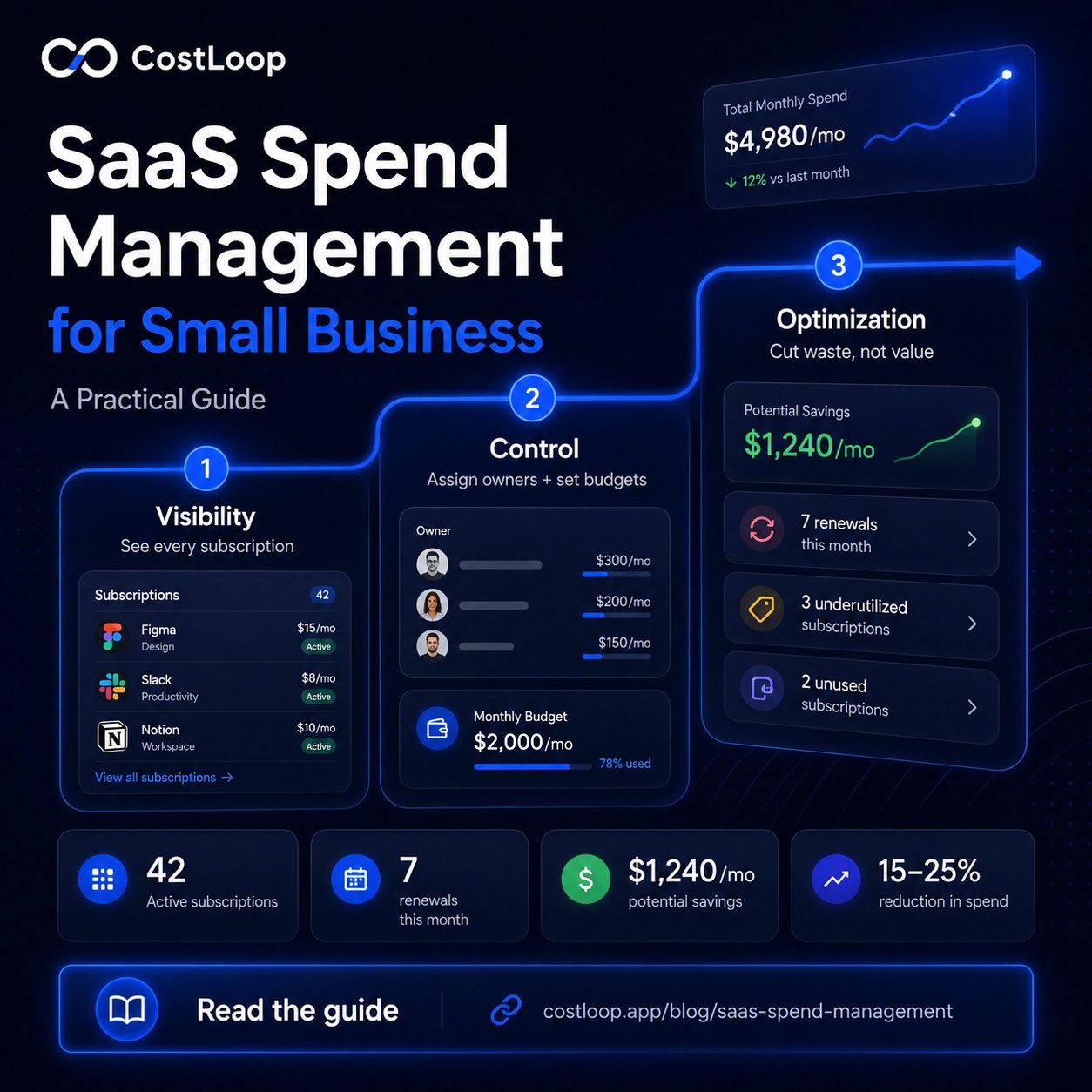
Use this comparison with CostLoop resources: For recurring SaaS costs, compare the SaaS spend management solution, review the SaaS cost tracker, and follow the SaaS spend management guide before choosing a broader platform.

The problem is that the market uses the same label for products with very different centers of gravity.

The five spend-management categories

Category Main problem solved Typical capabilities Representative tools
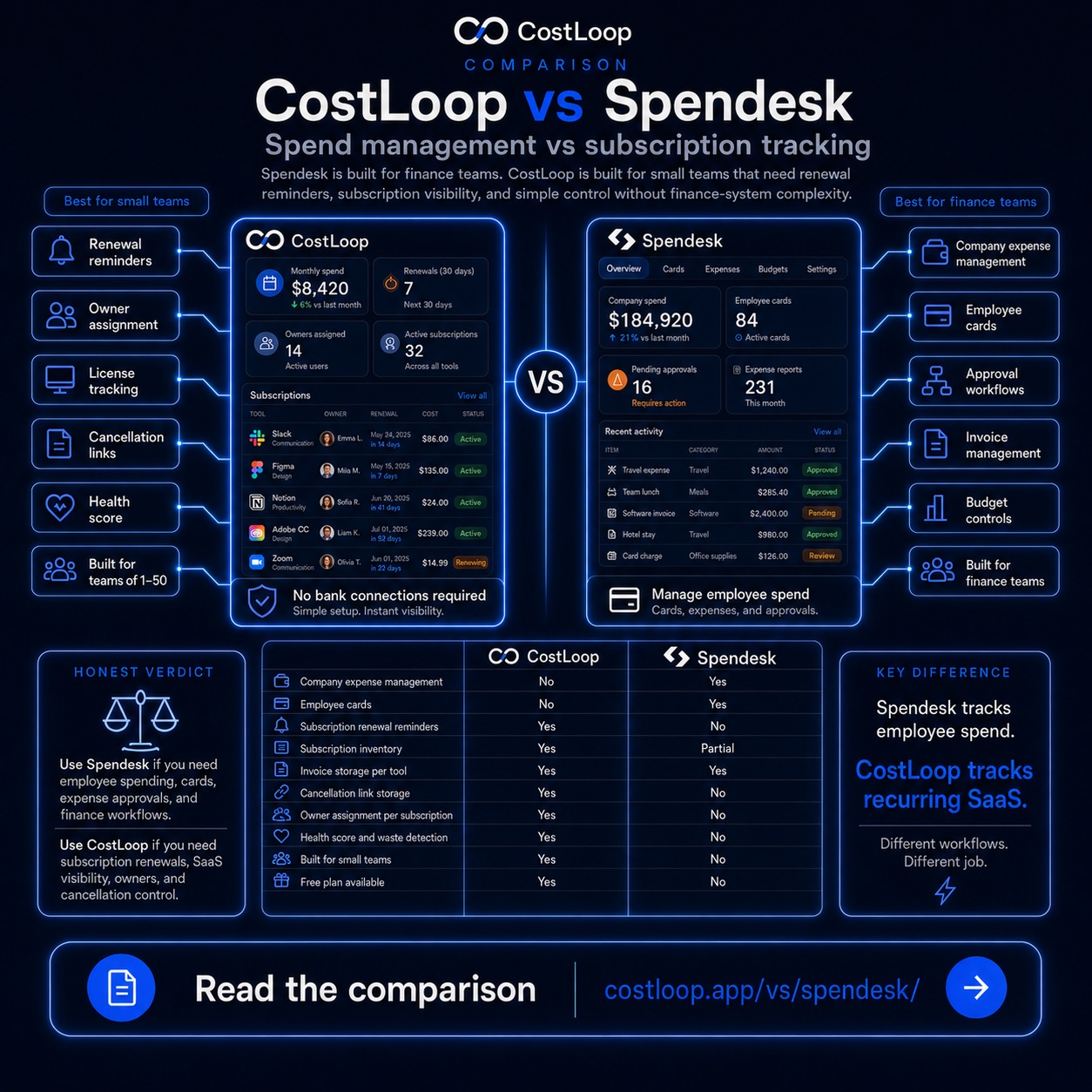
Card-first spend control Control employee purchases before or as they happen Corporate cards, limits, policies, receipts, reimbursements, budgets Ramp, Brex, BILL, Pleo, Spendesk
Travel and expense Control travel booking and employee expenses Travel booking, policy, receipts, reimbursements, expense reports Navan, SAP Concur
Procurement / procure-to-pay Control purchases before commitment Intake, approvals, purchase orders, vendors, invoices, matching, payments Coupa, Procurify
Unified finance / workforce spend Connect employee data to finance workflows Cards, expenses, AP, procurement, payroll or HR context Rippling Spend, Paylocity for Finance
SaaS and recurring software spend Control recurring software costs and renewals Subscription inventory, owners, renewal alerts, licenses, SaaS budgets, cancellation data CostLoop

Some products span more than one category. Payhawk, for example, currently offers separate modules for travel, cards and expenses, accounts payable and procure-to-pay. Ramp also combines cards, expenses and AP, with procurement available on higher plans or as an add-on. The important question is not how many boxes a vendor can check. It is whether the platform is strongest at the workflow your company needs to fix.

For software-specific spend rather than all business expenditure, CostLoop's SaaS spend management guide explains the narrower recurring-software problem in detail.

Best spend management software at a glance

Tool Best for Primary scope Card model Public pricing status
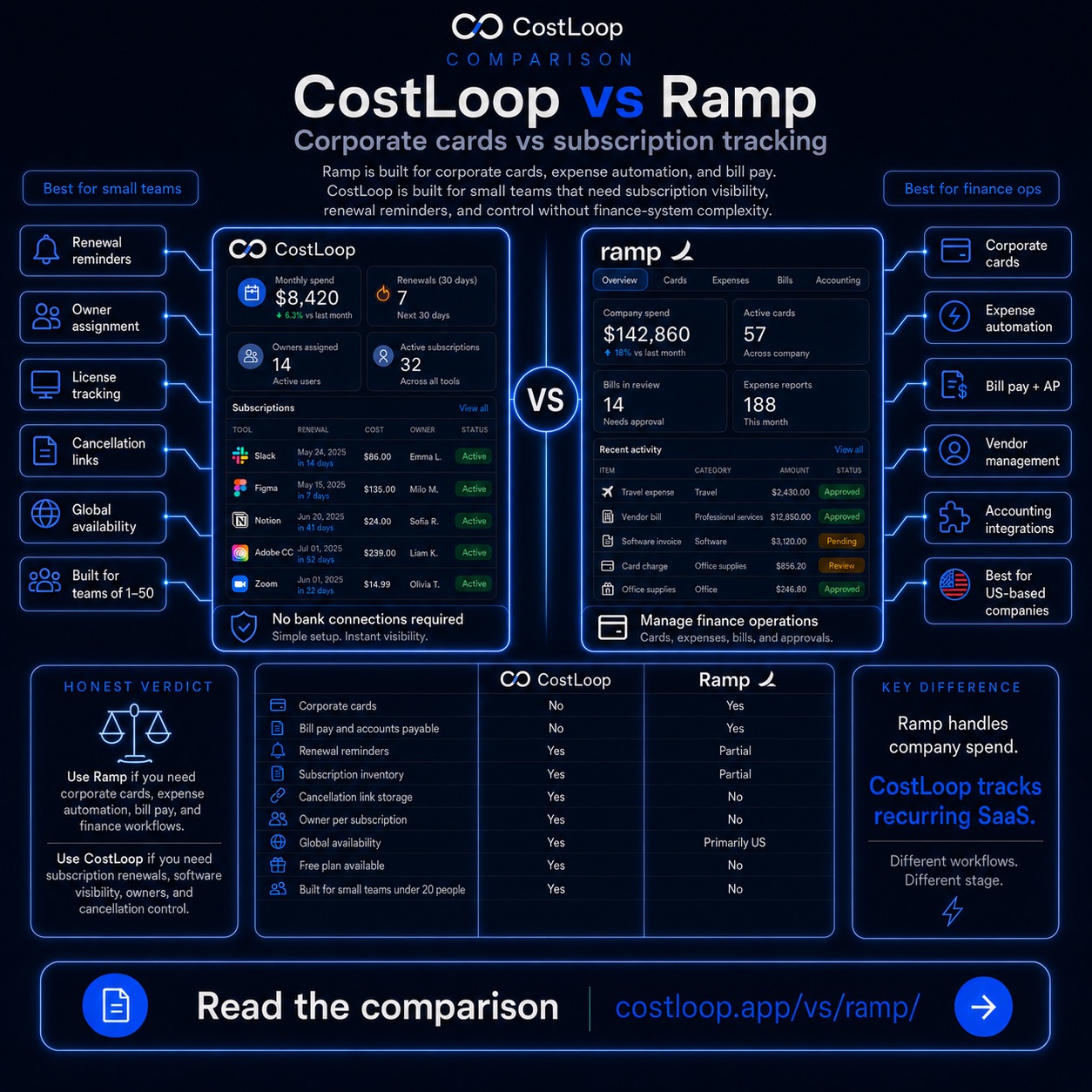
Ramp US-based teams wanting cards, expenses and AP in one system Cards, T&E, AP, budgets, vendor management, optional procurement Ramp corporate card centered Free; Plus $15/user/month + platform fee; Enterprise custom
Brex Growth companies and global card programs Cards, expenses, travel, bill pay, reimbursements, budgets Brex card centered Essentials $0/user; Premium $12/user; Enterprise custom
BILL Spend & Expense Small and mid-size US companies wanting card-based budget control Cards, budgets, expenses, reimbursements BILL Divvy Card centered $0/user/month for Spend & Expense
Navan Travel-heavy companies Travel, expenses, reimbursements, policy Can connect existing cards Business free for <=300 employees; Expense first 5 users free, then $15/user/month
Payhawk Multi-entity and international finance teams Cards, expenses, AP, travel, procure-to-pay Existing cards or optional Payhawk Visa US modules from 299−449/month; Complete/custom options
Spendesk European teams wanting controlled cards and expenses Cards, reimbursements, expenses, subscriptions, multi-entity Spendesk card centered Quote-based platform + transaction model
Pleo Small and mid-size European teams Cards, expenses, AP, budgets, recurring vendor tracking Pleo cards Public regional pricing; US Essential from $39/month annually
Procurify Procurement-led small and mid-market organizations Purchasing, approvals, budgets, POs, AP, expense/card add-ons Cards optional/add-on Custom modular quote
SAP Concur Established organizations with complex T&E Travel, expenses, invoice/AP Works with corporate card integrations Expense from about $7/report; Plus about $11/report; Premium custom
Coupa Large enterprises with source-to-pay requirements Procurement, sourcing, AP, payments, supplier management, spend analytics Not card-dependent for core value Custom pricing
Rippling Spend Companies already using workforce/HR data to drive finance rules Cards, expenses, bills, procurement, travel, vendor management Rippling finance/card ecosystem Quote-based
Paylocity for Finance Mid-market companies wanting HR-linked finance workflows AP, procurement, cards, expenses, headcount planning Existing cards or Paylocity-issued cards Custom pricing
CostLoop Small teams controlling recurring SaaS/software spend SaaS subscriptions, renewals, licenses, owners, budgets, savings flags No corporate-card requirement Free; Pro $9/month; Business $39/month

Pricing note: Public prices were verified on August 25, 2026. Regional pricing, payment fees, card eligibility, transaction fees, implementation fees and negotiated enterprise contracts can change the real cost substantially. Always confirm a final quote with the vendor.

How we evaluated the best spend management software

CostLoop publishes this guide and CostLoop is one of the tools included. The author is CostLoop's founder and therefore has direct product knowledge of CostLoop. Competitor evaluations in this article are based on current official product documentation, official pricing pages, and independent market/category research. We do not claim hands-on testing of competitors where it has not occurred.

Every platform was evaluated against the same practical criteria:

  1. Core spend problem: Is the product card-first, travel-led, procurement-led, AP-led, workforce-integrated, or focused on recurring software spend?
  2. Pre-spend control: Can teams request, approve, budget or restrict spend before money is committed?
  3. Payment flexibility: Does the product require its own card program, support existing corporate cards, or operate independently of cards?
  4. Expense and AP automation: How well does it capture receipts, code transactions, manage reimbursements or process invoices?
  5. Procurement depth: Does it support intake, approvals, POs, vendors, contracts and matching?
  6. Accounting and integration: Can it connect to accounting, ERP, HRIS or other systems needed to close the loop?
  7. Visibility and optimization: Does it help finance understand budgets, vendors, recurring spend and savings opportunities?
  8. Implementation complexity: Can a small team deploy it quickly, or does it assume a formal finance/procurement operating model?
  9. Pricing transparency: Can a buyer estimate cost before entering a sales process?
  10. Best-fit organization: What size and operating model is most likely to benefit from the product?

Independent sources such as G2 and Capterra were used to cross-check market relevance and buyer interest. Product capability and pricing claims, however, rely primarily on current vendor documentation.

A freshness correction: Airbase is now part of Paylocity for Finance

Older spend-management comparisons may still list Airbase as a standalone current vendor. Paylocity completed its acquisition of Airbase on October 1, 2024, and in July 2025 launched Paylocity for Finance, integrating Airbase capabilities into a broader finance and HCM platform. In 2026, buyers evaluating Airbase-style spend orchestration should evaluate the current Paylocity for Finance offering rather than treating Airbase as an unchanged standalone company.

1. Ramp: best unified card-first option for US-based teams

Best for: US startups, SMBs and mid-market companies that want corporate cards, expense management, AP, reporting and vendor controls in one finance stack.

Category: Card-first spend management with broader finance automation.

Ramp's current Free plan includes corporate cards, travel and expense, accounts payable, accounting automation, budgets/reporting and vendor management. Ramp Plus adds deeper automation and offers procurement as an add-on. The breadth makes Ramp one of the strongest choices when a company's spend process is centered on employee cards and finance operations rather than a formal procurement suite.

Pricing: Ramp lists Free at $0 per user/month. Plus is $15 per user/month plus a platform fee based on team size. Enterprise is custom. Official Ramp pricing.

Advantages

  • Broad free feature set for card, expense and AP workflows.
  • Strong pre-spend card controls and budget visibility.
  • Vendor management and accounting automation are included in the overall platform.
  • Procurement can be layered in when the organization becomes more formal.

Limitations

  • The value proposition is still strongly tied to Ramp's financial/card ecosystem.
  • Procurement depth is not the same as a dedicated enterprise source-to-pay platform such as Coupa.
  • Plus pricing includes both per-user and platform components, so headline seat pricing is not total cost.

Choose Ramp if: your main goal is to bring cards, expenses, bills, budgets and accounting automation into one modern finance workflow.

Do not choose Ramp primarily for: software-license optimization, deep source-to-pay procurement, or organizations that cannot use the relevant Ramp financial products in their market.

2. Brex: best for growth companies and global corporate-card programs

Best for: Startups, growth companies and globally distributed organizations that want spend controls built around a corporate-card program.

Category: Card-first business spend management platform.

Brex Essentials currently includes global cards, custom rules, accounting integrations, travel booking, real-time reporting, API access, bill pay and reimbursements. Premium adds more advanced policies, approval chains, compliance insights, multi-entity features, HRIS integrations, VAT documentation and live budgets.

Pricing: Essentials is $0 per user/month, Premium is $12 per user/month, and Enterprise uses custom pricing. Official Brex pricing.

Advantages

  • Strong global card and multi-entity positioning.
  • Expense, travel, bill-pay and reimbursement workflows sit in the same ecosystem.
  • API access is available even on Essentials according to current pricing documentation.
  • Premium adds more sophisticated policy and approval controls for scaling teams.

Limitations

  • Best fit assumes the Brex card/financial ecosystem matches your geography and company eligibility.
  • Organizations seeking deep procurement and source-to-pay workflows may need a more procurement-centric platform.
  • A $0 software tier does not mean every payment, FX or banking-related cost is zero.

Choose Brex if: your spend program revolves around corporate cards and you expect to scale across entities or geographies.

Do not choose Brex primarily for: SaaS renewal optimization or procurement-led organizations that require complex sourcing and supplier processes.

3. BILL Spend & Expense: best free software option for card-based SMB spend control

Best for: Small and mid-size US businesses that want budgets, cards and expense tracking without a per-user software subscription fee.

Category: Card-first SMB spend and expense management.

BILL Spend & Expense combines its corporate-card program with budgets, proactive spend controls, AI-assisted expense workflows, real-time transaction tracking, reimbursements and mobile expense management.

Pricing: BILL lists Spend & Expense at $0 per user/month. Its Accounts Payable and Accounts Receivable products are separate paid subscriptions, and some payment types carry transaction fees. Credit lines are subject to approval. Official BILL pricing.

Advantages

  • No per-user software subscription fee for the Spend & Expense product.
  • Budget controls and cards are tightly integrated.
  • Expense management and receipt workflows are designed for SMB finance teams.
  • Can sit alongside BILL's paid AP and AR products if needs expand.

Limitations

  • The spend product is closely tied to the BILL Divvy Card and credit model.
  • $0 software pricing should not be confused with zero total financial/payment cost.
  • Procurement is not the core strength compared with dedicated purchasing platforms.

Choose BILL if: your business wants a straightforward card-and-budget system and qualifies for the card program.

Do not choose BILL primarily for: complex procurement, multinational source-to-pay, or standalone SaaS subscription optimization.

Best for: Organizations where business travel and employee expense management are the dominant spend problems.

Category: Travel and expense management.

Navan combines travel booking, policy and approval workflows with expense management and reimbursements. A major practical difference is that Navan Expense can connect existing corporate or business credit cards, so the company does not necessarily have to replace its current card program to use the expense layer.

Pricing: Navan Business is currently free for companies with up to 300 employees. Expense is free for the first five monthly expensing users, then $15 per active expense user per month in the US. Enterprise pricing is quote-based. Official Navan pricing.

Advantages

  • Travel inventory, support, policies and expense workflows are tightly connected.
  • Existing business cards can be connected.
  • Transparent entry pricing for companies up to 300 employees.
  • Strong fit for organizations where travel is frequent enough to justify a dedicated system.

Limitations

  • If travel is rare, much of Navan's differentiation may be irrelevant.
  • It is not a substitute for a procurement suite focused on intake, sourcing and POs.
  • Expense pricing scales with active expensing users beyond the first five.

Choose Navan if: travel policy, booking and expense reconciliation are the center of your spend-management problem.

Do not choose Navan primarily for: deep procurement or tracking software renewals and SaaS licenses.

5. Payhawk: best modular option for international and multi-entity finance teams

Best for: International finance teams that want to combine cards, expenses, AP, travel and procure-to-pay without being locked into one single starting module.

Category: Modular business spend management platform.

Payhawk currently offers distinct modules for Travel, Cards & Expenses, Accounts Payable and Procure to Pay, plus a complete package. Its Cards & Expenses module can connect any credit card program according to the US pricing page, while Payhawk Visa cards are optional. That flexibility is important for companies that want spend software without replacing an existing card relationship.

Pricing: In the US, Travel starts at $299/month, Cards & Expenses at $449/month, and Accounts Payable at $349/month. Payhawk Complete and procurement configurations are quote-based. Final price also depends on modules, admin/accountant seats, cards and transaction volume. Official Payhawk pricing.

Advantages

  • Broad coverage across travel, cards, AP and procurement.
  • Existing card programs can be connected.
  • Multi-entity infrastructure and many ERP/HR integrations are documented as core capabilities.
  • Modular structure lets companies start with one workflow and expand.

Limitations

  • More expensive and operationally heavier than lightweight SMB tools.
  • Modular pricing means total cost can rise as more workflows and usage are added.
  • Small single-entity companies may be buying more infrastructure than they need.

Choose Payhawk if: you operate across entities or countries and need one spend layer across multiple finance workflows.

Do not choose Payhawk if: your problem is only tracking a modest number of recurring SaaS subscriptions.

6. Spendesk: best for European card and expense control

Best for: European finance teams that want cards, reimbursements, subscriptions and spend controls with multi-entity support.

Category: Card-first spend and expense management.

Spendesk's base package currently includes unlimited cards, users and control settings, plus receipt collection, OCR, reimbursements and multiple card types. It also documents multi-entity management, HR/ERP integrations and recurring virtual cards for subscriptions.

Pricing: Spendesk uses tailored quotes. Its pricing page says plans combine a fixed monthly platform fee with variable fees based on transaction usage. Official Spendesk pricing.

Advantages

  • Unlimited users and cards are part of the stated foundation package.
  • Strong European spend-management positioning.
  • Subscription payments can be controlled using recurring virtual cards.
  • Multi-entity and integration capabilities support more complex finance teams.

Limitations

  • No simple headline price for direct comparison.
  • Transaction-based variable fees make TCO dependent on actual usage.
  • Procurement and AP depth depend on configuration and add-ons rather than being the sole core of the product.

Choose Spendesk if: your finance team wants controlled company spending with a European operating model and values card/expense automation.

Do not choose Spendesk primarily for: enterprise source-to-pay or a very small software-only spend problem.

7. Pleo: best accessible European option for small and mid-size teams

Best for: European SMBs that want cards, expense automation and progressively stronger budgets, approvals and vendor controls.

Category: Card-first spend management for SMB and mid-market teams.

Pleo's current plans combine physical and virtual cards, real-time expense tracking and accounting integrations. Higher tiers add reimbursements, flexible card limits, approval workflows, recurring vendor tracking, budgets, HRIS integrations and advanced vendor management.

Pricing: Pricing varies by region. On Pleo's US page, Essential is $39/month when billed yearly, Advanced is $99/month and Business is $249/month, with additional-user charges on some tiers. In Norway, plans are priced in NOK. Buyers should use their regional page rather than assuming one global price. Official Pleo pricing.

Advantages

  • Clear progression from small-team expense management to more advanced controls.
  • Recurring vendor tracking creates useful overlap with subscription visibility.
  • Public regional pricing is easier to budget than quote-only platforms.
  • Strong fit for European companies that want an approachable spend management app.

Limitations

  • Features and pricing vary materially by geography.
  • More advanced multi-entity and vendor-management capabilities sit on higher tiers.
  • Card-based spend remains central to the product model.

Choose Pleo if: you are a European small or mid-size business that wants a relatively approachable card-and-expense system with room to grow.

Do not choose Pleo primarily for: enterprise procurement or standalone SaaS license optimization.

8. Procurify: best for procurement-led small and mid-market companies

Best for: Organizations that need formal purchase requests, approvals, budgets, purchase orders and vendor workflows before they need a full enterprise procurement suite.

Category: Procurement and procure-to-pay.

Every Procurify customer starts with Purchasing, including order requests, purchase orders, product catalogs, vendors, approvals, budgets, analytics, integrations and the mobile app. AP and Expense & Card can be added as separate products, while Guided Intake and Contracts are optional add-ons.

Pricing: Procurify uses custom modular quotes based on products, add-ons, users and integrations. Official Procurify pricing.

Advantages

  • Procurement comes first rather than being bolted onto a card product.
  • Purchase requests, POs, vendors and budget controls are core.
  • Companies can add AP and cards/expenses later.
  • Modular packaging avoids forcing every customer into the full suite immediately.

Limitations

  • No public numeric base price.
  • Implementation is more process-heavy than adopting a simple spend card.
  • Small teams without procurement discipline may not use the workflow depth they are paying for.

Choose Procurify if: your control problem begins before purchase, with requests, approvals, POs and vendor decisions.

Do not choose Procurify if: your only need is receipt capture or tracking recurring software subscriptions.

9. SAP Concur: best for mature travel and expense governance

Best for: Established organizations with structured travel, expense and invoice processes that value a mature global ecosystem.

Category: Travel, expense and invoice/AP management.

SAP Concur connects Concur Expense, Concur Travel and Concur Invoice. Current documentation highlights receipt capture, policy checks, approvals, reimbursements, travel booking, invoice automation and hundreds of integrations.

Pricing: Concur Expense Base is listed at about $7 per report with unlimited users, Plus at about $11 per report, and Premium at custom pricing. Pricing varies with monthly commitment and configuration. Official SAP Concur pricing.

Advantages

  • Mature travel and expense operating model.
  • Per-report pricing can make more sense than per-user pricing for some usage patterns.
  • Strong integration ecosystem.
  • Can expand into travel and invoice/AP rather than treating expenses in isolation.

Limitations

  • More process-heavy than modern card-first tools for very small teams.
  • The most complete travel and invoice setup requires more than the base expense tier.
  • Not primarily a purchasing/procurement platform.

Choose SAP Concur if: travel and expense governance, compliance and integration breadth matter more than startup-style simplicity.

Do not choose SAP Concur primarily for: a lightweight SaaS budget or a procurement-first transformation.

10. Coupa: best for enterprise source-to-pay and supplier spend

Best for: Large organizations with formal procurement, finance and supply-chain teams managing complex direct and indirect spend.

Category: Enterprise business spend management and source-to-pay.

Coupa's platform spans sourcing, procurement, procure-to-pay, invoicing, payments, supplier management and spend analytics. Its value is not that it is a nicer corporate-card app. Its value is enterprise-wide control across purchasing and supplier workflows.

Pricing: Coupa does not publish a simple standard price for the platform reviewed here. Expect a custom enterprise sales process and implementation scope.

Advantages

  • Deep procurement and supplier workflow coverage.
  • Source-to-pay breadth that card-first products do not attempt to match.
  • Suitable for complex organizations where spend control spans procurement, finance and supply chain.
  • Strong fit when supplier governance and purchase processes are strategic functions.

Limitations

  • Significant implementation and operating complexity.
  • Quote-based enterprise pricing.
  • Overkill for a small business trying to control cards, subscriptions or basic expenses.

Choose Coupa if: procurement and supplier spend are enterprise disciplines with dedicated ownership.

Do not choose Coupa if: you are a small team looking for a lightweight spend management app.

11. Rippling Spend: best for companies that want employee data to drive spend controls

Best for: Organizations already using or considering Rippling and wanting finance rules connected to employee lifecycle data.

Category: Workforce-integrated spend management.

Rippling's finance suite spans spend management, corporate cards, reimbursements, procurement, bill pay, travel, business banking and vendor management. Its differentiator is the shared employee system underneath: onboarding, role changes and offboarding can inform who gets access, which policies apply and when spend permissions should change.

Pricing: Rippling's finance pricing is generally quote-based rather than published as a simple standalone rate.

Advantages

  • Employee data and spend permissions can live in the same operating system.
  • Broad finance feature set beyond expenses alone.
  • Strong fit when HR and finance automation should respond to the same employee events.

Limitations

  • The strategic value is strongest when the company is comfortable using Rippling more broadly.
  • Less compelling if your business only wants one narrow finance workflow.
  • Public pricing transparency is limited.

Choose Rippling Spend if: your company wants finance controls tied directly to employee status, role and lifecycle.

Do not choose Rippling primarily for: independent SaaS renewal tracking or procurement at Coupa-level depth.

12. Paylocity for Finance: best for mid-market HCM-plus-finance integration

Best for: Mid-market companies that want AP, procurement, cards and expenses grounded in the employee record and potentially connected to Paylocity HCM.

Category: Workforce-integrated finance and spend management.

Paylocity for Finance currently combines Expense Management, AP Automation, Corporate Cards, Guided Procurement and Headcount Planning. Its corporate-card offering can use existing cards or Paylocity-issued cards, which reduces the need to replace an established card program.

A market-freshness point matters here: Airbase is now integrated into Paylocity for Finance. Older articles that still list Airbase as a separate modern spend-management vendor are describing a pre-acquisition market structure.

Pricing: Paylocity uses custom pricing. Official Paylocity for Finance.

Advantages

  • Broad spend lifecycle from purchase request to AP, cards and expenses.
  • Existing corporate-card support.
  • Employee record creates useful HR-to-finance automation opportunities.
  • Modules can be adopted over time.

Limitations

  • Best fit is strongest for organizations comfortable with Paylocity's wider ecosystem.
  • Custom implementation and pricing reduce self-service simplicity.
  • Too heavy for a tiny business with only recurring-software visibility problems.

Choose Paylocity for Finance if: your finance controls should be connected to employee data and you want a mid-market suite rather than separate point tools.

Do not choose it if: you only need a SaaS subscription register and renewal reminders.

13. CostLoop: best lightweight option for recurring SaaS and software spend

Best for: Small businesses, startups, agencies and growing teams whose main uncontrolled spend category is recurring software subscriptions rather than employee cards, travel or procurement.

Category: SaaS and recurring software spend management.

CostLoop tracks subscriptions and licenses, renewal dates, costs, owners, billing cycles, cancellation links, documents and budget usage. It also includes savings signals such as unused-seat and duplicate-tool detection. The Business plan adds team workspaces, a subscription request system and approvals.

Unlike card-first spend platforms, CostLoop does not require a corporate-card program. It can be used with manual records, CSV imports, bank-statement CSV import, and its Chrome extension for email discovery and usage signals. That makes it a different type of business spend management software solution: narrower, but deliberately simpler when software subscriptions are the problem.

Pricing: Free is $0/month for up to five subscriptions. Pro is $9/month for one user and unlimited subscriptions. Business is $39/month and includes team workflow features. Official CostLoop pricing.

Advantages

  • Very low entry cost compared with broad finance suites.
  • Purpose-built for recurring SaaS/software costs and renewals.
  • No requirement to replace cards, AP or accounting systems.
  • Useful when the current system is a spreadsheet, inbox or memory.

Limitations

  • No corporate cards.
  • Not an accounts-payable automation platform.
  • Not a travel-booking system.
  • Not an enterprise procurement/source-to-pay suite.

Choose CostLoop if: your main question is “what software are we paying for, who owns it, what renews next, and where can we reduce recurring spend?”

Do not choose CostLoop if: you need to issue employee cards, automate invoice payment, book travel, or manage complex supplier sourcing.

For the narrower software-spend workflow, see CostLoop's SaaS cost tracker and SaaS cost management guide.

Which category of spend management software do you actually need?

Start with the point where control breaks down.

If this is your main problem... Start with this category Shortlist
Employees spend on cards and finance chases receipts Card-first spend management Ramp, Brex, BILL, Pleo, Spendesk
Business travel is expensive or outside policy Travel + expense Navan, SAP Concur
Purchases happen before procurement sees them Procurement / procure-to-pay Procurify, Coupa
Cards, bills and procurement span multiple entities/countries Modular global finance Payhawk
HR events should automatically change finance permissions Workforce-integrated spend Rippling Spend, Paylocity for Finance
SaaS subscriptions auto-renew and nobody owns the stack Recurring software spend CostLoop

The five-layer spend-control stack

A useful way to evaluate business spend management tools is to map them to five layers:

  1. Request and approve: Who is allowed to buy, how much, and under which policy?
  2. Pay: Which card, bank transfer, invoice or payment rail is used?
  3. Capture and reconcile: Are receipts, invoices, coding and accounting data complete?
  4. Analyze: Can finance see budgets, vendors, departments, trends and exceptions?
  5. Optimize: Can the business actually reduce waste, renegotiate, cancel or right-size recurring commitments?

Most companies do not need the deepest possible product at all five layers. They need stronger control at the layer where money currently leaks.

For example, if employees regularly make unapproved purchases, start at layers 1 and 2. If the finance team spends days chasing receipts, layer 3 matters most. If your biggest issue is software that renews without review, layer 5 is where a tool like CostLoop is more relevant than a corporate-card platform.

Best spend management software for small businesses

There is no single answer to spend management small business searches because small businesses have different spend patterns. The right tool is usually the least complex system that fixes the dominant workflow without forcing the company to adopt an enterprise operating model.

Small business with lots of employee card spend

Shortlist BILL Spend & Expense, Ramp and Pleo where available. BILL's $0-per-user software pricing is attractive for eligible US businesses. Ramp provides a broader free finance stack. Pleo is accessible for European teams and publishes regional pricing.

Small business with frequent business travel

Shortlist Navan. Its Business plan is free for companies up to 300 employees and its travel product is the center of the platform rather than an add-on.

Small business with formal purchase approvals

Shortlist Procurify if purchase requests, POs and vendor approvals are becoming real operational requirements. A card-only system will not solve a broken procurement process.

Small business with SaaS sprawl and recurring software costs

Shortlist CostLoop when the main problem is software subscriptions, renewals, owners, licenses and budgets rather than general corporate expenditure. CostLoop's guide to reducing software spend provides the operational workflow behind that use case.

Small business that only needs expense receipts

Do not buy a heavyweight business spend management platform just because the category sounds strategic. If your only problem is collecting receipts and reimbursing occasional expenses, a focused expense tool or accounting workflow can be cheaper and simpler.

Cloud-based spend management software: what actually matters in 2026

Nearly every product in this comparison is delivered as cloud based spend management software. “Cloud-based” by itself is no longer a meaningful differentiator. The real differences are what the cloud system connects to and how much operating friction it removes.

When comparing cloud based spend management solutions, evaluate:

  • ERP/accounting integrations: Can approved transactions sync cleanly into your ledger?
  • HRIS integrations: Can employee onboarding, role changes and offboarding change spend access?
  • Card flexibility: Must you replace your current card program?
  • AP and procurement coverage: Does the system manage invoices and purchase requests or only expenses?
  • Mobile workflows: Can employees request, approve, photograph receipts and review spend from a phone?
  • Multi-entity support: Can finance manage policies, currencies and reporting across legal entities?
  • API and export access: Can you get your data out and connect internal reporting systems?
  • Security and access controls: Does the platform support SSO, role-based access and appropriate compliance for your environment?
  • Data portability: If you leave, can you export vendors, transactions, receipts, invoices, approvals and audit history in a usable form?

The best cloud based spend management system is not the one with the most cloud features. It is the one that removes the most manual handoffs between request, payment, accounting and review.

How spend management software is priced

Comparing sticker prices across spend management software vendors is difficult because they use fundamentally different business models.

1. Free software tied to financial products

Ramp, Brex and BILL all advertise $0 software entry points in some form. Their economics can depend partly on card usage, financial products or payment activity rather than software subscription fees alone.

2. Per-user pricing

Brex Premium uses per-user pricing. Navan Expense charges per active expensing user after the included free users. Per-user pricing is easy to understand but becomes expensive when many light users need occasional access.

3. Per-report or transaction pricing

SAP Concur lists per-expense-report pricing. Spendesk combines a fixed platform fee with variable transaction-based fees. This can align cost with usage, but it makes annual TCO less obvious from the headline price.

4. Modular platform pricing

Payhawk and Procurify let companies assemble modules. This reduces the need to buy everything on day one, but the total cost rises as AP, procurement, travel or other modules are added.

5. Enterprise quote-based pricing

Coupa, Paylocity for Finance and many enterprise configurations use custom pricing. Implementation, integrations, entity count, transaction volume, support and modules can matter as much as user count.

A practical total-cost formula

Do not compare platforms using the subscription fee alone.

Annual spend-management TCO = platform fees + user fees + transaction/payment fees + card/FX fees + implementation + integration/admin cost

Then evaluate the value side separately:

Net value = measurable process savings + avoided policy leakage + avoided duplicate/unused spend + negotiated savings + payment rewards - annual TCO

Do not put imaginary savings into the second formula. Use your own finance baseline.

Hypothetical example

A 50-person company is comparing a platform with:

  • $12 per user/month for 30 active finance/expense users
  • $3,000 annual platform fee
  • $4,000 one-time implementation
  • $1,500 estimated annual integration/admin effort

First-year cost:

($12 x 30 x 12) + $3,000 + $4,000 + $1,500 = $12,820

The platform only creates positive first-year ROI if the company can credibly identify more than $12,820 in time savings, leakage reduction, avoided errors or other measurable benefits. In year two, the one-time implementation cost disappears, so the break-even point changes.

That calculation is more useful than comparing a $0 headline plan against a $12 seat price without considering how the products make money or what workflows they replace.

A practical spend-management maturity model

A spend management program does not become mature just because a company buys software. Process ownership matters.

Level Operating model What you probably need
1. Reactive Receipts, invoices and renewals handled after charges happen Basic expense/accounting tools; subscription tracker for recurring SaaS
2. Controlled Budgets, card limits and approval policies exist Card-first spend platform or lightweight purchasing workflow
3. Managed Procurement, AP, vendor data and expenses are connected Procurify, Payhawk, Paylocity for Finance, Rippling Spend
4. Strategic Source-to-pay, supplier management, multi-entity governance and spend analytics are formal disciplines Coupa or other enterprise-grade business spend management software

Buying a Level 4 platform while operating at Level 1 does not instantly create a Level 4 process. It often creates an expensive system that employees route around.

What a spend management program should include

At minimum:

  • one owner for spend policy;
  • clear approval thresholds;
  • defined payment methods;
  • vendor ownership;
  • budget accountability;
  • receipt/invoice evidence requirements;
  • accounting/reconciliation rules;
  • renewal and contract review for recurring commitments;
  • a regular spend-review cadence;
  • a way to measure exceptions and savings.

The software should support that operating model, not substitute for it.

What smaller companies probably do not need to pay for

A 15-person company should not buy enterprise complexity just to feel “professional.” Depending on the business, you may not need:

  • global supplier risk orchestration;
  • multi-stage sourcing events;
  • complex three-way matching across thousands of POs;
  • dozens of legal entities and currencies;
  • custom implementation teams;
  • advanced treasury modules;
  • enterprise travel-management services;
  • source-to-contract workflows;
  • dedicated procurement analytics;
  • sophisticated AI agents for workflows you only run ten times per month.

Those are real capabilities that solve real problems. They are simply bad value if your actual issue is “we need card limits and receipts” or “we keep paying for software we forgot to cancel.”

For recurring software specifically, a software budget template plus a dedicated tracker may solve the problem more cleanly than a full finance suite.

Questions to ask spend management vendors during a demo

Do not let a demo stay at the dashboard level. Make the vendor show how the workflow operates.

  1. What spend happens outside your platform? Ask about cards, invoices, travel, reimbursements, subscriptions and bank payments.
  2. Do we have to replace our existing corporate cards? If yes, understand geography, eligibility, limits and transition work.
  3. Show a real purchase request from employee to approval to payment to accounting sync.
  4. How do offboarding and role changes affect cards, approvals and access?
  5. What is included in the quoted price and what is an add-on? Ask about AP, procurement, travel, entities, integrations, cards and support.
  6. Which transaction, FX, reimbursement, payment or card fees sit outside the software subscription?
  7. How does the system handle a vendor that is paid by invoice rather than card?
  8. Can we export all vendors, approvals, receipts, invoices, transactions and audit history if we leave?
  9. What implementation work is required from finance, IT and accounting?
  10. How are policies enforced before spend occurs, not merely flagged afterward?
  11. Show how the product identifies one concrete savings opportunity and how finance acts on it.
  12. What does the platform not do well? A useful vendor should be able to answer this clearly.

Where CostLoop fits in the spend-management market

CostLoop sits at the recurring software spend layer, not the corporate-card, AP or travel layer.

That makes it relevant when a small or growing business has questions such as:

  • Which SaaS tools are we paying for?
  • What is our monthly and annual software spend?
  • Which subscriptions renew in the next 30, 60 or 90 days?
  • Who owns each tool?
  • Are we paying for unused seats or overlapping software?
  • Where is the cancellation link or contract?
  • Should this tool be renewed, downgraded or cancelled?

CostLoop's current Free plan supports up to five subscriptions. Pro is $9/month for unlimited subscriptions, and Business is $39/month with shared team workflows and subscription-request approvals. It is deliberately much narrower than Ramp, Brex, Coupa or Payhawk.

That narrower scope is a strength only when software subscriptions are the problem you actually need to solve.

If you need cards, AP automation, employee reimbursements or formal purchasing, choose a broader platform. If your biggest uncontrolled category is SaaS, see CostLoop's subscription tracking features, SaaS management software page and pricing.

Frequently asked questions

What is the best spend management software in 2026?

There is no universal best spend management software. Ramp is a strong card-first option for US teams, Brex fits global card programs, Navan is strongest when travel is central, Procurify and Coupa are procurement-led, Payhawk spans multiple global finance workflows, and CostLoop is a lightweight option for recurring SaaS/software spend.

Choose by the workflow that is currently failing, not by the longest feature list.

What is a spend management platform?

A spend management platform is software that helps a business control one or more stages of non-payroll spending, such as purchase requests, approvals, corporate cards, expenses, invoices, travel, vendor payments, budgets and analysis. Some platforms cover almost the full lifecycle; others specialize in one spend category.

What is the difference between spend management software and expense management software?

Expense management software focuses mainly on employee-incurred expenses, receipts, reimbursements and policy compliance. Spend management software is broader and can include pre-purchase approvals, corporate cards, accounts payable, procurement, vendor management, travel, budgets and recurring spend.

What is the best spend management software for small business?

For a small business, the best spend management software depends on how money is spent. BILL Spend & Expense or Ramp can fit card-heavy US businesses, Pleo can fit European SMB card/expense needs, Navan makes sense for frequent travel, Procurify fits formal purchase approvals, and CostLoop is appropriate when recurring SaaS/software subscriptions are the main problem.

What should a spend management system include?

A spend management system should give the business control before spend, reliable payment and evidence capture, accounting reconciliation, visibility into budgets/vendors, and a review process for optimizing future spend. The exact features differ depending on whether the system is card-led, procurement-led, travel-led or software-spend-led.

Are cloud based spend management solutions better than on-premise software?

For most modern businesses, cloud-based spend management solutions are easier to deploy and integrate across distributed teams, but “cloud” alone does not make a product better. Integration quality, mobile workflows, data portability, policy controls, security and fit with your finance process matter more than the hosting model.

What is a business spend management platform?

A business spend management platform is a system designed to control company expenditure across workflows such as procurement, cards, expenses, invoices and payments. Enterprise platforms may also include sourcing, supplier management and spend analytics. Smaller tools may cover only one part of that broader business-spend lifecycle.

Which spend management applications work without replacing our corporate card?

Navan can connect existing corporate or business cards. Payhawk documents the ability to connect any credit card program for its Cards & Expenses module. Paylocity for Finance supports existing cards or Paylocity-issued cards. Procurement-first tools such as Procurify and Coupa also derive much of their value independently of a proprietary corporate-card program.

How much does spend management software cost?

Costs range from $0 software tiers to custom enterprise contracts. Ramp Free, Brex Essentials and BILL Spend & Expense advertise $0 software entry points. Brex Premium is $12/user/month, Ramp Plus is $15/user/month plus a platform fee, Navan Expense is $15 per active expensing user after the first five on Business, and SAP Concur lists expense pricing from roughly $7 per report. Enterprise procurement and finance suites often require a custom quote.

What is the difference between spend management software companies and spend management vendors?

There is no meaningful category difference. “Spend management software companies,” “spend management software vendors,” and “spend management vendors” all refer to providers of spend-control technology. The useful distinction is what category each vendor specializes in: cards, travel, AP, procurement, workforce-integrated finance or recurring SaaS spend.

Do I need a spend management app or a full spend management program?

A spend management app can automate workflows, but a spend management program defines the rules behind those workflows: who approves spend, which payment methods are allowed, how vendors are reviewed, how evidence is captured, and how recurring commitments are revisited. Software works best when those operating rules are explicit.

Final recommendation

The top spend management software is not the product with the most modules. It is the product that gives your company enough control without forcing unnecessary complexity.

Choose Ramp, Brex, BILL, Pleo or Spendesk when corporate cards and employee spend are central. Choose Navan or SAP Concur when travel and expense are the dominant workflow. Choose Procurify or Coupa when procurement and supplier spend matter most. Choose Payhawk when global, multi-entity finance needs several spend workflows in one modular platform. Choose Rippling Spend or Paylocity for Finance when employee data should drive finance permissions and workflows.

Choose CostLoop when the problem is narrower: recurring software subscriptions, renewals, owners, SaaS budgets and license waste.

The best buying decision starts with one question:

Where does your business currently lose control of spend: before purchase, at payment, during reconciliation, in procurement, or at renewal?

Solve that layer first.

For recurring software spend, start with CostLoop's SaaS cost tracker or review the SaaS cost management guide before choosing a broader finance suite.


CODEX IMPLEMENTATION NOTES - DO NOT RENDER AS PUBLIC ARTICLE BODY

Bring recurring software spend into focus

Track subscriptions, owners, invoices and renewal dates in one place with CostLoop.

Get started freeSee pricing