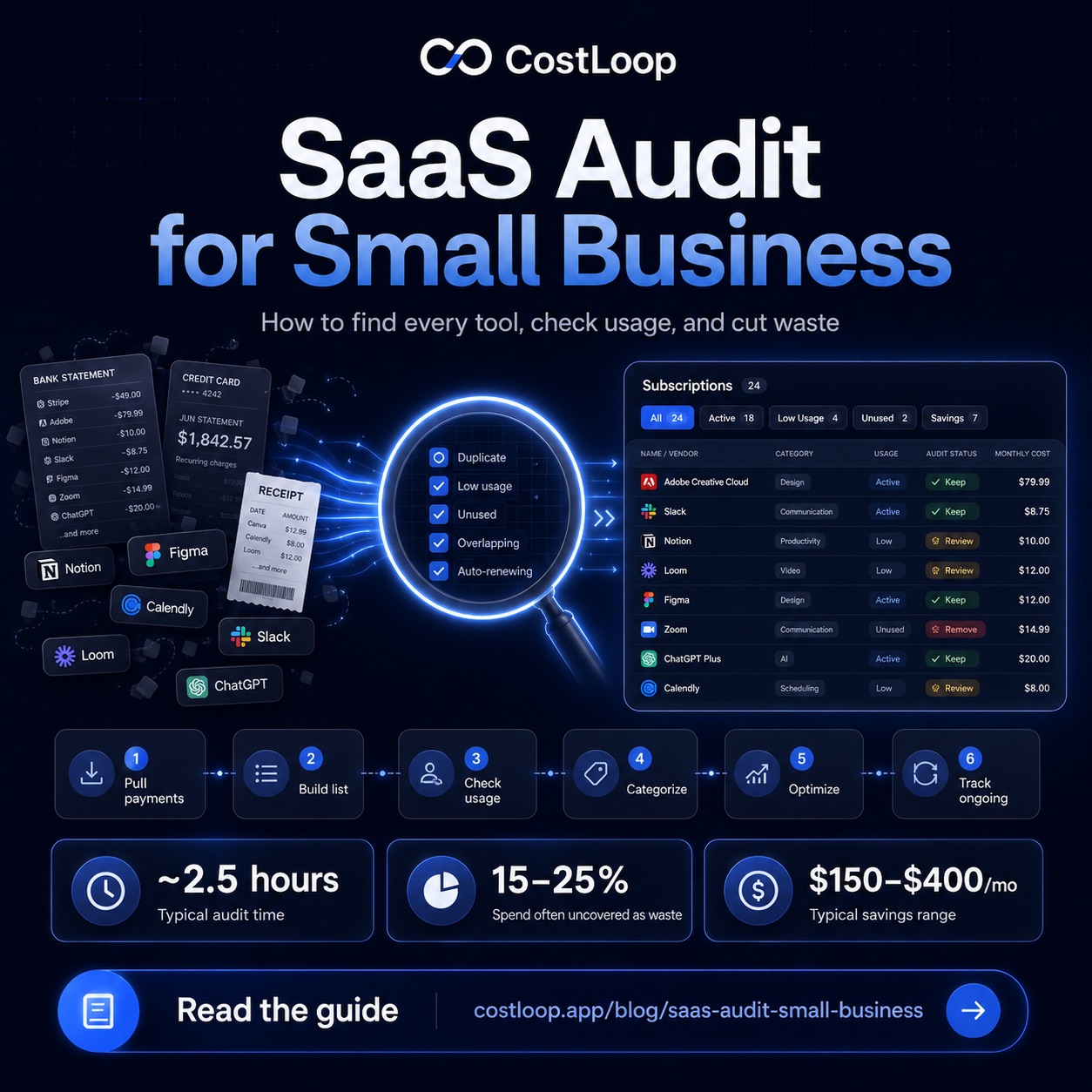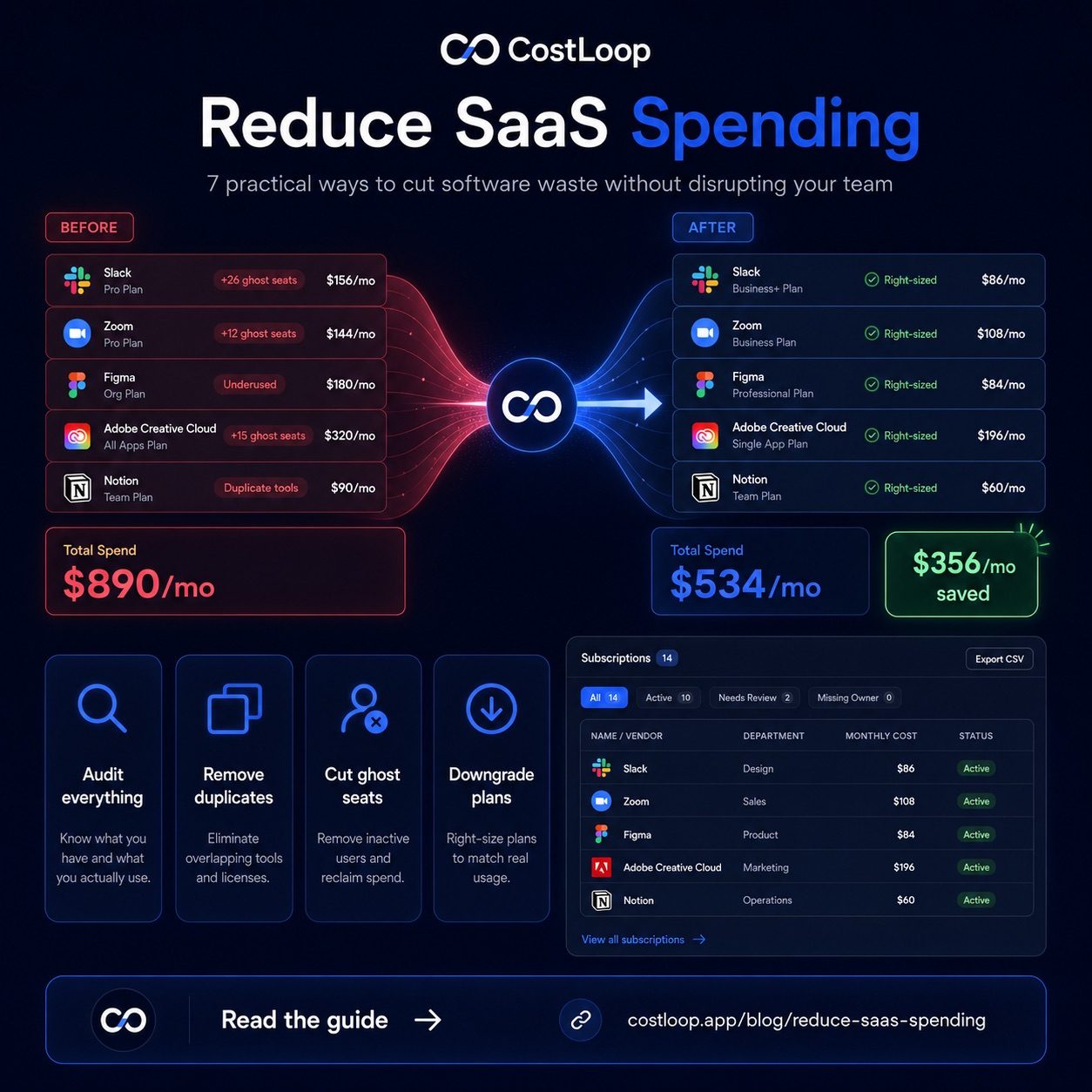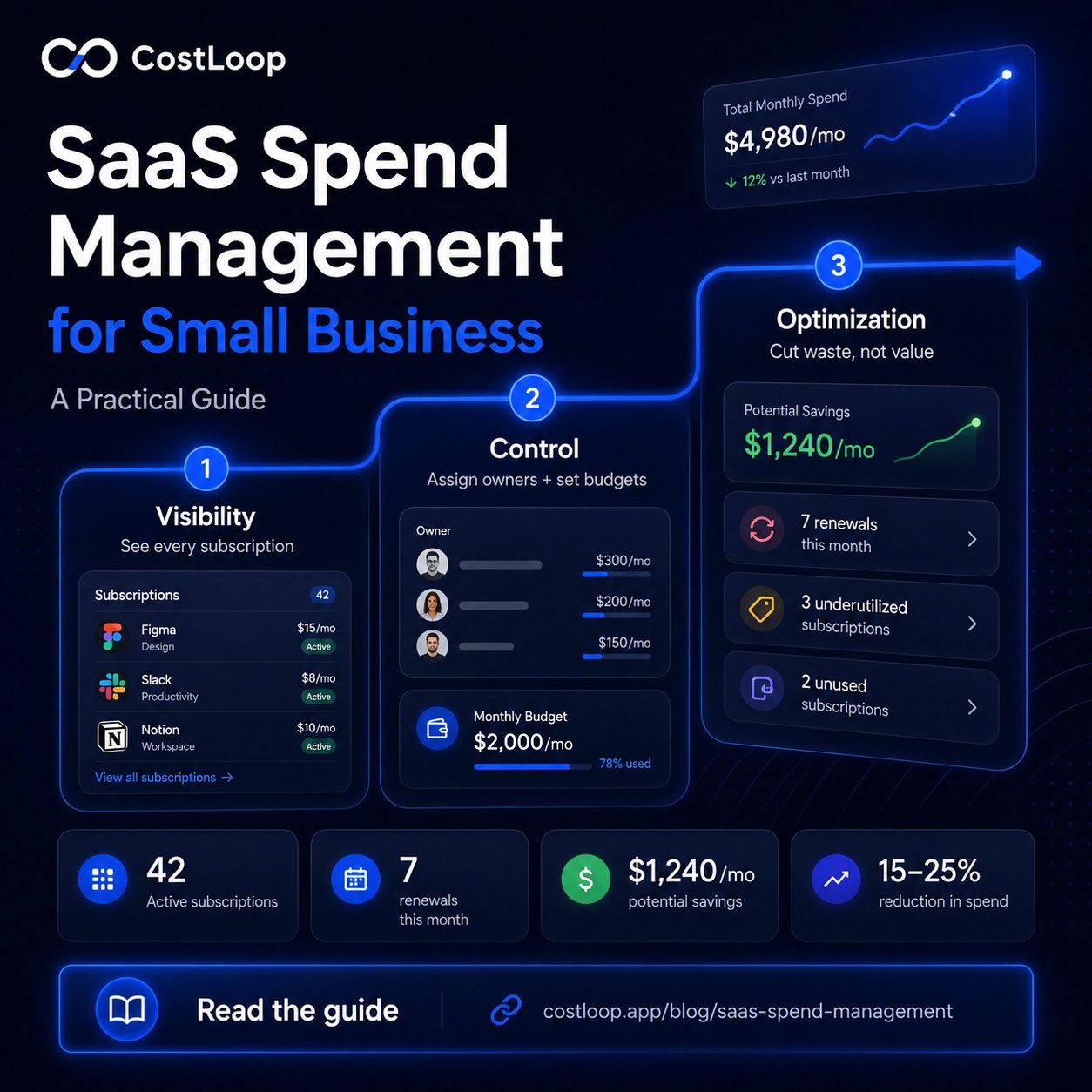
A SaaS spend audit is the fastest way to get visibility into what your business actually pays for software - and where money is leaking. This guide walks through each step: surfacing every subscription, assigning ownership, identifying waste, and setting up a review process you can repeat every quarter. For an overview of the tools and practices behind SaaS spend management, see SaaS Spend Management for Small Teams.
What SaaS spend management actually means
The term sounds like something from a procurement textbook, but the practice is straightforward. SaaS spend management has three phases: spend visibility, cost control, and spending analysis. Most small and medium businesses are stuck in the gap before spend visibility - they don't have a complete list of what they pay for, so they can't control it and certainly can't optimize it. The phases build on each other, so there's a logical order to work through them.
SaaS spend management is not just cutting things. That's the wrong framing. You want to eliminate waste, but you also want to make sure that the tools worth paying for are properly supported and renewed with intention rather than habit. The goal is deliberate software spending - not the lowest possible bill.
Phase 1: Visibility - know what you're paying for
You cannot manage what you haven't measured. The starting point is a complete list of every software subscription your business pays for, with three pieces of data attached to each one: the monthly cost (or annual cost divided by 12), the renewal date, and who on the team owns it. If you don't have this list, start with a SaaS audit guide to create the list and identify tools that need review.
Most small and medium businesses are surprised by two things when they first build this list. First, the total is higher than expected. When tools are added one at a time over months and years, nobody has occasion to add them up. Second, there are almost always tools on the list that nobody recognizes - forgotten trials, tools from departed employees, services that were supposed to be cancelled but weren't.
Visibility also means knowing when things renew. An annual subscription that auto-renews without a decision is money spent by default rather than by choice. Annual renewals should be flagged at least 30 days in advance so there's time to evaluate and cancel if needed.
| Category | Typical share of SaaS budget | Example tools |
|---|---|---|
| Productivity & project mgmt | ~30% | Notion, Asana, Linear, Monday |
| Communication | ~20% | Slack, Zoom, Loom, Calendly |
| Marketing | ~20% | Mailchimp, Semrush, Buffer, Canva |
| Developer tools | ~15% | GitHub, Vercel, Sentry, AWS |
| Admin & finance | ~15% | QuickBooks, DocuSign, 1Password, CostLoop |
The breakdown above is approximate - your actual distribution will depend on your industry and team composition. The point is that categorizing spend by function shows you where it clusters, which makes optimization decisions easier to frame.
Phase 2: Control - define who decides and what the limits are
Visibility tells you what exists. Control is about what happens next - specifically, what process governs how new tools get added and how existing tools get renewed.
In most small and medium businesses, the current "process" is: anyone who wants a tool signs up for it, often on a credit card that gets expensed or just left on a personal card. This is how shadow IT accumulates. The fix isn't bureaucracy - it's a simple rule: before adding a new SaaS subscription, it needs a named owner, a budget line, and confirmation that it doesn't duplicate something already being paid for. That rule eliminates most of the low-value additions that drive spend up over time. For more on this, see the post on shadow IT in small and medium businesses.
Control also means assigning an owner to every existing tool. Ownership isn't just about who uses it - it means someone is responsible for deciding whether to renew it. Without an owner, tools renew on autopilot because nobody's job it is to question them. When every subscription has an owner, renewal decisions happen intentionally.
Set a software budget cap. It doesn't need to be precise, but there should be a number - a monthly ceiling for software spend - that requires a deliberate decision to exceed. This stops slow drift where spend creeps up $30 at a time without anyone noticing. The post on SaaS budget for small and medium business covers how to arrive at a reasonable number.
Phase 3: Optimization - cut waste, not value
Once you have visibility and control in place, optimization is a quarterly exercise. It's not a one-time purge - it's an ongoing review cycle that keeps spend aligned with what your business actually uses and needs.
The most common sources of waste in small and medium business SaaS spending are:
Unused seats. You signed up for a larger team, people left, and the seat count was never adjusted. This can become a clear leak in SaaS budgets. Go through each tool and compare paid seats to active users. The post on unused software seats covers how to find and fix these systematically.
Forgotten trials. A 14-day free trial converts to a paid plan and nobody notices. This is especially common when team members sign up for tools using their work email without telling anyone. These are pure waste - tools that were never adopted, now billing every month.
Annual renewals on autopilot. Annual subscriptions are the hardest to catch because they only appear once a year. Without a renewal reminder, they just charge without a decision being made. Every annual subscription should have a 30-day reminder set so it gets evaluated before it renews.
Duplicate tools. Small teams often end up with two or three tools doing the same job - two project management tools, two video tools, two document signing tools. This happens when different team members each brought in their preferred tool. Consolidating duplicate functions can reduce spend without removing capability your team still needs.
Overpaying for tier. Many businesses are on Business or Professional tiers when the Starter tier covers everything they actually use. If you're not using the features that justify the higher price, downgrade. Most vendors make this easy.
For every tool you're unsure about, ask one question: if this disappeared tomorrow, would the team notice? If the answer is no - or "maybe in a few weeks" - that's a cancellation candidate. The post on measuring SaaS ROI for small and medium businesses walks through a more structured version of this exercise.
SaaS license management: closing the gap between paid and used
For a full guide on license tracking, see SaaS license management for small and medium business.
SaaS license management is a specific discipline within the broader spend management picture. It focuses on one particular type of waste: the gap between licenses you're paying for and licenses that are actively being used. For most SaaS tools, you pay per seat. Every unused seat is a pure cost with zero return.
Effective SaaS license management means tracking, for each tool: how many seats you're paying for, how many are actively assigned to current team members, and how many are assigned but inactive. The goal is to keep paid seats and active users in close alignment - ideally within one or two seats as a buffer for new hires, not five or ten seats you're carrying indefinitely.
The most common license waste patterns: seats that were never reclaimed when employees left, plans that were set when the team was larger, and bulk discounts that came with more seats than you ever needed. A quarterly license review - comparing paid seats against active users on each tool - can surface seats that can be removed without affecting anyone actively using the tool.
SaaS vendor management is a related practice worth building alongside license tracking. It means maintaining a clear record for each vendor: who to contact for support, where the cancellation link lives, what the contract terms are, and whether there's a notice period before renewal. Tracking vendor spend per tool - not just total monthly outlay - makes it easy to spot which vendor relationships are costing disproportionately relative to actual usage. When you need to cancel or renegotiate, having this information centralized saves significant time. A SaaS cost tracker like CostLoop stores vendor notes and cancellation links per subscription precisely for this reason - so when you decide to cut a tool at renewal, you can act immediately instead of spending 20 minutes finding the right page.
Building the system: what it actually looks like in practice
A complete SaaS spend management system for a small or medium business doesn't need to be complicated. It needs five things: a central list of every subscription, renewal dates with automatic reminders, a named owner per tool, a monthly budget number, and a quarterly review calendar event.
The central list is the foundation. Every tool, every cost, every renewal date, in one place. Not scattered across credit card statements, not half-remembered. One complete list. This alone - before you change anything - is worth the time it takes to build.
Renewal reminders convert passive spending into active decisions. Set alerts 30 days before every renewal. That window is long enough to evaluate the tool, contact the vendor if you're considering cancelling, and actually cancel before the charge hits.
A quarterly review is a 30-minute meeting or solo session where you go through the full list and ask: is everything here still earning its place? Compare paid seats to active users. Check if anything has been unused for 90+ days. Look for tools that could be consolidated. This is where the ongoing optimization happens.
CostLoop is designed to handle all of this in one place. The central subscription list, renewal reminders, health scoring to flag underused tools, cancellation link storage for when you decide to cut something, and spend tracking over time so you can see whether your software budget is moving in the right direction. This is what complete SaaS visibility looks like: not just knowing what you pay, but seeing the full picture of your software stack - what's active, what's underused, what's renewing soon, and whether spending is trending in the right direction. See CostLoop's spend management features and the pricing page for plan details.
Good SaaS operations for a small or medium business means the system runs without constant manual effort. You set up the central list once, renewal reminders fire automatically, and the quarterly review is a scheduled 30-minute session rather than a crisis-driven scramble. A business subscription tracker makes this practical: SaaS optimization - trimming seats, cancelling unused tools, and consolidating duplicates - becomes a natural output of that quarterly review rather than a one-time project. Together, these practices keep your SaaS spending aligned with what your team actually uses, rather than what it signed up for months or years ago.
SaaS operations: the system that keeps it all running
Beyond the one-time cleanup, effective SaaS spend management depends on a lightweight but consistent set of operations - the ongoing practices that prevent waste from accumulating again. The SaaS operations guide covers the specific tools, metrics, and processes small teams use to keep their software stack intentional without spending hours each week on administration.
SaaS cost management tool: what to look for at the small and medium business scale
A SaaS cost management tool is any software that helps your business track, control, and reduce what it spends on software subscriptions. The category ranges from basic spreadsheet templates to enterprise-grade SAM (software asset management) platforms costing hundreds of dollars per month. For small and medium businesses, the right answer sits between those extremes: a dedicated tool that handles the subscription-specific needs that spreadsheets miss, without the complexity and cost of enterprise software built for IT departments.
The features that matter for a small or medium business SaaS cost management tool are: a central subscription inventory (every tool, cost, and renewal date in one place), automated renewal reminders (so decisions happen before charges, not after), per-tool owner assignment (so someone is accountable for each renewal), and a total spend view (so you always know your current software cost without manual calculation). Everything beyond these four is bonus capability - useful at scale, not essential for a 5-50 person team.
CostLoop is built around exactly these requirements. It is not trying to be an enterprise SaaS management platform. It is a focused SaaS cost management tool for small and medium businesses - set up in an afternoon, no IT integration required, free to start. See the full feature list or start free. For a broader framework on managing software costs, see the SaaS cost management guide. If you're specifically evaluating full spend-management platforms with corporate cards and procurement workflows rather than a subscription tracker, see best spend management software for how that broader category differs.
SaaS spend optimization: where small and medium businesses leave the most money
SaaS spend optimization is the phase where you move from having visibility into your software costs to actively reducing waste. It is not about cutting tools you need - it is about stopping payment for tools, seats, and tiers that are not earning their cost.
The most reliable optimization levers for small and medium businesses, ranked by typical impact:
Seat right-sizing. Compare paid seats to active users on every per-seat tool. The gap can become visible on tools where headcount has changed since the original signup. Multiplied across several tools, even small seat-count corrections can become meaningful.
Zombie subscription elimination. Any tool that has not been used in 90 days is a cancellation candidate. Not a "review for next quarter" - a cancel now. If the team needed it, they would be using it. Set a 90-day rule and enforce it at your quarterly review.
Duplicate consolidation. Most small and medium businesses have two or three pairs of duplicate tools - two project management platforms, two video tools, two document signers. Pick one in each category and cancel the other. The savings are immediate and the disruption is minimal.
Plan downgrade. Many businesses are on Professional or Business tiers when the Starter tier covers everything they actually use. Check what features justify the higher price. If you cannot name three features you use regularly that are not on the tier below, downgrade.
Optimization is most effective as a quarterly process - not a one-time purge. The quarterly review (30 minutes, four times a year) is what keeps savings compounding rather than erosion resuming after the initial cleanup.
SaaS budgeting software: building a forward-looking system
SaaS spend management is not just about what you spent - it is about what you will spend. Once you have visibility and have cleaned up waste, the next step is building a budget that keeps future spending intentional. SaaS budgeting software is a tool that makes that budget live: not a spreadsheet you update manually, but a system that tracks every subscription, fires renewal alerts automatically, and shows you your total spend in real time.
For small and medium businesses, the SaaS budgeting process is straightforward: set a monthly ceiling for software spend based on your operating model, assign a budget to each functional category (communication, project management, marketing tools, developer infrastructure, admin), and define the approval process for new additions. Once those limits exist, the SaaS budgeting software enforces them passively - every new subscription gets added to the tracked total, every renewal is flagged before it charges, and the budget number is always current.
The software budget template covers the planning side in detail. CostLoop covers the ongoing tracking side - the live dashboard that makes the budget real rather than a document that gets stale. The two work together: the template gives you the structure, the tool gives you the discipline.
Frequently asked questions
What is SaaS spend management?
SaaS spend management is the practice of tracking, controlling, and optimizing what a business pays for software subscriptions. It includes maintaining a central list of tools, tracking renewal dates, monitoring usage, and regularly reviewing whether each tool earns its cost.
How much does the average small and medium business spend on SaaS?
Small and medium business software spend varies widely by team size, industry, and operating model. The important thing is to normalize every monthly and annual subscription into one current view.
How do I reduce SaaS spend without cutting tools I need?
Focus on three areas: unused seats (downgrade plans to match actual users), duplicate tools (consolidate where one tool can replace two), and unused tools (cancel anything nobody's logged into in 90+ days). This approach helps you cut tools, seats, or tiers that no longer support active work.
What's the best way to manage SaaS spend for a small team?
Keep a central list of every subscription with costs and renewal dates. Set renewal reminders so decisions happen before auto-renew. Define who approves new tools. Review the list quarterly. CostLoop handles all of this in one place.
What is SaaS license management?
SaaS license management is the practice of tracking the gap between licenses (seats) you're paying for and seats that are actively being used. For per-seat tools, every unused seat is wasted spend. A quarterly license review - comparing paid seats against active users on each tool - can reveal seat costs that should be removed or reassigned. It's a core part of SaaS spend management for any team using per-seat pricing.
What is SaaS cost management?
SaaS cost management is the broader practice of treating software spend as a managed budget line with intentional controls: a complete subscription inventory, a defined approval process for new tools, renewal reminders, and quarterly reviews. It's the difference between software costs that drift up by default and costs that stay aligned with what your business actually uses and needs. CostLoop is built to support SaaS cost management for small and medium businesses without enterprise-level complexity.
What is a SaaS cost management tool?
A SaaS cost management tool is software that helps your business track, control, and optimize what it spends on software subscriptions. For small and medium businesses, the core features are: a complete subscription inventory, renewal reminders, per-tool cost tracking, owner assignment, and a total spend view. You do not need enterprise SAM software or complex integrations - you need a tool that keeps your software costs visible and your renewal decisions intentional. CostLoop is a SaaS cost management tool built specifically for 1-50 person teams.
How do I optimize SaaS spend for a small or medium business?
SaaS spend optimization for small and medium businesses focuses on four areas: unused seats (downgrade plans to match your actual active users), forgotten tools (cancel anything nobody has used in 90+ days), duplicate tools (consolidate where one tool can replace two), and over-tier pricing (downgrade plans where you are not using the premium features). A quarterly review using a central subscription tracker like CostLoop helps identify tools, seats, and tiers to review without cutting anything your team actively uses.
For US teams evaluating corporate card platforms, the CostLoop vs Ramp comparison covers the key differences.
What is SaaS budgeting software?
SaaS budgeting software is a tool that helps you plan, track, and control what your business spends on software subscriptions. Unlike general accounting tools, SaaS budgeting software is built around subscription-specific needs: recurring billing cycles, renewal dates, per-seat pricing, and usage tracking. It turns a reactive approach - where you discover what you spent after the fact - into a proactive one, where you manage software as a planned budget line. CostLoop is SaaS budgeting software built for small and medium businesses. See the software budget template for a practical framework alongside the tool.