Small and medium businesses often pay for more seats than they need - and poor SaaS license management is the reason why. Headcount changes but license counts don't follow. When someone leaves, their license often keeps renewing. When a project wraps up and the team shrinks, nobody adjusts the seat count before the next billing cycle. When usage drops gradually, nobody notices until the annual renewal shows up on the credit card statement and someone finally asks whether this tool is still being used.
SaaS license management is the practice of keeping your paid licenses aligned with your actual usage. It means knowing, for every tool you pay for, how many seats you're paying for versus how many people are actively using it - and having a process to close that gap before it compounds. It's a specific discipline within the broader world of SaaS spend management, and for seat-based software, it's often the single biggest lever for cutting waste without cutting tools.
What is SaaS license management?
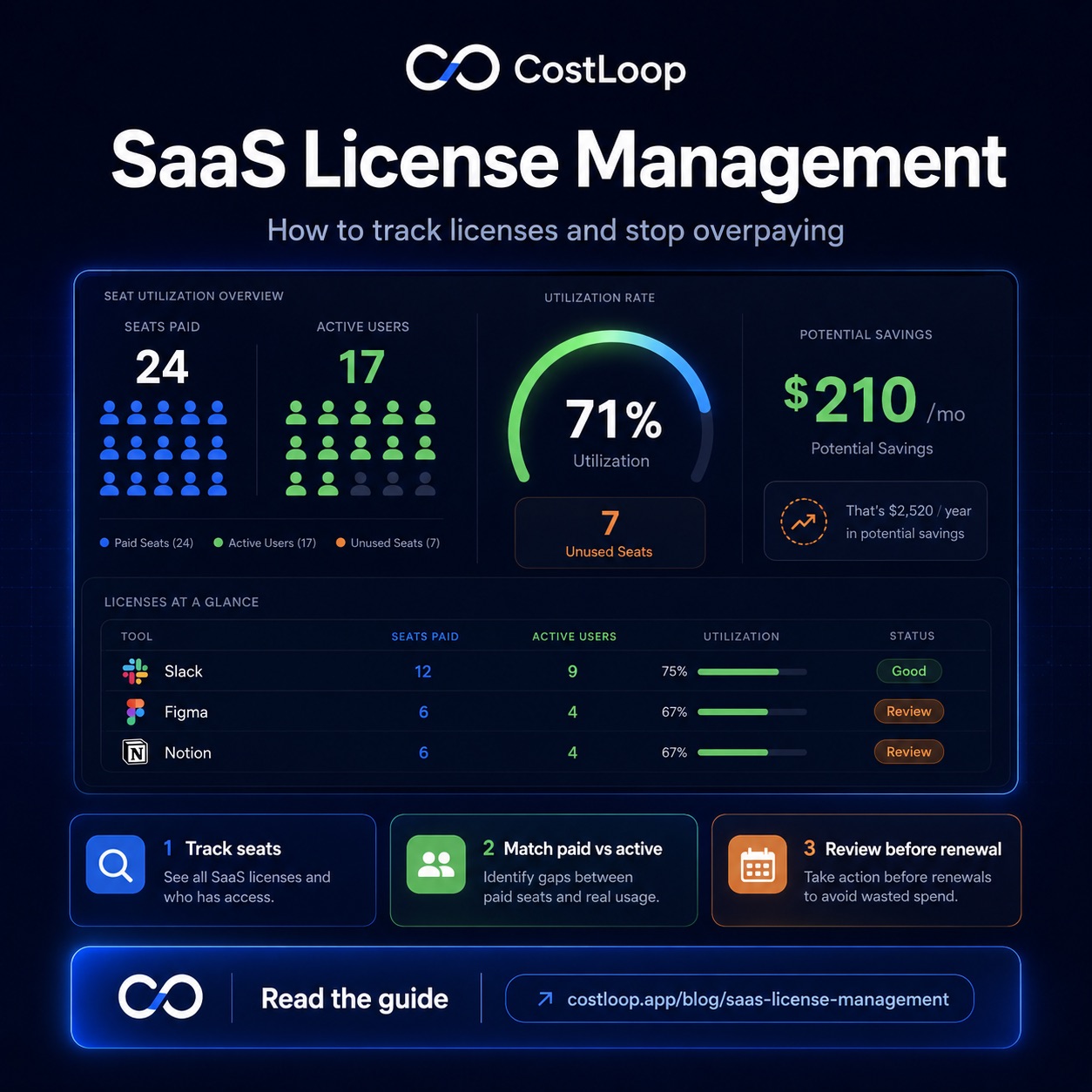
SaaS license management is the practice of tracking how many licenses you own versus how many are actually used, for each tool in your software stack. In concrete terms: you have a Slack plan with 12 seats, but only 8 people on your team. The gap - 4 unused seats - is license waste. SaaS license management is what catches that gap and gives you the information to act on it.
A few terms worth knowing. Seat-based licensing is the most common model for SaaS tools: per-user pricing means you pay per user per month, so seat allocation and every seat count matters. Named user licenses are assigned to specific individuals - you can't share them or float them across a team. Concurrent licenses (less common in SaaS, more typical in legacy software) allow a set number of users to be logged in simultaneously rather than limiting total users. License utilization rate is the ratio of active users to paid seats - if you're paying for 10 seats and 7 people are actively using the tool, your utilization rate is 70%.
Why does this matter? Paid seats without active users can create avoidable spend, especially when teams grow, shrink, or change tools without updating licenses. A straightforward license audit compares paid seats, assigned users, active usage, owners, and renewal dates. The broader context on managing this kind of spend is covered in the SaaS spend management guide.
The license management problem in small and medium businesses
Small teams actually have it worse than enterprises when it comes to license waste - not because they spend more, but because they have fewer safeguards. Enterprises have IT departments, procurement teams, and software asset management (SAM) processes specifically designed to track this. Small and medium businesses have none of that. License management falls to whoever happens to notice, which usually means it doesn't happen at all.
There are a few patterns that make this especially bad for small teams. Headcount changes frequently - contractors come and go, part-timers shift to full-time and back, employees leave without a formal offboarding checklist that includes revoking software access. Without a consistent user provisioning process, new seats get added without any central tracking, and old ones never get removed. Multiple people have admin access to different tools, so licenses accumulate without oversight. And the same tool often gets signed up for by multiple people who didn't know it was already in use - leading to duplicate subscriptions rather than just seat additions.
The scenarios that result from this are predictable. An ex-employee's named license sits active for months after they left because nobody thought to downgrade the plan. A free trial converted to a paid 10-seat plan for a team of 3 - because that was the minimum tier when the trial ended. An annual license was bought for a specific project, the project ended, and the license renewed automatically because the renewal date was in nobody's calendar. None of these are careless mistakes. They're what happens when there's no system.
This is closely related to the shadow IT problem - tools that get added without central oversight tend to also have nobody responsible for managing their license counts. The post on shadow IT for small and medium business covers how to get visibility into what's running in the first place, which is the prerequisite step before you can manage licenses effectively.
What a SaaS license management tool actually does
A SaaS license management tool - or the license management layer of a broader SaaS management platform - gives you the infrastructure to move from guessing to knowing. Here's what the core functionality looks like in practice.
License inventory. A central record of every tool you pay for, including how many seats you're paying for on each one. This is the foundation. Without it, every other piece of the process is manual and error-prone. The inventory should update when plans change, not just when someone remembers to update a spreadsheet.
Usage tracking. Knowing who is actively using each tool - not just who has an account. An account that hasn't been logged into in 90 days is not an active user. Usage tracking is what separates "seats assigned" from "seats actually used," which is the number that matters for identifying waste.
Owner assignment. Every tool should have a named owner - one person whose job it is to make the renewal decision and answer questions about usage. Without an owner, tools renew on autopilot and nobody is accountable for the spend. Owner assignment is a lightweight governance mechanism that prevents the drift that causes most license waste.
Renewal dates and alerts. The timing problem is as important as the visibility problem. Knowing you have 4 unused seats is only useful if you find out before the annual renewal charges. Renewal alerts - set at least 30 days before the charge - give you the window to downgrade or cancel rather than just observing waste after the fact.
Cost per active user. This is the calculation that turns license data into a decision. If you're paying $15/seat/month for a 10-seat plan but only 6 people are actively using it, your cost per active user is $25 - not $15. That reframe often makes the decision to downgrade obvious. A good SaaS license management tool calculates this automatically and surfaces it so you don't have to do the math manually.
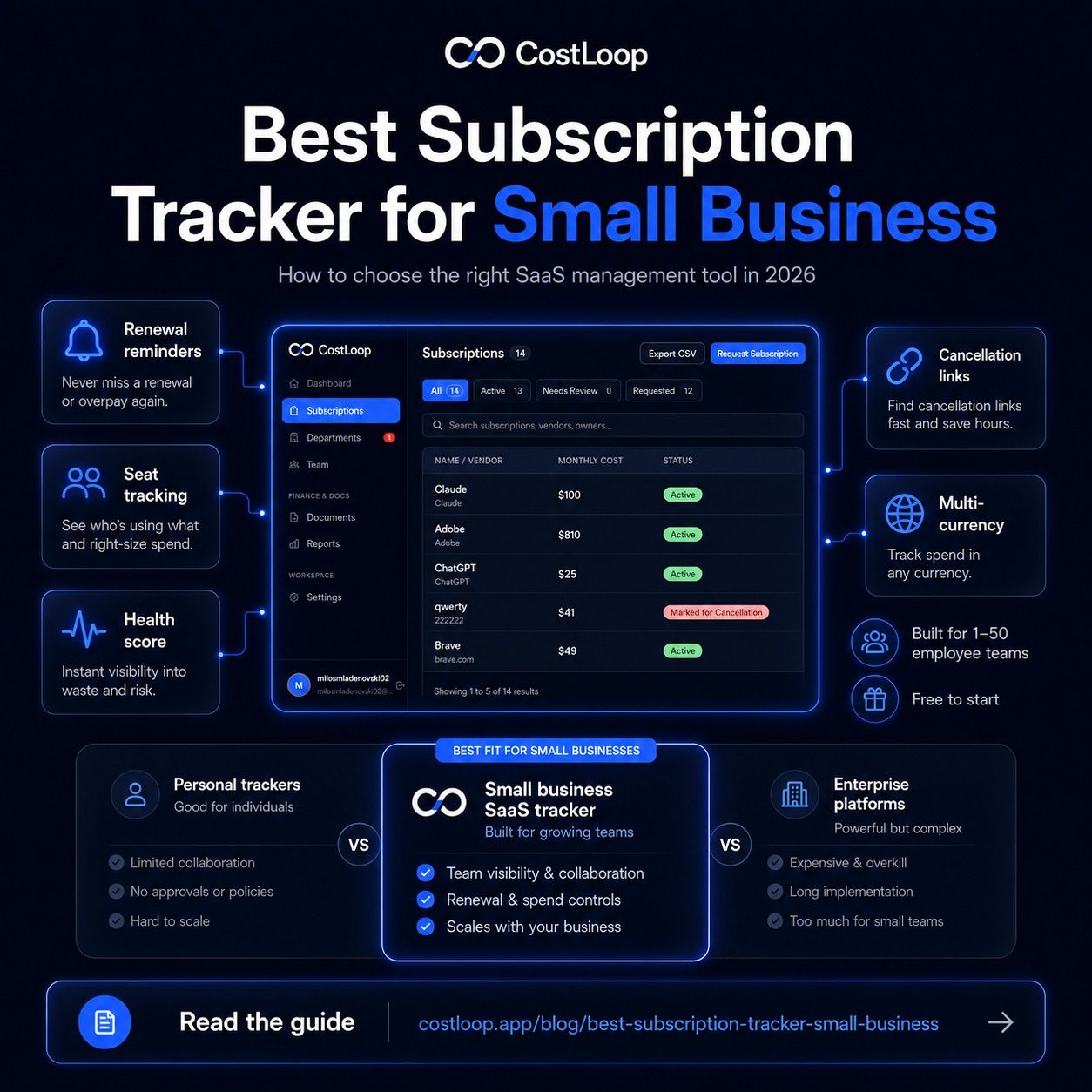
As a software license tracker, CostLoop covers all of this for the subscription and cost tracking layer. You get a complete inventory of what you pay for, renewal reminders so you always have the decision window you need, owner assignment per tool, and cost tracking over time so you can see whether your software budget is moving in the right direction. For per-seat tools, tracking seat counts and flagging utilization gaps is exactly the kind of visibility that turns a passive cost into a managed one. For teams managing SaaS licenses without a local IT setup, cloud-based software license management covers how hosted tools make this easier. See also the post on the best subscription tracker for small and medium business for a broader comparison of what tools handle this well.
How to audit your current SaaS licenses
A license audit doesn't require specialized software to get started. It does require a block of time - typically 2-3 hours for a business with 10-30 tools - and the discipline to actually go through every tool rather than stopping at the obvious ones.
Here's the process step by step.
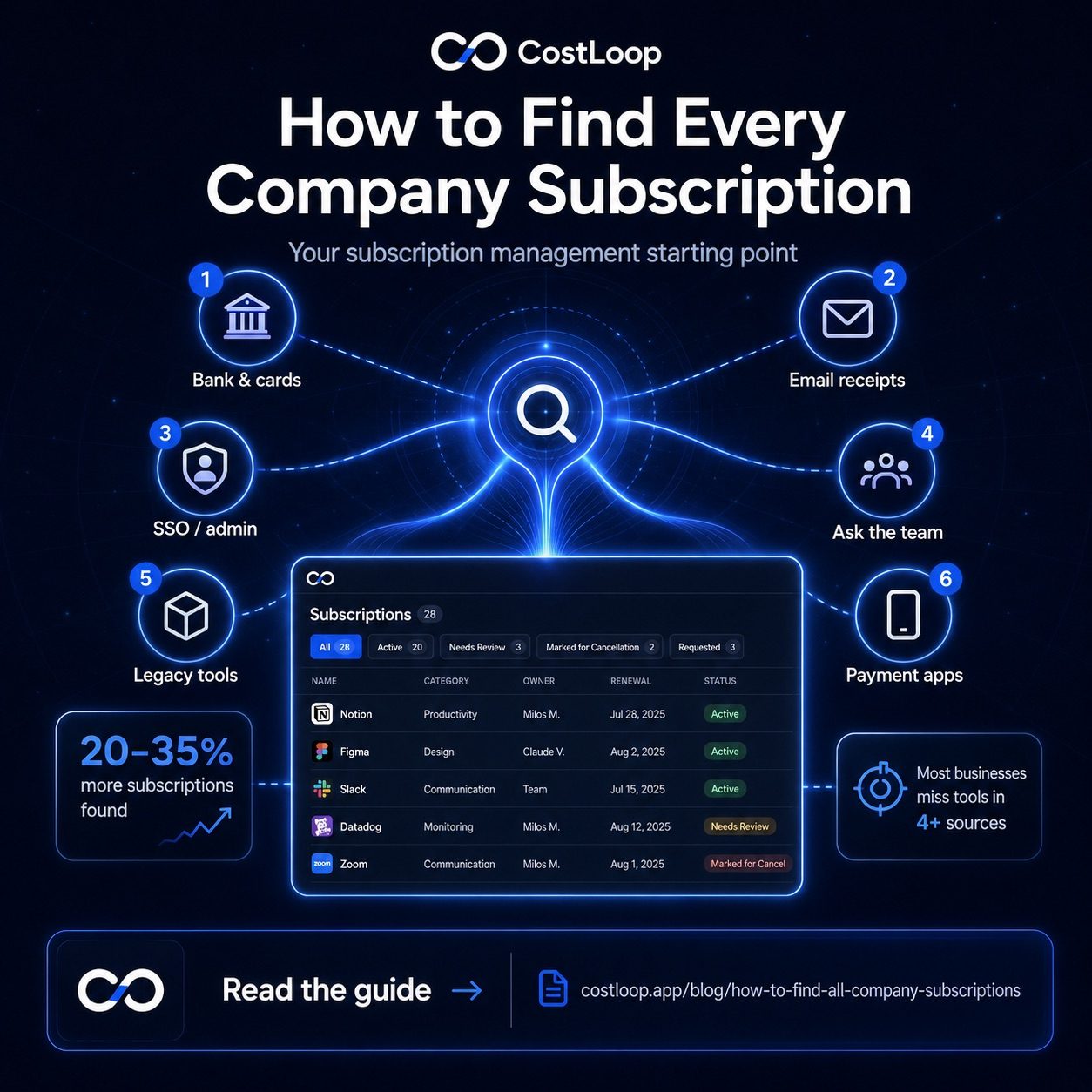
Step 1: List every tool. Start with a complete inventory. Check your credit card statements and bank account for recurring charges. Check your email for subscription confirmation emails and renewal notices. Ask anyone with admin access to apps what they're paying for. The goal is a complete list with no gaps. The post on how to find all company subscriptions covers this step in detail.
Step 2: Find out how many seats you pay for vs. how many people use each tool. Log into the admin console for each tool - or check the billing page. How many seats does your current plan include? Then look at active users - most tools have a user management section that shows last login dates. Any user who hasn't logged in within 60-90 days is a candidate for removal.
Step 3: Calculate cost per active user. For each tool, divide the monthly cost by the number of active users. This single number changes how you think about each tool. A $30/month tool used by 10 people costs $3/active user. The same tool used by 2 people costs $15/active user. The cost-per-user metric makes the value judgment concrete.
Step 4: Flag anything where cost per active user seems out of line with the value delivered. There's no universal threshold, but tools where you're paying significantly more per active user than the vendor's published per-seat price are the obvious targets - it means you're carrying significant dead weight. Tools where even the cost-per-active-user seems high relative to what the tool does are also worth scrutinizing.
Use this template to organize the audit:
| Tool | Seats Paid | Active Users | Cost/Seat | Monthly Cost | Action |
|---|---|---|---|---|---|
| Slack | 12 | 8 | $8.75 | $105 | Downgrade to 8 seats |
| Notion | 10 | 10 | $16 | $160 | No action needed |
| Zoom | 5 | 2 | $15 | $75 | Downgrade to 2 seats |
| Asana | 8 | 1 | $13.49 | $107.92 | Cancel or switch to free tier |
Running this exercise for a 20-tool stack typically takes one dedicated session. The results are almost always surprising - not because the individual amounts are large, but because the total waste across many tools adds up faster than expected.
SaaS license management platform features: what to look for
The term "SaaS management platform" covers a wide range of tools, and the enterprise-grade options - products like Zylo, Torii, or Blissfully - are built for companies with hundreds of employees, dedicated IT teams, and complex provisioning workflows. For a small and medium business, buying one of those is like buying a forklift to move a single box. The features you'd actually use represent a small fraction of what you'd pay for.
For small and medium businesses, the right SaaS license management software needs to do a smaller set of things well: maintain a subscription inventory that's always current, track seat counts per tool, surface renewal dates with enough lead time to act, and make the cost-per-user calculation visible without requiring you to run the numbers manually. That's the full feature set that matters at this scale.
What you don't need - and shouldn't pay for - is complex provisioning workflows (automated user onboarding and offboarding across your entire tool stack), SSO integrations that sync user directories in real time, auto-deprovisioning agents that revoke access the moment someone is marked inactive, or sophisticated contract management with redline and negotiation tracking. These are features for 100+ person companies with legal teams and IT administrators. Building these capabilities into a small and medium business tool adds cost and complexity without adding proportional value.
CostLoop is built for the small and medium business version of this problem. The focus is on subscription visibility, renewal reminders, cost tracking, and flagging where spend is out of line with usage - without the enterprise layer that most small teams will never touch. It's the practical middle ground between a spreadsheet (too manual, too easy to fall out of date) and a full SAM platform (too much overhead for a 10-person team).
License waste vs. SaaS sprawl: two different problems
These two problems often get conflated, but they have different causes and different fixes. Understanding the distinction matters because trying to solve one with the other's solution doesn't work.
License waste is paying for seats that aren't used within a tool your business actually needs. You have Slack, you need Slack, but you're paying for 12 seats when only 8 people use it. The tool is right; the seat count is wrong. The fix is straightforward: downgrade to the right number of seats, keep the tool.
SaaS sprawl is paying for tools that nobody needs at all - or that duplicate something else you're already paying for. You have both Asana and Monday.com because different team members signed up for each. Or you're still paying for a project management tool from three years ago that everyone quietly stopped using. The fix is cancellation or consolidation, not seat adjustment.
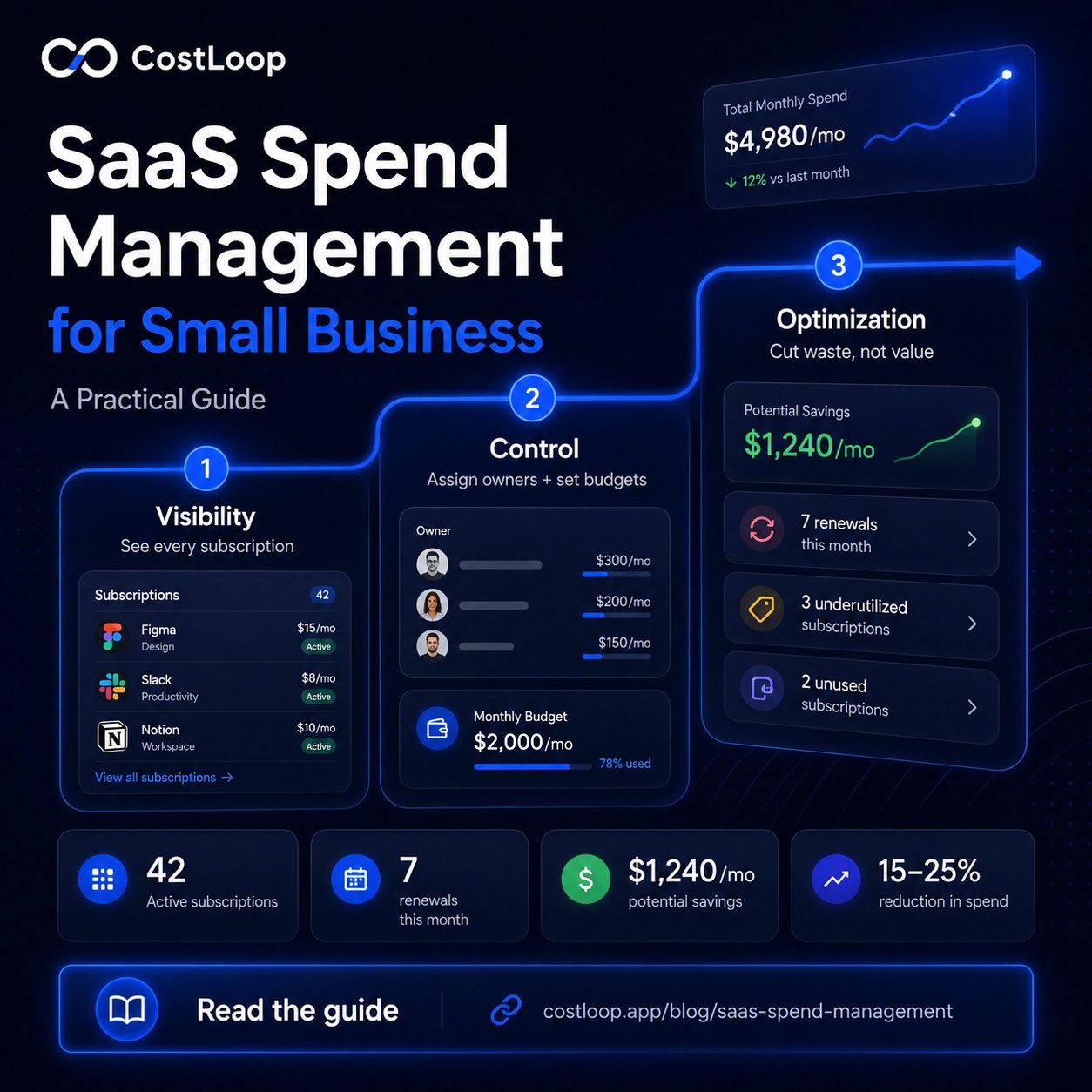
Both types of waste show up in a license audit, but the remediation is different. License waste is fixed by changing your plan on a tool you keep. SaaS sprawl is fixed by eliminating a tool entirely. A good audit separates these two categories - because downgrading a tool you should actually cancel is just slowing down the waste, not stopping it. For a deeper look at the overall cost management picture, the SaaS spend management guide covers how license management fits into the full framework.
Frequently asked questions
What is SaaS license management and why does seat allocation matter?
SaaS license management is the practice of tracking how many licenses (seats) you own versus how many are actively being used, for each tool your business pays for. The goal is to keep paid seats aligned with actual usage so you're not spending money on seats that belong to ex-employees or projects that ended. For per-seat SaaS tools, it's one of the most direct ways to cut software costs without cutting any tools your team actively uses.
How do I track SaaS licenses for a small or medium business?
Start with a complete inventory of every tool you pay for. For each one, record how many seats you're paying for, how many people are actively using it, and the renewal date. Then set up a quarterly check - compare paid seats to active users and downgrade or cancel where there's a meaningful gap. Renewal reminders ensure you catch upcoming charges before they auto-renew. A subscription tracker like CostLoop handles the inventory and renewal reminders automatically, so the quarterly review becomes a 30-minute session rather than a multi-hour scramble.
What should a SaaS license management tool include for license compliance?
For small and medium businesses, a SaaS license management tool should include four core things: a subscription inventory showing every tool and its seat count, usage tracking to see who is actively using each tool, renewal date alerts so decisions happen before auto-renew, and cost-per-active-user calculations so you can spot waste at a glance. Enterprise features like automated provisioning workflows or SSO integrations are typically unnecessary overhead for teams under 50 people.
Enterprise teams that need automated discovery may want to look at the CostLoop vs Zluri comparison to understand where each tool fits.
How often should I audit software licenses?
Quarterly is the right cadence for most small and medium businesses. A quarterly license audit takes 30-60 minutes and catches the most common sources of waste: seats that weren't reclaimed after someone left, plans that weren't downgraded after headcount dropped, and tools that stopped being used. Annual reviews miss too much - a lot can change in headcount and usage patterns over 12 months. The quarterly rhythm also aligns with most businesses' regular planning cycles, making it easier to build into an existing routine.