When people search for "best subscription tracker," they usually mean one of two completely different things. The first is a personal finance app that helps you notice you're still paying for a streaming service you forgot about. The second is a business tool that helps you manage the software your company pays for - renewal dates, seat counts, vendor contracts, team access. These are different problems, and the tools that solve them are different too. This guide covers both honestly, so you can find what you actually need.
First: which category do you actually need?
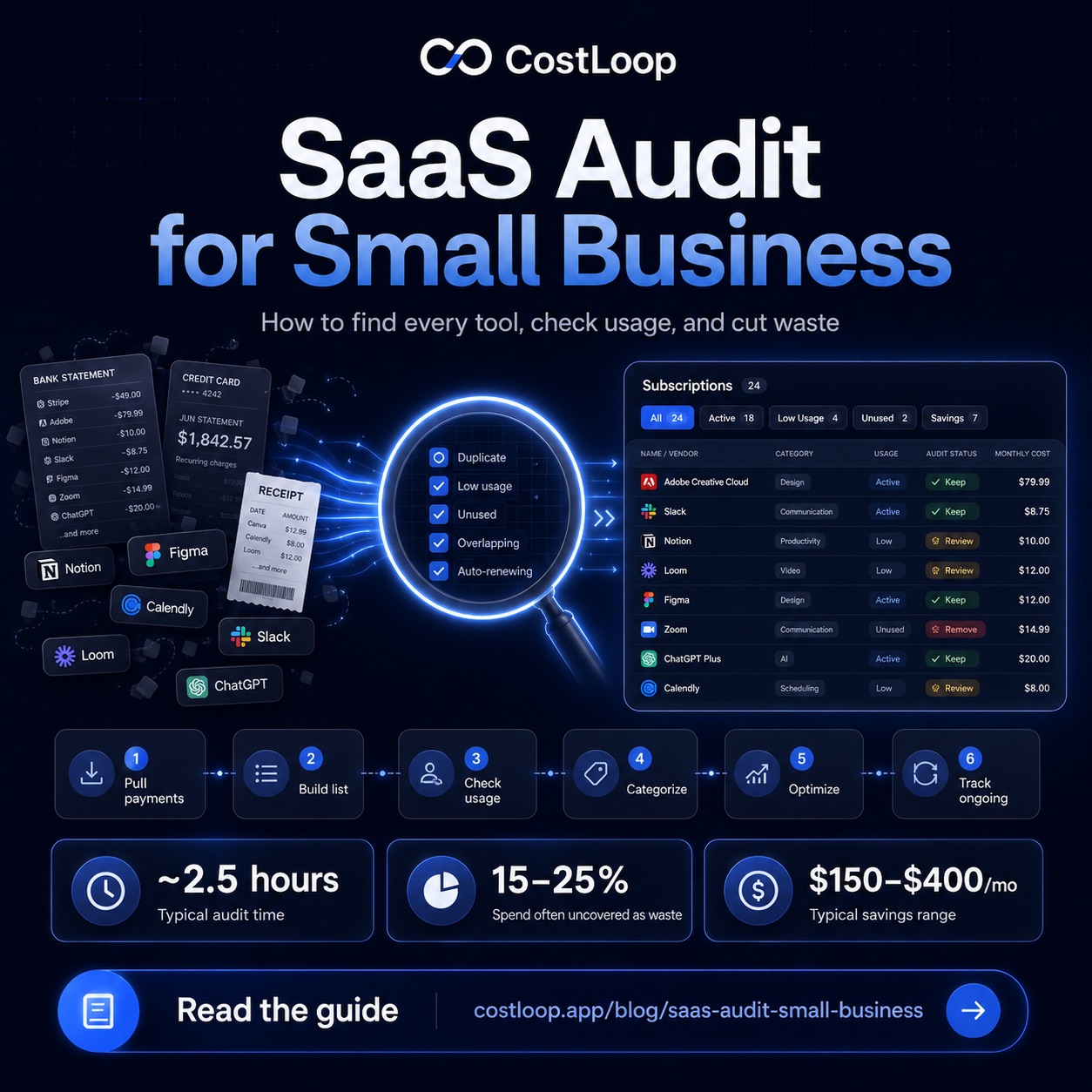
For small and medium businesses, the relevant problem is almost always the second one. You're not trying to track your Netflix subscription. You're trying to keep track of 15–40 software tools your business pays for, make sure nothing auto-renews without a decision, and avoid paying for seats nobody uses. A proper software inventory - a complete list of every tool, its cost, and its renewal date - is the foundation. Before running a SaaS audit guide-style review, most small and medium business owners don't have a complete picture of what they're actually spending. That's the gap that business subscription tracking tools fill.
Personal finance apps that detect subscriptions work by scanning your bank transactions and flagging recurring charges. They're useful for personal budgeting. They are not designed for managing business software - they don't know which tool has how many seats, they can't store cancellation links or vendor contacts, and they don't give you a health score on whether a tool is earning its cost.
Category 1: Business SaaS subscription trackers
These are tools built specifically to track the software your business pays for. This is the category that matters for most small and medium businesses reading this.
CostLoop
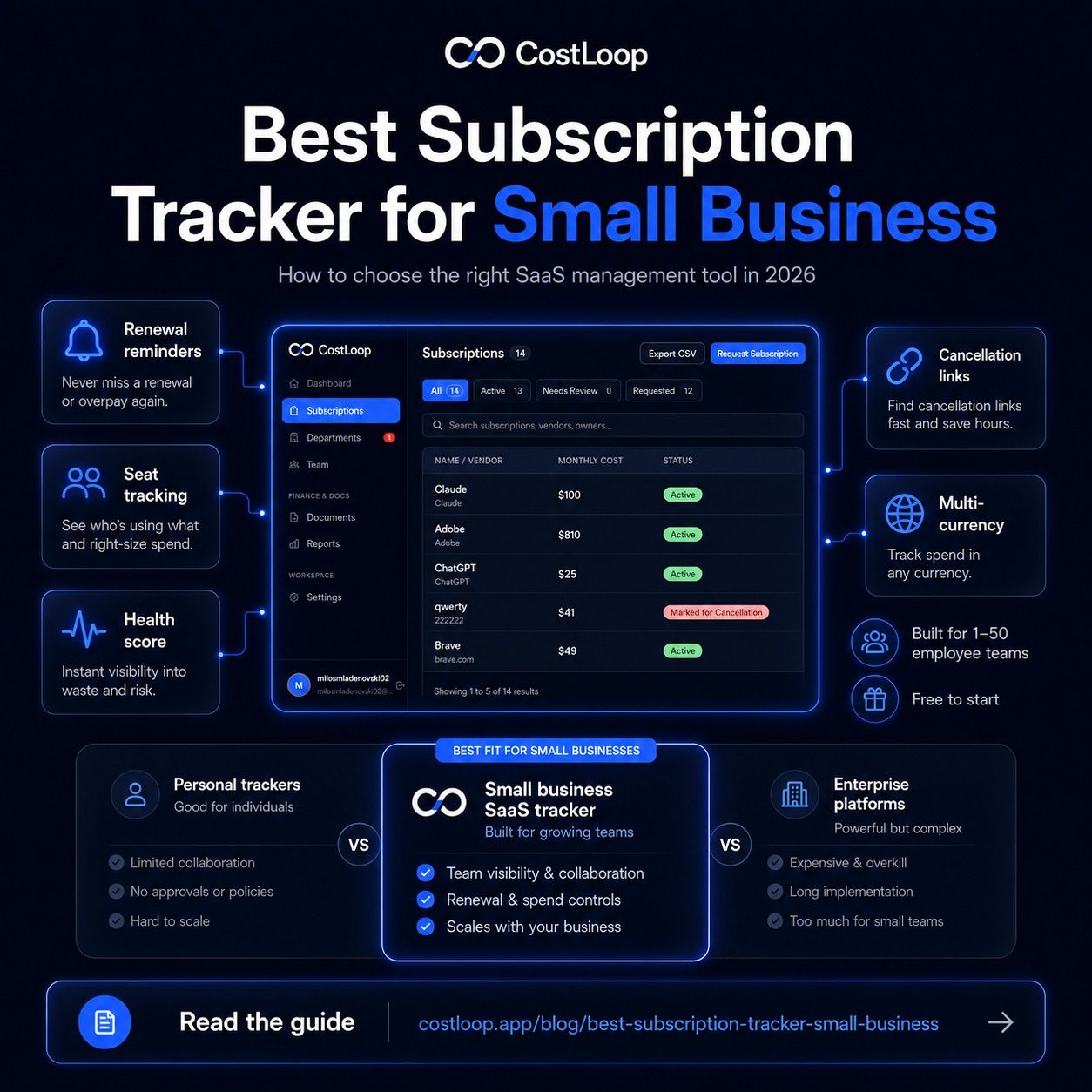
CostLoop is a subscription tracker for small and medium business built for exactly this use case: a small and medium business that pays for 10–50 software tools and wants a complete subscription management system - knowing what everything costs, when it renews, and whether it's actually being used. The feature set is focused on what matters: a subscription dashboard showing your full SaaS spending at a glance, renewal reminders (30 and 7 days before each renewal), multi-currency support for international tool payments, a health score per subscription so you can see which tools are earning their cost, storage for cancellation links so you can actually cancel quickly when the time comes, and document storage for invoices and contracts per vendor. It's free to start, with paid plans adding multi-user access and advanced reporting. See CostLoop's full features or check pricing.
What it does well: purpose-built for the problem, straightforward to set up, free plan covers most small and medium business needs. What it doesn't do: it's not an accounting tool, it doesn't integrate with payroll, and it's not trying to be.
TrackMySubs
TrackMySubs is a basic option in this category. It handles subscription tracking and renewal reminders. The feature set is more limited than CostLoop - no health scoring, no cancellation link storage, no multi-currency as a core feature - but it works for a very simple use case. If you have fewer than 10 subscriptions and just want a place to log renewal dates, it's a reasonable starting point.
Manual spreadsheet
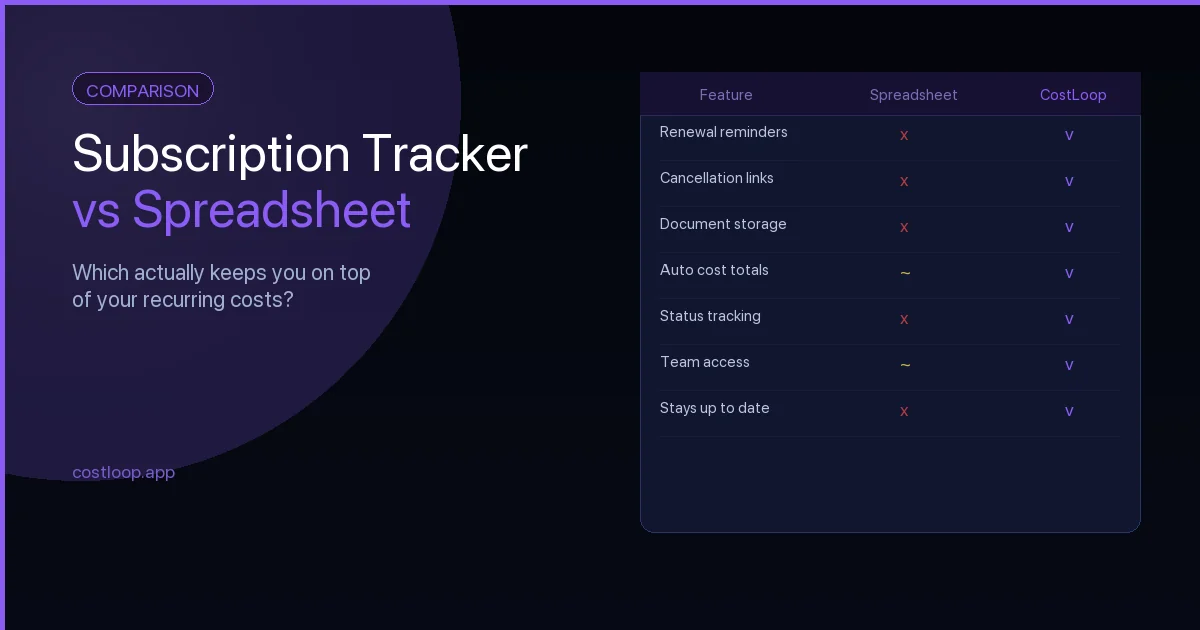
A spreadsheet works for 5–10 subscriptions and breaks down fast as you add more. No automatic reminders, no health tracking, no document storage - you have to build and maintain everything yourself. The post on subscription tracker vs spreadsheet covers this comparison in detail. Short version: spreadsheets are fine to start with, but they don't scale and they rely entirely on you remembering to update them.
Category 2: Enterprise SaaS management platforms
These are platforms built for large companies with dedicated IT and procurement departments. They're powerful, complex, and expensive.
| Platform | Built for | Typical cost | Right for small biz? |
|---|---|---|---|
| Zylo | Enterprise (500+ employees) | $1,000+/mo | No |
| Torii | Mid-market (200+ employees) | $500+/mo | No |
| Zluri | Mid-market (100+ employees) | $400+/mo | No |
| CostLoop | Small and medium business (1–50 employees) | Free to start | Yes |
Zylo, Torii, and Zluri are serious tools for companies with an IT department, a procurement process, and hundreds of software licenses to manage. If you're a 10-person company, they're not for you - the pricing alone makes that clear, and the complexity would take more time to manage than the problem you're solving. These tools are designed for organizations where shadow IT is a major risk and where purchasing decisions flow through formal approval chains.
Category 3: Personal subscription trackers
Rocket Money (formerly Truebill) and similar consumer apps are built to help individuals track personal spending - streaming services, gym memberships, subscription boxes. They work by connecting to your personal bank account and flagging recurring charges.
These tools are not built for business SaaS management. They don't distinguish between a $15 Netflix charge and a $500 CRM renewal. They don't track per-seat licensing, store vendor contacts, flag upcoming business renewals, or help you make decisions about which tools your team actually uses. If you're using Rocket Money to track your personal finances, great - it does that well. It's just the wrong tool for managing your business software stack.
SaaS management software vs. SaaS tracking software: what's the difference?
You'll encounter these terms used interchangeably, but there's a useful distinction worth understanding before you evaluate tools. SaaS tracking software focuses on what you pay and when: building a list of subscriptions, recording costs, and alerting you before renewals charge. Basic and sufficient for small teams who just need awareness.
SaaS management software goes further - it adds usage visibility, health scoring, owner assignment, and documentation storage per vendor. You don't just know what you pay; you know whether each tool is earning its cost, who's responsible for the renewal decision, and how to cancel if needed.
SaaS management platforms (enterprise tools like Zylo, Torii, Zluri) layer in IT-level integrations: automatic software discovery via SSO, usage monitoring, and formal procurement workflows. Powerful, but priced for organizations with dedicated IT departments.
For most small and medium businesses, the right answer is the middle tier: purpose-built SaaS management tools that give you more than tracking but don't require an IT team to operate. CostLoop sits here by design - it covers subscription tracking, renewal alerts, health scoring, seat tracking, cancellation link storage, and vendor notes in one place, without the complexity or cost of an enterprise platform. When you're searching for SaaS management tools, the question to ask isn't which has the most features - it's which gives you enough information to make a decision before every renewal. See CostLoop's full features for a breakdown of what's included.
What to look for in a business subscription tracker
If you're evaluating tools in this category for your small and medium business, here's what actually matters:
Renewal reminders are non-negotiable. The whole point of tracking subscriptions is to make a conscious decision before you're automatically charged. A tool that doesn't remind you of upcoming renewals is just a list - and you can make a list in a notes app. Look for reminders at least 30 days before renewal so you have time to evaluate and cancel if needed.
Multi-currency support matters if you use any tools priced in currencies other than your own. Many SaaS tools are priced in USD even when your business operates in EUR, GBP, or NOK. A tracker that only shows USD doesn't give you an accurate picture of what you're spending.
Health or SaaS usage tracking helps you answer the most important question: is this tool actually being used? Without usage data, every tool looks identical on the list regardless of whether it's active or forgotten. A health score or usage indicator tells you at a glance which subscriptions deserve a closer look - and which ones are candidates for cancellation at the next renewal. Subscription tracking software with usage visibility is what separates a simple subscription list from a tool that actively helps you make better decisions.
Cancellation link storage sounds minor but saves real time. When you decide to cancel something, you want to be able to do it immediately - not spend 20 minutes searching for the cancellation page. Storing the link at the time you add the subscription means you can cancel in under a minute when the time comes.
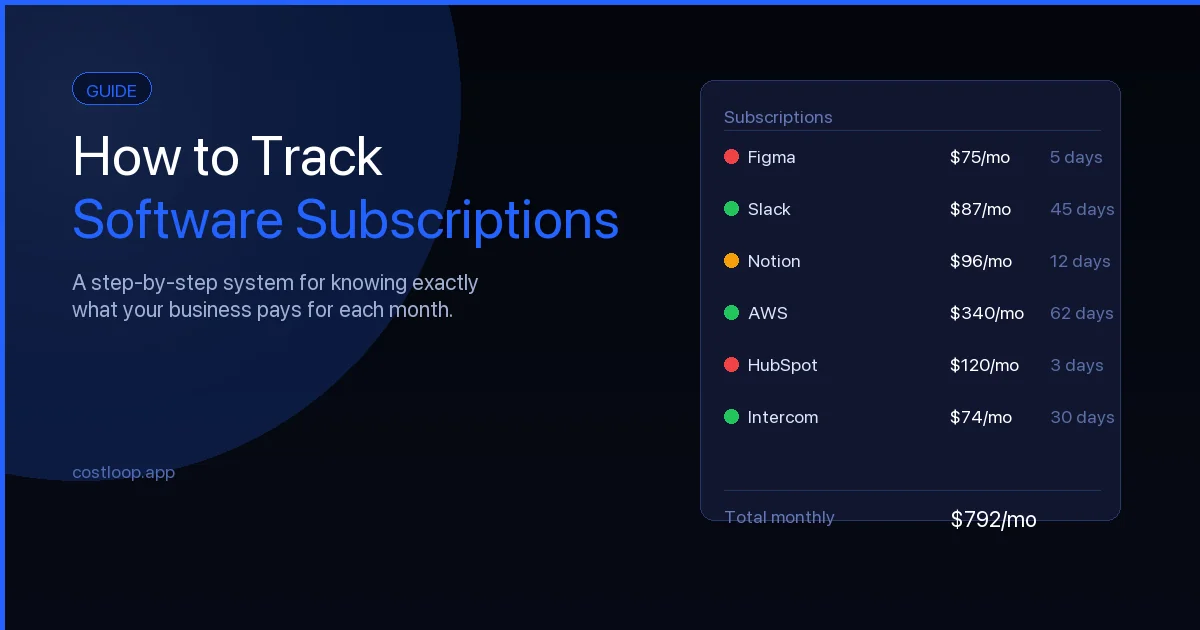
Price should be proportional. A $50/month subscription tracking tool only makes sense if you're managing thousands of dollars in software costs. For most small and medium businesses, free or low-cost is appropriate. See the guide on how to track software subscriptions for a practical setup guide.
Add your subscriptions in minutes. Get renewal reminders before every charge. See your total software spend in one place. Explore all features or go straight to the free plan.
Start free - no credit card neededThe honest recommendation
For a small and medium business with 1–50 employees trying to manage its software subscriptions, CostLoop is the right tool. It's built for exactly that use case, the free plan covers what most small and medium businesses need, and it's not trying to be an enterprise platform or a personal finance app.
If you're running a 200+ person company with an IT team, look at Zluri or Torii - they're designed for that scale and have the integrations and workflow tools that enterprise purchasing requires.
If you're tracking personal subscriptions like Netflix and Spotify, Rocket Money is a solid option. Just don't confuse it with a business tool.
And if you haven't done a full tool audit to inventory what your business currently pays for, start there. A tool audit surfaces SaaS spending you may not even know about - software on autopay that nobody uses, seats from ex-employees, and duplicate tools covering the same function. The SaaS audit guide walks through how to find everything in 2–3 hours. Once you have a complete list, moving it into CostLoop takes about 15 minutes - and from that point forward, every renewal is tracked, every decision is intentional, and nothing auto-renews by surprise. See the full alternatives comparison if you want to look at other options side by side.
One term worth understanding when evaluating this category: license management software typically refers to enterprise tools that track software license compliance and usage across large organizations - products like Flexera or Snow Software priced for IT departments managing thousands of licenses. For small and medium businesses, the relevant category is simpler: a subscription tracker that covers what you pay, when you renew, and whether your per-seat licenses are being used. CostLoop handles this for the 1-50 employee range without the enterprise pricing or complexity. And rather than "subscription management software" in the traditional sense - which usually refers to billing platforms for SaaS vendors - CostLoop is on the buyer side: helping your business manage the subscriptions you're paying for, not the ones you're selling.
Subscription management app: what the term means and what to look for
The phrase "subscription management app" gets used to describe very different things - a personal app that flags your Netflix and Spotify, a business tool that tracks your company's SaaS stack, or a vendor-side billing platform that helps SaaS companies charge their customers. For a small and medium business owner, the relevant version is the second one: an app that gives your business complete visibility over the software subscriptions you pay for, with renewal reminders so nothing charges unexpectedly.
What a business-focused subscription management app should include: a central list of every subscription with cost and renewal date, automatic alerts before each renewal (at least 30 days in advance), per-tool owner assignment so someone is accountable for every renewal decision, and a simple way to see your total monthly and annual software spend. The more capable options - including CostLoop - also add health scoring per tool, cancellation link storage, and document storage per vendor.
What you don't need from a subscription management app at the small and medium business level: complex approval workflows, SSO-based auto-discovery, or automatic license provisioning. Those features exist in enterprise SaaS management platforms priced at $500-$1,000/month. For 1-50 person teams, the right subscription management app is focused, affordable, and takes an afternoon to set up - not months of IT configuration.
SaaS management platform: enterprise tool vs. small and medium business reality
The term "SaaS management platform" is used across a wide range of products, from lightweight tools to enterprise platforms priced for procurement-led teams. Understanding where your business falls in that range saves you from both under-buying (a tool too simple for your needs) and over-buying (an enterprise platform with features you won't use for years).
For a business with 1-50 employees and 10-50 software tools, a SaaS management platform needs to do five things well: track what you pay, alert you before renewals, show you which tools are being used, make it easy to cancel what isn't, and give one person clear ownership of each tool. CostLoop is built around exactly this set of requirements - no more complexity, no enterprise setup requirements, no IT department needed.
For businesses approaching 100+ employees with formal IT and procurement functions, enterprise SaaS management platforms (Zylo, Torii, Zluri) add SSO-based discovery and automated provisioning workflows - features that matter at that scale but add unnecessary overhead before you get there. The inflection point is usually around 50-75 employees and 100+ active tools. Before that, a purpose-built small and medium business SaaS management platform handles the problem better and costs a fraction of the price.
Expense management software for small and medium business: how subscription tracking fits in
"Expense management software for small and medium business" is a broad category that includes at least three types of tools solving different problems. Employee expense report tools (like Expensify or Ramp) help teams submit receipts, process reimbursements, and manage travel costs. Accounting software (like QuickBooks or Xero) handles bookkeeping, invoicing, P&L, and tax. And SaaS subscription trackers (like CostLoop) manage the recurring software costs that neither expense report tools nor accounting software was designed to handle well.
Where subscription tracking fits: your accounting software will show you software charges as line items, but it won't tell you when your next annual renewal hits, which subscriptions have unused seats, or who owns the decision for each tool. Your expense report tool captures employee receipts but doesn't track the company-level subscriptions that appear on the business card directly. Subscription tracking fills that gap - it's the tool that makes recurring software costs manageable rather than reactive.
Most small and medium businesses need all three types. The mistake is trying to make one tool do all three jobs. Use your accounting software for bookkeeping, your expense tool for employee receipts, and CostLoop for subscription management. Each is better at what it was built for. See CostLoop vs Expensify for more on where these tools overlap and diverge.
Frequently asked questions
What is the best subscription tracker for small and medium business?
CostLoop is purpose-built for small and medium businesses tracking SaaS and software subscriptions. It's free to start, includes renewal reminders, multi-currency tracking, health scoring, and cancellation link storage - features that spreadsheets and consumer apps don't provide.
Is there a free subscription tracker for small and medium businesses?
Yes. CostLoop has a free plan that covers the core features most small and medium businesses need: subscription tracking, renewal reminders, and spend overview. Paid plans add multi-user access and advanced features. Check the pricing page for a full breakdown.
What's the difference between a personal subscription tracker and a business one?
Personal trackers (like Rocket Money or Truebill) are built to track consumer subscriptions - Netflix, Spotify, gym memberships. Business subscription trackers like CostLoop are designed for managing SaaS tools, software licenses, renewal dates, vendor documents, and team access.
Do I need enterprise SaaS management software for my small and medium business?
Enterprise SaaS platforms (Zylo, Torii, Zluri) are designed for 200+ employee companies with IT departments. For small and medium businesses, they're overkill and priced accordingly. CostLoop is built specifically for the 1–50 employee range.
What should I look for in SaaS management tools for a small team?
The most important features in SaaS management tools for small and medium businesses are: renewal reminders (so every charge is a decision), subscription health tracking (so you can see which tools are underused), multi-currency support (for international SaaS pricing), and cancellation link storage (so you can act immediately when you decide to cut a tool). Pricing should be proportional - a paid SaaS management platform only makes sense if it helps you prevent more waste than it costs. CostLoop's free plan covers what most small and medium businesses need to get started.
What is SaaS tracking software?
SaaS tracking software is any tool that helps a business maintain visibility into the software subscriptions it's paying for - costs, renewal dates, seat counts, and usage. At the basic level, it's a structured list with reminders. At the more capable end, it includes health scoring, vendor documentation, and spend reporting. The goal is the same regardless of sophistication: ensure no subscription renews without a conscious decision. SaaS spend management is the broader practice that SaaS tracking software enables.
What is a subscription management app?
A subscription management app is a tool that helps a business track all its recurring software costs, renewal dates, and usage in one place. For small and medium businesses, the most useful subscription management apps include renewal reminders (at least 30 days before each charge), per-tool cost visibility, owner assignment so someone is accountable for each renewal, and cancellation link storage so you can act quickly when you decide to cut a tool. CostLoop is built specifically for small and medium business subscription management - free to start, no IT setup required.
What is a SaaS management platform?
A SaaS management platform is a tool that gives your business visibility and control over the software subscriptions it pays for. For small and medium businesses (1-50 employees), this means tracking costs, renewal dates, seat usage, and tool owners without needing an IT department or a complex setup. For enterprises (100+ employees), SaaS management platforms add SSO-based discovery and automated provisioning. CostLoop is a SaaS management platform built specifically for the 1-50 person team range.
What is expense management software for small and medium business?
Expense management software for small and medium business covers three different tool types: employee expense report tools (for receipts and reimbursements), accounting software (for bookkeeping and tax), and SaaS subscription trackers (for recurring software cost management). For managing the subscriptions your business pays for - renewal dates, seat counts, and per-tool costs - a dedicated subscription tracker like CostLoop is more effective than general expense software, which was not designed for subscription-specific needs.