Picture a small marketing agency reviewing its software subscriptions for the first time in months. The founder finds tools the team uses rarely, a project management platform everyone has migrated away from, a social scheduling tool with one occasional user, and two video tools with overlapping features. A short audit turns scattered charges into clear keep, cancel, downgrade, or consolidate decisions. The tools the team actually depends on stay in place.
This scenario is depressingly common. Small and medium businesses are uniquely vulnerable to SaaS sprawl: there's no IT department gatekeeping purchases, no procurement policy, and every team member can sign up for a new tool with a credit card and an email address. The result is a stack that grows by addition but almost never shrinks by subtraction. These 7 approaches to SaaS spend optimization work without disrupting the tools people actually depend on.
1. Do a full subscription audit first
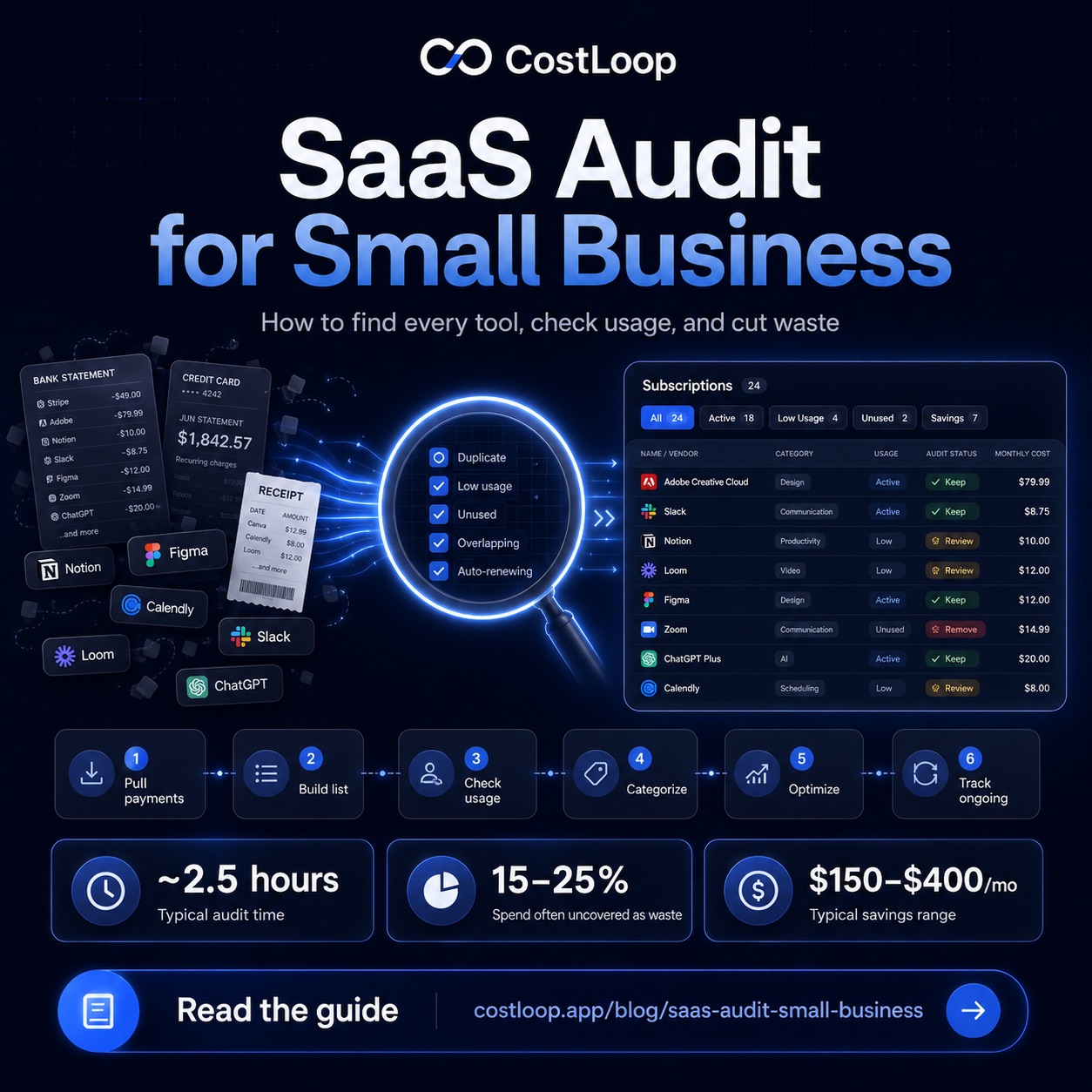
You cannot cut what you cannot see. Before anything else, you need a complete list - every tool, every billing cycle, every renewal date. Pull three months of bank and credit card statements. Check PayPal if anyone uses it for software purchases. Look for subscriptions across every card in the business, not just the main company card.
This initial list is almost always surprising. Most business owners who do this exercise for the first time discover between 2 and 6 subscriptions they had genuinely forgotten about. Some are tiny ($5/month for a domain add-on) and some are not ($199/month for an analytics platform nobody logs into anymore). The SaaS audit guide covers the full process, including how to categorize what you find and what to do with each category.
2. Eliminate duplicate tools
Project management is the most common category for overlap. Asana, Monday, Notion, ClickUp, Trello, Linear - these tools exist in the same space, and many businesses end up with two or three of them running simultaneously. One team uses Notion, another prefers Asana, someone set up a Trello board for a specific project two years ago and it's still getting billed. Each one might be $10–$50 per user per month. Combined, they're a significant line item with redundant value.
File storage is another common duplication point: Google Drive, Dropbox, OneDrive, and Box all do roughly the same thing. Communication is another: Slack, Teams, and Discord often coexist in the same company for historical reasons that stopped making sense months ago. Pick one per category and consolidate. The short-term friction of migration is almost always worth the long-term savings.
3. Remove ghost seats
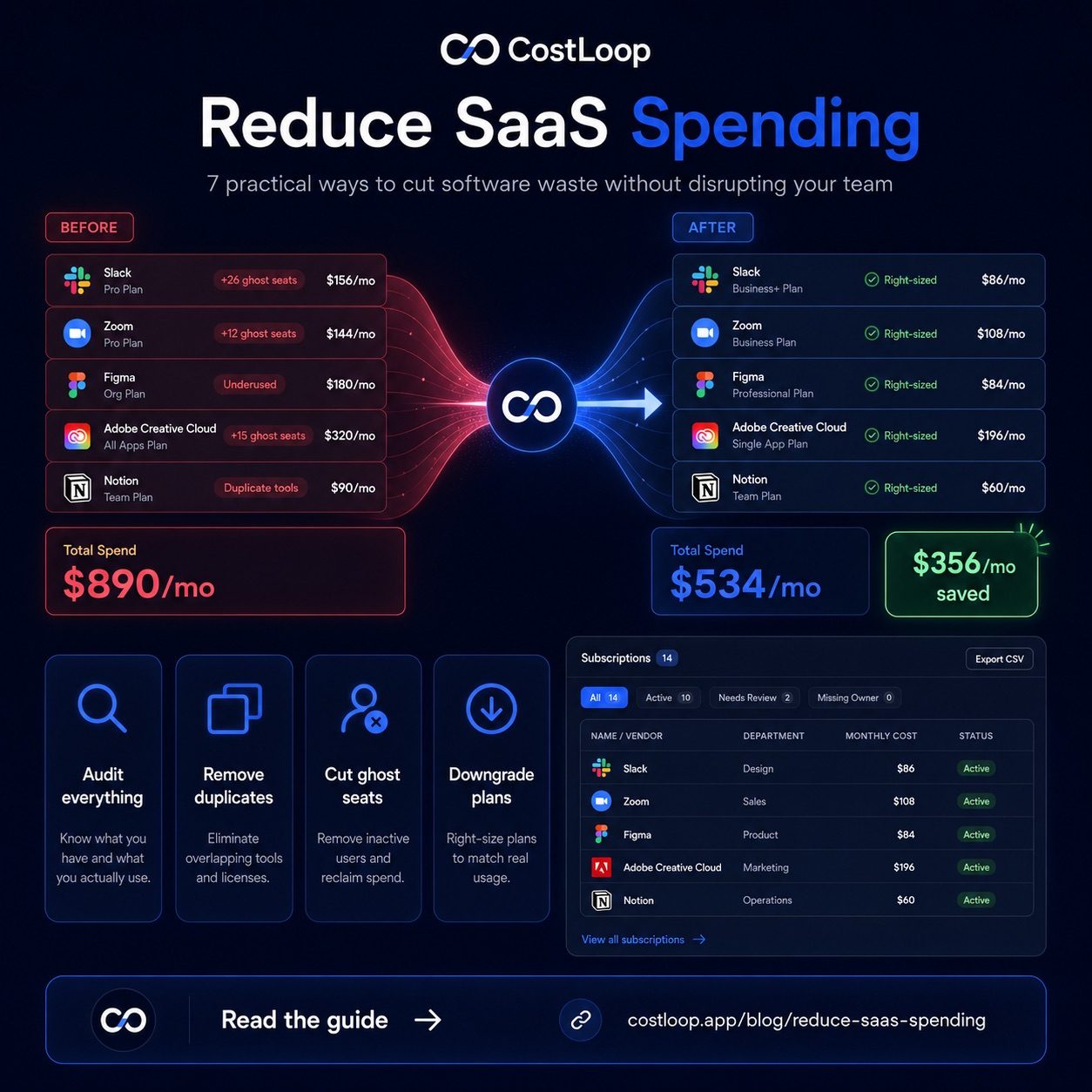
Ghost seats are one of the clearest places to look for savings. A ghost seat is a paid license that belongs to someone who is no longer using the tool - either because they left the company, or because they signed up during an evaluation and never actually started using it.
Log into the admin panel of each of your major tools and look at last login dates. On most SaaS platforms, you can sort users by activity. Anyone who hasn't logged in for 90 days is a candidate for removal. Former employees are obvious, but look also for contractors who finished projects months ago, or team members who tried a tool and quietly switched back to their preferred alternative. Removing ghost seats from a per-seat tool can reduce recurring cost without affecting active users.
4. Downgrade plans that no longer fit usage
SaaS pricing tiers are designed around features and limits: users, storage, API calls, monthly active contacts. When you first signed up, you might have needed the Business tier for a specific feature. That feature may now be on the Free or Starter tier, or you may simply not be using it. Many businesses auto-renew at the same plan level for years without ever checking whether a cheaper tier would cover what they actually need.
Go through each subscription's current plan and ask: what's on this tier that isn't on the tier below it? If the answer is "a feature we're not using," or "a seat limit we're nowhere near," downgrade. Most SaaS vendors make downgrading easy because they'd rather keep a smaller paying customer than lose them entirely. A few quick downgrades can reduce spend with no functional change to how your team works.
5. Switch annual billing for stable tools
Many SaaS vendors offer annual billing options. Compare the annual price against monthly billing only for tools you are confident you will keep for the full term. For your core, stable tools - the ones you've been using for over six months with no intention of cancelling - switching to annual billing is essentially free money.
The one caveat: only do this for tools you're confident you'll keep. Annual billing gives you a discount in exchange for commitment. If you end up cancelling a tool six months into an annual plan, refunds are not always available. The guide on annual vs monthly SaaS billing walks through how to decide which tools are stable enough to commit to annually and which ones you should keep on monthly billing for flexibility.
6. Negotiate at renewal time
Most small and medium business owners assume SaaS pricing is fixed. It isn't. Vendors - especially mid-market ones - have significant pricing flexibility, and renewal time is when you have the most leverage. You've already proven you're a paying customer. They'd prefer to retain you at a discount rather than have you evaluate competitors.
The most effective approach: before renewal, check what competitors charge for equivalent features, look up whether the vendor offers startup or non-profit discounts, and be willing to mention that you're evaluating alternatives. A simple email saying "we're reviewing our software budget ahead of renewal and considering [Competitor X] - is there any flexibility on pricing for loyal customers?" will get a response more often than not. The detailed breakdown of how to negotiate SaaS pricing covers specific scripts and timing strategies.
A SaaS spend tracker like CostLoop gives you a live dashboard of every subscription, so you can see exactly where you stand before and after each step. See your full feature list or jump straight in - it's free to start.
Start free - no credit card needed7. Consolidate with a tracker to prevent future creep
All of the above is effort spent recovering ground you've already lost. The better long-term play is to prevent the creep from happening in the first place. That means having one authoritative list of every subscription the business pays for, visible to whoever needs to see it, with renewal dates surfaced in advance.
When someone wants to add a new tool, the first question becomes: do we already have something that does this? When a renewal is coming up, the question becomes: is this still worth paying for? These are the right questions to ask. They just require visibility to ask them. A purpose-built software subscription tracker - not a spreadsheet that inevitably goes stale - makes this ongoing discipline sustainable without significant overhead.
If you want a deeper look at how software spend compounds over time and what a healthy budget looks like for different team sizes, the post on SaaS budget for small and medium business gives concrete benchmarks.
The math here is straightforward. If these 7 steps reduce your actual monthly software spend, the annual impact is simply the monthly reduction multiplied by 12. More than enough to justify a few hours of audit work. Start with CostLoop free and build the visibility you need to make these decisions confidently.
SaaS spend optimization: the four levers that work
SaaS spend optimization means reducing software waste without cutting tools your team actively needs. It is a discipline, not a one-time event - and it works through four specific levers that together cover the vast majority of where small and medium businesses overpay.
1. Seat right-sizing. Compare the number of paid seats on each per-user tool to the number of people who actually logged in during the past 30 days. Downgrade to match active usage. On per-seat tools, this can reduce the tool's cost when seats were never reassigned after staff changes.
2. Zombie subscription removal. A zombie subscription is any tool that has not been used in 90 days or more. No usage means no value. Cancel immediately - there is nothing to evaluate. Small and medium businesses can have forgotten subscriptions sitting on credit cards for months if nobody owns the list.
3. Duplicate consolidation. Most small and medium businesses have two to three pairs of tools doing the same job - two project management platforms, two file storage services, two video conferencing tools. Pick one per category and cancel the other. The short-term migration effort pays back in weeks.
4. Tier downgrade. Go through each subscription's current plan and ask: what does this tier include that the tier below does not? If you cannot name three features from that premium tier that your team uses regularly, downgrade. Most SaaS vendors make this easy - they prefer a smaller recurring payment to losing a customer entirely.
For a deeper dive into managing your full software spend, see the guide on SaaS cost management and the broader overview of SaaS spend management, and the saas cost optimization page for a product-focused look at what cutting SaaS costs looks like in practice.
Frequently asked questions
What is SaaS spend optimization and how does it reduce SaaS waste?
SaaS spend optimization is the practice of actively reducing software waste while keeping tools your team needs. The four main levers are: seat right-sizing (matching paid seats to active users), zombie subscription removal (cancelling tools unused for 90+ days), tool consolidation (picking one tool per job and cancelling the rest), and tier downgrade (dropping to a cheaper plan when premium features go unused). Running a software audit is the starting point - you cannot eliminate SaaS waste you cannot see.
How much cost reduction can I achieve by optimizing SaaS spend?
A structured optimization pass can reduce avoidable software spend when it finds zombie subscriptions, unused licenses left behind by former team members, and duplicate tools that overlap in function. Vendor negotiation at renewal time can add savings when you have clear usage data and a real alternative. Your actual outcome depends on your stack, contracts, and usage patterns.