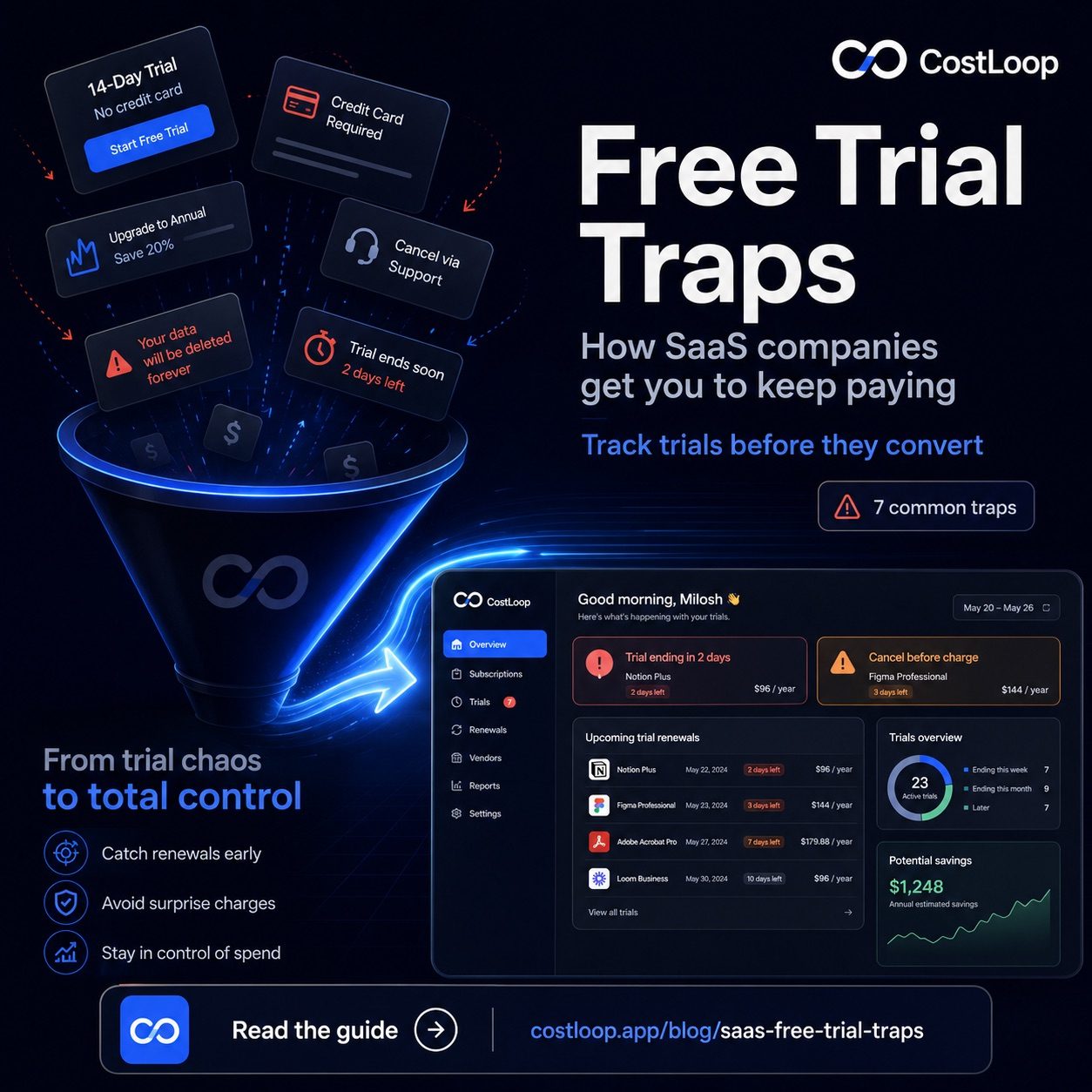
"Start your free 14-day trial." It's one of the most effective sentences in software marketing - and one of the most carefully engineered. Every SaaS free trial is a conversion funnel, not an act of generosity. SaaS companies have optimized these funnels over years of A/B testing to get you to pay. Knowing how the funnel works doesn't mean you shouldn't sign up for trials. It means you can use them on your terms instead of theirs.
Here are the seven most common tactics - and what to do about each one.
The 7 Free Trial Traps - and How to Beat Them
Trap 1: Credit Card Required Upfront
The most fundamental trap. Requiring a credit card at sign-up makes it easier for a trial to become a paid subscription automatically. The risk is not that users love the product more; it is that many people forget to cancel before billing starts. When the trial ends, you're billed automatically. You may not notice the charge for weeks.
Counter-tactic: Use a virtual card with a $1 spending limit for trials (Privacy.com or Revolut both offer these). The payment will be declined when the trial ends, forcing you to actively choose to subscribe. You keep access until the billing attempt fails - and you never pay accidentally.
Trap 2: The "14-Day Trial" That Starts Before You're Ready
You sign up on a Friday afternoon, spend 20 minutes looking around, get pulled into other work, and come back Monday. By then, you've burned 3 of your 14 days without doing anything meaningful. By the time you've properly tested the tool, the trial is almost over - and you upgrade because you haven't had enough time to decide whether you actually need it.
Counter-tactic: Block 2 hours in your calendar for the day after you sign up. Evaluate with real work, real data, real use cases. Don't start a trial unless you can test it properly within the first 3 days.
Trap 3: Onboarding That Takes Longer Than the Trial
Some tools - particularly complex ones like CRMs or analytics platforms - are designed with onboarding flows that take longer than the trial itself. You spend the first week setting up integrations and importing data, and by the time it's configured, the trial ends. You've invested so much setup effort that switching feels expensive even if you're not sure the tool is right.
Counter-tactic: Skip the full onboarding on trial accounts. Ask for a demo instead, or look for sandbox accounts with pre-loaded data. If a tool's genuine value isn't visible within a few hours, that's a signal about usability - not a reason to extend the trial.
A tool built for subscription management like CostLoop lets you add a subscription with a trial end date and sends you a reminder before the billing kicks in. No more surprise charges when trials convert. Take 60 seconds to log it now - future you will thank you.
Start free - no credit card neededTrap 4: "Your Data Will Be Deleted" Warnings
You try to cancel, and a pop-up appears: "Your projects, files, and team data will be permanently deleted." Sometimes this is true. Often it's a scare tactic. Data is frequently retained for 30–90 days even after cancellation, or you can export it first. But the warning is designed to trigger loss aversion - the fear of losing what you've built outweighs the monthly cost.
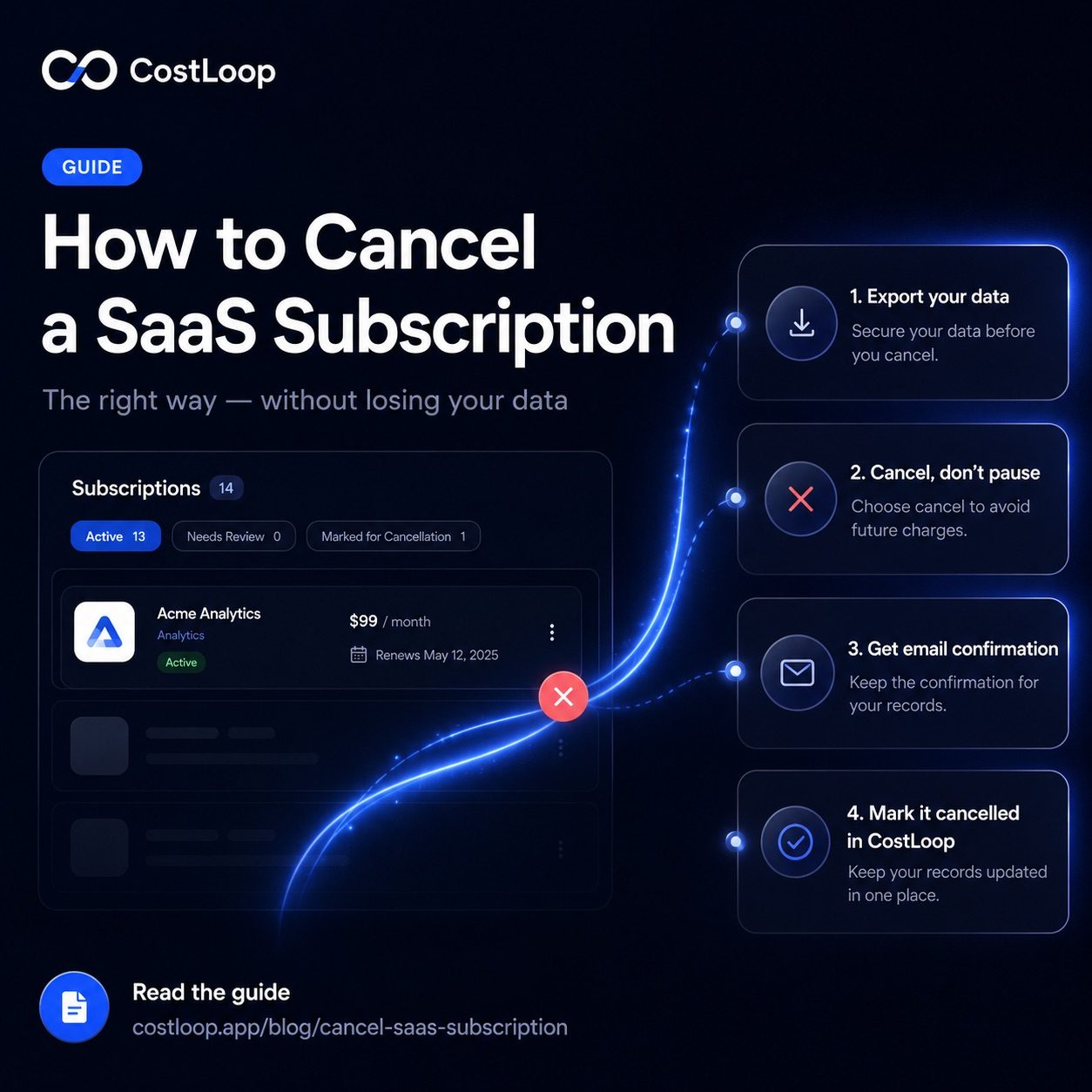
Counter-tactic: Export your data before you even start the cancellation process (see our guide on how to cancel a SaaS subscription). Once you have your data, the warning has no leverage.
Trap 5: The Upgrade Pop-Up When You Hit Limits
Free tiers and trials are designed with usage limits placed exactly where they hurt. Notion limits block storage after a few weeks of real use. Zapier limits task counts right when you've built a workflow you depend on. Canva locks templates you've already added to a design. The limit triggers an upgrade prompt at the moment of maximum pain - when you're in the middle of something.
Counter-tactic: Before you build anything in a trial, check where the limits are. Ask: will I hit this limit in normal use? If yes, factor the paid plan cost into your evaluation from day one - not after you've already built workflows around the tool. This is exactly the kind of hidden SaaS costs that catches teams off guard.
Trap 6: The Annual Upgrade Push at Trial End
When your trial ends, many vendors present the upgrade screen with the annual plan pre-selected, often at a price that looks lower. "$8/month" sounds reasonable - but that's billed as $96 upfront, for a tool you've used for two weeks. Monthly billing is usually an option but harder to find, presented in smaller text, or described as "more expensive."
Counter-tactic: Start with monthly even if you decide to pay. If you use the tool for 60 days and love it, switch to annual then. You lose $5–10 in the first two months but avoid locking into a year's commitment on a tool you haven't properly validated.
Trap 7: Making Cancellation Require Customer Support
This is the most cynical tactic: there is no self-serve cancel button. To cancel, you must email support, submit a ticket, or chat with a retention specialist. The specialist will offer discounts, ask why you're leaving, and put you through a flow designed to change your mind. Every minute of friction increases the chance you give up and stay.
Counter-tactic: Budget time for this. If you need to cancel via support, do it 3–4 days before renewal so you have room to follow up if they're slow to respond. Keep a copy of every message. If they don't respond before renewal, dispute the charge with your bank - you have documented evidence you tried to cancel.
The Bigger Picture: SaaS Trial Costs Add Up
Most teams are running 3–5 active trials at any given time, spread across different team members. Nobody has a complete list. Trials convert to paid subscriptions silently through auto-conversion, and those subscriptions get forgotten. Each one becomes a subscription trap: you agreed to the terms during signup, so the charge is technically legitimate, but the decision to keep paying was never consciously made. This is the foundation of the SaaS renewal tracking problem that costs businesses thousands per year.
The solution isn't to stop taking trials - it's free trial tracking: log every single trial before you start. Write down the tool name, when the trial ends, and what card you used. Set a reminder 2 days before the trial ends to decide. Then actually decide - don't just let it convert by default.
Free trial conversions as a recurring subscription management failure
Free trial traps are fundamentally a subscription management failure: a SaaS free trial converts to paid, and nobody catches it because there's no system watching for it. The vendor did nothing wrong - you agreed to the terms. The gap is on the tracking side.
The pattern: a team member starts a trial for a legitimate purpose, the trial ends without a clear internal handoff, the subscription starts billing, and by the time someone notices, several months have passed and the vendor is under no obligation to refund the charges.
Recurring subscription management solves this: every SaaS free trial should be added to the subscription tracker at the moment it starts, with the trial end date as the "renewal date" and a 7-day-before reminder set. When the reminder fires, you make a decision - keep it or cancel it. The trial never gets to convert without your awareness. For a broader approach to preventing forgotten charges, see the SaaS renewal tracking guide. For spend management controls that prevent trial sprawl across a team, the SaaS spend management guide covers the policies that work.
Frequently Asked Questions
Do SaaS free trials automatically charge you after the trial period ends?
Yes, if you entered a credit card during signup. Trials that require a credit card will automatically convert to paid subscriptions when the trial ends unless you cancel beforehand. Set a calendar reminder the day you sign up.
How do I sign up for a free trial without getting charged?
Use a virtual card with a spending limit from providers like Privacy.com or Revolut. When the trial ends and the vendor tries to charge you, the transaction fails - you won't be enrolled without actively re-entering payment details.
What is a 'freemium trap' in SaaS?
A freemium trap is when a SaaS tool lets you use it for free indefinitely but places limits that only become painful after you've invested significant time - importing data, creating workflows, inviting teammates. By the time you hit the limits, switching costs are high enough that you pay to stay.
Is it wrong for SaaS companies to use these tactics?
Some tactics, like credit-card-required trials, are legitimate business practice. Others, like hiding cancel buttons or deliberately misleading pricing, cross into dark pattern territory. Knowing what to expect helps you protect yourself regardless.
How do I avoid free trial subscription traps and prevent trial-to-paid auto-conversion?
Treat every free trial like an active subscription from day one. Add it to your subscription tracker immediately with the trial end date as the renewal date. Set a reminder 7 days before conversion. If you haven't decided to keep it by then, cancel. This one habit prevents the pattern where trials silently convert and bill for months before you notice.
Free trials are a useful way to evaluate software - when you use them deliberately. Log them, set reminders, and make an active decision before the billing starts. CostLoop makes that easy with trial tracking and renewal reminders built in, so no trial ever converts to a paid subscription without you knowing.