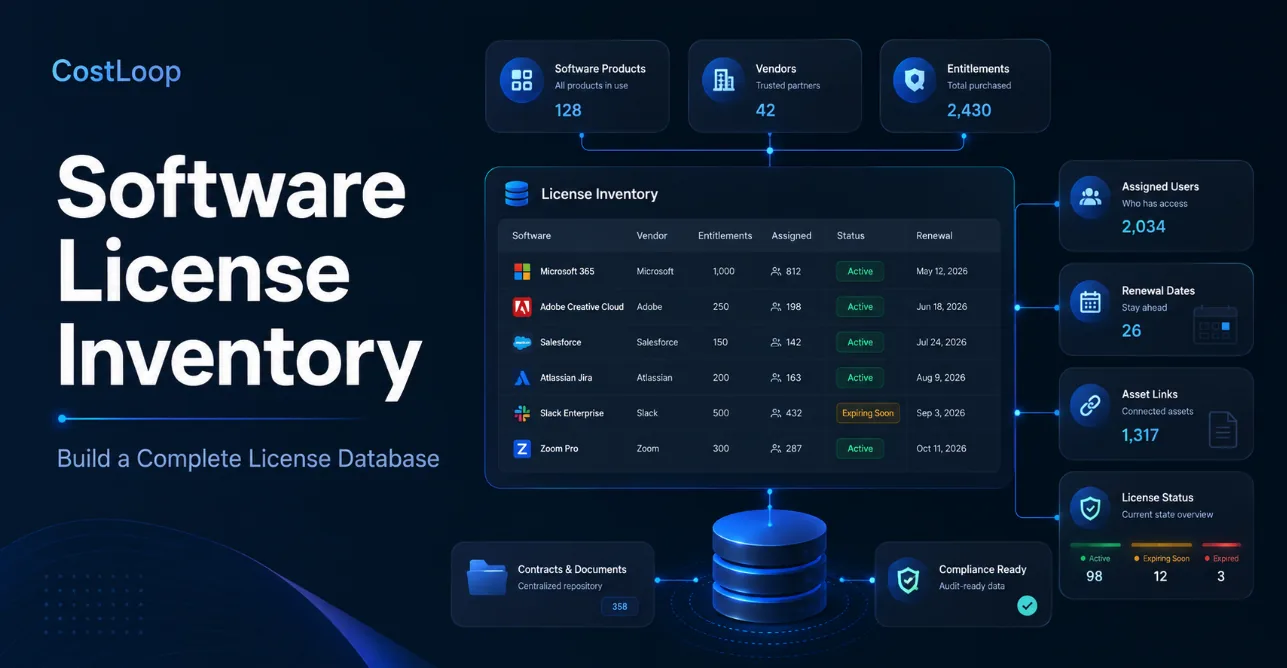
A software license inventory is a central database of the software an organization owns or subscribes to, the rights it has purchased, who or what consumes those rights, and the commercial details needed to manage them. A complete inventory goes beyond a list of applications. It connects products and vendors to software entitlements, users or devices, contracts, costs, renewal dates, and supporting evidence.
For a small SaaS-heavy company, that database may be simple. For a larger organization with on-premises software, complex licensing metrics, multiple business units, or audit exposure, the inventory becomes the data foundation for software asset management (SAM), compliance, optimization, and vendor negotiations.
Scope note: This guide covers buyer-side license inventory: organizations managing software and SaaS licenses they purchase. It does not cover systems software publishers use to issue activation keys or enforce licenses for their own customers.
Key takeaways
A useful software license inventory should separate what the product is, what rights you bought, where those rights are allocated or consumed, and who owns the commercial relationship.
A software inventory and a license inventory are not the same. Discovery can tell you what is installed or connected; entitlement records tell you what you are allowed to use.
A software entitlement is the record of purchased rights, including quantity, license metric, term, edition, upgrade or downgrade rights, and other conditions that affect how consumption should be counted.
Small teams can often start with a structured database covering vendors, seats, owners, costs and renewals. Enterprise SAM requires deeper normalization, entitlement reconciliation, publisher rules, and evidence.
Vendor license management becomes easier when every vendor has a single record connecting products, contracts, portals, owners, notice periods and total spend.
The inventory should be maintained by business events such as purchases, onboarding, offboarding, plan changes, renewals and contract amendments, not rebuilt from scratch once a year.
How this guide was researched
CostLoop publishes this guide. The author, Milosh Mladenovski, is CostLoop’s founder and therefore has direct product knowledge of CostLoop. CostLoop is not presented as a replacement for enterprise SAM suites where complex entitlement reconciliation, publisher-specific licensing, or infrastructure discovery is required.
Definitions and technical concepts were checked against current documentation from ServiceNow Software Asset Management, ISO/IEC 19770-3 guidance, Oracle IT Asset Management documentation, Gartner Peer Insights’ SAM market definition, and current CostLoop product pages on August 20, 2026.
The goal is a practical data model, not legal interpretation of individual vendor agreements. If a contract contains complex processor, virtualization, affiliate, geographic, indirect-access, or other publisher-specific terms, those terms should be reviewed by someone qualified to interpret them.
What is a software license inventory?
A software license inventory is the controlled record of an organization’s software licensing position. At minimum, it answers four questions:
- What software do we own or subscribe to?
What rights or entitlements did we purchase?
Who, what device, or what environment is consuming those rights?
What commercial obligations are attached to them, including cost, renewal, notice period and contract ownership?
That makes the inventory more than a catalog of application names.
For example, a row that says Microsoft 365 - 100 licenses is incomplete. A decision-ready record should be able to show which plan or SKU is involved, how many rights were purchased, how many are assigned, which users hold them, who owns the agreement, when it renews, what it costs, and where the contract or order evidence can be found.
ServiceNow’s current SAM documentation describes software entitlements as records used to capture purchased license rights and allocate them to users or devices. The ISO/IEC 19770-3 standard goes further by defining a schema for representing entitlement rights, limitations and license metrics. Those concepts explain why a serious inventory needs both ownership evidence and consumption data, not just a count of software titles.
A complete license database is relational, even if you start in a spreadsheet
You do not need a relational database server to think relationally.
The key is to avoid duplicating the same information across dozens of rows. A vendor should exist once. A product should connect to that vendor. An entitlement should connect to the product and contract. Allocations should connect users or devices to the entitlement. Renewal and financial information should connect to the commercial record.
This structure reduces the classic spreadsheet problem where Adobe appears as “Adobe,” “Adobe Inc.,” “Adobe Creative Cloud” and a card-statement merchant name in four different places with different totals.
The four layers of a complete software license database
A practical inventory becomes easier to design if you separate it into four layers.
| Layer | Question it answers | Typical fields |
|---|---|---|
| Product and vendor | What is the software and who supplies it? | Vendor, product, edition, version, category, deployment type. |
| Entitlement and purchase rights | What did we actually buy? | Quantity, license metric, SKU, term, purchase date, upgrade/downgrade rights, agreement. |
| Allocation and consumption | Who or what uses the rights? | Assigned user, device, installation, account, environment, status, last-used evidence. |
| Commercial and governance | Who owns the decision and what happens next? | Cost, billing cycle, renewal date, notice period, contract owner, business owner, documents. |
The right level of detail depends on the licensing model.
A five-person agency tracking Figma, Slack, Adobe and accounting software does not need processor-core metrics or virtualization rights. A multinational running Oracle, IBM, SAP, Microsoft and VMware may need substantially more detail than a single table can safely represent.
The principle is the same at both ends: do not mix the product, the entitlement and the allocation into one vague field called “license.”
Software inventory vs license inventory vs entitlement inventory
These terms are often used interchangeably, but they describe different datasets.
Software inventory tells you what exists
A software inventory usually comes from discovery data, endpoint agents, SaaS integrations, SSO, cloud platforms, admin consoles or manual records. It may tell you:
- which application is installed
- which version is present
- which device has it
- which SaaS account exists
- which user is assigned
- when the application was last used
That is consumption-side evidence.
License inventory tells you what rights you control
A license inventory focuses on the rights the organization owns or subscribes to. Oracle’s IT Asset Management documentation, for example, describes its Software License Inventory view as showing the number of licenses for specific software titles based on purchased assets and license quantities.
This side of the database typically comes from:
- purchase orders
- invoices
- reseller records
- vendor portals
- contracts
- entitlement statements
- subscription admin portals
- renewal orders
Entitlement inventory explains the rules behind those rights
A software entitlement is not simply “one license.” It is the documented right to use software under a particular metric and set of conditions.
Depending on the product, an entitlement might be:
- 50 named users
- 100 devices
- 20 concurrent users
- a site license
- processor or core-based rights
- consumption credits
- a subscription covering a defined term
- a perpetual license with separate maintenance
- rights that include downgrade or upgrade provisions
The practical rule is simple:
Discovery shows what appears to be consumed. Entitlements show what you have the right to consume. A trustworthy software license inventory connects the two.
What should a software license inventory contain?
The strongest database is not the one with the most columns. It is the one that captures enough information to answer real decisions without forcing people back into email, vendor portals and spreadsheets.
Core fields for almost every organization
| Field | Why it matters |
|---|---|
| Internal record ID | Gives every record a stable reference even if a product or vendor changes name. |
| Product name | Identifies the software being managed. |
| Vendor | Groups products, contracts and spend by supplier. |
| License or plan type | Distinguishes named user, concurrent, device, subscription, perpetual, usage-based and similar models. |
| Quantity purchased | Provides the baseline for seat or entitlement calculations. |
| Quantity assigned | Shows how much of the purchased capacity has been allocated. |
| Business owner | Identifies who decides whether the software is still needed. |
| Technical/admin owner | Identifies who can change users, settings or deployments. |
| Cost | Supports budgeting, optimization and vendor analysis. |
| Billing cycle | Allows monthly and annual costs to be normalized. |
| Renewal or expiry date | Creates the decision deadline. |
| Notice/cancel-by date | Captures the date that matters when cancellation requires notice. |
| Contract/order reference | Connects the database to evidence. |
| Status | Active, trial, scheduled for cancellation, retired, expired or similar lifecycle state. |
For SaaS-heavy organizations, the CostLoop guide to what should be stored with every subscription record provides a useful lightweight starting point.
Additional fields for audit-ready or enterprise records
Add these when licensing complexity requires them:
- vendor SKU or publisher part number
- edition and version
- license metric
- contract/agreement number
- purchase date
- support or maintenance term
- geographic restrictions
- affiliate or legal-entity restrictions
- upgrade and downgrade rights
- transfer rights
- environment restrictions such as development, test, production or disaster recovery
- device or server allocations
- processor/core/virtualization attributes
- discovery source
- evidence source and last validation date
- normalization status
- reconciliation status
- exception or risk notes
ServiceNow’s current entitlement records include fields for purchased rights, license type, publisher part number, user/device allocation, downgrade rights, expense lines and license keys. That is a useful illustration of how much richer an entitlement record can become once software licensing moves beyond simple SaaS seats.
Build the database in six logical tables
If you are starting from scratch, splitting the data into six logical tables or tabs produces a cleaner system than one enormous worksheet.
1. Vendors
Store each vendor once.
Recommended fields:
- Vendor ID
- Legal/vendor name
- Common display name
- Account manager or reseller
- Support contact
- Billing contact
- Vendor portal URL
- Procurement owner
- Total annual spend
- Risk/criticality category
- Notes
This is the foundation of software vendor license management because every product, agreement and renewal can roll up to one supplier view.
2. Products
Store the product identity separately from the purchase.
Recommended fields:
- Product ID
- Vendor ID
- Product name
- Edition
- Version where relevant
- Product family
- Category
- SaaS / desktop / server / cloud / engineering classification
- Standard license metric
- Technical owner
A single product may have multiple entitlements over time, so do not store purchase quantities directly on the product record if you expect the system to scale.
3. Entitlements
This is where the legal or contractual right is recorded.
Recommended fields:
- Entitlement ID
- Product ID
- Agreement/order reference
- SKU or part number
- Purchased quantity
- License metric
- Start date
- End or renewal date
- Perpetual/subscription status
- Upgrade/downgrade rights
- Maintenance/support dates
- Unit cost
- Total committed cost
- Evidence link
- Notes on restrictions or special rights
4. Allocations and consumption
This connects licenses to real users, devices or environments.
Recommended fields:
- Allocation ID
- Entitlement ID
- User/device/environment ID
- Assigned date
- Assignment status
- Last-used or last-observed date when available
- Source system
- Reclaim candidate flag
- Exception notes
For a simple SaaS tool, an allocation might be one named user. For engineering software it could be concurrent-license usage. For server software it may require device, VM or infrastructure attributes rather than a person.
5. Contracts and renewals
Separate the commercial lifecycle from the entitlement itself when one agreement covers multiple products.
Recommended fields:
- Contract ID
- Vendor ID
- Agreement number
- Products/entitlements covered
- Start date
- End date
- Auto-renewal status
- Required notice period
- Cancel-by date
- Renewal owner
- Renewal decision status
- Contract value
- Renewal quote
- Negotiation notes
- Contract/document link
6. Evidence and validation
This is the table most home-grown inventories forget.
Recommended fields:
- Evidence ID
- Related vendor/product/entitlement/allocation
- Evidence type
- Source
- File or URL
- Date collected
- Date last validated
- Collected by
- Notes
An inventory is much easier to trust when a reviewer can move from a calculated quantity back to the source document or system that supports it.
How to build a software license inventory step by step
Step 1: Define the scope and owner
Decide what the first version of the inventory must cover.
Possible scopes include:
- all paid SaaS applications
- the top 20 vendors by annual spend
- all software used by one business unit
- all desktop/server software discovered on managed endpoints
- software covered by major enterprise agreements
- software involved in an upcoming renewal or audit
Do not start with “everything everywhere” if that means the project never finishes.
Assign one person who owns data quality. This person does not need to manage every application, but someone must define the required fields, approve naming conventions, resolve duplicates and chase missing owners.
Step 2: Gather the sources that reveal what you own and what you use
A complete inventory usually needs multiple sources.
Ownership and entitlement sources:
- procurement system
- accounts payable
- purchase orders
- reseller reports
- vendor portals
- contracts
- invoices
- finance/card statements
- subscription confirmation emails
Consumption and assignment sources:
- SaaS admin consoles
- identity/SSO systems
- endpoint management and discovery
- CMDB/ITAM systems
- cloud accounts
- license servers
- user directories
- application usage reports
No single source should automatically be assumed to represent the complete truth.
Finance may show that money was paid but not which users hold licenses. SSO may show connected apps but miss applications that bypass SSO. Endpoint discovery may show an installation but not whether a contract grants the right to use it.
Step 3: Normalize vendors and products before counting
Normalization is the boring step that determines whether the rest of the database works.
Create one canonical vendor name and one canonical product record. Map alternative names to those records.
Example:
| Raw source value | Canonical vendor | Canonical product |
|---|---|---|
| Adobe Systems | Adobe | Creative Cloud |
| ADOBE *CREATIVE CLOUD | Adobe | Creative Cloud |
| Adobe CC All Apps | Adobe | Creative Cloud |
| Adobe Inc. | Adobe | Creative Cloud |
If these remain separate, vendor spend, seat counts and renewal exposure will be wrong even if every individual row is technically accurate.
Enterprise SAM tools devote substantial functionality to normalization for exactly this reason. Gartner’s current SAM category definition lists discovery, normalization, reconciliation, optimization and reporting among the core capabilities expected from SAM tools.
Step 4: Create the entitlement record before the allocation record
For every licensed product, establish the rights you believe the organization owns.
Ask:
- What was purchased?
- How many rights were purchased?
- Under which metric?
- For which legal entity?
- For what period?
- Under which agreement?
- What evidence proves it?
- Are there special rights or restrictions?
This prevents a common mistake: using the number of current users as the “license quantity” when that number is really consumption, not entitlement.
Step 5: Map users, devices or environments to those rights
The next layer is consumption.
For named-user SaaS, capture the assigned users. For desktop software, capture the device or user. For concurrent software, capture the license-server pool and usage pattern. For complex server licensing, connect to the technical attributes required by the license metric.
At this point, you can begin calculating useful operational states:
- purchased but unassigned
- assigned and active
- assigned but inactive
- deployed without a matched entitlement
- entitlement expired
- allocation owner missing
- product discovered but vendor/contract unknown
Step 6: Add commercial and renewal data
A technically complete inventory that omits renewal dates and contract owners still fails procurement and finance.
For each commercial relationship, capture:
- monthly or annual cost
- committed term
- next renewal date
- required notice period
- cancel-by date
- renewal owner
- billing method
- contract link
- vendor contact
- last review date
For smaller SaaS estates, this commercial layer is often where the immediate value appears. CostLoop’s software renewal tracker illustrates the operational importance of keeping renewal dates and reminders visible rather than buried in contracts or email.
Step 7: Assign data-quality states instead of pretending every record is complete
A useful inventory admits uncertainty.
Add a field such as:
- Verified
- Partially verified
- Missing entitlement evidence
- Missing allocation data
- Missing owner
- Requires review
This is better than silently filling unknown fields with guesses.
Step 8: Reconcile and review exceptions
For simple seat-based licenses, reconciliation can be straightforward:
- Available seats = purchased seats - assigned seats
Example:
- Purchased seats: 40
- Assigned seats: 34
- Available seats: 6
If only 29 assigned users are active, you also have:
- Potentially reclaimable assigned seats = assigned seats - active assigned users
- 34 - 29 = 5 potentially reclaimable seats
Those are different numbers. Six seats were never assigned; five more are assigned but may no longer be needed.
For complex enterprise software, do not use this formula blindly. License metrics may depend on processors, cores, virtualization, named users, concurrent use, environments, bundles or contractual rights that change the calculation.
What is software entitlement?
A software entitlement is the documented right to use a software product under specified terms. It describes more than quantity: it can include the license metric, term, edition, version rights, upgrade/downgrade rights, restrictions, maintenance status and the evidence that proves the right exists.
ISO/IEC 19770-3 defines a standardized schema for describing software entitlement rights, limitations and metrics. ServiceNow similarly treats entitlements as records of purchased rights that can be allocated to users or devices and later included in reconciliation.
Why entitlement data deserves its own record
Consider a company with three purchases of the same product:
- 20 perpetual licenses bought in 2022
- 15 subscription licenses bought in 2025
- 10 additional licenses bought through a reseller in 2026.
Writing “45 licenses” into one cell loses important information. The purchases may have different terms, support periods, legal entities, versions, metrics or renewal dates.
Keeping each entitlement separately allows you to answer both:
- How many rights do we currently control?
- Which agreement or purchase gives us those rights?
That distinction matters during renewals, mergers, audits, true-ups and contract renegotiations.
Asset and license management: when hardware context matters
Asset and license management connects software rights to the hardware, virtual machines, cloud resources or users that consume them.
For SaaS, the important “asset” is often the user account. For traditional software, the device can be critical. For data-center products, infrastructure configuration may directly affect the license requirement.
That is why software license inventory often sits inside broader IT asset management.
When asset license management adds real value
Hardware or configuration context becomes important when:
- software is licensed per device
- an installation follows a laptop or workstation
- server licensing depends on physical or virtual infrastructure
- a user may have software installed across multiple devices
- device retirement should trigger license reclamation
- security teams need to know which assets run unsupported software
- the business needs one lifecycle connecting purchase, assignment, device and retirement.
A pure SaaS company may not need this depth. But if installed software and devices are part of the licensing model, keeping the license database separate from the asset database creates blind spots.
A practical linking model
Do not copy every device field into the license record. Store the device in the IT asset inventory and link it using an Asset ID.
That allows one device retirement event to trigger review of all related allocations rather than forcing manual cleanup across multiple sheets.
Software vendor license management
Software vendor license management is the process of managing licenses, contracts, renewals, contacts, spend and risk at the vendor level rather than treating every product as an isolated purchase.
This matters because one vendor may sell several products under one master agreement, one renewal negotiation or one commercial relationship.
For each strategic vendor, your inventory should make it easy to answer:
- Which products do we buy from this vendor?
- What is our total annual spend?
- Which contracts govern those products?
- Which business units consume them?
- Who owns the vendor relationship?
- Who is the reseller or account manager?
- When is the next renewal or true-up?
- Which notice dates are approaching?
- Are we carrying unused capacity?
- Are there open compliance or contractual questions?
Vendor license management should roll up from products and contracts
Avoid maintaining a separate manually typed “total vendor spend” that drifts away from the product records.
Vendor annual spend = sum of normalized annual cost for active contracts and subscriptions associated with that vendor.
For example:
| Product | Annual cost |
|---|---|
| Product A | $24,000 |
| Product B | $9,600 |
| Product C | $6,000 |
| Vendor total | $39,600 |
That $39,600 figure becomes the commercial context for negotiation. A procurement team can now look at the whole relationship rather than negotiating Product C as if it were the only spend with that supplier.
For smaller SaaS vendors, the same principle still applies. The CostLoop subscription-record guide recommends storing vendor support contacts, contract context and cancellation information alongside each subscription so the relationship is actionable when something changes.
Minimum viable inventory vs audit-ready inventory
Not every organization needs the same database depth.
| Capability | Minimum viable inventory | Operational inventory | Audit-ready SAM inventory |
|---|---|---|---|
| Vendor and product list | Required | Required | Required and normalized |
| Cost and renewal | Required | Required | Required |
| Seat/license quantity | Required | Required | Required |
| Owner | Required | Required | Required |
| User/device allocations | Optional/manual | Expected | Detailed and traceable |
| Usage evidence | Optional | Useful | Often required for reconciliation |
| Entitlement evidence | Basic | Structured | Detailed and validated |
| License metrics/rights | Basic | As needed | Publisher-specific depth |
| Hardware/VM context | Usually not needed | As needed | Required where metrics depend on infrastructure |
| Reconciliation | Simple seat math | Periodic | Formal/continuous |
| Evidence trail | Links to documents | Validation dates | Audit-defensible chain of evidence |
This is the central design decision: build the smallest inventory that supports the decisions and risks your organization actually has.
A 12-person agency should not recreate Flexera in Airtable. A multinational should not pretend a three-column spreadsheet is an entitlement repository.
How to measure software license inventory completeness
Instead of arguing about whether the inventory is “done,” define measurable completeness.
1. Coverage rate
Coverage rate = licensed products represented in the inventory / licensed products known to exist x 100
If finance, discovery and procurement collectively identify 120 licensed products and 108 have records:
- 108 / 120 = 90% coverage
2. Required-field completeness
Choose the fields that every in-scope record must have, such as vendor, owner, quantity, cost, renewal date and evidence source.
Field completeness = completed required fields / total required field opportunities x 100
If 100 records each require six fields, there are 600 required field opportunities. If 540 are populated with verified data:
- 540 / 600 = 90% field completeness
Do not use this score to hide bad data. A field populated with “TBD” should not count as complete.
3. Entitlement traceability
Measure the share of rights that can be traced back to evidence.
Traceability rate = entitlements with valid source evidence / total entitlement records x 100
A high traceability rate matters more than a visually impressive dashboard with no proof behind the numbers.
4. Owner coverage
Owner coverage = active software records with a named accountable owner / total active software records x 100
Missing owners are operational debt. When a renewal, security incident or vendor question arrives, nobody knows who can make the decision.
Data-quality checks worth automating
Even a lightweight software license inventory management process should flag obvious errors.
Useful rules include:
- active record with no owner
- active subscription with no renewal date
- renewal date in the past but status still active
- assigned quantity greater than purchased quantity
- purchased quantity equal to zero on an active entitlement
- duplicate vendor/product combinations
- entitlement with no evidence link
- user allocation for a departed employee
- product with spend but no contract or subscription record
- contract with no linked products
- vendor with multiple inconsistent names
- record not validated within the required review period.
These controls turn the inventory from passive storage into an operating system for license decisions.
How to maintain the inventory without rebuilding it every year
The inventory should update when business events happen.
| Business event | Inventory update |
|---|---|
| Purchase or new subscription | Create the vendor/product record if needed, add the entitlement or subscription, attach evidence, assign an owner and record the renewal date before the software is widely deployed. |
| Employee onboarding | Add license allocations according to the person’s role. Do not increase purchased quantity automatically unless the available pool is insufficient. |
| Employee offboarding | Revoke or reassign licenses, update allocations, and return reclaimable rights to the available pool. This is one of the most important links between user license management and inventory accuracy. |
| Plan or contract change | Update quantity, pricing, license metric, term and supporting documents. Preserve history rather than overwriting every old value if the change affects later auditability. |
| Renewal | Review usage and allocations before committing. Then update the new term, price, quantity and evidence. |
| Device retirement | If licenses are linked to hardware, remove or transfer the allocations triggered by that asset’s retirement workflow. |
| Quarterly validation | Run data-quality checks, review missing owners, stale records, unmatched discovery data, upcoming renewals and high-spend vendors. |
The process should feel like maintenance, not archaeology.
When is a spreadsheet enough?
A spreadsheet is enough when the licensing environment is small, mostly SaaS, manually understandable, and owned by one or two people who reliably maintain it.
A reasonable spreadsheet can work when you have:
- a small number of vendors
- simple named-user or flat-rate subscriptions
- no need for automated discovery
- little or no complex on-prem licensing
- low audit exposure
- clear ownership
- manageable renewal volume.
It begins to fail when multiple datasets need to stay synchronized.
Warning signs include:
- nobody trusts the numbers
- different departments maintain different lists
- renewals happen before the inventory is reviewed
- user assignments change faster than the spreadsheet
- hardware and software data need to be connected
- one vendor has several agreements and licensing models
- audits require evidence and reconciliation
- the organization spends more time cleaning the spreadsheet than making decisions from it.
Which type of system should manage your license inventory?
| Your environment | Most appropriate starting point |
|---|---|
| Fewer simple SaaS subscriptions, mostly manual ownership and renewal tracking | Structured spreadsheet or lightweight subscription/license tracker |
| SaaS-heavy organization needing automatic application/user discovery and usage | SaaS management platform |
| Hardware, endpoints and installed software need to be managed together | IT asset management platform |
| Complex entitlements, publisher metrics, reconciliation and compliance | Software asset management platform |
| Floating/concurrent engineering tools | Engineering license-management platform |
The more sophisticated categories are not automatically “better.” They solve harder problems at the cost of more implementation, integrations, specialist knowledge and process ownership.
Where CostLoop fits in software license inventory management
CostLoop is best suited to small and growing teams that primarily need a clean operational inventory of SaaS subscriptions and straightforward software licenses: what the tool is, what it costs, who owns it, how many seats are purchased or assigned, when it renews, and where the relevant documents or cancellation information live.
Current CostLoop functionality includes subscription and license tracking, owner records, renewal reminders, cancellation/invoice/contract links, dashboard analytics and license/seat information. See the current CostLoop features for the live product scope.
CostLoop fits when you need:
- one place for recurring software and license records
- owners and renewal accountability
- purchased/assigned seat visibility
- recurring cost and budget visibility
- reminders before renewals
- linked invoices, contracts and cancellation information
- a lighter system than enterprise ITAM/SAM.
CostLoop does not replace enterprise SAM when you need:
- endpoint or infrastructure discovery across a large estate
- publisher-specific entitlement libraries
- processor/core/virtualization reconciliation
- automated effective license positions for complex enterprise agreements
- formal audit-defense workflows
- deep hardware CMDB integration
- engineering license-server telemetry.
That boundary is intentional. If the organization’s main problem is “we do not have one reliable database of our SaaS licenses, owners, seats, costs and renewals,” a lightweight system can be the right level of control. If the problem is “we need to reconcile complex enterprise usage rights across infrastructure,” move to dedicated SAM/ITAM tooling.
For more context, see CostLoop’s guides to software license management, SaaS license management, and cloud-based software license management.
A practical software license inventory checklist
Use this checklist to review a new or existing database.
Scope and ownership
- Inventory scope is documented.
- One person owns data quality and naming conventions.
- Every active product has a business owner.
- High-risk or high-spend vendors have a clear commercial owner.
Product and vendor data
- Vendor names are normalized.
- Product names, editions and versions are separated where relevant.
- Products are linked to one canonical vendor record.
- Vendor contacts and portals are stored where useful.
Entitlements
- Purchased quantities are recorded separately from assigned quantities.
- License metric is known where it affects consumption.
- Entitlement evidence is linked.
- Contract/order references are captured.
- Start, expiry or renewal dates are present.
- Upgrade/downgrade or other special rights are recorded where relevant.
Allocations and usage
- User/device/environment assignments are captured where required.
- Departed users are not left with active allocations.
- Purchased, assigned and active quantities are not mixed together.
- Usage evidence has a source and validation date when used for decisions.
Commercial control
- Cost and billing cycle are captured.
- Renewal and cancel-by dates are known.
- Contract and invoice evidence can be found quickly.
- Upcoming renewals are reviewed before commitment.
- Vendor-level spend can be rolled up from underlying records.
Data quality
- Unknown or unverified fields are visibly marked.
- Duplicate vendors/products are reviewed.
- Expired records are retired rather than silently deleted.
- The inventory has a defined review cadence.
- Exports/backups exist outside the primary system.
Frequently asked questions
What is a software license inventory?
A software license inventory is a controlled record of the software an organization owns or subscribes to, the rights it purchased, who or what consumes those rights, and the related cost, renewal, owner and contract evidence.
What is software license inventory management?
Software license inventory management is the ongoing process of keeping license, entitlement, allocation, cost, renewal and evidence records accurate as purchases, onboarding, offboarding, renewals and plan changes happen.
What is asset and license management?
Asset and license management connects software rights with the users, devices, environments or business units consuming them. It becomes especially important when licenses are tied to endpoints, servers, virtual machines or installations.
What is software vendor license management?
Software vendor license management is the practice of keeping one reliable vendor record that connects products, contracts, portals, owners, notice periods, renewal dates and total spend.
How often should a software license inventory be updated?
A useful inventory should be updated whenever a business event happens: a purchase, renewal, cancellation, onboarding, offboarding, plan change, contract amendment or ownership change. A quarterly review is a good baseline for small teams.
Build your software license inventory in CostLoop
CostLoop helps small teams track software subscriptions, owners, costs, renewal dates, documents and cancellation links in one place. Start with a clean inventory, then review renewals before they turn into surprise charges.

About the author
Milosh Mladenovski is a CostLoop founder and works on subscription discovery, license inventory and recurring software cost workflows. Author profile · LinkedIn