At some point every growing business discovers the same uncomfortable truth: they may be paying for more software seats than people use. Software license management is what prevents this from happening - but many small and medium businesses do not create a process for it until the bill is already too high. Somewhere between hiring, onboarding, and the general work of running a business, licenses can pile up quietly and the bill can grow faster than the team. The practical question is not what an industry average says, but which seats in your own stack are paid, assigned, active, and still needed.
Software license management sounds like something only enterprises with procurement teams need to worry about. It isn't. If you have more than five tools and more than two employees, you have a license management problem waiting to happen - or one you're already paying for without knowing it.
What Software License Management Actually Means
Strip away the jargon and software license management comes down to three questions: What licenses do we own? Who is actually using them? Are we within the terms of our agreements?
For a small and medium business, that usually means keeping a clear record of every software subscription - not just the price, but the license type, the number of seats, and when the contract renews. Without that record, you make renewal decisions blind. You either auto-renew at last year's seat count (which probably doesn't match this year's team) or you scramble to evaluate tools 48 hours before the bill hits.
There's also a compliance angle. Most software licenses are not transferable and have specific terms about how many devices or users can access the software simultaneously. Violating those terms - often unintentionally - can result in retroactive charges or loss of service. It's rare for small and medium businesses to get audited, but when it happens, the back-charges can be significant.
The Main License Types You'll Encounter
Not all licenses work the same way, and the type affects how you manage it. Here's a breakdown of what you'll typically see in a small or medium business software stack:
| License Type | How It Works | Common Examples | Watch Out For |
|---|---|---|---|
| Per-seat (named user) | One license per named individual | Slack, Notion, Linear | Departed employees still using seats |
| Concurrent user | X users can be active at once | Some legacy enterprise tools | Blocking if all slots occupied |
| Site license | Unlimited users in one org | Some security tools, dev platforms | Often more expensive upfront |
| Usage-based | Pay per API call, GB, or transaction | AWS, Twilio, Stripe | Bill spikes without seat limits |
| Perpetual + maintenance | One-time buy + annual support fee | Older desktop software | Easy to forget the renewal |
Per-seat licenses are by far the most common in modern SaaS. They're also where most waste accumulates - because provisioning a seat is a two-second admin task, but deprovisioning it requires someone to remember to do it.
What to Track for Every License
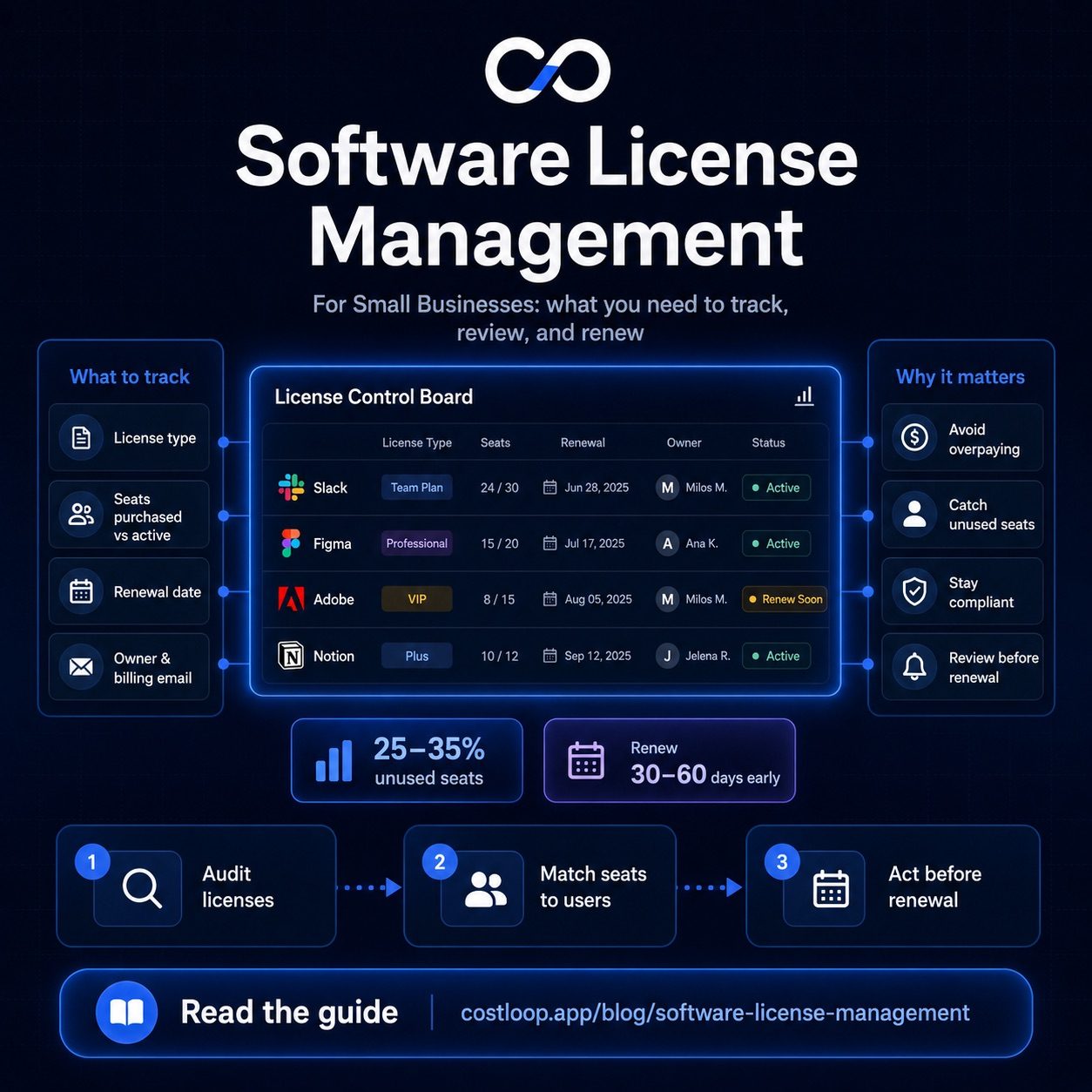
You don't need fancy software to start - a structured approach matters more than the tool. For each license in your stack, record:
- Software name and vendor
- License type (per-seat, usage-based, etc.)
- Seats purchased vs. seats actively assigned
- Contract start date and renewal date
- Annual or monthly cost
- Owner - the internal person responsible for this tool
- Billing email - which email receives the invoices
- Where the license key or admin credentials live
That last point - credentials location - is underrated. When the person who originally signed up for a tool leaves the company, their personal email is often the account owner. That creates a support nightmare when you need to renew, transfer, or cancel. Good SaaS offboarding processes address this directly, but prevention starts with recording it at setup time.
Seat utilization is worth checking category by category rather than assuming one rate applies across your whole stack - a tool's admin panel will show exactly how many purchased seats are actually being used.
How to Run a License Audit
A license audit doesn't have to take a full workday. For most small and medium businesses with 10–30 tools, a structured 2–3 hour session covers it.
Step 1: Gather every software license and subscription
Start with your credit card and bank statements - go back 12 months and flag every software charge. Also check your email for invoices and receipts. This surface-level sweep usually turns up 3–5 tools nobody remembered you were paying for. This is essentially the subscription audit checklist approach, applied specifically to licensed software assets.
Step 2: Map seats to real people and review user access
For each per-seat license, log into the admin console and pull the active user list. Cross-reference against your current employee directory. Anyone who has left the company but still has active user access is waste you can eliminate immediately. In a 20-person company that's seen typical turnover, this exercise alone commonly frees up 2–5 seats per tool.
Step 3: Check utilization and per-user pricing tiers
A seat assigned to an active employee isn't necessarily a seat being used. Most SaaS admin panels show last login dates. If someone logged in twice in the last 90 days, that's a conversation worth having - not necessarily cancellation, but worth asking whether they need that tool or whether a cheaper per-user pricing tier would work.
CostLoop lets you track recurring software expenses with renewal dates, seat counts, and ownership - so your next license audit takes minutes instead of hours. No spreadsheets required.
Start free - no credit card neededAvoiding Over-Buying on Renewals
Most per-seat SaaS tools auto-renew at the same seat count as the previous term. If you hired aggressively and then had some departures, your renewal invoice might reflect a team size from 18 months ago. Vendors aren't going to remind you to downsize - that's not in their interest.
The fix is simple but requires discipline: set a calendar reminder 60–90 days before each renewal. That's enough time to run a mini-audit, decide on the right seat count, and contact the vendor to adjust before the invoice is generated. Most vendors will accommodate seat reductions if you ask before the renewal date; very few will offer refunds after.
This is exactly the kind of thing that subscription management best practices are built around - not the audit itself, but the habit of reviewing before you're forced to.
Compliance: What Small and Medium Businesses Actually Need to Worry About
Software audits by vendors are rare at the small and medium business level, but they do happen - particularly with Microsoft, Adobe, and Autodesk products. The more common risk is something subtler: using software outside the terms of a license you paid for.
Common violations that happen accidentally:
- Using a "single user" license on multiple machines
- Sharing login credentials across team members to save money on seats
- Continuing to use software after a trial or subscription has technically expired
- Using a discounted nonprofit or educational license for commercial work
None of these require bad intent to happen. They accumulate through convenience and forgetfulness. The answer isn't paranoia - it's a simple record that shows, for each tool, what license type you have and how many people are authorized to use it.
This is about the commercial licenses your business pays for - a different concern from open-source license compliance in your codebase (checking whether your use of MIT, Apache, or GPL-licensed dependencies is compliant). See open source license management if that's the problem you're solving instead.
What Good License Management Looks Like at Scale
If you have more than 20 employees and more than 20 tools, a spreadsheet starts to break down - not because the data doesn't fit, but because nobody updates it consistently. The person who set it up leaves, a few tools get added informally, and six months later you're back to guessing.
Dedicated software license tracking tools solve the consistency problem. When tracking is easy - a quick entry at the time of purchase - it actually gets done. When it requires opening a shared Google Sheet and remembering the column structure, it doesn't.
The goal is a system that tells you, at any moment: what you're paying, who owns each tool, and when each license renews. With that, you can make intelligent renewal decisions instead of reactive ones. You'll also catch the quietly expensive problem that trips up nearly every growing company: SaaS sprawl, where tools accumulate faster than they're evaluated.
Start with a one-time audit, then build the habit of logging every new purchase at the time you buy it. That combination - a clean baseline plus consistent tracking going forward - is genuinely all you need to manage software licenses well as a small and medium business.
Software license renewal: when and how to act
A software license renewal and a SaaS subscription renewal are not the same thing, and the distinction matters for how you manage them. A SaaS subscription renewal happens automatically - your payment method is charged unless you cancel beforehand. A software license renewal, in the traditional sense, is a deliberate transaction: you are choosing to extend a license that has an expiration date, often for a perpetual license product where you paid once and now pay annually for continued support or updates.
For small and medium businesses, both types of renewal of software license are decision points, not automatic obligations. Before you renew, ask three questions: Is this tool still actively used by the people it was bought for? Is the current seat count accurate relative to the team that actually uses it? Is there a better or cheaper alternative available now?
When a license expires or is about to renew, the practical steps are: set a renewal calendar that flags each tool 30 to 60 days before the renewal date; assign one person as the owner of that decision; evaluate usage using the admin panel's last-login data; then act - keep at current tier, downgrade seats, or cancel. Most vendors will not offer credits or refunds once the charge has processed, so acting before the date is the only option that works.
For a complete walkthrough of the license tracking process, the SaaS license management guide covers how to structure the inventory and review cycle.
What happens when a software license expires?
When a software license expires, the most immediate consequence for a small or medium business is loss of access. For annual SaaS tools, this typically means the account is downgraded to a free tier or locked entirely until payment is made. For traditional perpetual licenses, expiry usually means the software continues to work but stops receiving updates and security patches - which creates compliance risk if you are in a regulated industry.
A less obvious risk is the data export window. Some SaaS tools give you a limited time after an account expires to export your data before it is deleted. If you missed the cancellation window and your subscription lapsed unexpectedly, you may find yourself in a race to export project files, contacts, or records before the vendor removes them.
For small and medium businesses, the most common scenario is simpler: a tool renews or lapses mid-project, disrupting work for the team that depends on it. The fix is straightforward - a 30-day advance reminder per tool. That window is enough to make a considered decision, find an alternative if needed, and avoid the scramble of dealing with a software license expired situation under time pressure. The guide on SaaS renewal tracking explains how to set this up without it becoming a maintenance burden.