When someone leaves your company, HR processes kick in - final paycheck, equipment return, maybe an exit interview. What usually doesn't happen: SaaS offboarding. Most businesses skip a systematic review of every SaaS account that person had access to. The result is that departed employees often retain active logins to company tools for months, and the company keeps paying for those seats the whole time.
This isn't a negligence problem. It's a visibility problem. Most small and medium businesses don't have a clear record of which tools each person uses, who owns the vendor relationship, or which email address is the account admin. When someone leaves, there's no checklist to follow because nobody built one.
The consequences are two-sided. One is financial - you're paying for software a ghost employee isn't using. The other is a security risk that's easy to dismiss until something goes wrong. Let's cover both, and then walk through a practical offboarding process you can actually implement.
The Cost Problem: What You're Actually Paying For
Consider a hypothetical 12-person company with several per-seat tools: team chat, documentation, development, design, project management, and CRM software. Even if each seat looks inexpensive on its own, the combined monthly cost per employee becomes meaningful once a person leaves and the seats are not reclaimed.
One person leaves. If nobody acts, the business keeps paying for access the former employee no longer uses. Multiply that across several tools and repeated departures, and offboarding becomes both a cost-control task and a security task.
Annual-billed tools make this worse. You pay the full year upfront, and if someone leaves in month 3, you've pre-paid nine months of a seat you can't use unless you can reassign it. This is one reason why annual vs monthly SaaS billing matters more than most people think - annual billing saves money, but only if your team is stable.
The Security Problem: Former Employees with Active Accounts
An active account belonging to a former employee isn't just waste. It's an open door. The severity depends on what that account can access, but the scenarios range from uncomfortable to genuinely serious:
- A former sales rep can still log into the CRM and see current pipeline, customer data, and contact lists
- A former developer retains read/write access to source code repositories
- A former account manager can download client files from shared storage
- Someone who left on bad terms could delete data, export it, or simply lurk
Most of the time, nothing bad happens. Former employees move on. But "most of the time" isn't a security posture. And many data breaches that investigators trace back to insider access started not with malicious insiders, but with lingering credentials nobody remembered to revoke.
A Practical SaaS Offboarding Checklist
The goal is to have a documented process that you run every time someone leaves - not a 40-step enterprise procedure, just a clear sequence that covers the high-risk items first.
Which SaaS account types need different handling during employee departure
Not all SaaS accounts are equal. Here's how to think about each type:
| Account Type | Priority | Key Action |
|---|---|---|
| Email / Google / Microsoft | Immediate | Disable on last day. Forward email for 30 days. |
| CRM / customer data | Immediate | Reassign accounts and contacts before deactivating user. |
| Source code / repos | Immediate | Remove from org on last day. Check SSH keys. |
| Project management / docs | Within 48h | Transfer ownership of any assets they created. |
| Design tools (Figma, Canva) | Within 1 week | Transfer files and remove from team. Downgrade seat. |
| Billing portals / payment tools | Immediate | Remove access. Update billing contact email. |
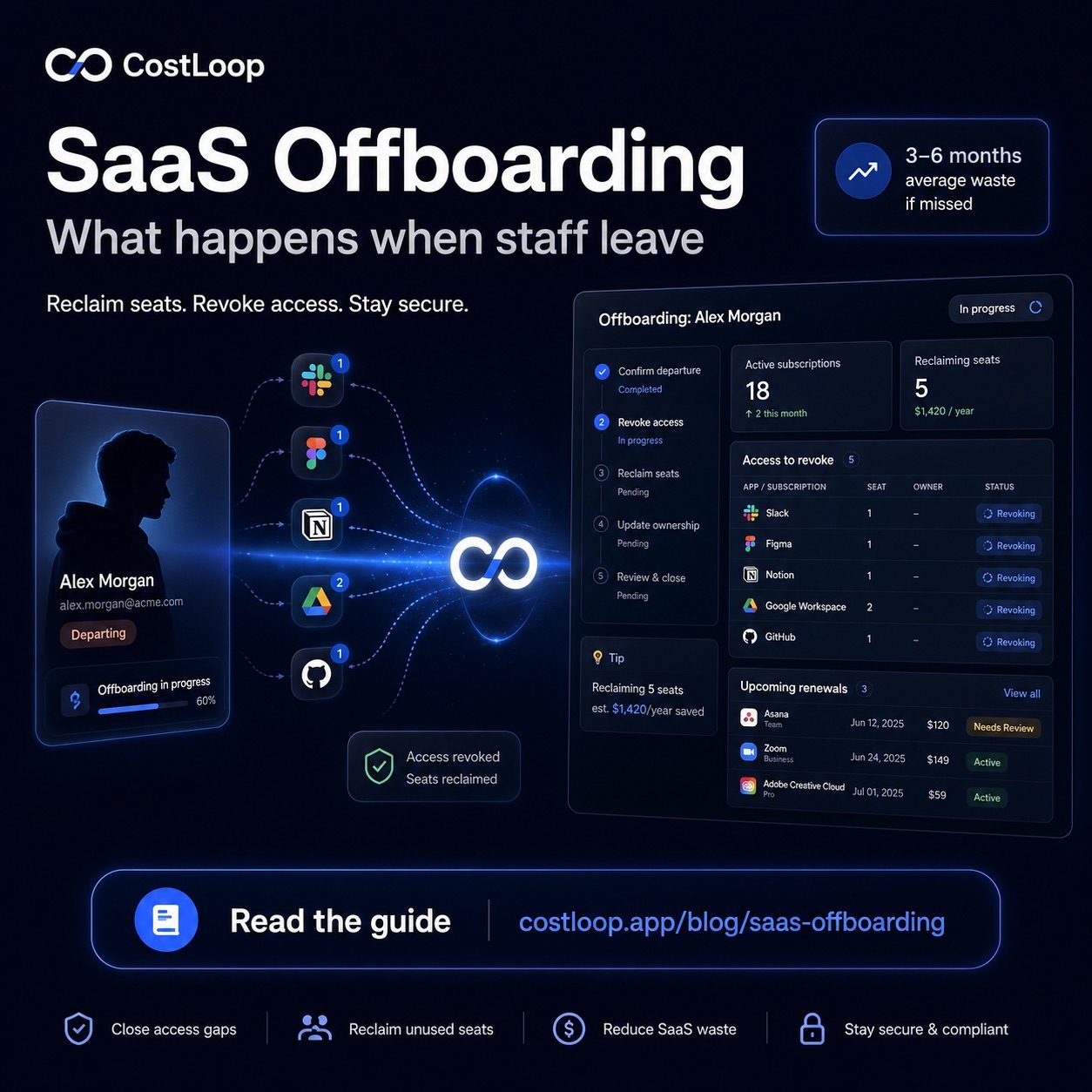
A subscription manager like CostLoop lets you assign an owner to each subscription and store the billing email alongside it. When someone is offboarded, you see exactly which tools they owned and which accounts need attention.
Start free - no credit card neededThe Hardest Part: Tools You Didn't Know About
The offboarding steps above only work if you already know what tools an employee uses. In most small and medium businesses, people sign up for tools independently - a designer grabs a trial of a prototyping tool, a marketer subscribes to a social scheduler, a developer adds a monitoring service. None of it goes through a central procurement process.
When that person leaves, nobody knows those tools exist. They keep billing to the company card. The seat stays open. And if the subscription was set up under the employee's personal email (which happens more often than anyone admits), you can't even access the account to cancel it.
This is the core problem that good how to track software subscriptions solves. Not the auditing itself, but the visibility. If you have a record of every tool, who signed up for it, and which billing email it uses, offboarding becomes a filter operation - pull up everything assigned to this person, work through the list, done.
Without that record, offboarding is a guessing game.
Building IT Offboarding Into Your Process for License Recovery
The companies that handle SaaS offboarding well don't have better IT teams. They have a documented checklist that HR and managers run through every time someone leaves. It typically takes 30–60 minutes for a complete offboarding, which is well worth the security and cost benefits.
A few things that make this easier:
- Use SSO everywhere you can. When you provision Google Workspace or Okta, any tool that supports SSO login loses access the moment you disable the account. That one action can cover a large share of your tool stack, depending on how many of your tools support SSO.
- Record tool ownership at onboarding. When someone joins, document which tools they'll own or have admin access to. That list becomes the offboarding checklist when they leave.
- Have a shared subscription record. Whether that's a dedicated tool like CostLoop or a well-maintained internal doc, you need somewhere to look that shows all active subscriptions and their owners. This also makes software license management far simpler when the next departure happens.
Employee transitions are stressful. The last thing you want is to discover three months later that a former employee's accounts are still active - both for the bill and for what might have happened since. A one-hour investment in a proper offboarding process pays for itself the first time it prevents even a single overlooked subscription from running for an extra quarter.
If you don't have a subscription record yet, start one today. It doesn't have to be complete on day one - just capture what you know now, and add to it as you discover new tools. By the time the next person leaves, you'll have something to work from.
Offboarding and SaaS license management: the seat reclamation problem
Every employee offboarding is a SaaS license management event. When someone leaves without their licenses being revoked, you continue paying for access that serves no one. The seat is allocated but empty - and still billing.
For per-seat tools (Notion, Slack, Figma, and similar), each unrevoked seat is pure waste. Across several per-seat tools, a single missed offboarding can become a meaningful recurring cost. License recovery - reclaiming and either cancelling or making available for seat reallocation to a new hire - is the direct financial benefit of a thorough offboarding. The cost compounds with each departure where this step is skipped.
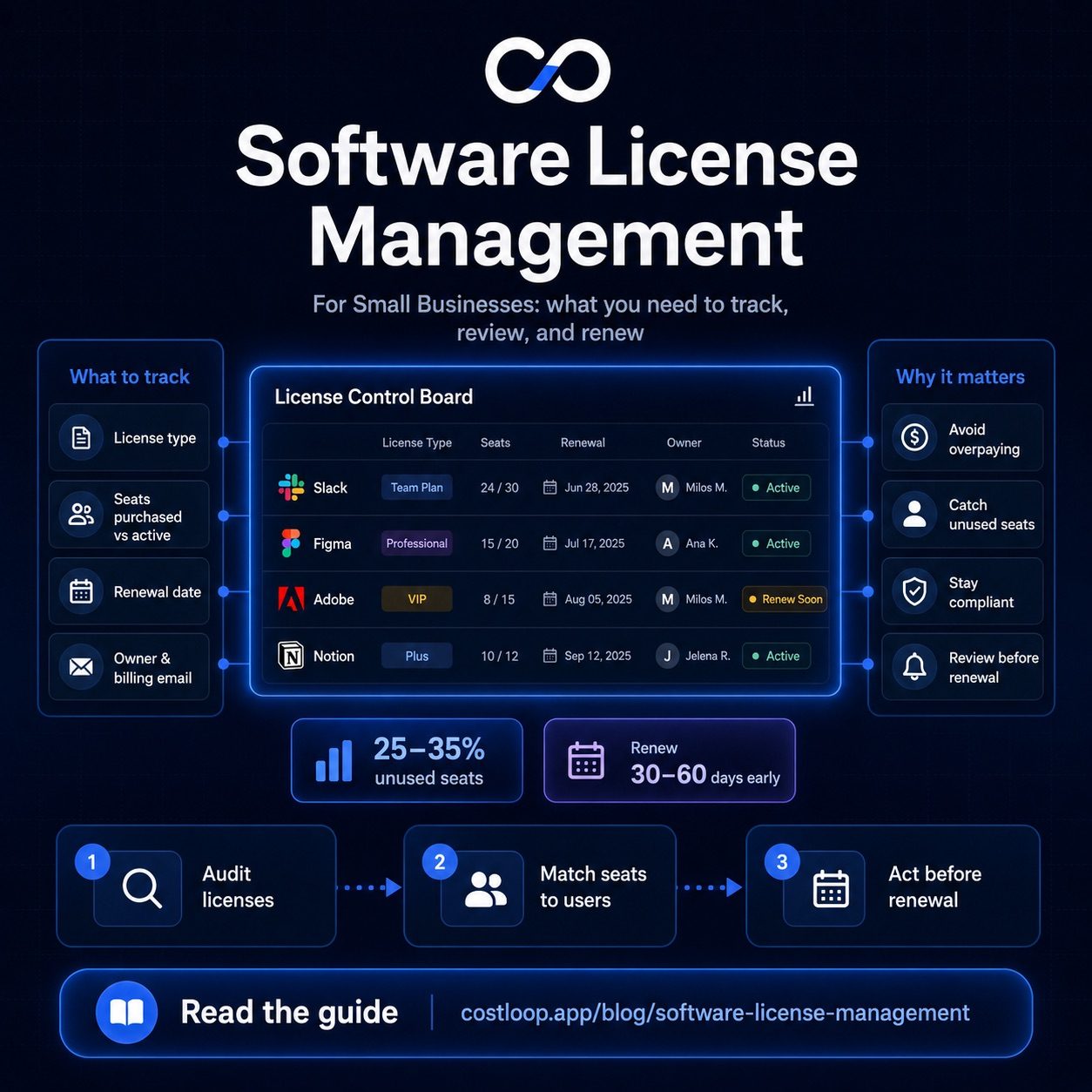
The fix: make license revocation a required step in the offboarding checklist, not an optional afterthought. Every tool the departing employee had access to should have their seat removed or reassigned within 24 hours of their last day. The SaaS license management guide covers how to build and maintain a seat inventory so this step is fast to execute. For a closer look at the cost of seats nobody uses, the unused software seats guide quantifies the impact across common tool categories.
Frequently asked questions
What happens to SaaS accounts when an employee leaves?
Nothing happens automatically. The account stays active, the seat remains allocated, and the company keeps paying for it. In some cases the departing employee may still have login access, which is a security risk. You need to manually revoke access and deprovision the seat for each tool.
How long do businesses typically keep paying for ex-employee accounts?
Research suggests the average is 3-6 months. Annual-billed tools are the worst - you pay for the full year upfront, and if someone leaves in month 2, you lose 10 months of that seat unless you can reassign it.
What's the security risk of not revoking SaaS access after someone leaves?
A former employee with active credentials can still log in to company tools. This could mean accessing customer data in a CRM, reading confidential documents in a project management tool, or downloading code from a source control system.
What's the most important SaaS account to offboard first?
Email and identity providers (Google Workspace, Microsoft 365, Okta) should be the first accounts you revoke, because they often control SSO access to many other tools. Once email is deactivated, any tool that uses Sign in with Google or SSO will also be locked out automatically.
What happens to SaaS licenses when an employee leaves?
Nothing automatically. Licenses continue renewing unless manually revoked. This is why offboarding must include a license revocation step for every SaaS tool the employee had access to.
How do I manage SaaS subscriptions during employee offboarding?
List every tool the employee had access to, revoke access and reduce seat count within 24 hours of their last day, and reassign owner in your subscription tracker if they owned any subscriptions. Tools connected via SSO lose access when you disable the identity account; tools with independent logins must be revoked manually.