Why a subscription audit is worth doing
This subscription audit checklist gives you a structured process for finding every recurring charge your business is paying for - and making a deliberate decision about each one. Recurring charges are easy to set up and easy to forget. A monthly plan for a tool you stopped using three months ago does not show up with a warning - it just keeps billing. Annual renewals are worse, because you make a decision once and then the next charge arrives a year later with no prompt.
A subscription audit is not about finding massive waste. It is about getting clarity: knowing what you are paying for, whether you are using it, and who is responsible for each tool. It also surfaces shadow IT - tools employees added on personal or department cards that never made it into the official software inventory. Most businesses that do this for the first time find at least a few surprises.
The audit below is organized into five steps. Work through them once, then set up a system at the end so you do not have to start from scratch next time.
Step 1: Gather all your subscriptions
Recurring charges hide across multiple places. Do not start building your list until you have checked all of these sources. If you are not yet sure how to track software subscriptions systematically, that guide covers the full inventory process before you begin the audit.
- Business bank statements - go back at least 13 months to catch annual renewals, not just monthly ones
- Business credit and debit card statements - every card used for purchases, including any you have shared with team members
- Personal cards used for business - common for freelancers and small and medium business owners who mix accounts
- PayPal transaction history - PayPal has its own subscription management view, separate from your bank
- Apple ID subscriptions - check under your Apple ID in iOS Settings or the Mac App Store
- Google Play subscriptions - found under Payments in Google Play
- Email inbox - search for "receipt", "invoice", "subscription", "renewal", "your plan", and "billing"
The email search is worth taking seriously. Most SaaS tools send a confirmation every time they charge you. Search your inbox and look at the results - it often turns up tools you had forgotten entirely.
If you have a team, ask them directly. People often sign up for tools on their own accounts or personal cards and expense them. A quick message to your team asking them to list every tool they pay for on the company's behalf is one of the fastest ways to find gaps.
Step 2: List the details for each subscription
Once you have your raw list, expand each item with the details you will need when it is time to make decisions. For every subscription, capture:
| Field | What to record |
|---|---|
| Tool name | The name you know it by (e.g. Figma, not "Figma Inc") |
| Vendor name on statement | How it appears in your bank or card statement |
| Monthly cost | For annual plans, divide the total by 12 so you can compare like for like |
| Annual cost | Total amount billed per year |
| Billing cycle | Monthly, annual, quarterly, or other |
| Next renewal date | The exact date the next charge will hit |
| Owner | The person responsible for this tool - who decides if it continues |
| Cancellation link | The specific URL where you can cancel, not the vendor homepage |
The cancellation link is easy to skip, but worth getting now. When you need to cancel something quickly before a renewal, you do not want to spend time navigating vendor support pages under time pressure. Save it once and you have it when you need it. For a complete breakdown of every field worth recording, see what to store in a subscription record.
Subscription tracker CostLoop lets you store every subscription with all the details above - renewal dates, cancellation links, owners, and documents - and sends you reminders before renewals hit. No spreadsheet maintenance required.
Start free - no credit card neededStep 3: Rate each tool by usage
Go through your list and assign each subscription one of four labels:
- Actively used - the team uses this regularly and it would be missed
- Rarely used - someone uses it occasionally, but it is not essential
- Never used - nobody is using it, or the person who needed it has left
- Unknown - you cannot tell who uses it or whether it is needed
Be honest with the rarely used category. A tool that gets opened once a month by one person is not earning its cost the same way a tool your whole team uses daily is. Ask the owner to check last login dates if the platform provides that. Many do.
Unknown is a useful label too. If you cannot tell what a tool is for or who depends on it, that itself is a problem - either the ownership is missing or the tool has slipped through the cracks entirely.
For tools with per-seat pricing, check the seat count. A plan for ten users when five people are on your team, or when several licences belong to people who have since left, is a straightforward cost you can reduce without cancelling anything.
Step 4: Decide what to cancel, downgrade, or keep
With your usage ratings in hand, work through each subscription and put it into one of three buckets:
- Keep as is - it is used, the plan is appropriate, and the cost is justified
- Downgrade or renegotiate - the tool is worth keeping but the current plan is too large, too expensive, or has features nobody uses
- Cancel - it is unused, redundant, or was a trial that never became essential
A few questions worth asking for each tool before you decide:
- Do we have another tool that does the same thing? Overlapping tools are common, especially when different team members sign up for their own preferred version of the same category.
- Was this started for a specific project that has since ended? Tools adopted for one-off work often continue billing long after the project is done.
- If we cancelled this tomorrow, what would actually break? If the honest answer is nothing, that tells you something.
- Does this require notice before cancellation? Some annual contracts require 30 or 60 days written notice. Check the terms before you assume you can cancel at any time.
For anything in the cancel bucket, act on it soon after the audit - not at renewal time. Decisions that get deferred to "next renewal" often get forgotten again, and then the charge hits for another year. Poor SaaS renewal tracking is the most common reason charges slip through when there is no system in place to prompt a decision in time.
Step 5: Set up a system to stay on top of renewals
An audit done once is useful. An audit you do once and then abandon leaves you back at the same problem in six months.
The goal at the end of this process is not just a clean list - it is a system that keeps the list accurate and alerts you before anything renews without a decision.
What a good system needs:
- A single place to store all subscriptions - not split across a spreadsheet, a notes app, and email threads
- Renewal reminders sent automatically - at least 14 days before each charge, ideally 30 days for annual plans
- Named owners for every subscription - so nothing is orphaned when people change roles
- Cancellation links stored with each record - accessible when you need to act quickly
- A regular review habit - blocking 30 minutes per quarter to check what has changed
A spreadsheet is a reasonable starting point for a very small number of tools, but it does not send reminders, does not track ownership automatically, and requires constant manual upkeep to stay accurate. Schedule a spending review at least quarterly so the list does not drift back into chaos. As your list grows, that upkeep becomes the weak link.
A dedicated software subscription tracker handles the reminders and storage automatically, so the system works even when nobody is actively checking it. That is the difference between a one-time audit and an ongoing process that actually holds.
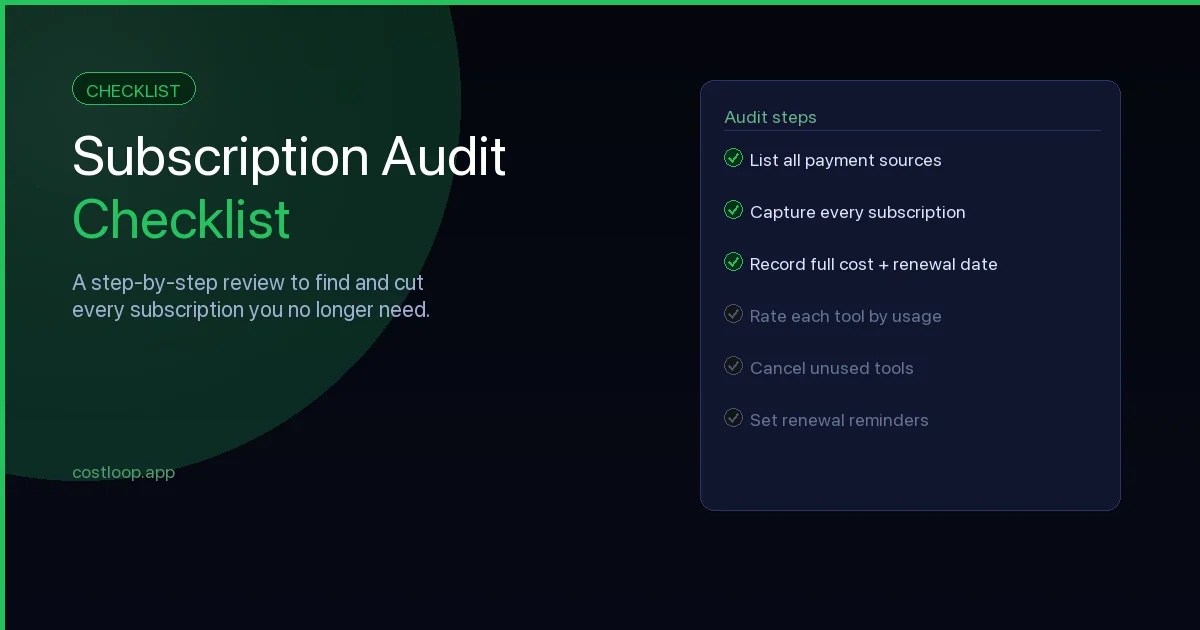
The subscription audit checklist
Use this as your reference as you work through the audit:
- Review business bank statements going back 13 months
- Review all business credit and debit card statements
- Check personal cards used for business purchases
- Check PayPal transaction and subscription history
- Check Apple ID subscriptions (iOS Settings or Mac App Store)
- Check Google Play subscriptions
- Search email inbox for "receipt", "invoice", "renewal", "subscription", "your plan"
- Ask team members to report any tools they pay for on the company's behalf
- For each subscription: record tool name, cost, billing cycle, renewal date, owner, and cancellation link
- Assign a usage rating to each: actively used, rarely used, never used, or unknown
- Check seat counts on per-seat plans and remove unused licences
- Check for duplicate tools covering the same function
- Decide: keep, downgrade, or cancel - for every subscription
- Check cancellation notice requirements for any subscription you plan to end
- Act on cancellations now, not at renewal time
- Set up renewal reminders for every subscription you are keeping
- Assign a named owner to every subscription
- Store cancellation links with each subscription record
- Block time for a quarterly review going forward
How often to run an audit
The first audit takes the longest because you are starting from nothing. After that, a quarterly check of 20 to 30 minutes is usually enough to catch anything that has changed - new tools added by the team, plans that need adjusting, or renewals coming up that nobody has reviewed.
Some businesses do a lighter monthly pass and a more thorough quarterly review. Either works. The important thing is that it happens on a schedule, not only when a surprise charge triggers a panic. For subscription management best practices, a quarterly review combined with automatic renewal reminders is the most reliable approach.
If you use a tool like CostLoop, the reminders do most of the work between reviews. You get notified before a renewal, you make a decision, and the record stays current. The audit becomes a confirmation rather than a rescue mission.
How this checklist connects to SaaS discovery
A subscription audit checklist is fundamentally a SaaS discovery tool - it is the structured process you use to find every subscription your business pays for, including ones that have slipped through the cracks entirely. SaaS discovery is the practice of surfacing your complete software stack. This checklist gives you the practical steps to do that without enterprise discovery software.
The process in the checklist above - checking bank statements, card statements, email receipts, PayPal history, app store subscriptions, and asking the team directly - is exactly what SaaS discovery looks like at the small and medium business level. You are not scanning your network for installed software. You are following the money and the email trail to find everything that charges your accounts. For a source-by-source walkthrough, see the guide on how to find every company subscription your business pays for. For charges deliberately harder to surface, the guide on find hidden subscriptions covers the specific patterns most businesses miss.
After discovery comes management: the subscriptions you find need to be tracked going forward, not just listed once. A one-time audit without a follow-on system leaves you rebuilding from scratch in six months. The SaaS audit guide covers the broader audit process, and the best subscription tracker for small and medium business guide helps you choose the right tool to keep the inventory current after the audit is done.