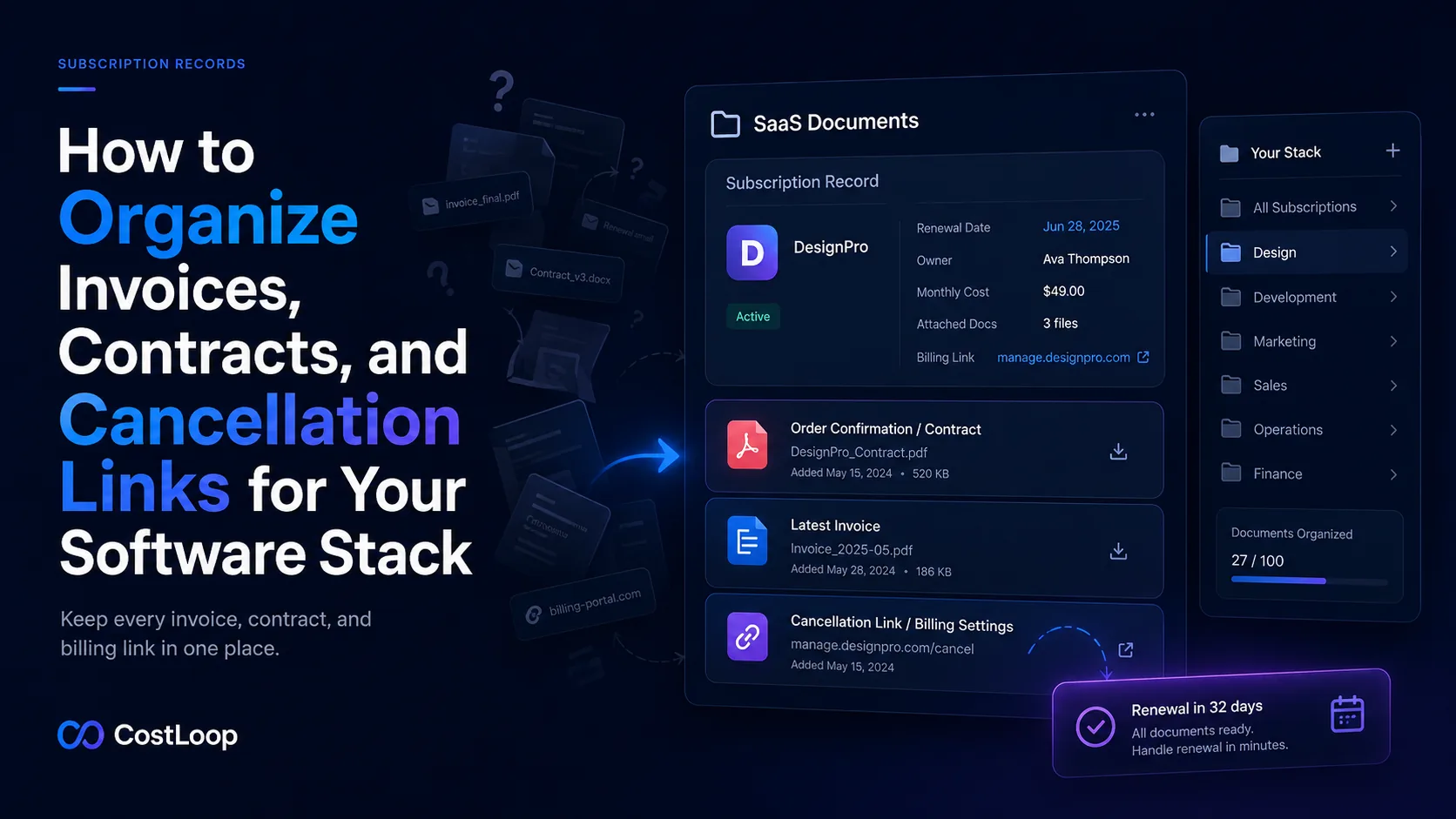
Why subscription document chaos is so common
Most subscription documents arrive by email. The order confirmation goes to whoever signed up. The monthly invoice goes to the billing email. The renewal notice goes somewhere else. Different subscriptions were set up by different people using different email addresses, and over time the paper trail for a single SaaS tool can span multiple inboxes, multiple accounts, and multiple folders - if it was saved at all.
Email search can technically find these documents, but it is not a system. Finding the right invoice for a specific tool in a specific month from last year requires knowing which email address received it, what the vendor's display name is in the subject line, and roughly when it was sent. Any one of those pieces of information being wrong means the search fails. Under time pressure - before a deadline, at tax time, when disputing a charge - that failure is expensive.
The fix is not a complex document management system. It is a consistent practice: for every software subscription, save three things in one accessible place.
The three documents every subscription should have saved
The original order confirmation or contract
The order confirmation is the primary evidence that the subscription exists on agreed terms. It records what was purchased, at what price, and under what billing cycle. For any tool on a formal contract - annual enterprise agreements, vendor agreements with service level commitments - the signed contract document itself should also be saved.
This document is most valuable when something goes wrong: a vendor changes pricing and claims the new rate was disclosed, a charge appears that does not match what you agreed to pay, or an auto-renewal fires and you need to demonstrate the terms you were originally sold. Without the original confirmation, disputes become he-said-she-said. With it, they are straightforward.
The most recent invoice
The current invoice is what your accountant or bookkeeper needs to categorize the expense. It is also the document you need when reconciling a credit card charge or submitting business expenses. For recurring monthly subscriptions, keep the most recent invoice and replace it when the next one arrives. For annual subscriptions, keep the invoice for the current billing period.
Most SaaS billing portals keep invoice history accessible for at least two years. But relying on vendor portals to be accessible and accurate when you need a past invoice is less reliable than having your own copy. Vendors get acquired, shut down, or change their portal structures. Your copy is always yours.
The cancellation link or billing settings URL
This is the most undervalued document in a subscription record and the one most likely to be missing. The cancellation link - specifically the URL of the billing settings or subscription management page in the vendor's portal - is what you need when a renewal reminder fires and you decide not to renew.
Without this link saved in advance, cancellation requires navigating the vendor's interface under time pressure, often to discover that the cancel button is not where you expect it to be, requires contacting support, or involves a multi-step flow designed to create friction. None of that is difficult to navigate in calm conditions. At 11pm the day before an annual renewal, it is infuriating.
Save the billing settings URL when you first sign up. It takes 60 seconds and eliminates the most common source of missed cancellation windows. See the guide on what to store with every subscription record for a full checklist of what else belongs in each record.
Why the cancellation link matters more than you think
Vendors design their cancellation flows with a clear goal: reduce churn. That means making cancellation slightly harder than staying subscribed. Some common friction patterns:
- No self-serve cancellation. The only way to cancel is by contacting support. If you discover this on a Friday afternoon before a weekend renewal, you may miss the window entirely.
- Hidden billing settings. The cancellation option is buried several levels deep in account settings under a non-obvious label. Finding it the first time takes longer than expected.
- Multi-step retention flows. After clicking cancel, the vendor presents downgrade offers, discount offers, and pause options before completing the cancellation. Each step adds time and decision fatigue.
- Notice period requirements. Some vendors require 30 days notice before a renewal to cancel without being charged for the next period. If you find out about this on day 29, you have effectively already renewed.
Knowing the specific cancellation process for each vendor before you need it - and having the right URL saved - means none of these patterns catch you off guard.
How to organize subscription documents
Option 1: A folder structure in cloud storage
Create one folder per vendor in your cloud storage (Google Drive, Dropbox, OneDrive) under a top-level "Software Subscriptions" or "SaaS Documents" folder. Inside each vendor folder, store the order confirmation, current invoice, and a text file or bookmark with the billing settings URL.
This approach works well if your team already uses cloud storage consistently and someone will maintain the folder structure. The weakness is that it is decoupled from your subscription tracking - the folder tells you nothing about when the renewal is due or who owns the subscription.
A practical folder structure:
Software Subscriptions/
  Figma/
    figma-order-confirmation.pdf
    figma-invoice-2026-06.pdf
    billing-settings-url.txt
  Notion/
    notion-contract-2026.pdf
    notion-invoice-2026-06.pdf
    billing-settings-url.txt
Option 2: Attach documents directly to a subscription tracker record
A dedicated subscription tracker that supports document attachments keeps everything in one place: the renewal date, the owner, the cost, and the supporting documents. When a renewal reminder fires, the cancellation link and the relevant invoice are accessible in the same record without navigating to a separate folder.
This approach eliminates the coordination problem between your tracker and your document storage. It also means that when someone else on your team needs to act on a renewal, they have everything they need in the subscription record itself without hunting through shared folders.
What not to do: email search is not a system
Relying on your email inbox to find documents when you need them is the most common organizational non-system. It feels sufficient until it fails - the vendor has a different display name than you remember, the invoice went to a shared billing address that has been decommissioned, or you are looking at the wrong year's invoices without realising it.
Email is where invoices arrive. It is not where they should live. As soon as an invoice or confirmation arrives, file it to whichever system you use and treat the email as temporary.
Keep every document and link with its subscription record
CostLoop lets you attach documents, save billing URLs, and record notes directly on each subscription. Free to start - add your subscriptions and start building an organized record in under 30 minutes.
Get started freeMaking it easy to find documents when you need them
Organization only helps if the system is consistent. Three practices keep it that way:
File documents at the time they arrive, not later. "I'll organize that batch of invoices at the end of the month" is a commitment that gets broken. When an invoice arrives in your inbox, the action takes 30 seconds: download the PDF and attach it to the relevant subscription record or move it to the correct vendor folder. Doing it immediately keeps the system current.
Use consistent file naming. A convention like vendor-document-type-YYYY-MM.pdf (for example, figma-invoice-2026-06.pdf) makes files self-describing and sortable without opening them. Inconsistent file names are one of the main reasons organized storage becomes hard to navigate over time.
Keep one copy, not multiple. If the same invoice is in your email, in a shared Drive folder, and in your subscription tracker, you have a maintenance problem: updates to any one copy do not propagate to the others. Choose where documents live and keep them in one place.
Keeping records current when plans change
Subscription documents become stale faster than most people expect. A plan upgrade means the current invoice no longer reflects the amount being charged. A new payment method means the billing settings URL may have changed. A team member taking over ownership of a tool means the contact for renewal decisions needs updating.
Build document maintenance into your renewal review process. When a renewal reminder fires, check that the cancellation link still works and that the invoice on file matches the current plan. This takes under two minutes and keeps your records accurate.
The same quarterly review that catches unused software subscriptions is a good time to audit record completeness - checking that every subscription has the three documents in place and that none are stale. The full subscription audit checklist includes this step.
Frequently asked questions
Where should I store software subscription invoices?
The best place is attached directly to the subscription record in a dedicated tracker, where the invoice lives alongside the renewal date, owner, and cancellation link for the same tool. If you use cloud storage folders, a folder per vendor works well. Email is the worst storage location - it is technically accessible but practically unusable when you need a specific invoice quickly under time pressure.
How do I find the cancellation link for a SaaS subscription?
Log into the vendor's portal and navigate to billing settings or account settings. Most SaaS tools have a Billing, Subscription, or Plan section in the account menu. If you cannot find a self-serve cancellation option, check the vendor's help centre for "how to cancel" or contact support. The key is to find this link before you need it - ideally when you first sign up, not when a renewal is two days away. The guide to avoiding forgotten renewals covers why this matters in detail.
How long should I keep software subscription invoices?
Keep invoices for at least the current tax year plus the prior year. In most jurisdictions, business expense records need to be retained for 3-7 years for tax purposes - check your local requirements. Practically speaking, digital invoices take up no meaningful storage space, so keeping them indefinitely in a structured folder or tracker is a sensible default.
What happens if I lose a software contract or order confirmation?
Most vendors can re-send order confirmations and past invoices from their billing portal or on request from their support team. Log into the vendor account and check the billing history section - most SaaS tools retain invoice history for at least two years. If the account has been closed, contact the vendor directly using the email address you used at signup. Going forward, save invoices to your organized system the moment they arrive rather than relying on the vendor's portal to be accessible indefinitely.