License lifecycle management is the operating system for every software license your business buys. It starts before a purchase is approved, continues through entitlement recording and user assignment, and ends only when the license is renewed, downgraded, cancelled, archived or replaced.
Without a lifecycle, license management becomes a pile of disconnected records: one invoice in accounting, one owner in Slack, one renewal email in somebody's inbox, and one subscription row nobody trusts. With a lifecycle, every license has a clear status, owner, cost, renewal path and evidence trail.
This guide focuses on buyer-side software license lifecycle management: how small and medium businesses can manage SaaS subscriptions, seat-based tools, contracts, invoices and renewal decisions without turning the process into enterprise procurement theater.
Key takeaways
- License lifecycle management connects purchase approvals, entitlement records, assignments, usage review, renewal decisions and retirement into one repeatable workflow.
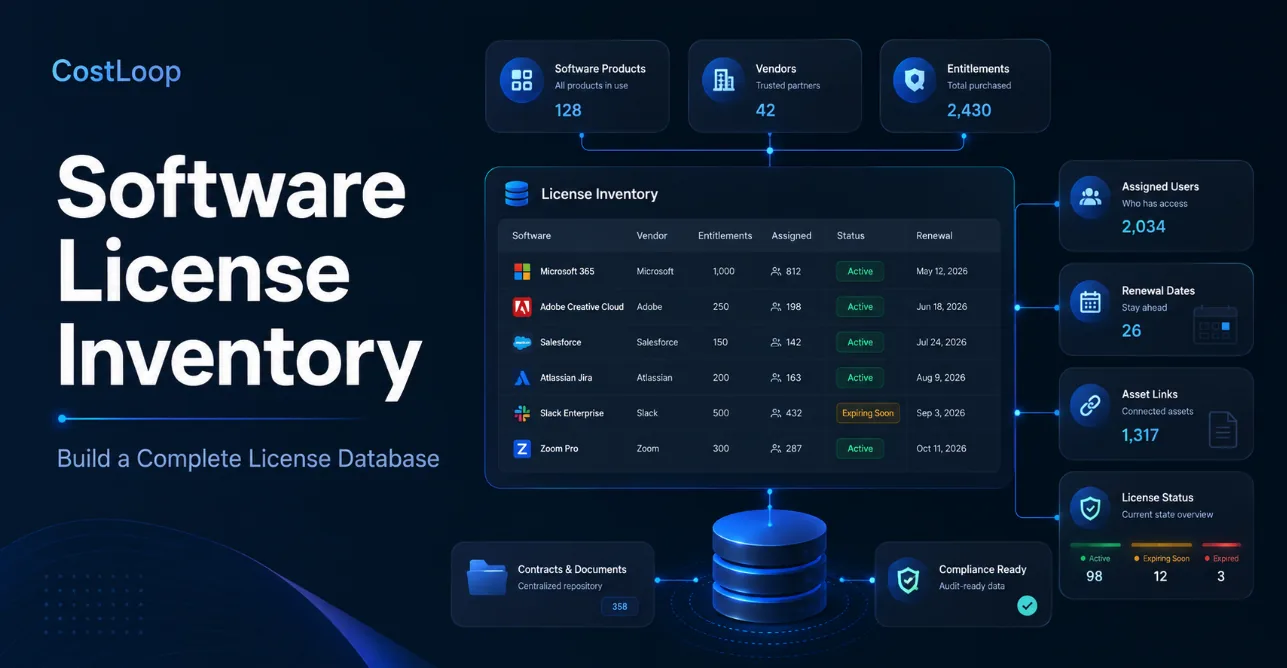
- A license inventory is the database; the lifecycle is the process that keeps that database accurate.
- Software license renewal management should start well before the renewal date, using owner review, usage evidence, cost history and contract notice periods.
- Small SaaS-heavy teams can start with owners, costs, renewal dates, documents and usage signals before adopting full enterprise SAM tooling.
- Every lifecycle stage should produce a decision record so renewals, downgrades and cancellations are not based on memory.
What is license lifecycle management?
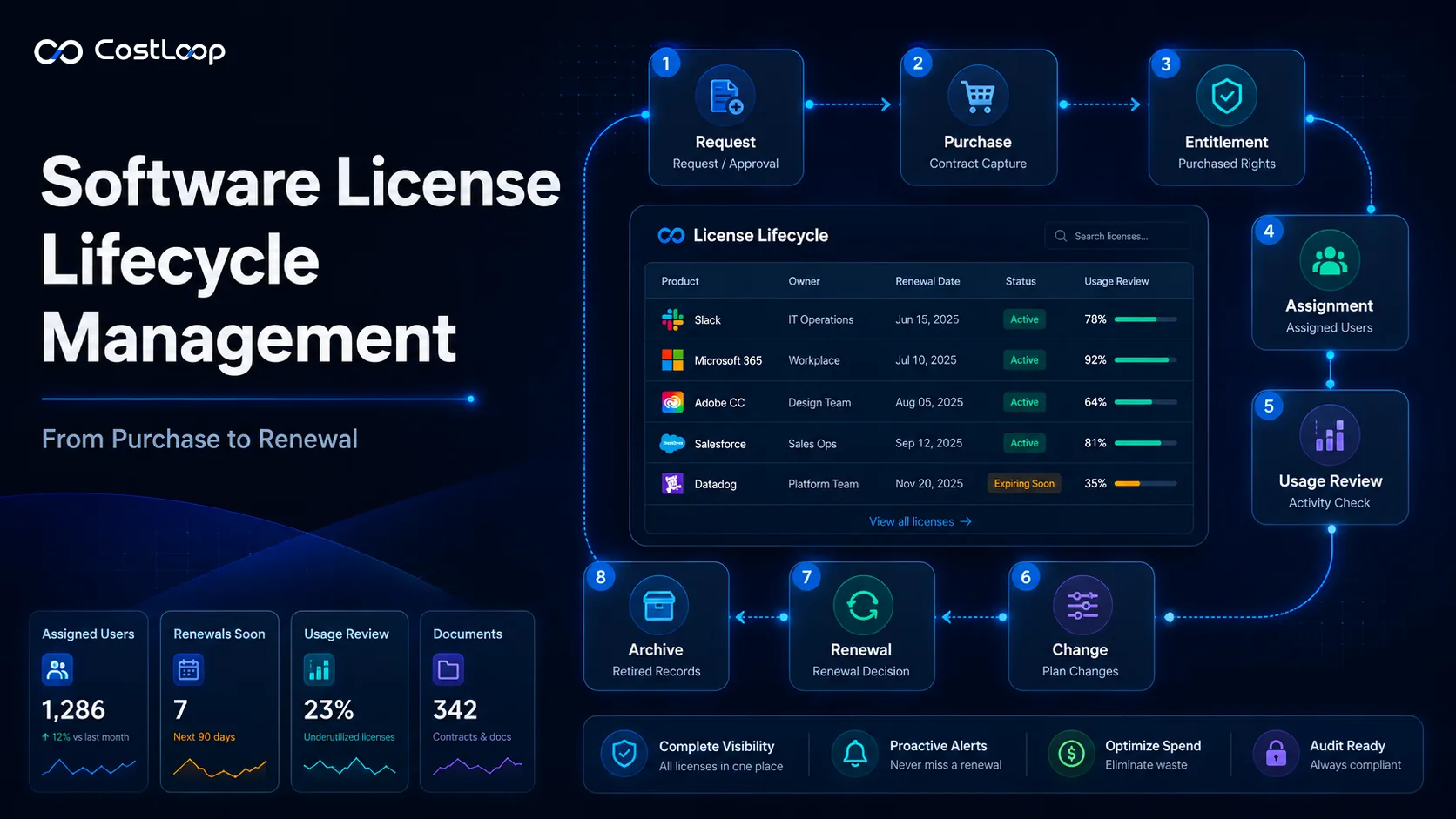
License lifecycle management is the process of managing a software license through each business stage: request, approval, purchase, entitlement capture, assignment, usage review, renewal, change, cancellation and archive.
The lifecycle matters because a license is not a one-time record. It changes whenever someone buys a new seat, removes a user, upgrades a plan, changes billing cycles, negotiates a contract, receives an invoice, stores a document, or decides not to renew.
If those events are not captured, the license record quietly drifts away from reality. That is how teams end up paying for users who left, renewing annual plans nobody reviewed, or discovering during a renewal call that no one knows who owns the tool.
License inventory vs. license lifecycle management
| Concept | What it is | What it answers |
|---|---|---|
| Software license inventory | The structured database of vendors, products, entitlements, users, costs, contracts and renewal dates. | What do we have, what did we buy, who uses it, and when does it renew? |
| License lifecycle management | The repeatable workflow that updates the inventory as licenses move from purchase to renewal or cancellation. | What should happen next, who owns the decision, and what evidence supports it? |
| Software license renewal management | The renewal-specific part of the lifecycle focused on deadlines, usage, cost, negotiation and cancellation decisions. | Should we renew, downgrade, cancel, consolidate or renegotiate? |
You need all three. Inventory without lifecycle becomes stale. Lifecycle without inventory becomes scattered. Renewal management without either becomes a calendar reminder with no useful context.
The eight stages of software license lifecycle management
1. Request and business justification
The lifecycle starts before money is spent. Every new license should have a reason, a requester, a business owner and a rough expected value. This does not need to be bureaucratic. For a small team, a simple record is enough:
- Who requested the tool?
- What problem does it solve?
- Which team or client work depends on it?
- Is there already a similar tool in the stack?
- Who will own the renewal decision?
This stage prevents duplicate tools from entering the business unnoticed. It also gives future reviewers context when they ask why the subscription exists.
2. Purchase and contract capture
Once a purchase is approved, capture the commercial record immediately. The worst time to reconstruct contract details is eleven months later when the renewal email arrives.
- Vendor and product name
- Plan, edition or SKU
- Purchase date and renewal date
- Billing cycle and currency
- Contract, order form or invoice link
- Cancellation or notice period
- Internal owner and budget owner
For SaaS tools, the evidence may be an invoice, receipt, admin billing screenshot or contract PDF. For more complex software, you may need purchase rights, license metric, agreement number and entitlement documentation.
3. Entitlement recording
An entitlement is the purchased right to use software under specific conditions. This is where license lifecycle management becomes more precise than a normal subscription list.
Good entitlement records answer:
- How many rights were purchased?
- Under which metric?
- For which legal entity?
- For what period?
- Under which agreement?
- What evidence proves it?
- Are there special rights or restrictions?
For a simple SaaS plan, the entitlement may be “10 seats on Pro plan, annual term.” For enterprise software, it may involve named users, devices, processors, installations, environments, regions, affiliates, downgrade rights, maintenance terms or audit obligations.
4. Assignment and onboarding
After purchase, the license needs to be assigned to users, teams, devices or environments. This stage should connect license rights to actual consumption.
Purchased seats: 40
Assigned seats: 34
Available seats: 6
That small calculation is powerful. It tells you whether you are overbuying, whether a renewal can be reduced, and whether a new user needs a new purchase or can use an available seat.
For small teams, assignment may simply mean “owner” and “active user.” For larger teams, assignment may require user IDs, departments, cost centers, devices, environments or role-based access.
5. Usage and value review
A license can be assigned and still be wasted. Usage review asks whether the subscription is actually being used and whether it still produces value.
- Has the tool been accessed recently?
- Are assigned users still active employees or contractors?
- Does the owner still need the product?
- Are there cheaper plans or unused add-ons?
- Is another tool now doing the same job?
CostLoop's optional Usage Monitor is designed for this type of lightweight review: it helps compare known subscription domains against local browser activity so teams can identify tools that may need a closer look. It is not a replacement for admin-console usage data, but it gives small teams a practical signal.
6. Change management
Licenses change constantly. People join, leave, switch teams, stop using tools, add seats, remove seats, upgrade plans, downgrade plans and move vendors.
Every change should update the license record, not sit only in a chat thread or invoice.
- Seat added or removed
- Owner changed
- Department changed
- Plan upgraded or downgraded
- Billing cycle changed
- Contract amended
- Vendor contact changed
This is where many teams lose accuracy. The purchase record stays frozen while the real subscription keeps moving.
7. Renewal decision
Software license renewal management is the most commercially important stage. A renewal should not be a surprise charge. It should be a scheduled decision.
Before renewal, the owner should review:
- Current monthly or annual cost
- Number of assigned and unused seats
- Recent usage evidence
- Upcoming team needs
- Contract notice period
- Price increase or plan change
- Alternatives, consolidation options or negotiation points
The decision should be explicit: renew, downgrade, cancel, consolidate, renegotiate, replace, or defer with a review date. If no owner can defend the renewal, that is a signal.
8. Retirement, cancellation and archive
The lifecycle ends when the license is no longer active. But the record should not simply disappear.
A clean retirement stage includes:
- Cancellation confirmation
- Final billing date
- Data export status
- Access removal
- Replacement tool, if any
- Reason for cancellation
- Archived invoice or contract evidence
Keeping a safe archive helps if a vendor bills again, an auditor asks for past evidence, or a future employee wonders why a tool was removed.
A practical license lifecycle management data model
You can start with these fields before adding complexity:
| Record type | Fields to capture | Why it matters |
|---|---|---|
| Vendor | Canonical vendor name, website, billing contact, support link, cancellation link. | Prevents duplicate vendor names and keeps relationship data in one place. |
| Product | Product name, category, plan, edition, website, owner. | Separates the product from the vendor and makes reporting cleaner. |
| Entitlement | Quantity, metric, term, SKU, agreement, purchased rights, evidence link. | Shows what the business is allowed to use. |
| Assignment | User, team, department, device, environment, active status. | Shows who or what consumes the entitlement. |
| Commercial record | Cost, currency, billing cycle, renewal date, notice period, invoice, contract. | Supports budgeting, renewal review and audit evidence. |
| Lifecycle status | Requested, active, needs review, renewing soon, cancelled, archived. | Turns the inventory into an operating workflow. |
Useful lifecycle statuses
A good lifecycle should make uncertainty visible. Do not silently fill unknown fields with guesses.
- Requested
- Approved
- Purchased
- Active
- Partially verified
- Missing entitlement evidence
- Missing allocation data
- Missing owner
- Renewing soon
- Requires review
- Marked for cancellation
- Cancelled
- Archived
These statuses help teams prioritize cleanup work. For example, a subscription that is active but missing an owner is not “fine.” It is a renewal risk waiting to become a surprise.
Software license renewal management checklist
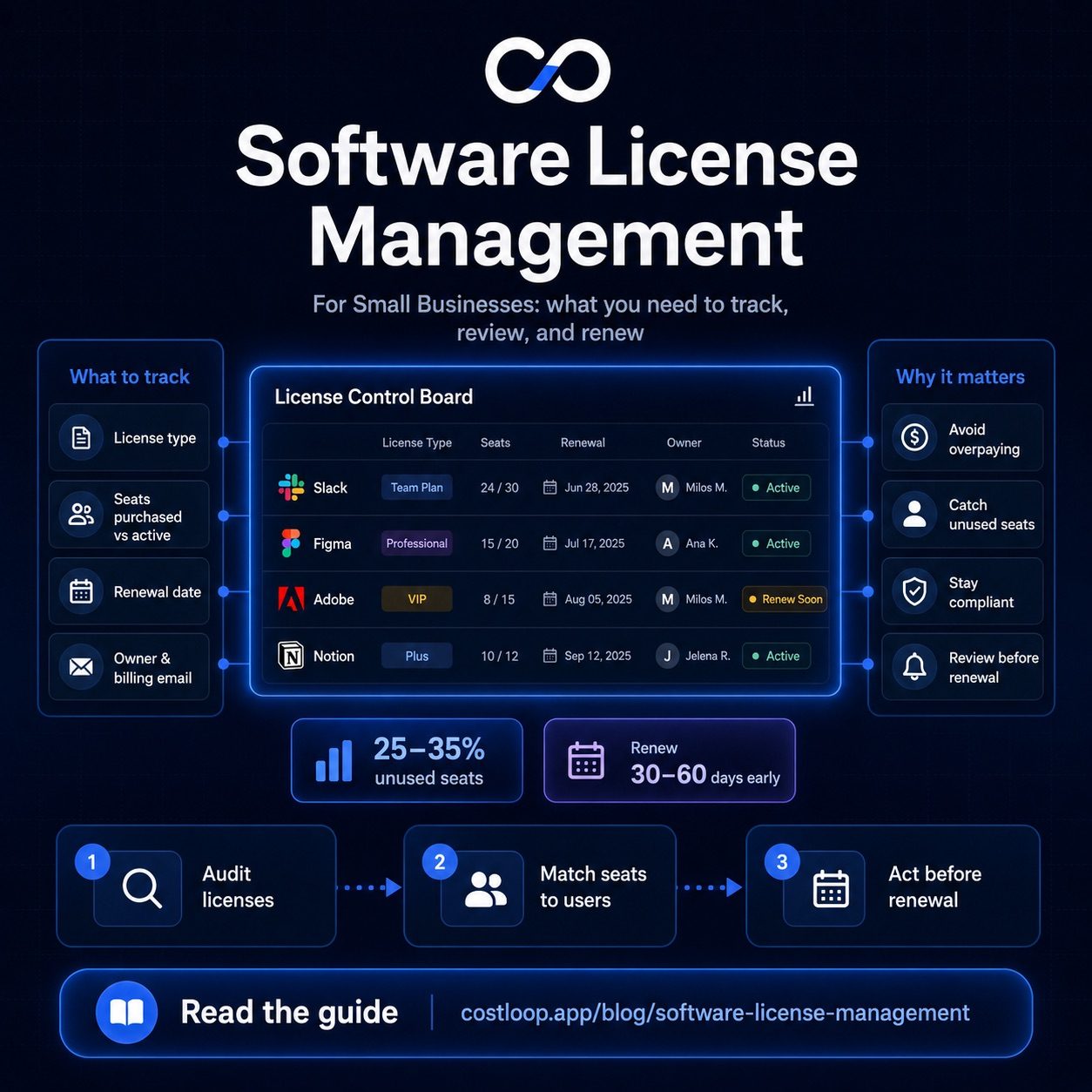
For each renewal, run this checklist 30 to 90 days before the deadline, depending on the contract size and notice period.
- Confirm the renewal date and notice period.
- Confirm the current plan, SKU or entitlement.
- Confirm the active owner and budget owner.
- Review assigned seats and available seats.
- Review recent usage or admin-console activity.
- Check whether users have left, changed roles or stopped using the product.
- Check whether another product now overlaps with it.
- Compare current price against last period's price.
- Decide whether to renew, downgrade, cancel, consolidate or negotiate.
- Store the decision and evidence before the vendor deadline.
For more renewal-specific workflow design, see CostLoop's renewal management guide and renewal tracker article.
Common license lifecycle mistakes
Treating renewal dates as the whole process
A calendar reminder is useful, but it does not tell you whether the license is used, who owns it, what changed, or what the renewal decision should be.
Mixing vendor, product and entitlement in one field
“Adobe Creative Cloud” might be a product, a plan, a merchant string or a vendor shorthand. Normalize names so reporting and duplicate detection work.
Ignoring offboarding
Every employee or contractor departure should trigger a license review. Otherwise, paid seats remain active because nobody connected HR movement to software cost.
Waiting until the invoice arrives
Once the invoice arrives, the renewal decision may already be made. Renewal review needs to happen before the notice deadline.
Deleting cancelled records
Cancelled licenses still explain historical spend, vendor relationships and future reactivation decisions. Archive them instead of erasing the trail.
How small teams can start in 30 days
You do not need a perfect SAM program to improve. A small team can start with a practical 30-day rollout:
- Week 1: Create one list of active software subscriptions and license records.
- Week 2: Add owners, costs, billing cycles, renewal dates and cancellation links.
- Week 3: Attach invoices, contracts or billing evidence for the highest-cost tools.
- Week 4: Review renewals coming in the next 90 days and mark decisions.
After that, update records whenever a purchase, assignment, cancellation, renewal or owner change happens. The lifecycle becomes a habit, not a cleanup project.
Where CostLoop fits
CostLoop is built for small and medium businesses that need license and subscription visibility without enterprise complexity. It helps teams keep software products, owners, costs, renewal dates, documents and cancellation links in one place.
CostLoop is especially useful when your main problem is SaaS subscription visibility, renewal tracking, software cost control and owner accountability. If you need publisher-specific reconciliation for Oracle, IBM, SAP, Microsoft server licensing or complex virtualization environments, you may need enterprise SAM tooling alongside a business-facing renewal tracker.
For discovery, use the CostLoop Email Scanner guide to find subscription receipts in Gmail or Outlook, then convert only approved results into managed subscription records.
Frequently asked questions
What is license lifecycle management?
License lifecycle management is the process of managing a software license from request and purchase through entitlement recording, assignment, usage review, renewal, downgrade, cancellation or retirement.
What is software license lifecycle management?
Software license lifecycle management applies that lifecycle to business software and SaaS licenses. It connects contract evidence, purchased rights, users or seats, usage signals, owners, costs and renewal decisions.
How is license lifecycle management different from license inventory?
A license inventory is the database of software, entitlements, users, costs and renewals. License lifecycle management is the operating process that keeps those records accurate as purchases, assignments, renewals and cancellations happen.
What should software license renewal management include?
Software license renewal management should include renewal dates, notice periods, owner review, usage evidence, cost history, contract documents, seat counts, planned changes and a decision record before the vendor deadline.
Can small businesses manage the license lifecycle without enterprise SAM software?
Yes. Small SaaS-heavy teams can start with a lightweight subscription and license tracker that records owners, costs, renewal dates, documents and usage signals. Enterprise SAM tools are more appropriate for complex publishers, audits and infrastructure-heavy environments.
Manage the full license lifecycle in CostLoop
CostLoop helps small teams track software licenses, owners, costs, renewal dates, documents, cancellation links and usage signals in one dashboard. Keep the lifecycle visible before renewals become surprise charges.

About the author
Milosh Mladenovski is a CostLoop founder and works on subscription discovery, license inventory and recurring software cost workflows. Author profile · LinkedIn