Last verified: July 22, 2026
Quick answer
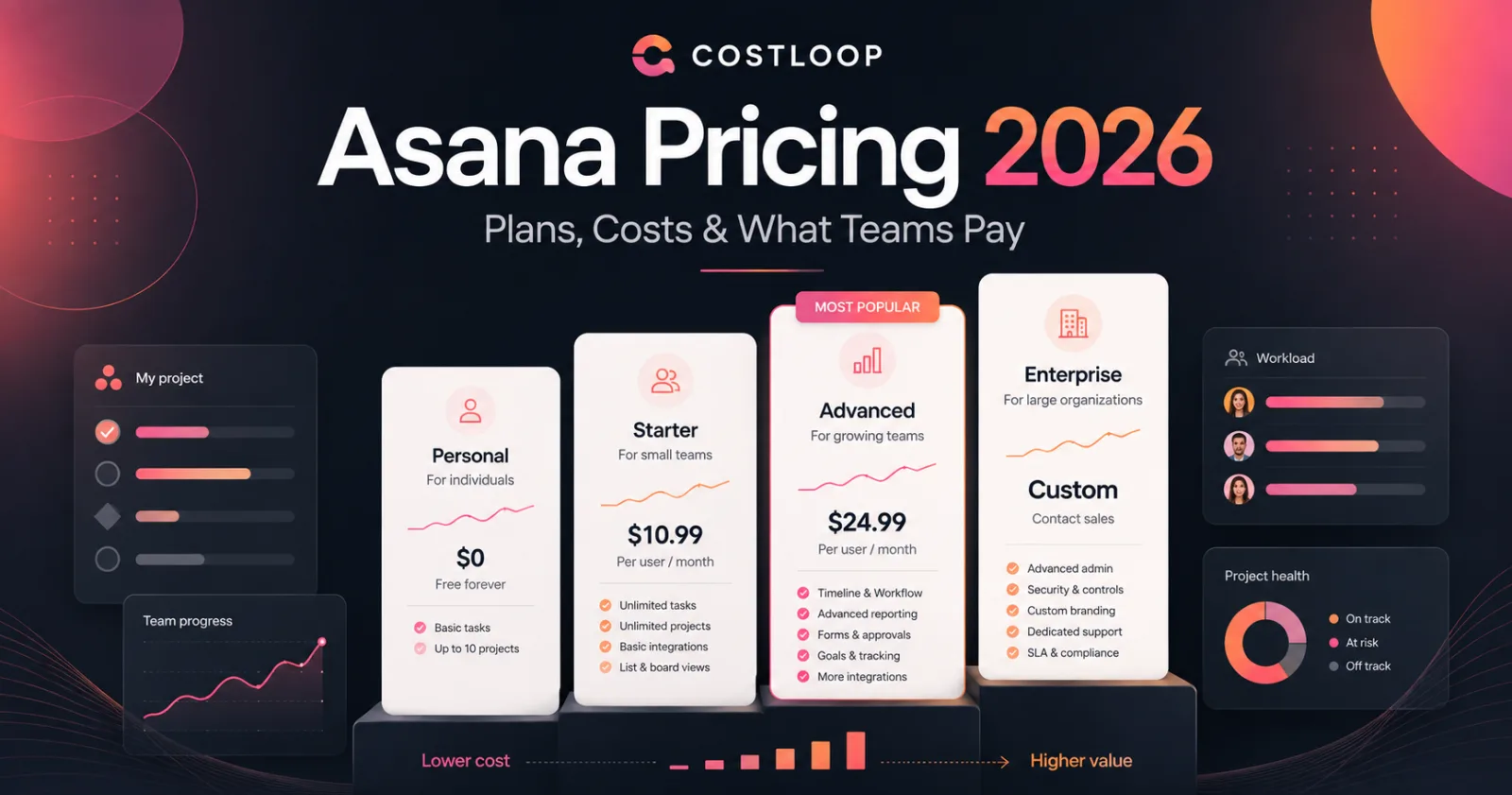
If you are searching asana costing, here is the short version:
- Personal: free for individuals and small teams
- Starter: $13.49 per user/month when billed monthly, or $10.99 per user/month when billed annually
- Advanced: $30.49 per user/month when billed monthly, or $24.99 per user/month when billed annually
- Enterprise: custom pricing, contact sales
- Enterprise+: custom pricing, contact sales
If you only want the headline, that is the answer to asana project management cost, asana project management pricing, and most basic pricing questions. The harder part is figuring out what your team will actually pay once you factor in minimum seat requirements, annual billing discounts, and whether your team has outgrown Starter and really needs Advanced or Enterprise.
Why this guide matters
A lot of Asana pricing articles are fluff. They give you a plan table and then act like that solved the problem. It did not.
What buyers actually need to know is:
- what the current paid plans cost
- how asana pricing for small teams works in practice
- what is publicly known about asana enterprise pricing
- how to estimate asana enterprise cost if the pricing is quote-based
- when Asana is worth paying for and when it is overkill
This guide is built around those questions, not around filler.
Methodology and disclosure
This guide is based on Asana’s public pricing and help documentation reviewed in August 2026. Where Asana publishes a number, this article uses it. Where Asana requires a sales conversation, this article says so plainly instead of inventing fake certainty.
CostLoop publishes this guide and competes broadly in software cost visibility, renewal tracking, and seat control, but it is not a project management platform and does not replace Asana. CostLoop helps you track recurring software costs, owners, seats, renewal dates, and related documents across your stack.
For more on that layer, see CostLoop’s guides to SaaS license management, software license lifecycle management, unused software seats, and subscription tracker vs spreadsheet.
Related CostLoop guides
- Project Management Subscription Tracker
- Best Subscription Tracker for Small and Medium Business
- Cloud-Based Software License Management
- software license inventory
- CostLoop Features
- CostLoop Pricing
Asana pricing plans in 2026
| Plan | Public pricing | Billing note | Best for |
|---|---|---|---|
| Personal | Free | No paid subscription required | Individuals and very small teams |
| Starter | $13.49/user/month monthly $10.99/user/month annually | Minimum seat rules apply | Small teams needing workflow features |
| Advanced | $30.49/user/month monthly $24.99/user/month annually | Minimum seat rules apply | Teams needing workload, goals, portfolios, and scale |
| Enterprise | Custom pricing | Contact sales | Governance, controls, admin, and scale |
| Enterprise+ | Custom pricing | Contact sales | Highest control, security, and enterprise support |
Here is the current structure of Asana pricing based on the official pricing and help pages.
Personal
Asana Personal is the free tier. It is the practical answer for solo users or tiny teams that just need basic task and project management without advanced reporting or workflow control.
It is not “unlimited free forever for any business use case.” Once a team needs stronger controls or core paid features, it moves into Starter or Advanced.
Starter
Starter is the real entry point for most paying teams.
Asana’s official public pricing indicates:
- $13.49 per user/month on monthly billing
- $10.99 per user/month on annual billing
Starter includes the kinds of features many teams actually start paying for Asana to get, including:
- Timeline and Gantt view
- Forms
- Custom fields
- Rules
- Workflow builder
- Reporting
- Task and project AI features
For many buyers, this is the real answer to asana project management pricing.
Advanced
Advanced is the next major step up.
Asana’s official public pricing indicates:
- $30.49 per user/month on monthly billing
- $24.99 per user/month on annual billing
Advanced is aimed at larger or more complex teams that need stronger planning and control, including features such as:
- workload and resource-oriented planning
- portfolios
- goals and more advanced alignment tools
- deeper reporting and scale features
If your team is already operating across departments, Advanced is often the real comparison point.
Enterprise
Asana enterprise pricing is not published as a simple public self-serve number.
That means if you are searching asana enterprise pricing or asana enterprise cost, the honest answer is:
Asana Enterprise is quote-based. You need to contact sales.
Enterprise is the point where pricing starts depending on your organization’s actual requirements rather than a flat public list. Typical cost drivers include:
- user count
- governance and admin requirements
- security and SSO needs
- support expectations
- broader deployment scope
Enterprise+
Enterprise+ is also quote-based and sales-led. This is not the plan for teams casually comparing a few project management tools. It is for organizations with heavy security, governance, and enterprise-service requirements.
The minimum-seat issue buyers miss
One thing many teams miss when modeling asana costing is that Asana does not simply let every paid customer buy exactly one paid seat. Asana’s help and pricing documentation references minimum paid-seat structures and tiered seat bands for smaller teams.
In plain English: your first paid Asana subscription may cost more than “one user multiplied by the listed price.”
That matters especially for asana pricing for small teams.
Asana pricing for small teams
This is one of the most useful pricing questions because small teams are the easiest group to overcharge by mistake.
How small-team pricing usually plays out
If you have a team of 2 to 5 people, the public per-user rate is only part of the story. Asana has historically structured paid subscriptions with minimum seat thresholds for Starter and Advanced.
That means your actual small-team bill can look like this:
Example 1: 2-person team on Starter, annual billing
- 2 users × $10.99 = $21.98/month equivalent
- billed annually: $263.76/year
Example 2: 3-person team on Starter, annual billing
- 3 users × $10.99 = $32.97/month equivalent
- billed annually: $395.64/year
Example 3: 5-person team on Starter, annual billing
- 5 users × $10.99 = $54.95/month equivalent
- billed annually: $659.40/year
Example 4: 5-person team on Advanced, annual billing
- 5 users × $24.99 = $124.95/month equivalent
- billed annually: $1,499.40/year
What this means
For asana pricing for small teams, the decision is usually not “can we afford Asana at all?” It is:
- do we really need paid workflow features yet?
- do we need Starter or Advanced?
- are we buying more seats than we actually need?
That is where teams screw this up.
Asana project management cost in practical terms
When people search asana project management cost, they are usually not asking for a brand essay. They want a realistic budget number.
Here is the clean breakdown.
Small team on Starter
Good fit when:
- you need forms, rules, custom fields, and reporting
- you want more than a simple shared to-do list
- you are not yet at enterprise scale
Directional range:
- roughly $22/month equivalent for a 2-user annual Starter setup
- roughly $55/month equivalent for a 5-user annual Starter setup
Cross-functional team on Advanced
Good fit when:
- multiple teams depend on Asana
- workloads, goals, and portfolio views matter
- management needs more structure and visibility
Directional range:
- roughly $125/month equivalent for a 5-user annual Advanced setup
- roughly $250/month equivalent for a 10-user annual Advanced setup
Large organization on Enterprise
Good fit when:
- SSO, governance, data controls, and advanced administration are required
- procurement or IT security is involved
- the deployment is cross-departmental or organization-wide
Budgeting rule:
- do not fake an enterprise number from a blog post
- request a quote early
- model user count and add a contingency for enterprise controls and support
Asana enterprise pricing and enterprise cost
Is Asana enterprise pricing public?
No. Asana enterprise pricing is quote-based.
What affects Asana enterprise cost?
If you are trying to estimate asana enterprise cost, the major drivers are usually:
- number of paid users
- security requirements
- SSO / identity requirements
- admin and governance scope
- support level
- organization size and rollout scope
How to create a usable internal budget
If finance needs a placeholder before your sales call, use this approach:
- model the likely paid user count
- price Starter or Advanced as the public baseline
- mark Enterprise as a premium uplift above that baseline
- separate any implementation or support assumptions
- request a formal quote before approval
That is not perfect, but it is far better than inventing a fake “enterprise cost per user” and building your plan on nonsense.
What teams actually pay: real-world scenarios
The title of this article includes “what teams pay” for a reason. Teams do not buy abstract plans. They pay invoices.
Scenario 1: 4-person operations team
- Plan: Starter
- Billing: annual
- Cost: 4 × $10.99 = $43.96/month equivalent
- Annual total: $527.52/year
Scenario 2: 8-person marketing team
- Plan: Starter
- Billing: monthly
- Cost: 8 × $13.49 = $107.92/month
Scenario 3: 12-person cross-functional team
- Plan: Advanced
- Billing: annual
- Cost: 12 × $24.99 = $299.88/month equivalent
- Annual total: $3,598.56/year
Scenario 4: 25-person PMO or multi-team environment
- Plan: Advanced
- Billing: annual
- Cost: 25 × $24.99 = $624.75/month equivalent
- Annual total: $7,497/year
Scenario 5: enterprise rollout
- Plan: Enterprise or Enterprise+
- Public list price: not published
- Action: quote required
What drives total Asana cost beyond the plan price
1. Billing cadence
Annual billing lowers the effective monthly price compared with monthly billing.
2. Seat count
This sounds obvious, but it is exactly where software waste hides.
If your Asana bill keeps growing, ask:
- How many paid users are actually active?
- How many are occasional viewers who do not need full paid access?
- Are we renewing seats no one reviewed?
CostLoop’s guide to unused software seats covers this directly.
3. Plan upgrades
A team starts on Starter, then later upgrades to Advanced because it wants workload and portfolio features. That jump is not small.
4. Add-ons and enterprise scope
Asana’s public pricing page also references add-ons such as AI Teammates on paid plans. For enterprise buyers, total cost can grow beyond the base per-user figure depending on scope and negotiated packaging.
When Asana is worth the cost
Asana is usually worth paying for when:
- the team actually collaborates through structured workflows
- you need forms, rules, custom fields, and reporting
- multiple departments rely on the platform
- the work is repeatable enough to benefit from templates and automation
Asana is usually not worth the cost when:
- your use case is basically a shared checklist
- the team barely uses the platform
- nobody owns the workspace or its process quality
- you are already paying for overlapping tools like Monday, ClickUp, Notion, or Trello and no one has rationalized the stack
That overlap is exactly why CostLoop’s Project Management Subscription Tracker exists.
How to keep Asana costs under control
This is the part most buyers ignore until renewal hits.
At minimum, track:
- plan tier
- seat count
- billing cadence
- cost per month or annual total
- renewal date
- owner
- related contract or invoice documents
If Asana is one of several PM or collaboration tools in your company, you should also track whether it overlaps with tools like Jira, Monday.com, Smartsheet, ClickUp, or Notion.
That is where CostLoop fits. It does not replace Asana. It helps you track the commercial reality around it.
See CostLoop Features and CostLoop Pricing if you want a lightweight system for tracking recurring software spend, seat counts, and renewals.
Frequently asked questions
What is Asana costing in 2026?
If you mean asana costing, the public paid plans start at $13.49 per user/month for Starter on monthly billing or $10.99 per user/month on annual billing. Advanced starts at $30.49 per user/month monthly or $24.99 per user/month annually. Enterprise and Enterprise+ are quote-based.
What is Asana enterprise pricing?
Asana enterprise pricing is not publicly listed as a fixed self-serve price. Asana requires a sales conversation for Enterprise.
What is Asana enterprise cost?
Asana enterprise cost depends on your user count, security requirements, support needs, and rollout scope. There is no universal public enterprise price.
What is Asana pricing for small teams?
Asana pricing for small teams usually means Starter or Advanced with a small number of paid users. Starter is often the real starting point, but minimum seat rules mean your first paid subscription may cost more than a single listed seat price.
What is Asana project management cost?
Asana project management cost depends on the plan and team size. For example, 5 users on Starter billed annually cost about $54.95/month equivalent, while 5 users on Advanced billed annually cost about $124.95/month equivalent.
What is Asana project management pricing?
Asana project management pricing starts with Personal for free, then Starter and Advanced as the main public paid plans, followed by Enterprise and Enterprise+ with quote-based pricing.
Does Asana publish enterprise pricing publicly?
No. Asana publishes public pricing for Starter and Advanced, but Enterprise and Enterprise+ require contacting sales.
Is Asana good for small teams?
Yes, but only if the workflow features are actually useful. If your team only needs a basic shared task list, Personal may be enough and paying for Starter too early may be wasteful.
What do teams actually pay for Asana?
Teams pay based on plan, seat count, and billing cadence. Small annual Starter setups may land around a few dozen dollars per month equivalent, while larger Advanced or Enterprise setups scale much higher.
Final verdict
If you want the blunt version:
- Personal is enough for very light use.
- Starter is the real paid entry point for most small teams.
- Advanced is the serious upgrade once planning, reporting, and workload complexity increase.
- Enterprise and Enterprise+ require a real quote.
- The biggest pricing mistakes happen when teams pay for more seats or more plan than they actually need.
If your actual problem is not “which Asana plan exists?” but “how do we control renewals, seat counts, and overlapping project-management subscriptions?”, that is where CostLoop fits. Track Asana alongside the rest of your recurring software stack instead of letting it disappear into a finance spreadsheet no one updates.
CostLoop helps teams track recurring software costs, owners, seats, renewal dates, and related documents with a software subscription tracker. See the CostLoop pricing plans.

About the author
Milosh Mladenovski is a CostLoop founder and works on subscription discovery, license inventory and recurring software cost workflows. Author profile · LinkedIn