Pricing verified: August 16, 2026
Quick answer
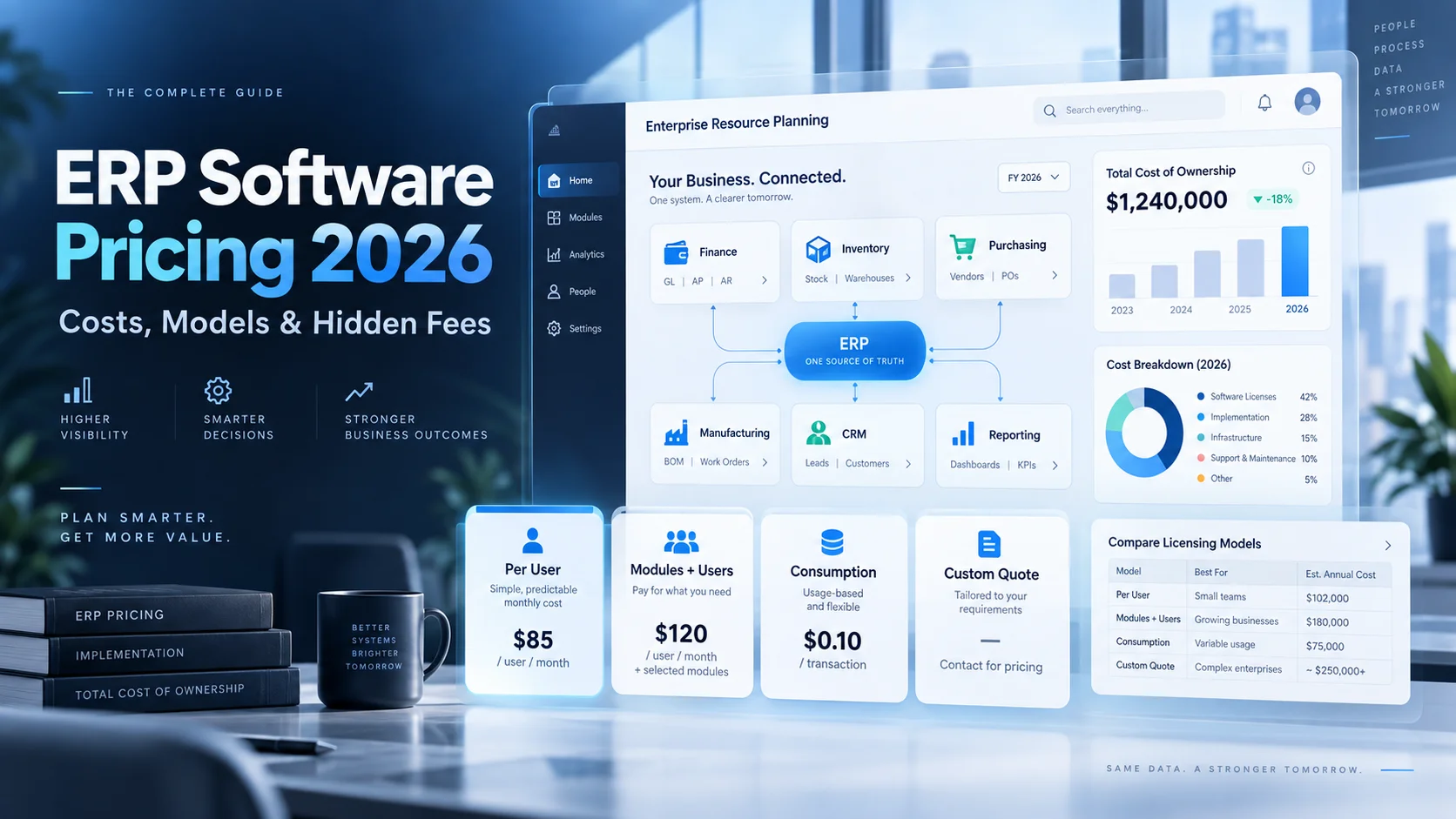
Enterprise resource planning software price varies more than most business software because ERP vendors do not all charge the same way. Some use straightforward per-user subscriptions, some sell modules plus users, some use consumption or transaction-based licensing, and many enterprise products are custom-quoted through partners.
At the transparent end of the market, Odoo currently offers One App Free at $0 with unlimited users, Standard at $24.90 per user per month on the current yearly offer ($31.10 regular reference price), and Custom at $49 per user per month on the current yearly offer ($61 regular reference price). Microsoft Dynamics 365 Business Central currently lists Essentials at $80/user/month, Premium at $110/user/month, and Team Members at $8/user/month, paid yearly in the U.S.
At the quote-led end, Acumatica prices around applications, usage/resources and deployment rather than seats; Sage Intacct builds custom pricing around modules and organization needs; SAP Business One directs buyers to request a quote; and Oracle NetSuite uses multiple license types and quote-based packaging rather than a single public universal rate.
Key takeaways
- ERP pricing models include per user, module + user, flat/app-based, usage/consumption and custom enterprise quotes.
- Odoo can start at $0 for one app with unlimited users, but broader ERP use and implementation can materially increase total cost.
- Microsoft Dynamics 365 Business Central currently publishes $80/user/month for Essentials, $110 for Premium and $8 for Team Members in the U.S., paid yearly.
- Acumatica does not charge per seat; pricing depends on applications, transaction/resource usage and deployment.
- Sage Intacct is custom-priced around modules, organization size and required functionality.
- SAP Business One is quote-led and sold around business requirements rather than one public universal rate.
- NetSuite uses multiple license types and custom commercial packaging; do not trust a generic "NetSuite costs $X" number without a current quote.
- Implementation can cost as much as or more than the software subscription for complex ERP projects.
- The cheapest list price can be the most expensive option if customization, partner work, integrations or process redesign are heavy.
- Three-year total cost of ownership is a better comparison than first-year license cost.
In this guide
- ERP pricing models in 2026
- Transparent vs quote-based ERP pricing
- Odoo, Business Central, Acumatica, Sage Intacct, SAP Business One and NetSuite pricing
- User, module and consumption economics
- Implementation and migration costs
- Hidden ERP fees and budget traps
- Small, mid-size and multi-entity budget scenarios
- Three-year ERP TCO
- How to normalize competing ERP quotes
- ERP renewal and cost-control checklist
Methodology and disclosure
This guide uses current official vendor pricing pages and documentation where available. When a vendor publishes a concrete price, this article uses it. When a vendor is quote-based, the article says so instead of converting third-party estimates into fake universal list prices.
CostLoop publishes this article but does not sell ERP software. CostLoop is used to track software costs, owners, renewal dates, contracts, documents and subscription context after a company purchases software.
CostLoop does not have a dedicated vendor-specific pricing page for Odoo, Business Central, Acumatica, Sage Intacct, SAP Business One or NetSuite. The closest existing CostLoop article is Inventory Management Software Cost 2026, which discusses Odoo as one stock/inventory path and owns physical inventory and warehouse software cost intent. This page is different: it owns full enterprise resource planning pricing across finance, operations, purchasing, manufacturing, inventory, CRM and multi-company workflows, and stays comparative rather than becoming a deep single-vendor pricing page.
Related CostLoop guides
- Inventory Management Software Cost 2026
- Software Budget Template
- Hidden Costs of SaaS
- SaaS Cost Management
- Annual vs Monthly SaaS Billing
- How to Negotiate SaaS Pricing
- Software License Inventory
- What to Store With Every Software Subscription Record
- Renewal Tracker for Software Subscriptions
- CostLoop Features
- CostLoop Pricing
How ERP software is priced in 2026
ERP software cost is not license price alone. A realistic ERP budget includes licenses or consumption, implementation, data migration, integrations, customization, training, testing, support, add-ons, infrastructure and the internal team required to run the project.
| Pricing model | How the bill scales | Examples | Main budgeting risk |
|---|---|---|---|
| Per user | Paid full users multiply the recurring license | Dynamics 365 Business Central, Odoo paid plans | Seat growth and over-licensing |
| Module + user | Base/core + selected functional modules + users | Sage Intacct, many enterprise suites | Module creep |
| Consumption / resource | Transactions, resources, storage and app scope | Acumatica | Growth drives resource tier changes |
| Quote-led enterprise | Users, modules, entities, support, deployment and negotiated scope | NetSuite, SAP Business One, larger suites | Opaque renewal economics |
| Free/app-led entry | One app or limited scope is free; broader ERP becomes paid | Odoo One App Free | Implementation cost mistaken for license cost |
Public ERP pricing signals at a glance
| ERP | Current public price signal | Model | What changes total cost |
|---|---|---|---|
| Odoo | One App Free $0; Standard $24.90/user/mo current yearly offer; Custom $49/user/mo current yearly offer | Per user / all-app bundle | Implementation, Odoo.sh, customization, custom-code maintenance, users |
| Dynamics 365 Business Central | Essentials $80; Premium $110; Team Members $8 user/mo, paid yearly (U.S.) | Per user | Partners, implementation, extensions, Copilot/agents, support |
| Acumatica | Custom quote | Applications + usage/resources + deployment; unlimited users | Modules, transaction volume, storage, deployment |
| Sage Intacct | Custom quote | Modules + organization needs | Modules, entities, integrations, implementation |
| SAP Business One | Request quote | Partner/requirements based | Deployment, users, localization, partner services, add-ons |
| Oracle NetSuite | Custom quote | License types + modules + commercial scope | Users, modules, SuiteCloud/integrations, implementation, entities |
Odoo pricing: lowest license entry, but not automatically lowest ERP cost
Odoo is unusual because it publishes simple prices and allows One App Free at $0 with unlimited users on Odoo Online. If a company truly needs only one app and its required dependencies, that can be an extremely low-cost entry point.
The current Odoo pricing page shows Standard at $24.90/user/month on the yearly offer with a $31.10 regular reference price, and Custom at $49/user/month on the yearly offer with a $61 regular reference price. Standard includes all apps on Odoo Online. Custom adds Odoo Studio, multi-company, external API and deployment flexibility including Odoo.sh or on-premise.
The pricing trap is treating the subscription as the entire ERP project. Odoo explicitly separates implementation and certain infrastructure/custom development costs from the basic plan price. Data migration, workflow design, training, partner services, custom modules and maintenance of custom code can outweigh the subscription.
| 10 users | Monthly license | Annual license |
|---|---|---|
| Odoo Standard at $24.90 | $249 | $2,988 |
| Odoo Custom at $49 | $490 | $5,880 |
These are rate-only calculations from the current published yearly offer and exclude implementation, taxes, custom infrastructure and partner services.
Microsoft Dynamics 365 Business Central pricing
Business Central is one of the clearest mid-market ERP products to price because Microsoft publishes U.S. per-user rates. Essentials is $80/user/month paid yearly, Premium is $110/user/month, and Team Members is $8/user/month.
Premium includes everything in Essentials plus enhanced service-management and manufacturing capabilities. Team Members is limited-access licensing for users who mainly read data, approve workflows or update selected information.
Role design therefore matters. Giving every employee a full ERP license when many only need approvals or limited updates can inflate recurring cost unnecessarily.
| User mix | Monthly license cost | Annual license cost |
|---|---|---|
| 10 Essentials | $800 | $9,600 |
| 10 Premium | $1,100 | $13,200 |
| 5 Essentials + 20 Team Members | $560 | $6,720 |
| 5 Premium + 20 Team Members | $710 | $8,520 |
| 20 Essentials + 50 Team Members | $2,000 | $24,000 |
Acumatica pricing model: unlimited users, but usage still matters
Acumatica deliberately avoids per-seat pricing. Its pricing page says the cost is tailored using three main factors: the applications implemented, expected usage/resource requirements, and deployment preferences.
Acumatica's FAQ says the annual subscription is based on edition, functional modules and SaaS consumption, primarily commercial transaction volume. Additional storage can also increase the bill.
A company with many occasional ERP users may prefer an unlimited-user model, while a high-transaction operation can still become expensive because consumption and resource levels replace seat count as the scaling variable.
Sage Intacct pricing model: custom modules instead of one public rate
Sage Intacct is custom-priced. Sage states that pricing is based on the modules included and the organization's specific needs. That is appropriate for a modular finance/ERP product, but it means a public "Sage Intacct costs $X per month" claim is not reliable without a current quote.
The budgeting task is to identify which modules are actually required: core financials, planning, analytics, multi-entity capabilities, payroll/HR connections and industry functionality can change both subscription and implementation scope.
SAP Business One pricing model: request a quote
SAP Business One is targeted at small and midsize companies but still uses quote-led pricing. SAP's current product page directs buyers to request transparent pricing based on business requirements rather than displaying one universal list rate.
A Business One proposal should therefore be normalized into software license/subscription, partner implementation, hosting/deployment, localizations, add-ons, support and any third-party extensions. Partner and extension costs can be significant even when the core ERP quote looks reasonable.
NetSuite licensing and quote structure
Oracle does not publish one universal NetSuite ERP price on a simple public rate card. NetSuite uses different user-license types, including Full Licensed User, Employee Center, Retail User and Specialized User categories, plus additional licensing around integrations and SuiteCloud scenarios.
For cost control, the important principle is the same as Business Central: license people according to the access they need. A user who only submits expenses or timesheets should not automatically be modeled as a full ERP user.
ERP software cost by company size
Company size alone does not determine ERP price, but it is a useful proxy because larger organizations usually add users, entities, workflows, integrations and data volume at the same time.
| Company profile | Typical license pattern | Cost drivers to model first |
|---|---|---|
| 10-25 employees | Few full users, limited modules | Implementation minimums, accounting/inventory scope |
| 25-100 employees | More finance/ops users + limited-access users | Seat mix, integrations, migration, manufacturing/warehouse needs |
| 100-500 employees | Multiple departments/entities | Modules, multi-company, workflows, reporting, partner services |
| 500+ employees | Enterprise contract + complex integrations | Entities, security, SSO, APIs, environments, support, change management |
The seven biggest ERP cost drivers
1. Full users vs limited users. Per-user ERP becomes expensive when everyone is licensed at the highest access level. Role-based licensing design should happen before the quote is approved.
2. Functional modules. Finance may be core, but manufacturing, service, payroll, advanced inventory, planning, CRM and analytics can expand both subscription and implementation.
3. Legal entities and multi-company complexity. Consolidation, intercompany transactions, local tax rules and multi-currency requirements can push buyers into higher plans or additional services.
4. Transaction and resource usage. Consumption-based products can be cheap with many users but expensive at high volume. Model orders, invoices, API calls, storage and processing growth.
5. Deployment and infrastructure. SaaS, private cloud, on-premise and vendor-hosted custom environments have different hosting, security and maintenance economics.
6. Customization and extensions. ERP custom code creates implementation cost today and maintenance/upgrade cost later. Every customization should have a business case.
7. Implementation scope. Process design, data cleansing, migration, testing, training and cutover are real ERP costs even when the vendor subscription is straightforward.
Why ERP implementation can cost more than the software
ERP is not a normal SaaS rollout. It replaces or coordinates core financial and operational processes. Implementation often includes discovery, solution design, configuration, data mapping, migration, integrations, user acceptance testing, training and cutover.
A low license price can therefore be misleading. A $3,000 annual subscription paired with a $30,000 implementation is a $33,000 first-year decision, not a $3,000 decision.
Implementation example: why the first year looks different
Consider a 20-user ERP with a $80 full-user rate. The license alone would be $19,200/year. Add a hypothetical $30,000 implementation, $8,000 migration/integration scope and $5,000 of internal project labor, and the first-year cost becomes $62,200.
| Cost component | Illustrative amount |
|---|---|
| ERP subscription | $19,200 |
| Implementation partner | $30,000 |
| Migration/integrations | $8,000 |
| Internal project labor | $5,000 |
| Illustrative Year 1 total | $62,200 |
This scenario is illustrative, not a vendor quote. Its purpose is to show why comparing ERP only by license rate can produce a bad procurement decision.
Hidden ERP fees and overlooked costs
- Implementation partner minimums
- Data migration and data cleansing
- Custom reports and dashboards
- API and integration work
- Electronic data interchange (EDI)
- Tax, banking, payment and ecommerce connectors
- Industry extensions
- Custom code and future maintenance
- Sandbox/test environments
- Additional storage or transaction capacity
- Premium support
- Training and administrator enablement
- Internal project manager and subject-matter expert time
- Localization for additional countries
- New legal entities or subsidiaries
- Renewal uplift after the initial term
For the broader software-cost pattern, see Hidden Costs of SaaS.
Three-year ERP total cost of ownership
ERP should almost always be compared over multiple years. The implementation cost is front-loaded, while subscription and support repeat. Customization also creates future upgrade and testing obligations.
A higher-cost standardized implementation can be cheaper over three years than a heavily customized low-license platform if the latter requires constant partner work.
3-year TCO =
recurring licenses/consumption + implementation + migrations
+ integrations + custom development + support
+ infrastructure + internal administration + renewal increases
Per-user vs consumption-based ERP pricing
| Question | Per-user model | Consumption/resource model |
|---|---|---|
| Main scaling variable | Paid users and license level | Transactions, resources, storage, app scope |
| Best for | Predictable headcount and role-based access | Many users with variable operational volume |
| Main risk | Over-licensing users | Usage growth increases cost |
| Budgeting strength | Simple headcount math | Flexible user access |
| Procurement task | Optimize license mix | Define usage thresholds and resource bands |
How to compare ERP quotes fairly
- Use the same number of full, limited and occasional users in every quote.
- Normalize the same modules: finance, inventory, manufacturing, service, CRM, planning and reporting.
- Use the same number of legal entities, countries and currencies.
- Add implementation, migration and training to every vendor, even if one proposal hides them outside the software line.
- List every required integration and whether it is native, marketplace or custom.
- Add infrastructure or private-cloud costs where applicable.
- Separate one-time implementation from recurring software and support.
- Calculate Year 1, Year 2 and 3-year TCO.
- Ask for renewal uplift and price-protection terms.
- Model expected headcount, entities and transaction growth before signing.
Low-cost ERP: what should "low cost" actually mean?
Low-cost ERP should mean the lowest total cost for the process coverage you actually need, not the lowest license on the pricing page.
Odoo One App Free can be genuinely low-cost for a narrow need. Business Central can be economical when role-based licensing and Microsoft ecosystem fit reduce integration work. Acumatica can be economical for organizations with many users because it does not charge per seat. None of those outcomes is automatic.
The right metric is cost per process replaced, cost per active user or annual TCO relative to the systems and labor being retired.
ERP vs separate best-of-breed tools
An ERP suite can look expensive because several capabilities are bundled into one platform. Compare it against the combined cost of accounting, inventory, purchasing, CRM, project, planning, reporting and integration tools it could replace.
The reverse is also true: if you only need accounting and basic inventory, buying a broad ERP suite can create implementation and governance cost without enough benefit. For stock-management software specifically, see Inventory Management Software Cost 2026.
Annual vs monthly ERP billing
Many ERP subscriptions are annual commitments even when the price is expressed per user per month. Business Central explicitly states its current U.S. prices are paid yearly. Odoo publishes yearly and monthly options, while partner-led products can have negotiated payment schedules.
Annual billing lowers flexibility during implementation. If the project is delayed, the business may be paying full subscription before all teams are live. For the general framework, see Annual vs Monthly SaaS Billing.
Negotiating ERP pricing
- Negotiate the implementation and software as one business case even if they come from separate contracts.
- Ask for a role/license matrix before approving full-user counts.
- Request module pricing separately so optional functionality is visible.
- Ask for transaction/resource thresholds in writing.
- Get renewal uplift caps or multi-year price protection.
- Clarify sandbox, test and additional environment charges.
- Negotiate migration and training credits before signing.
- Ask how acquired companies, new entities and geographic expansion affect price.
- Avoid custom development unless the business case survives a three-year maintenance test.
For broader tactics, use How to Negotiate SaaS Pricing.
What to store with an ERP subscription record
- ERP vendor and edition
- Full-user and limited-user counts
- Module list
- Legal entities and countries covered
- Annual software value
- Implementation partner and project value
- Consumption/resource thresholds
- Storage allowance
- Deployment model
- Integrations and third-party extensions
- Customizations and owner
- Support level
- Contract start, renewal and notice dates
- Renewal uplift cap
- Order form, SOW, licensing guide, architecture and invoice links
For the general record model, see What to Store With Every Software Subscription Record.
How to budget ERP inside the wider software stack
ERP is often the largest software line item in a small or midsize company's stack, and it also creates downstream costs in BI, tax, payments, EDI, ecommerce and integration tooling.
Convert annual contracts to monthly-equivalent budget views, but keep the actual renewal and notice deadlines visible. Implementation spend should remain separate from recurring run-rate cost so finance can see when the project moves from deployment to steady state.
CostLoop's Software Budget Template provides a structure for separating recurring software from other budget items. For ongoing optimization, see SaaS Cost Management. For license and role hygiene across full and limited users, see Software License Inventory. Start renewal review before the term locks in using CostLoop's Renewal Tracker.
Frequently asked questions
How much does ERP software cost in 2026?
There is no single ERP price. Published cloud ERP licenses can range from free entry tiers to more than $100 per full user per month, while many enterprise systems use custom quotes. Implementation, integrations and customization can materially exceed the first-year license cost.
What is the enterprise resource planning software price for a small business?
It depends on users and scope. Odoo can start at $0 for one app with unlimited users, while broader paid plans use per-user pricing. Business Central publishes $80/user/month for Essentials and $110 for Premium in the U.S., paid yearly. Quote-based systems require a scoped proposal.
How much is Odoo ERP?
Odoo currently lists One App Free at $0, Standard at $24.90/user/month on its current yearly offer and Custom at $49/user/month on its current yearly offer, with higher regular reference prices shown on the page. Implementation and custom infrastructure are separate considerations.
How much is Microsoft Dynamics 365 Business Central?
Microsoft currently lists Business Central Essentials at $80/user/month, Premium at $110/user/month and Team Members at $8/user/month in the U.S., paid yearly.
Does Acumatica charge per user?
No. Acumatica markets unlimited-user licensing and bases pricing primarily on applications, expected usage/resources and deployment. Transaction volume and storage can affect the subscription.
How much does Sage Intacct cost?
Sage Intacct uses custom pricing based on organization size, modules and functional requirements. Sage does not publish one universal list price on its current U.S. pricing page.
How much does SAP Business One cost?
SAP Business One is quote-based. SAP directs buyers to request pricing based on business requirements rather than publishing one universal public license price.
How much does NetSuite cost?
Oracle does not publish a simple universal NetSuite ERP rate card. NetSuite uses several user-license types and quote-based commercial packaging, so current pricing should be confirmed in a vendor proposal.
What is the biggest hidden ERP cost?
For many companies, implementation and customization are the biggest hidden costs. Data migration, integrations, process design, testing, training and internal project time can exceed the software subscription in Year 1.
Is ERP cheaper than buying separate tools?
Sometimes. An ERP can replace multiple systems and integrations, but it can also be overkill for a narrow need. Compare the three-year TCO of the ERP against the combined software and labor cost of the tools it would replace.
Final verdict
ERP software pricing in 2026 is best understood by pricing model, not by one industry average. Odoo and Business Central make license math visible. Acumatica replaces seat pricing with resource/usage economics. Sage Intacct, SAP Business One and NetSuite require scoped commercial quotes.
The license is only one part of the decision. A serious ERP comparison should normalize users, modules, entities, implementation, migration, integrations, customization, support and three-year operating cost.
The safest procurement rule is simple: do not buy an ERP from the pricing page. Buy it from a three-year business case that shows exactly what the platform replaces, what it costs to implement, and what the company will still need around it.

About the author
Milosh Mladenovski is a CostLoop founder and works on subscription discovery, license inventory and recurring software cost workflows. Author profile · LinkedIn