SaaS costs eating into your profit is one of the most common and least discussed problems facing small and medium businesses today. Most business owners treat software as a fixed overhead - it's not. SaaS spend creeps. A $50/month tool becomes $200/month when you add seats for the team. A $79 alternative gets replaced by a $149 one during a price hike. You end up with six overlapping project management tools because each team member had a preference when they joined. By the time you notice, you're spending $800 a month on tools that collectively do what three would have handled - and you can't easily pinpoint where the money went because it arrived in small instalments, quietly, over 18 months.
What Percentage of Revenue Should Go to SaaS?
There's no universal percentage of revenue that should go to software. The right number depends on your business model, headcount, customer support needs, product stack, and how much of your work depends on specialized tools. Instead of comparing against a generic benchmark, set an internal software budget and require every renewal to have an owner and a reason to continue.
| Business type | Software budget signal | Warning sign | Action needed |
|---|---|---|---|
| Freelancer / solo | 3–6% | Above 9% | Audit every subscription |
| Small agency (2–10) | 4–7% | Above 10% | Consolidate overlapping tools |
| SaaS startup | 5–10% | Above 15% | Negotiate contracts, remove ghost seats |
| Consulting firm | 3–5% | Above 8% | Full software audit |
| eCommerce / retail | 2–5% | Above 8% | Review marketing and automation stack |
The important caveat: these percentages assume revenue is growing. During a slow quarter, your software costs stay the same while your revenue shrinks - so the percentage shoots up even if you haven't added a single new tool. That's why hidden SaaS costs matter more during downturns than during growth phases.
How to Calculate Your True SaaS Cost
Most business owners dramatically underestimate their SaaS spend because they think only about the obvious monthly subscriptions. The actual number is higher. Here's the full calculation:
Step 1 - Monthly recurring total. List every tool you pay for monthly. Include tools charged to personal cards that you use for business. Add them up.
Step 2 - Annual subscriptions. Divide each annual subscription by 12 to get the monthly equivalent. Add this to your monthly recurring total. Most businesses forget Figma's annual plan, the yearly Zoom subscription, or the annual domain renewal they paid in January.
Step 3 - Seat overages. Check your billing dashboards for overage charges. Many per-seat tools charge automatically when you exceed your plan's included seats, and those charges appear as line items that are easy to miss.
Step 4 - Currency conversion losses. If your business operates in euros, pounds, or another currency, and most of your tools bill in USD, add approximately 1–3% to your total to account for exchange rate spread and international transaction fees.
Add all four components together. That is your true monthly SaaS cost. Many businesses find the real number is higher than their initial estimate because charges are spread across cards, app stores, invoices, and reimbursements.
Once you have the number, it's worth reading the guide on SaaS budget for small and medium business to see how it should fit into your broader financial planning.
The Compound Effect Over Three Years
Here's the calculation that tends to get business owners to act: small monthly costs don't feel significant, but compounded over three years, the waste becomes hard to ignore.
Consider a hypothetical business with several recurring software subscriptions charged every month. The longer those charges go unreviewed, the easier it becomes for unused tools, duplicate products, and forgotten seats to reduce margin without anyone making an explicit spending decision. That is the profit problem: software costs keep renewing even when the business value has changed.
The guide on how to cut SaaS costs covers the specific levers you can pull to reduce that waste systematically.
Where to Cut First
Not all software categories are equal in terms of overspending risk. Based on patterns observed across small and medium businesses, here's where waste tends to concentrate:
- Project management tools. The highest overspending category. Teams often adopt Asana, Trello, Linear, Monday, and Notion simultaneously because different team members have different preferences. The consolidation conversation almost never happens spontaneously.
- Design tools. Figma, Adobe CC, Canva, and Sketch often coexist on the same team. Adobe CC in particular has a reputation for seats that were added for a specific project and never removed.
- Marketing and email tools. Mailchimp, ConvertKit, ActiveCampaign - many businesses pay for two or three email platforms at once during migrations that take longer than expected, then forget to cancel the old one.
- Communication tools. Slack, Zoom, Teams, and Loom subscriptions often stack up because different clients require different tools. The business pays for all of them even when usage on some is near zero.
The right approach is to focus on reducing software spend category by category, starting with the highest-waste areas first.
A SaaS cost tracker like CostLoop gives you a single view of every software subscription - monthly cost, annual total, renewal dates - so you know the real number before it surprises you.
Start free - no credit card neededSet a Spending Cap and Track Against It Monthly
The most effective way to prevent SaaS costs from creeping is to set a hard monthly cap - a number that covers legitimate software needs with a reasonable buffer - and then review against it every month. Uncontrolled recurring costs put direct pressure on cash flow, so treating software spend as a managed line item rather than a passive overhead protects your margins over time.
The cap doesn't have to be precise. If your current spend is $400/month and you want to get it to $300, set the cap at $300 and use the monthly review to make decisions. Each month you're above the cap, you have to actively decide which tool justifies the overage rather than passively letting it continue.
Setting the cap is a one-time task. Reviewing against it monthly is a 10-minute habit. Together, they do more to control software costs than any one-time audit.
CostLoop makes this straightforward: log your tools, set a budget, and get a monthly summary that shows your actual spend versus your target. Create a free account and have your full SaaS picture in front of you within the hour.
SaaS cost management: turning a reactive problem into a controlled budget
SaaS costs eat into profit because they grow reactively - one subscription at a time, each justified individually, but collectively uncontrolled. A new team member needs a design tool. A client project requires a collaboration platform. A quarterly review gets skipped because it felt like low priority, so zombie subscriptions renew unchallenged. None of these decisions feels significant in isolation. Together, they are the reason SaaS spend management is worth building into your workflow.
SaaS cost management means switching from reactive to proactive: a defined budget ceiling, an approval process for new tools, renewal reminders that surface decisions before charges auto-commit, and quarterly reviews that eliminate waste before it compounds. This is not complicated - it is discipline applied consistently.
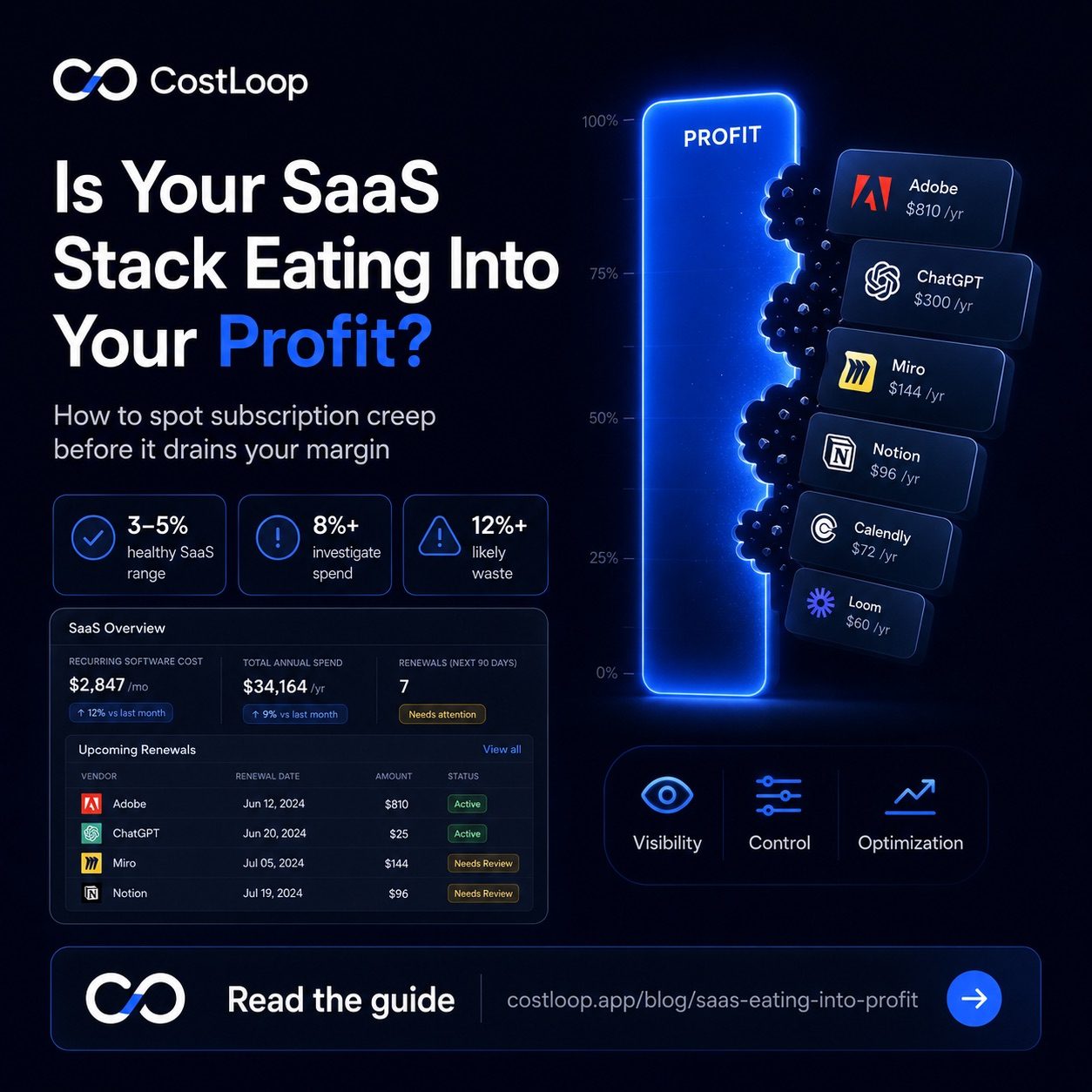
The three phases that structure the transition: Visibility - know exactly what you pay and to whom. Control - know who in your business can authorize new software spending. Optimization - actively cut what is not earning its cost. Most businesses skip straight to optimization and wonder why the savings do not stick. Visibility and control are what make optimization permanent rather than a one-time exercise.
For a practical implementation guide, see the full breakdown on SaaS cost management and the template for planning software spend at software budget template.
Frequently asked questions
What is SaaS cost management and how does it protect profit?
SaaS cost management is the practice of moving from reactive to proactive control over your software budget. It means having a defined spending ceiling, an approval process for new tools, renewal reminders so charges do not auto-commit without review, and quarterly reviews to cut waste. The three phases are: Visibility (knowing what you pay), Control (knowing who decides), and Optimization (actively cutting waste).
If you are also considering company card tools, the CostLoop vs Pleo comparison explains how they differ.
How do I stop SaaS subscription creep from eating into my profit?
Three steps make the biggest difference: first, audit everything - pull 13 months of statements and list every recurring charge. Second, set a budget - pick a monthly ceiling for software spend and hold to it. Third, review quarterly - a 30-minute review every three months catches zombie subscriptions before they compound. The discipline of the quarterly review is what separates businesses that control their software costs from those that discover the problem on a bad month.