Ask a freelancer what they spend on software each month and the answer is often a guess until they pull up the actual credit card statement. The gap exists because building a SaaS stack for freelancers without a plan leads to subscriptions that are easy to start and easy to forget. A trial for a time-tracking app converts. A client requires a specific project tool for one project, and you keep paying after that contract ends. Two invoicing tools coexist because you never actually migrated from the old one. It adds up faster than it should.
This guide is deliberately opinionated. It's not a comprehensive list of every tool that might be useful - it's a lean, defensible stack that covers what a one-person business actually needs, with specific budget ranges per category and a list of things you should seriously consider cutting.
The Budget Breakdown: Where $100 Goes
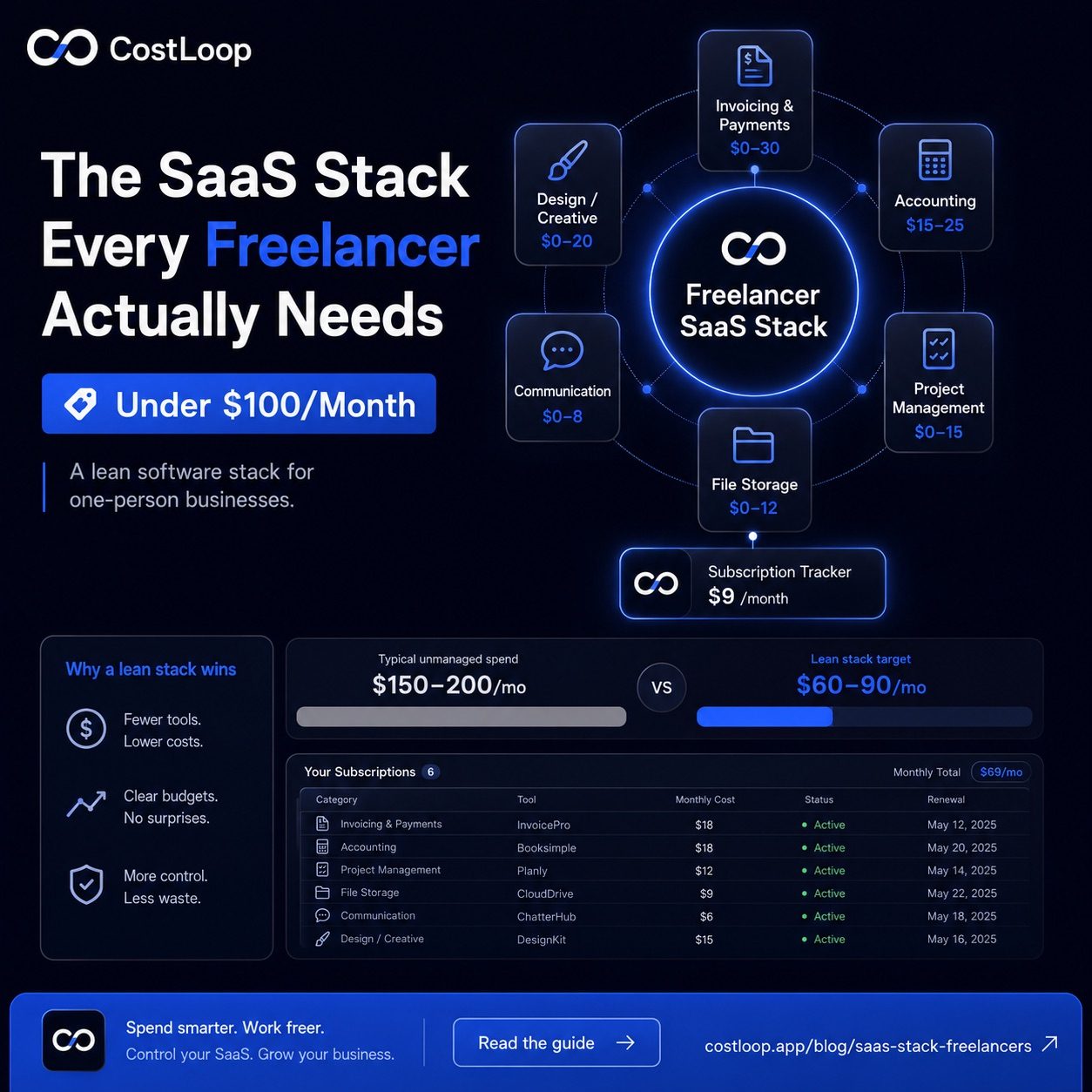
Here's the target allocation for a freelancer SaaS stack under $100/month:
| Category | Budget | Example Tools | Notes |
|---|---|---|---|
| Invoicing & payments | $0–30 | Wave (free), Invoice Ninja, FreshBooks Lite | Wave is genuinely free and covers most needs |
| Accounting / bookkeeping | $15–25 | QuickBooks Self-Employed, Xero, Bonsai | Worth paying for - saves tax time |
| Project management | $0–15 | Notion (free), Trello (free), Linear ($8) | Free tiers cover solo use fine |
| File storage & sharing | $0–12 | Google Drive (free 15GB), Dropbox Plus | 15GB Google free tier goes far |
| Communication | $0–8 | Gmail, Slack (free), Loom (free tier) | Email is free; Slack free works for 1-person |
| Design / creative (if needed) | $0–20 | Canva Pro, Figma Starter (free) | Only if your work actually needs design |
| Subscription tracker | $9 | CostLoop Pro | Pays for itself by catching what you forgot |
| Total | ~$60–90 | ||
Category by Category: What to Actually Use
Invoicing and getting paid: essential tools for every freelancer
This is non-negotiable - you need it from day one. The good news: Wave is free and genuinely excellent for freelancers. It handles invoicing, payment collection (via Stripe), and basic income tracking. The only reason to pay for something like FreshBooks ($17/month) or Bonsai ($21/month) is if you need time tracking and invoicing integrated, or if you're managing multiple client retainers simultaneously. Most freelancers don't need that until they're billing 8+ clients per month.
Accounting and taxes: business software that pays for itself
This is the one category where paying makes a clear difference. Accounting tools can save time at tax season and help you catch deductions you might otherwise miss. The ROI math depends on your local pricing, accountant rates, and how much manual bookkeeping the tool replaces.
Project management: productivity apps worth adding to your freelance toolkit
Honest truth: most freelancers don't need a dedicated project management tool. Notion's free tier covers task tracking, client notes, and project docs in one place. If you find yourself managing 5+ simultaneous projects with complex dependencies, Linear at $8/month is excellent. But don't buy a project tool because you think you should have one - buy it when you're actually losing track of work.
File storage: keeping your subscription budget lean
Google Drive's 15GB free tier covers most freelancers for years. Buy more storage only when you actually hit the limit. Dropbox Plus at $11.99/month is worth considering if clients specifically require Dropbox links or if you need automatic device backup for large files (video, audio, high-res photography).
What You Definitely Don't Need Yet
This is where most of the overspending happens. Here's what's commonly in a freelancer's stack that probably shouldn't be:
- A full CRM. HubSpot, Salesforce Starter, Pipedrive - these are for businesses managing sales pipelines with multiple reps. A freelancer with a small active client base can handle relationships in a Notion table or even a simple spreadsheet.
- Multiple communication tools. Slack, Discord, Teams, Zoom, Loom - pick what your clients use and don't maintain your own instances of all of them. You don't need a Slack workspace for yourself.
- An email marketing platform. Mailchimp, ConvertKit, Beehiiv - unless you're actively publishing a newsletter to more than a few hundred subscribers, you're paying for something you're not using. Start here only when the need is clear.
- AI tools you subscribed to speculatively. ChatGPT Plus, Midjourney, Claude Pro, Perplexity Pro - these are useful, but you don't need all of them. Pick one that matches your actual work and cancel the rest.
A subscription tracker for freelancers like CostLoop is built for exactly this situation - a one-person business that needs to keep a clean list of every subscription, with renewal reminders so nothing charges you by surprise. At $9/month on the Pro plan, it's the subscription that helps you manage all the others.
Start free - no credit card neededThe Annual vs Monthly Decision for Each Tool
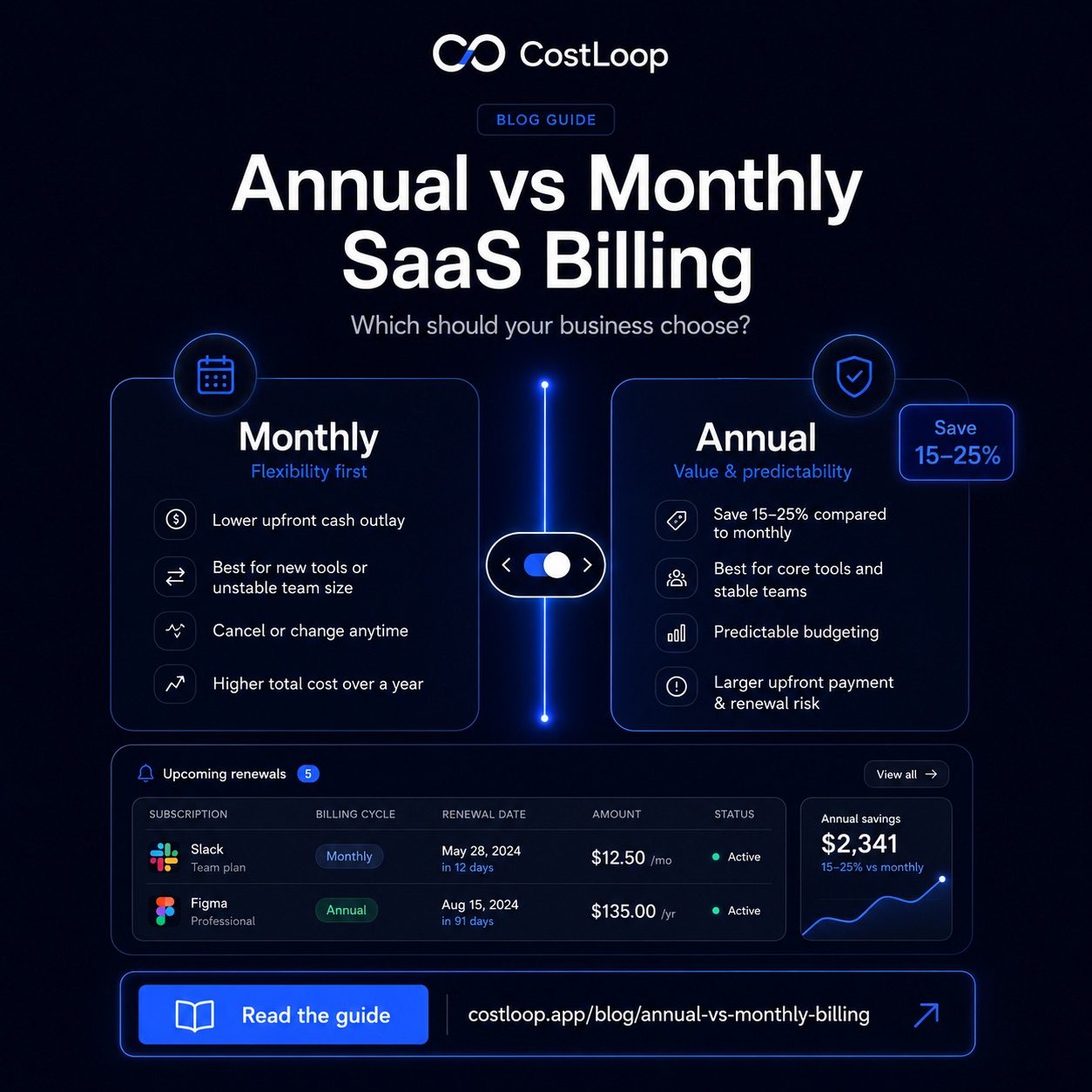
Annual billing can be cheaper than monthly billing. But that math only works if you actually use the tool for the full year. The rule is simple: pay monthly for the first 6 months on any new tool. If you're still using it consistently after 6 months, switch to annual. If not, cancel without having lost a year's worth of fees.
This is especially important for freelancers because workloads vary. A slow quarter might mean you barely touch some tools. If you've paid annually, you're locked in regardless. The deeper breakdown on annual vs monthly SaaS billing is worth reading if you're making these decisions across 8+ tools.
Running Your Own Software Audit
Every quarter, spend 20 minutes going through your credit card statement and flagging every software charge. For each one, ask two questions: Did I use this at least 3 times in the last 30 days? Would I pay for it again knowing what I know now? If both answers aren't yes, it's a cancellation candidate.
The pattern many freelancers find: subscriptions that have been quietly billing for months with near-zero usage. A single honest audit turns those charges into keep-or-cancel decisions. This is essentially what tracking recurring costs as a freelancer is all about - not optimization in theory, but the actual mechanics of catching waste. The guide on how to track SaaS subscriptions as a freelancer walks through the step-by-step process.
Software costs are one of the few line items in a freelance business you can fully control. A lean stack that covers everything you actually need, nothing you don't, and clear renewal dates visible at a glance - that's not just frugality. It's the kind of operational discipline that makes a one-person business run like a real business.
When your SaaS stack starts working against you: the freelancer sprawl problem
A SaaS stack that grows unchecked is one of the most common hidden profit drains for freelancers. Each tool seems justified when added. Collectively they create overhead: cost, cognitive load, and renewal management that takes time away from billable work.
The freelancer SaaS audit question: for each tool, can you name a specific project or client deliverable it contributed to in the last 90 days? If not, it's a candidate for cancellation. This is a more useful test than asking whether you "might use it" - because the answer to that is always yes.
Running this audit annually (or quarterly for fast-growing stacks) surfaces the tools that survived past their useful life. The SaaS audit guide for small and medium businesses covers the full process. For a framework on managing spend once you know what you have, the SaaS spend management guide covers budgeting and ongoing controls.
Frequently asked questions
How much should a freelancer spend on software per month?
A well-optimized freelancer SaaS stack should match the work you actually do. Overlapping tools, forgotten trials, and subscriptions from previous client work are the first places to review.
What software does every freelancer need?
The essentials are: invoicing/payments (critical for getting paid), file storage (for sharing work with clients), a lightweight project tracker (even just for yourself), accounting or expense tracking, and communication tools. Everything else is optional depending on your specific work.
Should freelancers pay annually or monthly for software?
Pay annually only for tools you've used consistently for at least 6 months and are confident you'll keep. Annual billing can lower the effective price but reduces flexibility. If your freelance work is seasonal or you're still finding your stack, monthly is worth the premium.
What's the most common software waste for freelancers?
Duplicate tools in the same category, trial subscriptions that auto-converted to paid, tools bought for a specific client project that stayed active after the project ended, and subscriptions to tools used once or twice a year.
How many SaaS tools should a freelancer use?
It depends on your work type, but 8-15 tools covers most freelancer needs. As the stack grows, the management overhead - tracking renewals, handling logins, reviewing usage - can cost more time and money than the extra tools save.