The best way to track SaaS subscriptions as a freelancer isn't a clever spreadsheet formula - it's a dedicated software subscription tracker that tells you what you're paying, when renewals are coming, and which tools you can safely cut. Right now, most freelancers have none of that. They have a Figma subscription, a Notion plan, Zoom, Loom, Canva Pro, Adobe Creative Cloud, Slack, GitHub, Linear, and maybe Superhuman - and absolutely no consolidated view of what it all costs each month.
Nobody signed up for a dozen tools on the same day. You added Loom because a client asked you to record a walkthrough. You upgraded Notion for the databases. You grabbed a Linear license because a new project needed it. Each decision made sense individually. But over 18 months of freelancing, these tools pile up silently, and the total cost can easily exceed $400 a month - money that comes directly out of your take-home pay, not a corporate expense budget.
Why tracking is harder for freelancers than for businesses
At a company, someone in finance owns the vendor list. There's a purchasing policy. Renewals go through approval. Cancellations are tracked. As a freelancer, you are the finance team, the IT department, and the department head all at once. When a subscription renews at 2am on a Sunday, there's no alert system, no colleague to catch it, and no policy requiring you to review it.
The income variability makes this sharper. A $79/month tool that barely registers when you're billing $15,000 that month feels very different during a slow patch at $4,000. Knowing your fixed software overhead - exactly what your total SaaS spending is each month - matters more for a solo operator than for a team with a payroll to anchor costs against. Freelance tools and recurring expenses don't come with a finance department to catch the drift.
There's also the card problem. Many freelancers use a personal card for some tools and a business card for others, with the occasional PayPal payment thrown in. There's no single statement that shows everything. You'd need to reconcile three sources just to build the list. Most people never do, which is why forgotten subscription renewals are so common among self-employed people.
The spreadsheet approach: why people start there and where it breaks
A spreadsheet is the natural first move. It's free, it's flexible, and you can set it up in 20 minutes. Column A: tool name. Column B: monthly cost. Column C: renewal date. Done. For the first few months, it actually works. You know your total. You update it when you cancel something.
Then it starts to slip. Here are four specific ways the spreadsheet approach fails:
Failure mode 1: it goes stale
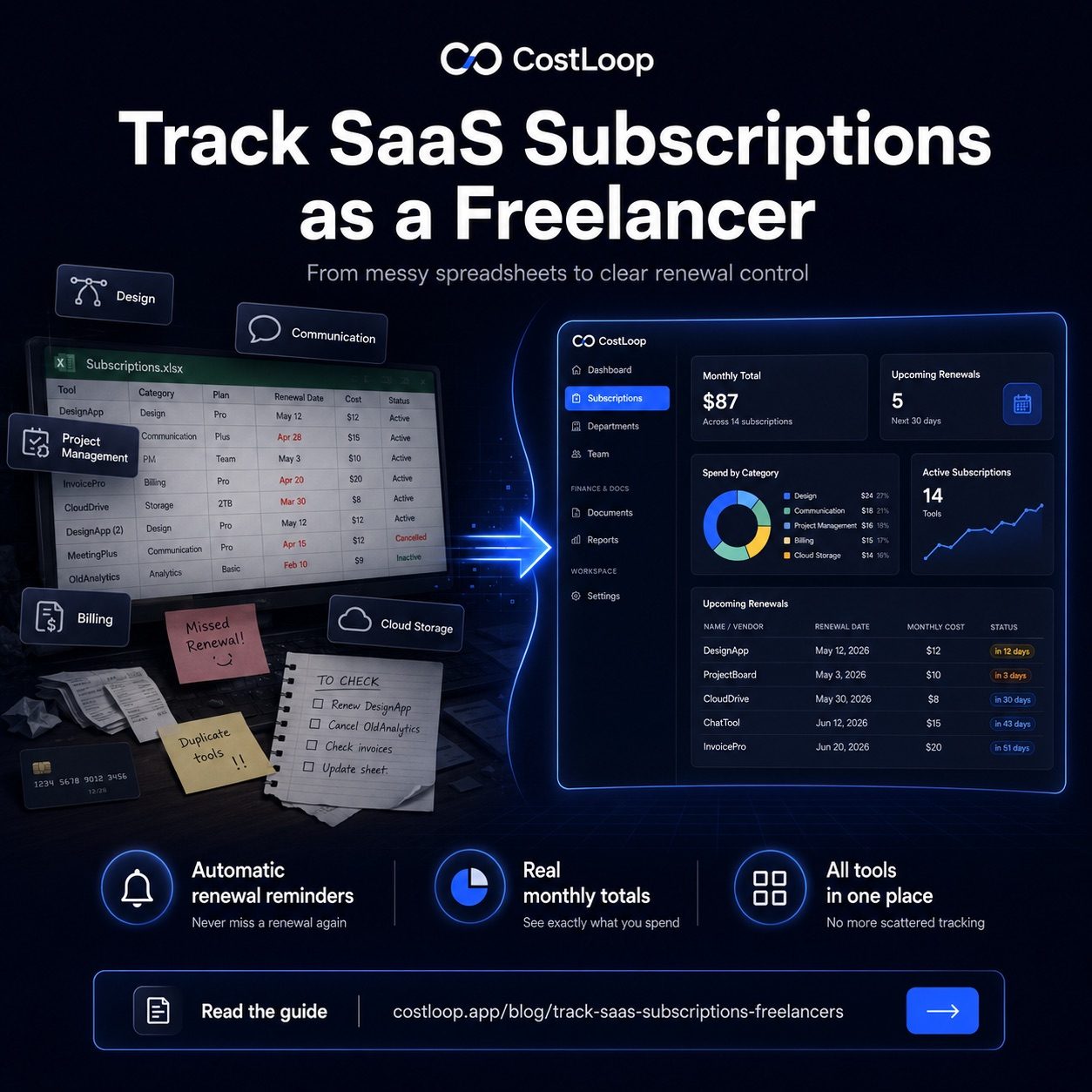
You cancel Superhuman in February but forget to update the sheet. Now your total is wrong. You add a new tool in March, make a note to update the spreadsheet, and never do. Six months later, the sheet reflects a version of your stack that no longer exists. The data you're looking at is worse than no data - it's false confidence.
Failure mode 2: no renewal tracking or alerts
A spreadsheet has no mechanism to alert you that your $299/year Adobe plan renews in seven days. You'd need to manually cross-reference dates every week, which nobody does. Annual subscriptions are especially dangerous here - a year is long enough to forget you signed up at all. By the time you notice, you've already been charged. Proper renewal tracking means the system watches the dates for you and sends the reminder automatically.
Failure mode 3: no running totals by category
A spreadsheet can sum a column, but it can't tell you at a glance that you're spending $120 a month on design tools alone, or that your communications stack costs more than your project management stack. Spotting patterns that lead to cancellations requires active analysis, not passive storage.
Failure mode 4: no owner field or context
If you occasionally collaborate with contractors or a part-time VA, a spreadsheet doesn't tell you who actually uses each tool. The information you should keep per subscription record - payment method, login email, cancellation URL, usage notes - doesn't fit neatly in a few columns either. You end up with a list of tool names and costs, and nothing else.
What a dedicated tracker gives you instead
A purpose-built software subscription tracker for SaaS subscriptions solves the exact problems a spreadsheet creates. Renewal alerts are automatic - you set the notification window (7 days, 14 days, 30 days out) and it fires without you doing anything. The cost total updates as you add or remove tools. Your subscription list stays accurate because there is only one place to edit it, and you can tag subscriptions by category to see instantly where money is going.
More practically: you only have to enter information once. A spreadsheet requires ongoing maintenance. A tracker requires you to add a tool when you subscribe and remove it when you cancel - two actions, each taking 30 seconds. Everything else is handled.
CostLoop is a SaaS subscription tracker built specifically for people who need a clear picture of their subscriptions without spreadsheet maintenance. Add your tools, set your renewal alerts, and check your dashboard once a month. That's the whole system.
Start free - no credit card neededWhat to add to your tracker on day one
When you first set up any tracking system, the temptation is to get it perfect before you start using it. Resist that. Start with the tools you pay for right now, in rough categories. Here's a practical starting framework:
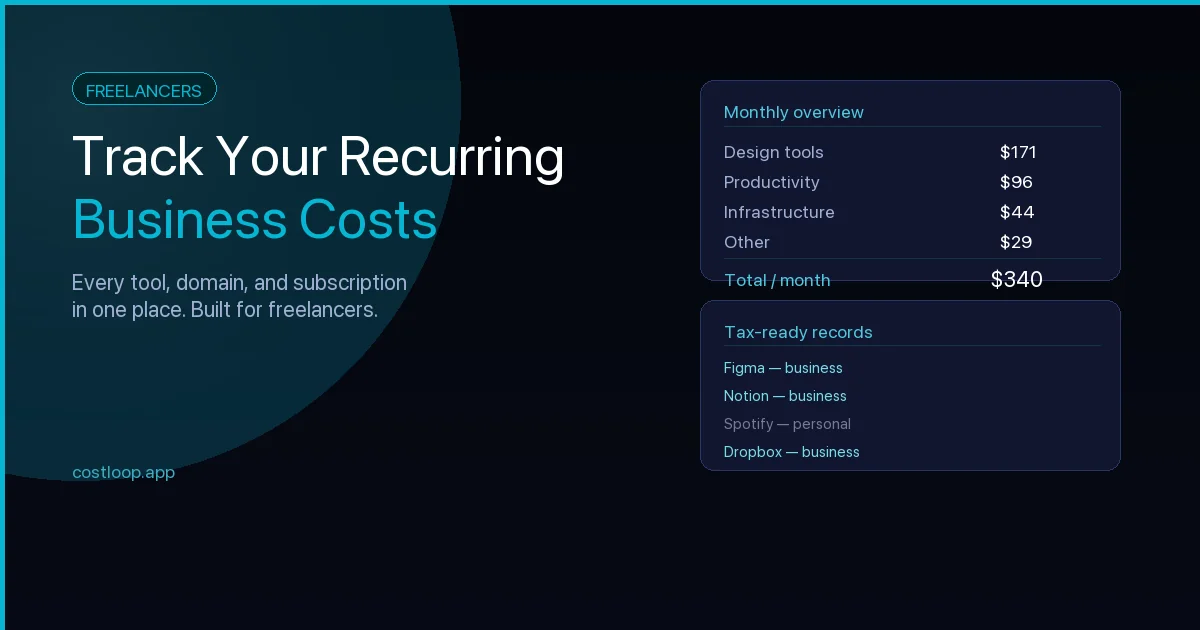
Design tools: Figma (~$15/mo), Adobe Creative Cloud (~$55/mo for full suite), Canva Pro (~$13/mo). If you have all three, that's $83/month just on design.
Project management: Notion (~$16/mo), Linear (~$8/mo), Trello or Asana if you use those too. Overlap is common here.
Communication: Zoom ($15/mo for Pro), Loom (~$8/mo), Slack. Many freelancers have Slack on a free tier but pay for Zoom.
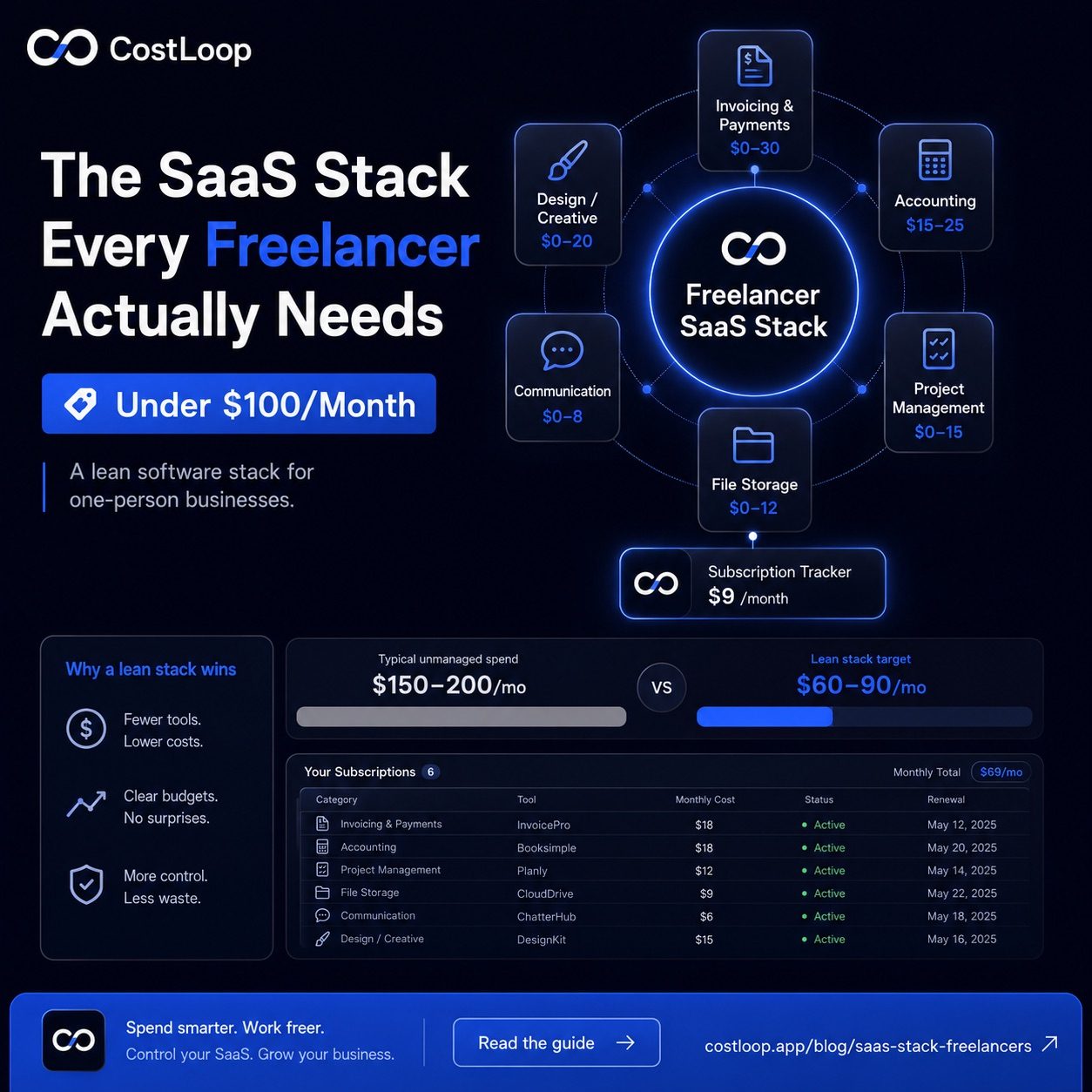
Billing and invoicing: FreshBooks, Wave, HoneyBook, or similar. Prices range from $0 to $40/month depending on the plan.
Admin and cloud storage: Google Workspace (~$12/mo), Dropbox (~$10/mo for Plus), 1Password (~$3/mo).
Development tools: GitHub (~$4/mo for Pro), Vercel, Netlify, hosting. Easy to forget these because they often auto-renew quietly.
Spreadsheet vs dedicated tracker: side by side
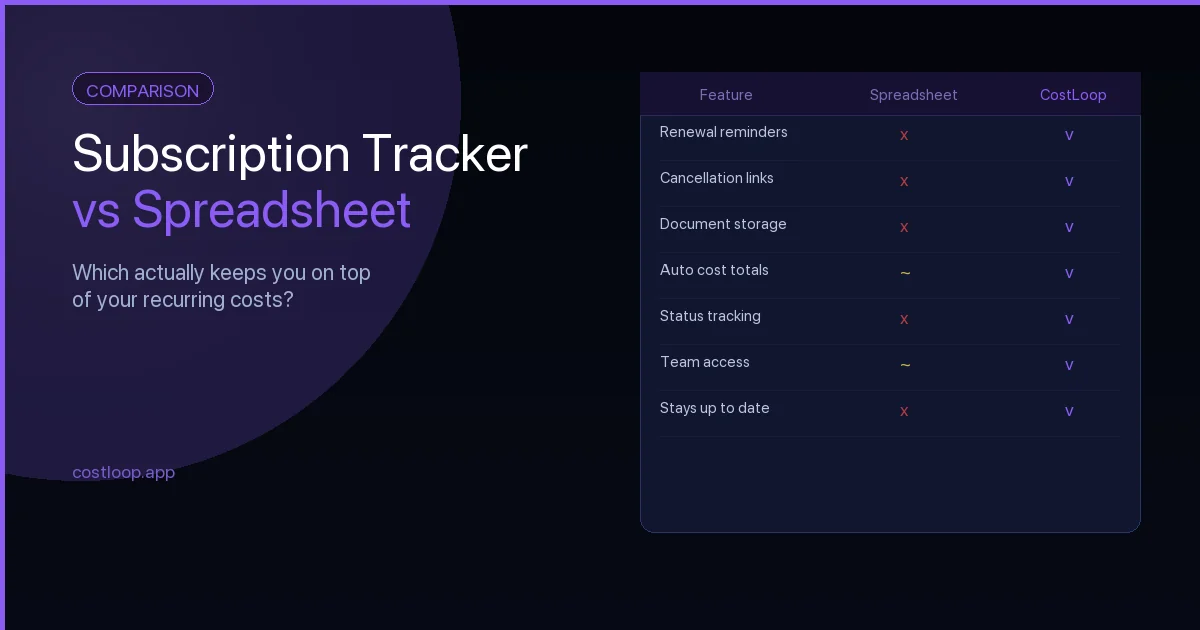
Here's a direct comparison on the criteria that actually matter for day-to-day subscription management:
| Criteria | Spreadsheet | CostLoop |
|---|---|---|
| Renewal reminders | Manual only | Automatic alerts |
| Running monthly total | Formula needed | Always visible |
| Annual vs monthly view | Manual math | Automatic |
| Stays up to date | Only if you update it | You update once per change |
| Spot duplicate tools | You have to look | Category view helps |
| Mobile access | Clunky | Built for it |
| Setup time | 20 min | 20 min |
| Ongoing maintenance | High | Low |
The setup time is roughly equivalent. The difference shows up over months - the spreadsheet requires regular attention to stay accurate, while a good tracker handles the ongoing work for you.
Building the habit: once a month is enough
You don't need to obsess over your tool stack. A monthly five-minute check is enough to stay on top of things. Pick the same day each month - the first Monday, your invoice day, whatever anchors it to something you already do. Open your tracker, confirm your total looks right, check for any renewals in the next 30 days, and move on.
The goal isn't to optimize every dollar. The goal is to make sure you're never surprised by a charge, never paying for something you cancelled, and never renewing a tool on autopilot without at least deciding you want to keep it. That's a very achievable standard, and it only requires a system that takes two minutes to check.
If you want a deeper framework for this, the guide on how freelancers can track recurring business costs covers the broader financial picture - not just software, but subscriptions, retainers, and recurring services all together.
Ready to get started? CostLoop is free to try - add your tools, set your renewal alerts, and know exactly what you're spending on software for the first time.
Subscription management app vs. spreadsheet for freelancers
Most freelancers start with a spreadsheet. It works for the first 8-10 subscriptions. The problem: it requires you to remember to check it, and it has no way to alert you before a renewal fires. By the time you notice a charge, the money is already gone.
A subscription management app for freelancers needs to be: free or very cheap to start, simple to set up (under 30 minutes), and focused on renewal reminders above all else. The reminders are the critical feature. Without them, any tracking system - spreadsheet or app - is just a list that goes stale.
CostLoop's free plan is built for exactly this: add SaaS subscriptions in minutes, get reminders before each renewal, and see total monthly spend without any manual calculation. For a side-by-side comparison of both approaches, see the guide on best subscription tracker for small and medium business.
Frequently asked questions
What is the best way to track software subscriptions as a freelancer?
The best way is to use a dedicated subscription tracker like CostLoop. It gives you renewal alerts, running cost totals, and a single list of every tool you pay for without the maintenance burden of a spreadsheet.
How many software subscriptions does the average freelancer pay for?
Freelancers often rely on software across design, project management, communication, invoicing, cloud storage, and marketing. Even when each tool feels small on its own, the combined recurring cost can become meaningful if renewals are not tracked.
Why doesn't a spreadsheet work for tracking subscriptions long-term?
Spreadsheets go stale fast. There are no automatic reminders when renewals approach, no automatic cost totals, and no easy way to spot duplicate or unused tools. Most people stop updating them within a few months.
What should I add to my subscription tracker on day one?
Start with design tools (Figma, Adobe CC, Canva), communication (Zoom, Loom, Slack), project management (Notion, Linear, Trello), billing tools (FreshBooks, Wave), and admin tools (Google Workspace, Dropbox). Then add any domain, hosting, or email services.
What subscription management app should freelancers use?
CostLoop for business SaaS tracking - free plan available, built for small teams and freelancers. Personal apps like Rocket Money are designed for consumer subscriptions. These serve different purposes. If you pay for software as part of your work, a business-focused tracker is the right tool.