Remote teams have a software budget problem that in-office teams rarely deal with: nobody knows what anyone else is buying. Without a shared software budget and central visibility, every team member can sign up for any tool in 30 seconds, charge it to a company card or expense it, and the total only becomes visible when someone runs the numbers at quarter-end and has a small shock. In an office, procurement tends to be centralized because it has to be - one IT person, one set of machines, one credit card for software. Remote work broke that model.
Remote teams can accumulate software spend quickly because purchasing is distributed across people, locations, and time zones. The reason isn't that remote workers are reckless - it's that the systems for managing software spending were often designed for centralized office environments. A related challenge is managing software licenses for remote teams - covering who holds which seat across a distributed group and what happens when people join or leave.
Here's how to build a software budget that actually works when your team is spread across cities, time zones, or countries.
Step 1: Run a Full Software Audit First
Before you can build a budget, you need to know what you're actually spending. This sounds obvious. It's surprisingly rare that teams actually do it. The audit needs to cover not just the obvious tools but the long tail: individual subscriptions, department-specific tools, tools someone signed up for during a project and forgot to cancel.
Ask every team member to list every work-related software subscription they're paying for - personally expensed or company-card. Cross-reference against your accounting software for recurring charges you don't recognize. If you want a structured approach, the subscription audit checklist covers exactly what to look for and where to look.
The audit often surfaces three categories of surprise: duplicate tools (Zoom and Google Meet and Teams all active simultaneously), zombie subscriptions nobody uses, and personal tools that should be company-managed.
Why Remote Teams Overspend: The Three Root Causes
Understanding why remote teams overspend is necessary for building a budget that actually addresses the problem - not just puts a number on it.
Decentralized purchasing with no visibility
When software can be purchased in 60 seconds with any credit card, every team member becomes a de facto procurement manager. Most aren't thinking about what the rest of the team already uses. Result: duplication. You end up with SaaS sprawl - dozens of overlapping remote work tools that serve the same function, none of them used well.
No approval process for new tools
"I'll just try this tool, it's only $15/month" is the sentence that, multiplied across a 20-person remote team, creates $3,600/year in untracked spend. There needs to be a lightweight check - not a procurement committee, but someone who asks "do we already have something that does this?"
Annual SaaS billing surprises that break remote team budgets
A remote team member signs up for an annual plan on their own because it seemed like a good deal. A year later, nobody remembers, and the $480 charge lands on the company card without anyone knowing what it's for. Annual billing for remote teams needs particularly careful budget tracking, especially when tool allocation decisions are made without central oversight.
The Framework: Four Building Blocks of a Remote Software Budget
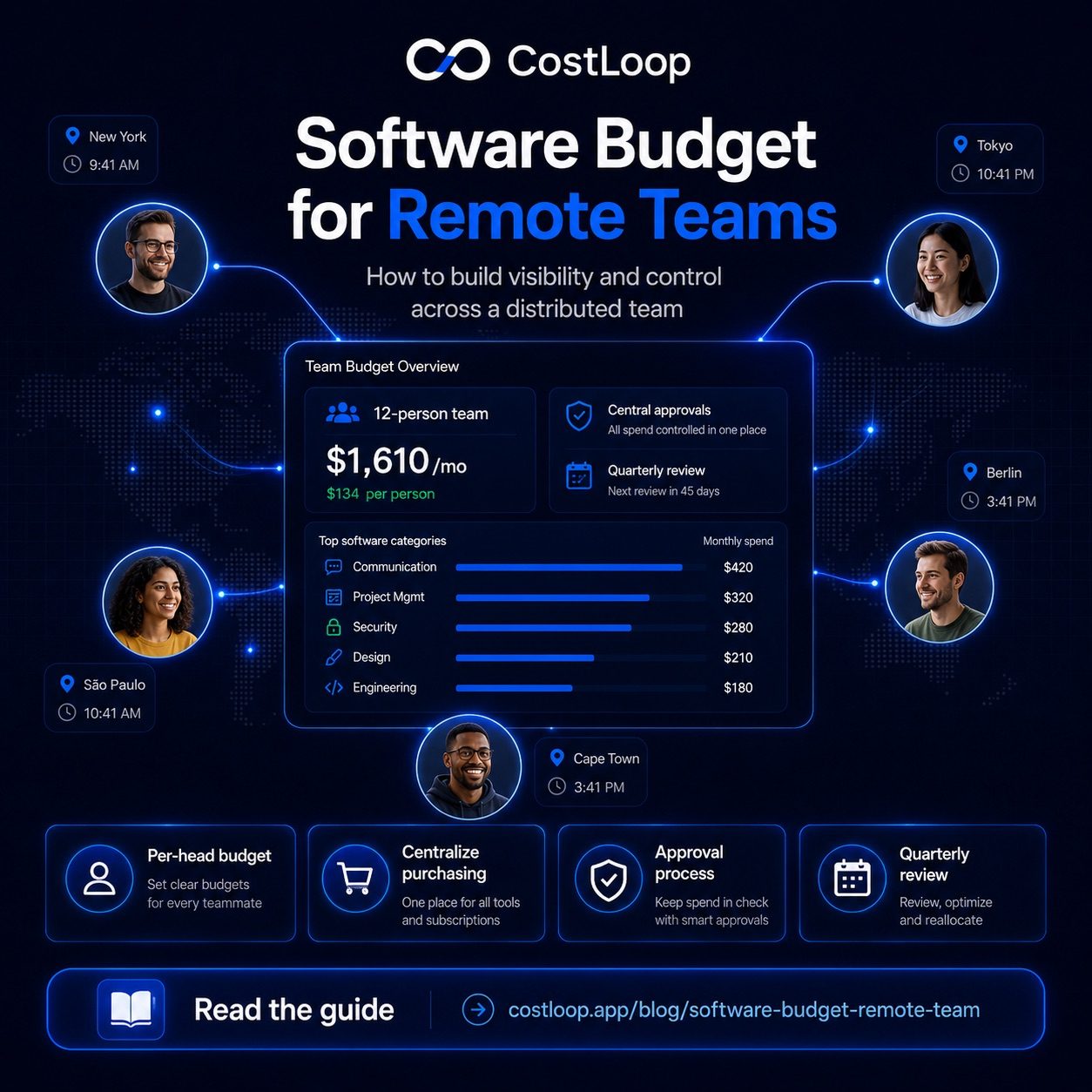
1. Set a per-head monthly budget
Rather than one aggregate number, use per-head budgets. For most remote teams, $150–$250/month per-employee spend covers core communication, project management, and productivity tools. Technical roles (engineers, designers, data analysts) often need $300–$500/month due to specialized distributed team software. Set these numbers by role or department, not just overall.
The per-head model also makes it easy to calculate budget as you hire. Bringing on 3 new engineers? Add $1,200–$1,500/month to your software budget automatically.
2. Centralize purchasing and visibility
Designate one person (or one department) as the owner of software purchasing approvals. This doesn't need to be a bureaucratic process - a simple Slack message or a shared tracker where anyone can request a new tool before signing up is enough. The goal is visibility, not blockage.
All software subscriptions should be charged to one or two dedicated payment methods - not personal cards, not the CEO's card, not whichever card happens to be on file. This makes it possible to run a monthly reconciliation in 20 minutes instead of hunting across 15 expense reports.
3. Require approval for any new subscription
The approval doesn't need to be complicated. One person reviews: does this duplicate something we already have? Does it fit within the requester's budget? Is it being used by enough people to justify the cost? A lightweight Notion database or a shared subscription management best practices framework works fine for this.
4. Do a quarterly review
Every 90 days, review the full subscription list. Ask for each tool: is it still used? By how many people? Is there a cheaper alternative? Did the vendor raise prices? This quarterly review is where you catch the subscriptions that slipped through - the trials that converted, the tools from projects that ended, the seats nobody uses.
A software cost tracker like CostLoop gives distributed teams a shared, always-current list of every subscription - who owns it, what it costs, when it renews. Set up takes 10 minutes. The next quarterly review takes 10 minutes too, instead of three hours.
Start free - no credit card neededSample Remote Team Software Budget Template
Here's what a realistic monthly software budget looks like for a 12-person remote team (4 engineers, 3 marketers, 2 designers, 2 sales, 1 ops):
| Category | Tools | Monthly |
|---|---|---|
| Communication | Slack Pro, Zoom | $280 |
| Project management | Linear, Notion | $220 |
| Security & access | 1Password, VPN | $95 |
| Design | Figma (5 seats) | $225 |
| Marketing | Mailchimp, Buffer, SEMrush | $310 |
| Engineering | GitHub, Datadog, Sentry | $480 |
| Total | $1,610/mo | |
| Per-head average | $134/person | |
This is lean. Add sales tools (CRM, calling), HR software, and a few role-specific tools and you're looking at $200–250/head for a comparable team. The number isn't the point - the point is having a number, tracking it, and making conscious decisions when you exceed it.
What to Do When Someone Needs a Tool Outside the Budget
Build this process upfront: if someone needs a tool that isn't in the approved stack, they submit a brief request (tool name, cost, why it's needed, how many people will use it, what it replaces if anything). The budget owner reviews within 48 hours. Approved tools get added to the master list. Rejected requests get a reason - usually "we already have X for this" or "try the free tier first."
This isn't bureaucracy. It's the difference between a $1,600/month software bill and a $3,200/month one - and most of the difference is tools that nobody would have missed if the process had caught them before signup. If you want to understand what you should be spending overall, the SaaS budget for small and medium business guide gives useful reference numbers by company size.
SaaS budgeting software for remote teams: the shared visibility problem
Remote teams make software budget management harder because tools get added from multiple locations by multiple people, often without central awareness. One team member in Berlin adds a project management tool. Another in Oslo adds something that overlaps. Nobody has a view of the whole picture.
SaaS budgeting software solves this for remote teams specifically by providing shared visibility: one central view of every subscription that every authorized team member can see and update. When everyone can see the full stack, duplicate additions get caught before they happen and zombie subscriptions get flagged at the next review.
The alternative - a spreadsheet that one person maintains - becomes a bottleneck when multiple people are adding tools. The spreadsheet is always partially out of date because it depends on one person staying on top of it. For a template to get started, the software budget template gives you a structure that works whether you maintain it in a spreadsheet or move it to dedicated software. For a broader framework on spend control, the SaaS spend management guide covers policies and approval processes that prevent the stack from growing uncontrolled.
Frequently Asked Questions
How much should a remote team spend on software per person per month?
For most small remote teams, $150–$300/month per person covers core tools. Technical roles like engineers or designers often run $300–$500/month due to specialized tooling.
How do you control software spending in a remote team?
Centralized purchasing with a single payment method and a lightweight approval process for new tools. A shared subscription tracker visible to the whole team prevents duplicates and surfaces surprises before they hit the card.
What's the biggest hidden cost in remote team software budgets?
Duplicate tools. Remote teams regularly end up with 2–3 tools doing the same job because nobody has a central view. You end up paying for the same capability multiple times.
Should remote teams use expense reports or a centralized card for software?
A centralized card (or virtual cards per department) is almost always better than expense reports for software. Expense reports are slow and make it hard to see aggregate spending in real time.
How do remote teams manage their software budget?
Shared subscription tracking tool with multi-user access, central renewal reminders, and per-tool owner assignment. CostLoop's paid plans support multi-user access for remote teams, so every authorized team member can see and update the subscription list without relying on one person to maintain it.
What is the best way to manage SaaS subscriptions across a remote team?
Use a central subscription tracker, assign one owner per tool, set renewal alerts that go to the owner (not just one admin), and run a quarterly review as a team. This prevents the two most common remote team problems: subscriptions that nobody knows about and duplicate tools that different team members added independently.
Remote teams that get software spending under control don't usually do it by cutting tools - they do it by having visibility. When everyone can see what's being paid for, duplicates disappear, zombie subscriptions get cancelled, and budget conversations become easier. CostLoop gives your team that visibility with a shared subscription list, renewal reminders, and spending summaries that take the guesswork out of your software budget.