Building a realistic software budget for your small and medium business is one of those tasks most owners tackle only after they've already overspent. The default process is backwards: pick a number that feels reasonable, approve individual tool purchases against that number without ever reconciling the full list, and then wonder at year-end why actual spend is higher than expected. A software budget built on a guess rather than an inventory is a number that never connects to reality - and one you'll never be able to hold yourself to.
Start With What You Actually Spend
Before you can set a budget, you need a baseline. Many business owners think they know what they spend on software, then find additional subscriptions once they review card statements, invoices, app stores, and employee expenses.
The exercise is simple: pull three months of bank and credit card statements - every account that has been used for business expenses. Go line by line. Flag every charge that looks like software: anything with "PADDLE," "STRIPE," "RECURLY," tool names, app names, or monthly/annual amounts that match common SaaS pricing. Build a list.
Don't filter by whether you remember signing up. The entire point is to find things you forgot. Look for charges in foreign currencies - many US-based SaaS tools charge European customers in USD through payment processors with non-obvious names. When you're done, you'll have a working inventory of what you actually pay for. For most businesses, this list is significantly longer than expected.
This baseline exercise is the foundation of any meaningful software budget. The SaaS budget for small and medium business guide covers how to build on this inventory once you have it.
Categorize Your Tools by Necessity Tier
Once you have your inventory, the next step is categorizing every tool by how critical it is to your business. Three tiers work well for most small and medium businesses:
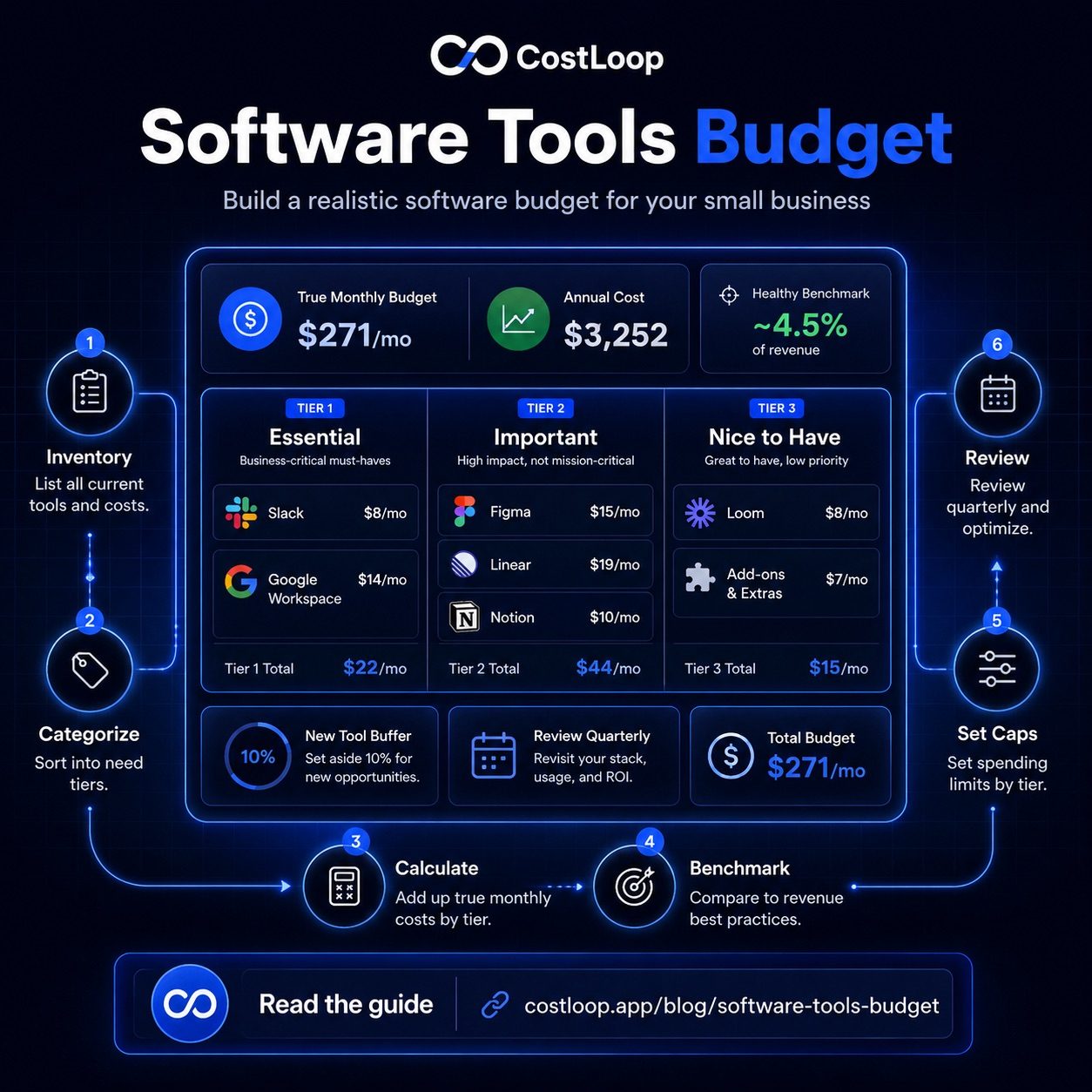
Tier 1 - Essential: Your business cannot operate without this tool for more than a day or two. If it disappeared tomorrow, you would replace it within 24 hours regardless of cost. These are the tools that handle core operations: communication, project management, customer-facing systems, billing, and core infrastructure.
Tier 2 - Important: This tool saves significant time or improves quality meaningfully, but you could function without it. If the price doubled, you'd seriously consider an alternative but probably keep it. These include analytics tools, design tools used regularly, automation platforms, and specialist tools your team uses several times a week.
Tier 3 - Nice to have: You use this occasionally. It adds some convenience or covers an edge case. If it disappeared, you'd notice but adapt within a week. These are the first candidates for cancellation during any budget tightening exercise.
| Tier | Example tools | Example monthly cost | Budget priority |
|---|---|---|---|
| Tier 1 - Essential | Slack, Google Workspace, payment processing, CRM | $150–$400 | Protect at all costs |
| Tier 2 - Important | Figma, Linear, analytics platform, email marketing | $100–$250 | Review pricing annually |
| Tier 3 - Nice to have | Loom, Notion AI add-ons, scheduling tools, link shorteners | $30–$100 | Cut first if over budget |
The tiering exercise often clarifies decisions that previously felt ambiguous. A tool that costs $79/month and sits solidly in Tier 3 is a straightforward cancellation candidate. A tool in Tier 1 that costs $200/month is worth keeping even during a cost-reduction push.
Calculate Your True Annual Cost
Monthly thinking is the most common reason software budgets are underestimated. When a business owner mentally totals their software costs, they add up the monthly subscriptions they see regularly. They forget the annual ones.
Annual subscriptions are invisible for 11 months of the year. Figma's annual plan, Zoom's annual subscription, a domain registrar's two-year renewal, a security tool's yearly charge - these appear once as a lump sum, feel like a one-time purchase, and never get added to the monthly software cost calculation. Tracking recurring costs this way is what separates a realistic budget from a guess.
The correct formula: (sum of all monthly subscriptions × 12) + (sum of all annual subscriptions) = true annual software cost. Divide by 12 to get the true monthly equivalent.
For most businesses that run this calculation for the first time, the true monthly equivalent is 15 to 30 percent higher than the number they had in their head. This is important context for understanding why the article on SaaS costs eating into profit resonates so broadly - the math almost always surprises people.
Benchmark Against Revenue Percentage
Once you have the true annual cost and a monthly equivalent, divide it by your average monthly revenue to get your software-as-percentage-of-revenue figure. There is no universal healthy percentage. If software spend is growing faster than revenue or becoming hard to justify tool by tool, it is time to review the stack.
Your internal budget target is a decision trigger, not a universal rule. A business in an intensive growth phase might accept a higher software budget temporarily if the tools are genuinely returning that investment. A stable services business with flat revenue should be stricter about nice-to-have tools.
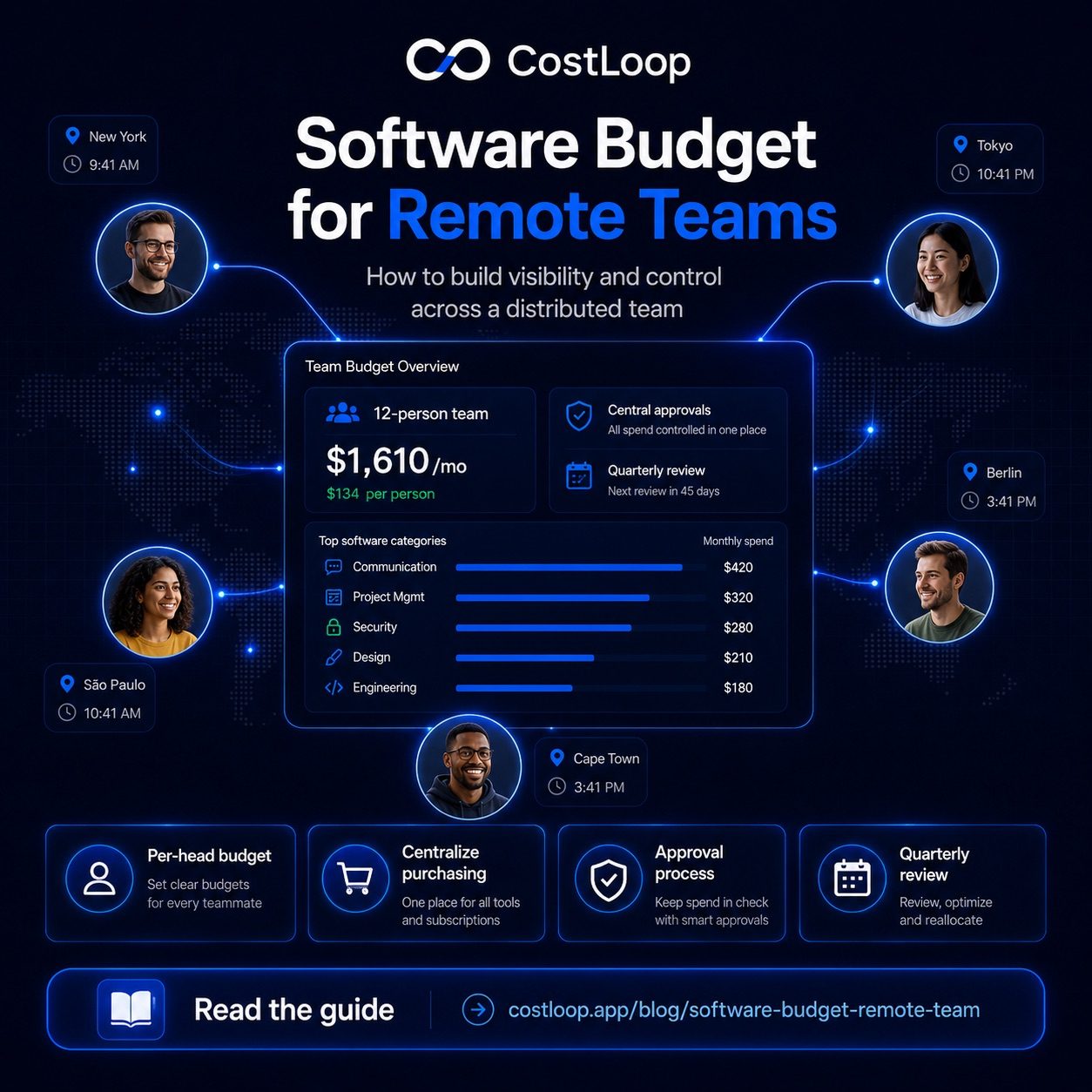
The guide on software budget for remote teams covers how these benchmarks shift when you factor in distributed team dynamics and per-seat costs across multiple locations.
Set Category Caps and a New-Tool Approval Process
A single total budget is easier to undermine than category-level caps. When the total is one number, it's always possible to rationalize a new tool as "only a small addition." When each category has its own cap, the conversation becomes more concrete.
Set caps by tier for clear cost allocation across your stack. Your Tier 1 cap is protected - it should be the actual cost of your Tier 1 tools with a small buffer. Your Tier 2 cap is where active management happens. Your Tier 3 cap is the number you monitor closely and are willing to cut from when needed.
Also budget explicitly for new tools. Allocate 10% of your total software budget as a discretionary buffer for tools discovered during the year. Every new tool request either fits within this buffer or requires an explicit decision to exceed it - which means either dropping something else or increasing the budget intentionally. This is far better than the alternative, which is adding tools without any check and discovering the overspend six months later.
A software budget tracker like CostLoop gives you the inventory, the true monthly cost, and the renewal timeline you need to build a software budget that's grounded in reality - not guesswork.
Start free - no credit card neededReview Quarterly, Not Annually
Annual budget reviews for software are obsolete by the time they happen. Software stacks change in ways that compound quickly: a team member adds two tools in Q1, a price increase on a key platform arrives in Q2, a project wraps up and the associated tools stay active in Q3. By December, your actual spending profile looks nothing like what you planned in January.
Quarterly reviews catch these shifts while they're still correctable. A 30-minute review every three months - checking actual spend against budget by category, reviewing the Tier 3 list, confirming no ghost seats have accumulated, and updating the renewal calendar - is far more effective than a two-hour annual review that arrives too late to change most of the year's spending.
The SaaS spend optimization guide covers what to do when a quarterly review reveals you're consistently over budget in a specific category.
Budget Planning Worksheet
Use this structure as the foundation for your software budget. Fill it in from your inventory and update it each quarter:
| Tool | Category | Monthly cost | Annual cost | Tier | Notes |
|---|---|---|---|---|---|
| Google Workspace | Communication | $72 | $864 | 1 | 6 users @ $12/mo |
| Slack | Communication | $50 | $600 | 1 | Pro plan |
| Figma | Design | $45 | $540 | 2 | Annual plan, 3 editors |
| Linear | Project management | $35 | $420 | 2 | 5 members |
| Notion | Documentation | $32 | $384 | 2 | Team plan |
| Loom | Communication | $12 | $144 | 3 | Individual plan |
| New tool buffer (10%) | Discretionary | $25 | $300 | - | For tools added during year |
| Total | $271 | $3,252 | ~4.5% of $6K/mo revenue |
A realistic software budget isn't a constraint - it's a tool for making better decisions. When you know your true annual cost, have categorized every tool by necessity, and review the numbers quarterly, you stop making software purchases by feel and start making them deliberately. CostLoop's paid plans start at a level designed to save significantly more than they cost - and the free tier is more than enough to build your first complete software inventory. Create your free account and have your budget worksheet populated within the hour.
SaaS budgeting software vs. a tools budget spreadsheet
A tools budget spreadsheet documents what you plan to spend. SaaS budgeting software shows what you're actually spending - in real time, without manual updates. Both have a place, but they serve different functions.
The gap between plan and reality is where software cost control breaks down. Tools get added, prices increase, seats expand. The spreadsheet becomes outdated within weeks because it depends on someone updating it every time something changes - and that rarely happens consistently.
SaaS budgeting software keeps the budget current automatically: every new subscription updates the total, every renewal gets flagged before it charges, and the monthly software budget is always accurate without anyone touching a spreadsheet. For a ready-made starting structure, the software budget template gives you the spreadsheet baseline to start with. When you're ready to move beyond the spreadsheet, the SaaS cost management guide covers how to build ongoing controls that scale.
Frequently asked questions
How do you prepare a business budget for software tools?
Start by inventorying every tool you currently pay for, then categorize each by necessity tier (essential, important, nice-to-have). Calculate the true annual cost including monthly tools x 12 and annual subscriptions. Compare against your own revenue and margin targets, set category spending caps, and review quarterly.
What is a reasonable software tools budget for a small or medium business?
There is no universal healthy software budget percentage. Set a target based on your own revenue, margin, team needs, and growth stage, then investigate any increase that cannot be tied to clear business value.
How often should I review my software budget?
Quarterly reviews are ideal for software budgets. Software costs change too rapidly for annual reviews to catch problems - new tools get added, old ones get price increases, team sizes change. Quarterly reviews catch these shifts while they're still correctable.
Should I budget for new software tools throughout the year?
Yes. Allocate 10% of your total software budget as a discretionary buffer for new tools discovered throughout the year. This gives you a controlled way to adopt new software without breaking the budget - every new tool either fits in the buffer or requires explicit approval to exceed it.
What is the best way to budget for software tools?
Start with a spreadsheet to establish your baseline, then move to SaaS budgeting software when the spreadsheet can no longer keep up (typically 15+ subscriptions or multiple tool buyers). CostLoop keeps the budget live automatically: every new subscription updates the total, renewals are flagged before they charge, and the monthly software budget stays accurate without manual updates.