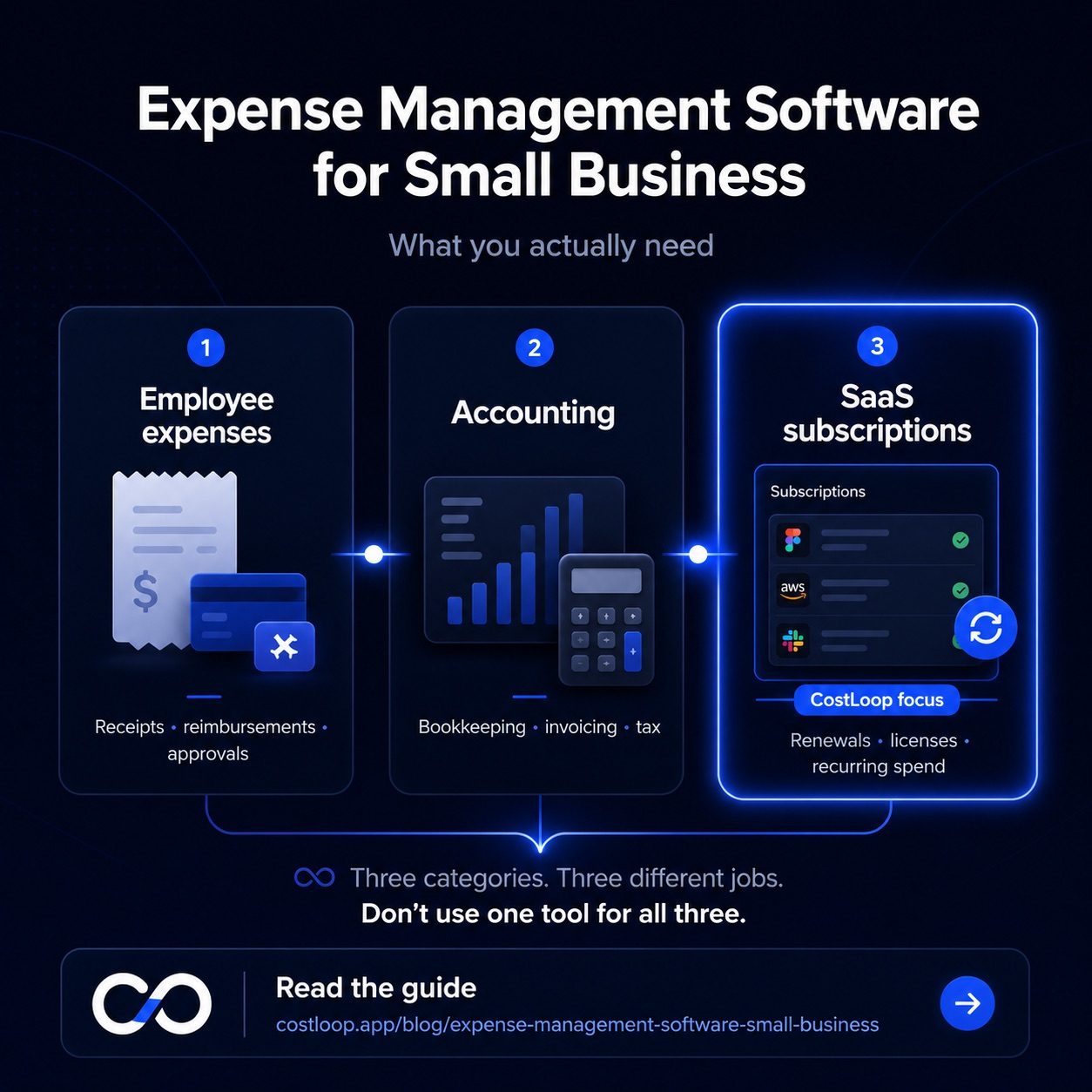
The term "expense management software" covers at least three different products that solve three different problems. One tracks employee receipts and reimbursements. Another handles bookkeeping, invoicing, and tax. A third tracks recurring software subscriptions and license costs. Knowing which type you actually need - and why - saves you from buying the wrong tool or subscribing to something that duplicates what you already have. This guide breaks down each category clearly, so you can build the right expense management stack for your small and medium business without overpaying or missing a gap.
The three types of small and medium business expense software
Most conversations about expense management software lump together tools that work very differently. Here are the three categories and what each one actually does.
Type 1: Employee expense report tools. Tools like Expensify and Ramp are built to manage receipts, employee reimbursements, and travel costs. A team member submits a receipt from a client dinner, a manager approves it, and the reimbursement flows through payroll. These tools handle per-diem rules, mileage tracking, approval chains, and corporate card reconciliation. They are the right choice when your primary expense problem is: "My employees spend money and I need a process to review and reimburse it." They are not built to track your ongoing SaaS subscriptions.
Type 2: Accounting and bookkeeping software. Tools like QuickBooks and Xero are the financial backbone for most small and medium businesses. They handle profit-and-loss reporting, invoicing, bank reconciliation, payroll integration, and tax preparation. Everything that flows through your bank account eventually shows up here. These tools are essential, but they're built for historical record-keeping and compliance - not for proactively managing what software you're paying for or flagging that a tool is about to auto-renew.
Type 3: Subscription and SaaS spend trackers. A SaaS spend tracker like CostLoop is built specifically to track recurring software costs, renewal dates, and license usage. They give you a clear view of what you pay for SaaS, when each subscription renews, and whether you're paying for more seats than you actually use. This category exists because the first two types handle it poorly - annual subscription charges get buried in accounting ledgers, and employee expense tools aren't designed for recurring vendor contracts.
Most small and medium businesses need all three, but they solve different problems. The mistake is trying to use your accounting software as a subscription tracker, or assuming your expense report tool covers your SaaS costs. See also: CostLoop vs Expensify.
| Software type | Built for | Examples | Handles SaaS subscriptions? |
|---|---|---|---|
| Employee expense reports | Receipts, reimbursements, travel | Expensify, Ramp, Concur | No |
| Accounting / bookkeeping | P&L, invoicing, tax, reconciliation | QuickBooks, Xero, FreshBooks | Poorly |
| Subscription tracker | SaaS costs, renewals, licenses | CostLoop | Yes - this is its purpose |
Expense tracking software for small and medium business: what to look for
If you're evaluating employee expense tracking software - tools for managing receipts, travel, and reimbursements - here is what actually matters at small and medium business scale, and what doesn't matter until you're significantly bigger.
Features that matter: Automatic categorization saves time and reduces manual data entry. Receipt capture via mobile photo is essential for anyone who travels or entertains clients. Multi-user access with role-based permissions lets you give different team members the right level of access without sharing credentials. Integration with your accounting software (QuickBooks, Xero) means you're not manually re-entering data across systems. Mobile access matters if your team is frequently out of office.
Features that don't matter until you're bigger: Complex approval workflows with multiple tiers of managers, department-level routing, and policy enforcement are built for organizations with 50+ employees and a finance department. Corporate card programs with embedded controls are enterprise products that assume you have dedicated HR and finance staff. Multi-entity support - for businesses with subsidiaries, separate legal entities, or international operations - is unnecessary for most small and medium businesses. If a vendor is selling you heavily on these features, they're probably pitching the wrong product for your stage.
The practical checklist for small and medium business expense tracking software: does it capture receipts on mobile, categorize automatically, sync with your accounting software, and let multiple team members submit expenses? If yes, it's probably sufficient. Advanced features are worth evaluating only when a specific pain point requires them.
Budgeting software for small and medium business: spreadsheet vs. dedicated tool
The honest answer about budgeting software for small and medium business: a spreadsheet works fine until it doesn't. Most businesses start with a Google Sheet or Excel file to track their budget, and that's a completely reasonable approach at an early stage. The question is when the spreadsheet becomes a liability rather than an asset.
A spreadsheet starts breaking down when your business has more than 15-20 subscriptions or more than 3 people adding tools to the stack. At that point, the manual maintenance burden becomes significant: updating costs when prices change, adding new tools, remembering to remove cancelled subscriptions, and keeping track of who owns what. The spreadsheet is also passive - it doesn't remind you that something is renewing, and it doesn't flag when a tool hasn't been used in three months.
What dedicated budgeting software adds: automatic tracking so the list updates without manual work, renewal alerts that fire before the charge hits, role-based ownership so each tool has an accountable person, and audit history so you can see how your software budget has evolved over time. For a small and medium business with a growing software stack, these aren't luxury features - they're the things that prevent the steady accumulation of forgotten subscriptions and accidental renewals.
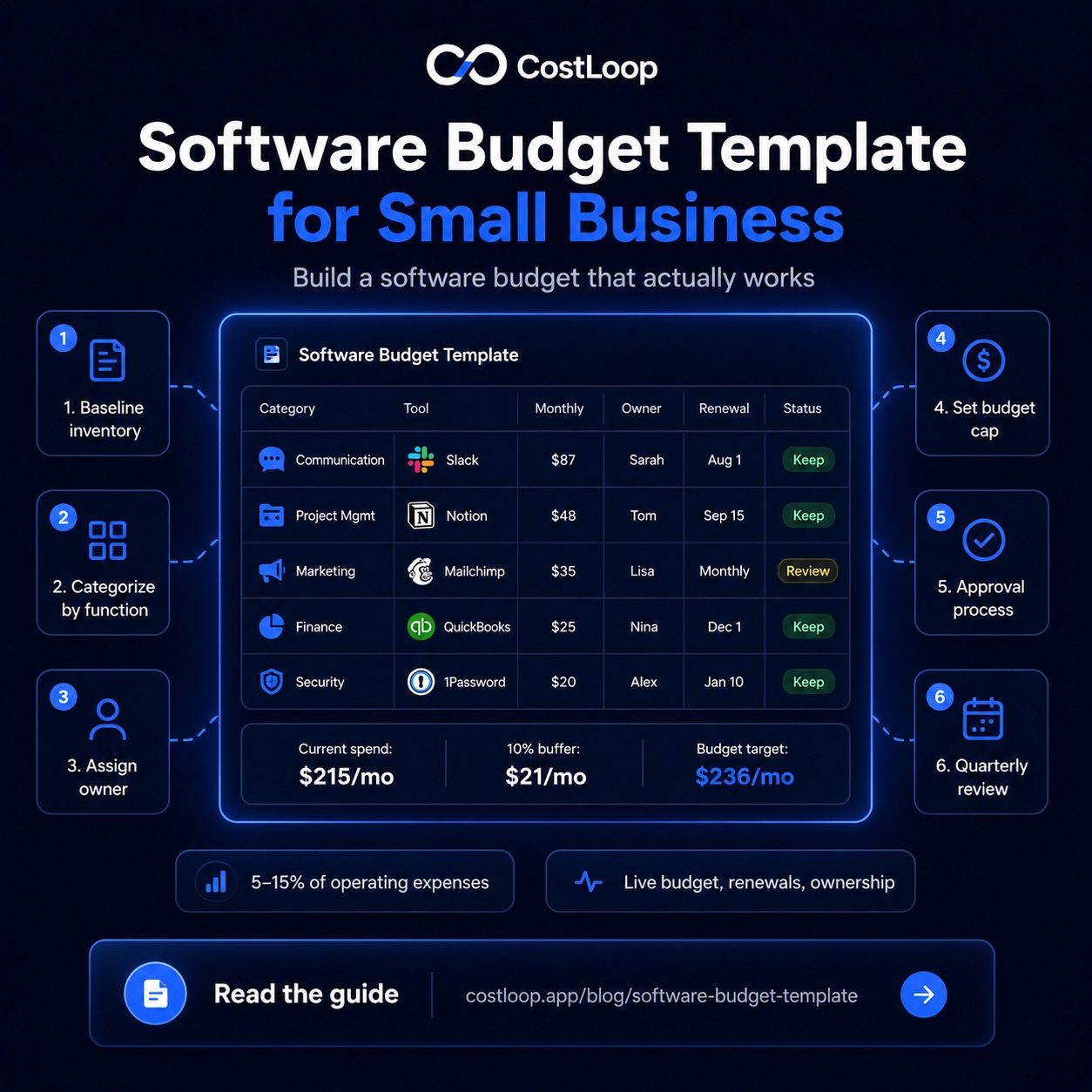
For software-specific budgeting - building a forward-looking budget for your SaaS spend - see the guide on software budget template. It covers how to structure a budget that actually gets followed, not just built once and ignored.
Business expense tracking software: the subscription gap
Most business expense trackers handle one-time purchases and employee expenses well. They are built for transactions: a receipt comes in, gets categorized, gets approved, done. What they handle poorly is recurring SaaS subscriptions, and the reasons are structural.
Subscriptions don't show up as individual decisions - they auto-charge on a recurring cycle. Annual charges show up once a year as a lump sum, often buried among dozens of other transactions in a bank feed. Seat-based pricing changes silently when someone adds or removes a user mid-cycle. Free trials convert to paid plans without triggering any approval workflow. And tools accumulate over time without anyone tracking the total, because each new subscription seems like a small addition.
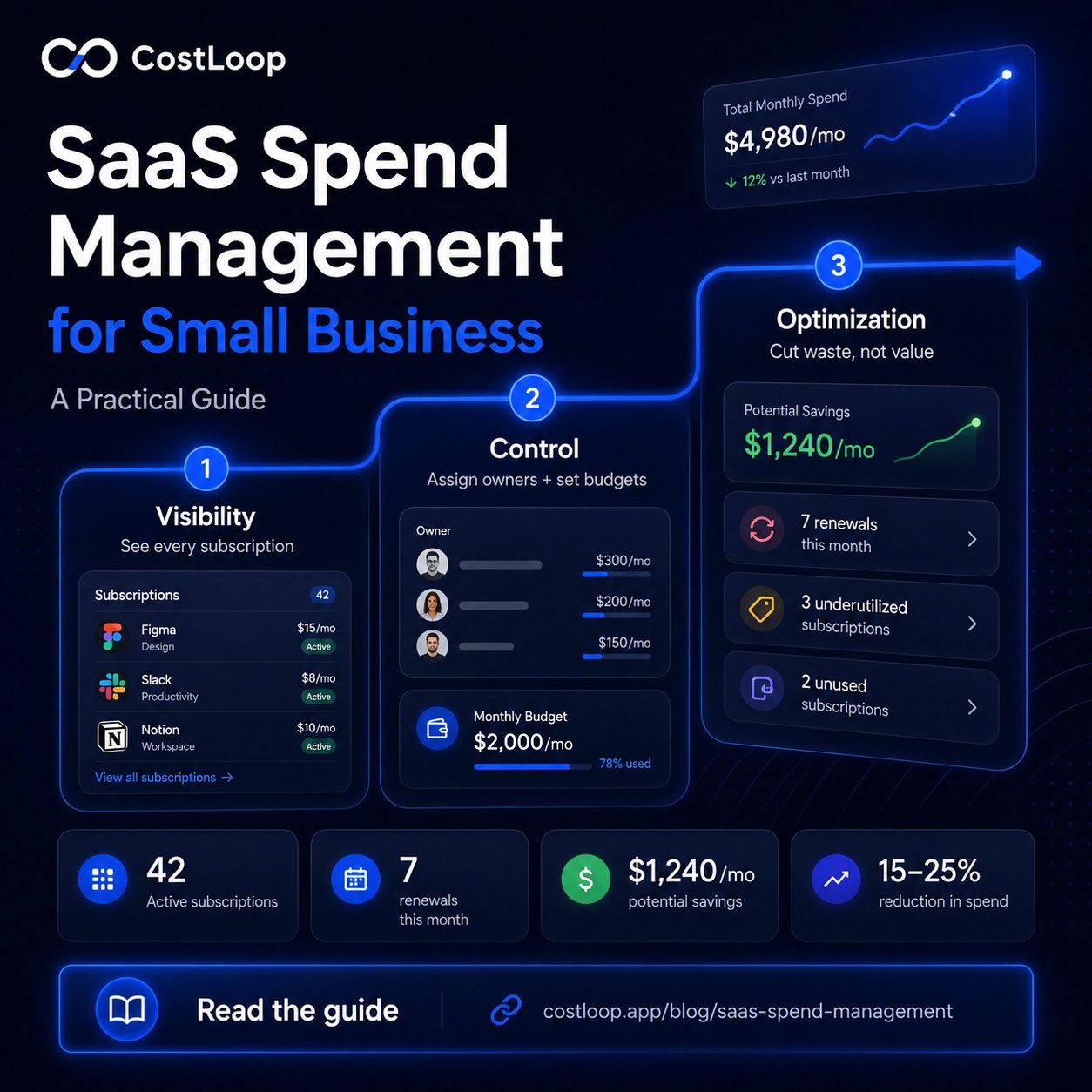
The result is a gap between what your accounting software records (the charges happened) and what you actually need to manage effectively (what are we paying for, when does it renew, is it being used, and who is responsible for it). This is the gap that subscription tracking software fills - a dedicated view of your recurring software costs that gives you the spend visibility your accounting software can't provide. For more on how this fits into your overall software spend picture, see the guide on SaaS spend management.
What expense management software for small and medium business should you use?
The practical recommendation: don't try to make one tool do all three jobs. They're built differently, priced differently, and optimized for different workflows.
Use accounting software (QuickBooks, Xero, or FreshBooks) for bookkeeping, tax preparation, invoicing, and financial reporting. This is your financial record of truth - everything flows through here eventually, but it's not built to manage your SaaS stack proactively. If you currently rely on QuickBooks for expense tracking and are wondering whether a dedicated tool adds value, see the CostLoop vs QuickBooks comparison.
Use an employee expense tool (Expensify, Ramp, or similar) if you have team members who incur business expenses that need approval and reimbursement. If you're a solo operator or a very small team where everyone uses the business card directly, you may not need this layer at all - it's optional until you have a reimbursement problem to solve.
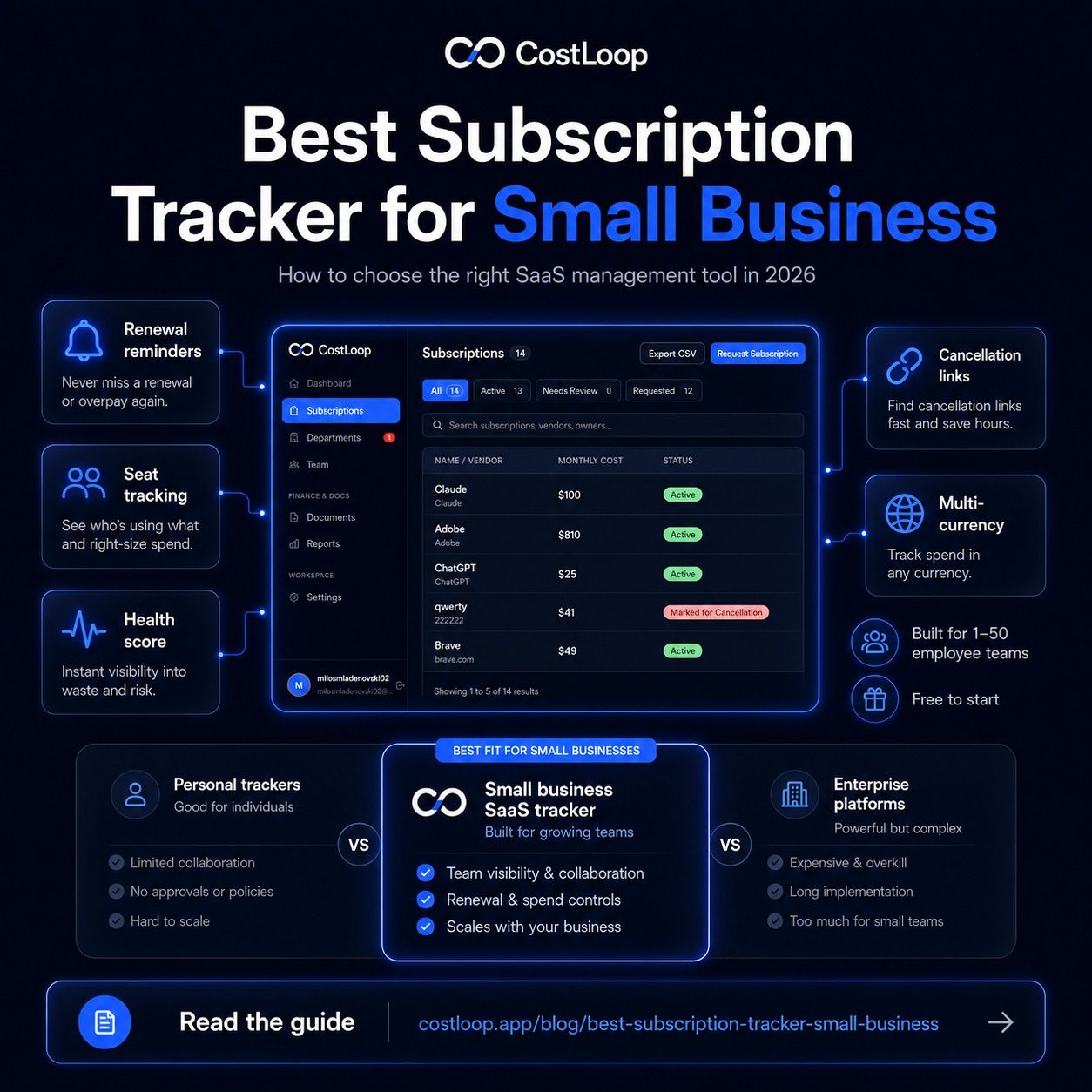
Use a subscription tracker (CostLoop) for your SaaS spend. This is the category most small and medium businesses are missing. It's also the category where a focused subscription audit can reveal tools that no longer have a clear owner, active users, or renewal reason. See also: best subscription tracker for small and medium business.
Frequently asked questions
What is expense management software for small and medium business?
Expense management software for small and medium business falls into three distinct categories: employee expense report tools (like Expensify or Ramp) for receipts and reimbursements, accounting and bookkeeping software (like QuickBooks or Xero) for P&L and tax, and subscription trackers (like CostLoop) for recurring SaaS costs and license oversight. Most small and medium businesses need all three, since each solves a different problem. The term is often used loosely to mean any of these three types, which is why it's important to identify which specific problem you're trying to solve before choosing a tool.
What's the best budgeting software for small and medium business?
The honest answer depends on what you're budgeting. For general financial budgeting and P&L tracking, accounting software like QuickBooks or Xero handles this well. For employee expense budgeting with approval workflows and spend limits per category, tools like Ramp or Expensify add more control. For software-specific budgeting - tracking what you pay for SaaS tools, when subscriptions renew, and whether you're over-provisioned on seats - a dedicated subscription tracker like CostLoop gives you visibility that accounting software doesn't provide. There's no single "best" answer; it depends on which budget category you're trying to bring under control.
Is expense tracking software the same as accounting software?
No. Accounting software like QuickBooks or Xero is built for bookkeeping, tax preparation, invoicing, and P&L reporting. It records what happened financially and produces the reports your accountant needs. Expense tracking software is built for capturing employee receipts, managing reimbursements, and enforcing spend policies before money is spent. They serve different purposes and work at different stages of the financial workflow. Most small and medium businesses that have employees with reimbursable expenses use both - accounting software as the system of record, and an expense tool to manage the approval and reimbursement process upstream.
For teams evaluating spend management platforms, see the CostLoop vs Spendesk comparison.
How does subscription tracking fit into expense management?
Subscription tracking fills a specific gap that neither accounting software nor employee expense tools handle well: the ongoing management of recurring SaaS costs. Annual charges get buried in accounting ledgers among hundreds of other transactions. Seat-based pricing changes silently when user counts shift. Tools accumulate over time without anyone tracking the total. CostLoop is built to give small and medium businesses a clear, proactive view of their software subscriptions - what they cost, when they renew, who owns each tool, and whether each subscription is actually being used. It doesn't replace your accounting software; it gives you the SaaS-specific layer that accounting software doesn't provide.