Pricing verified: August 22, 2026
Quick answer
If you are searching adobe captivate prime pricing in 2026, the first thing to know is that Adobe Captivate Prime is no longer the current product name. Adobe renamed the LMS to Adobe Learning Manager in July 2022. The current product is Adobe Learning Manager, while Adobe Captivate is now a separate eLearning authoring application.
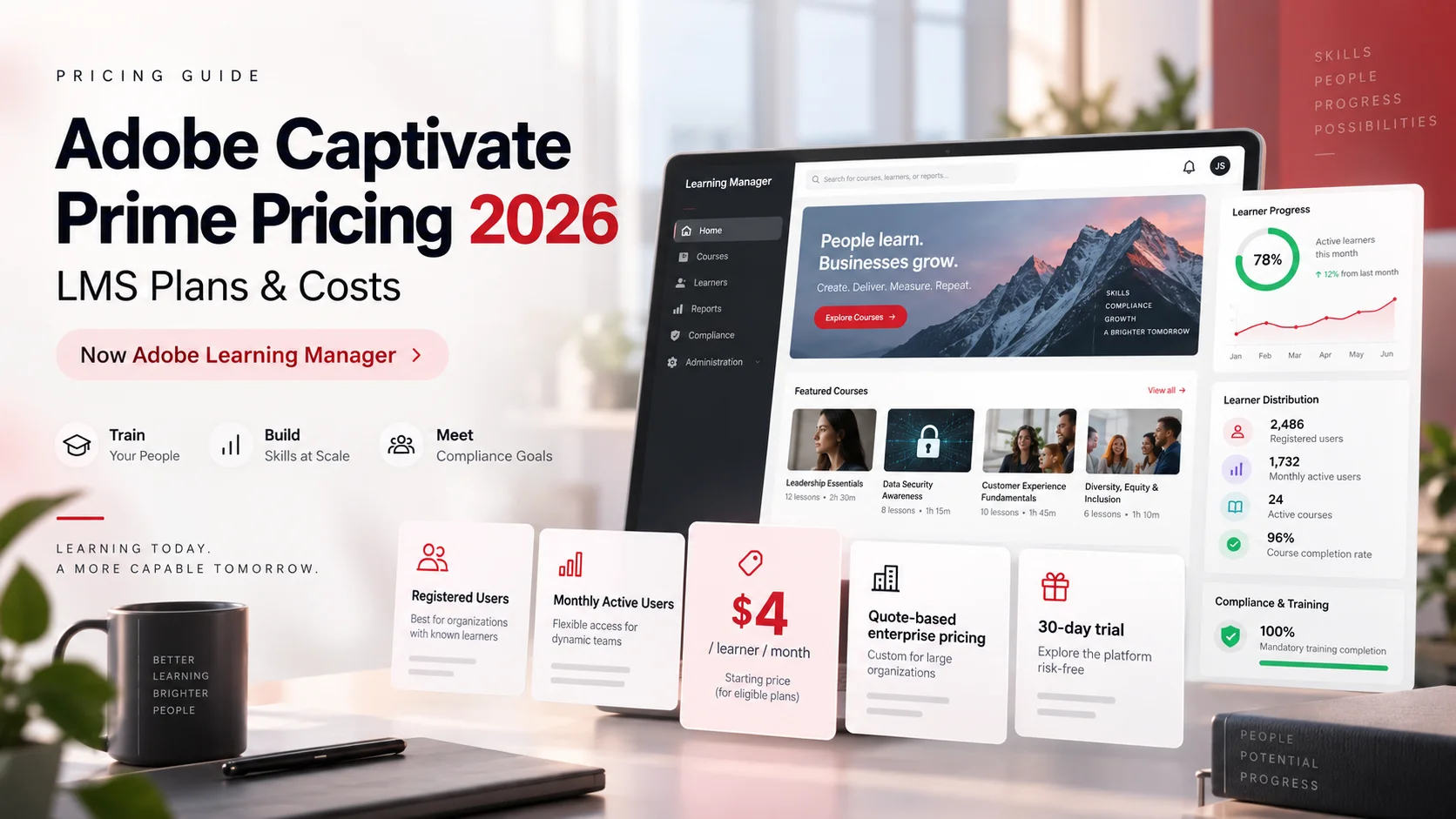
Adobe currently supports two main Learning Manager licensing models: Registered Users and Monthly Active Users (MAU). The public marketing pricing page is sales-led and asks buyers to get pricing, but Adobe's current billing documentation provides a concrete U.S. self-service reference for registered-user subscriptions: $4 per learner per month for eligible credit-card purchases. The first credit-card order must include at least 10 learners, and a single credit-card order can cover up to 3,500 learners. Adobe states that credit-card purchasing is available only in the U.S. region.
The Monthly Active Users model does not publish one universal dollar rate on Adobe's current pricing page. Instead, Adobe bills around the number of unique active users in each month, accumulated across a 12-month period. That model is intended for customer, partner, franchise or other extended-enterprise audiences that do not need continuous access every month.
Key takeaways
- Adobe Captivate Prime was renamed Adobe Learning Manager in July 2022. The old name remains useful only as legacy search intent.
- Adobe Learning Manager currently offers Registered User and Monthly Active User licensing models.
- Adobe's billing documentation uses $4 per registered learner per month for eligible U.S. credit-card subscriptions.
- The first credit-card order must include at least 10 learners.
- A single credit-card payment order can cover up to 3,500 learners.
- Credit-card based purchasing is available only in the U.S. region according to Adobe's current billing documentation.
- Adobe's main public pricing page does not publish one universal MAU dollar rate and directs buyers to get pricing.
- MAU billing accumulates each month's unique active users across a 12-month period, so the same learner can contribute to usage again in another active month.
- Adobe offers a 30-day Learning Manager trial, and its current billing documentation says there is no limit on registered learners during the trial period.
- Canceling before the annual term ends can trigger an early termination fee equal to 50% of the subscription price for the remaining commitment period.
In this guide
- What happened to Adobe Captivate Prime
- Adobe Learning Manager pricing in 2026 at a glance
- Registered User pricing and real cost examples
- Monthly Active User pricing and how MAU is counted
- Registered Users vs Monthly Active Users
- Trial, contract and cancellation rules
- Adobe Captivate vs Adobe Learning Manager pricing
- Hidden Adobe Learning Manager costs and budget traps
- Three-year LMS total cost of ownership
- Negotiation and renewal questions
Methodology and disclosure
This guide prioritizes Adobe's current official sources: the Adobe Learning Manager pricing page, the Learning Manager billing-management documentation updated August 10, 2026, current Learning Manager user documentation, and Adobe's Captivate pricing and buying guidance. Where Adobe publishes a current dollar figure or billing rule, this article uses it. Where Adobe requires a quote, the article says so rather than inventing a market price.
The $4 figure in this article is not presented as a universal global enterprise price. It comes from Adobe's current U.S. credit-card ordering documentation for registered-user subscriptions. Non-U.S. buyers, enterprise agreements, purchase-order customers, MAU buyers and negotiated deals can have different commercial terms.
CostLoop is not affiliated with Adobe. Adobe Learning Manager delivers learning-management functionality. CostLoop helps organizations track recurring software cost, license quantities, owners, contracts and renewal dates.
Related CostLoop guides
- Adobe Experience Manager Pricing 2026
- HR Software Costs in 2026
- Annual vs Monthly SaaS Billing
- Hidden Costs of SaaS
- How to Negotiate SaaS Pricing
- Software Budget Template
- SaaS Cost Management
- Renewal Tracker for Software Subscriptions
- Software License Inventory
- What to Store With Every Software Subscription Record
- CostLoop Features
- CostLoop Pricing
What happened to Adobe Captivate Prime?
Adobe Captivate Prime was Adobe's cloud learning management system. Adobe rebranded Captivate Prime to Adobe Learning Manager in July 2022. The underlying search demand did not disappear, which is why people still search adobe captivate prime pricing, adobe captivate prime cost and adobe captivate prime lms pricing in 2026.
A current pricing guide should preserve those legacy keywords for search intent while correcting the product name immediately. Calling the product simply "Adobe Captivate" is especially risky because Adobe Captivate is now a separate authoring application used to create eLearning content, while Adobe Learning Manager is the LMS used to deliver and track learning.
Adobe Learning Manager pricing in 2026 at a glance
| Pricing route / model | Current public pricing signal | Who it fits | Important caveat |
|---|---|---|---|
| Registered Users - U.S. credit-card route | $4 per learner / month in Adobe billing docs | Employees or fixed learner populations needing continuous access | U.S. credit-card purchasing only; first order minimum 10 learners; max 3,500 learners per single credit-card order |
| Registered Users - sales / enterprise | Get pricing / negotiated quote | Larger, non-U.S., enterprise or contract-led deployments | Final rate can differ from self-service documentation |
| Monthly Active Users (MAU) | Get pricing | Customer education, partners, franchisees and floating audiences | Billed around monthly unique active usage accumulated over 12 months |
| 30-day trial | $0 during trial | Evaluation and pilot programs | Adobe says no limit on registered learners during the trial period |
| Adobe Captivate authoring tool | $39.99/month individual U.S. subscription | Course authors creating eLearning content | Separate product, not the LMS |
Registered User pricing
The Registered User model assigns licenses to a fixed number of learners who can continuously access courses. Adobe's public pricing page positions this model for fixed learner populations such as employee reskilling, compliance training and sales training.
The strongest current pricing evidence is in Adobe's billing-management documentation. It states that the annual subscription fee is calculated from the number of users and gives the formula 4 users x $4 x 12 = $192. That implies $4 per registered learner per month, or $48 per learner per year, for the eligible self-service route described in the documentation.
Adobe also states that credit-card purchasing is available only in the U.S. region, the first order must include at least 10 learners, and a single credit-card payment order can cover up to 3,500 learners. Those limits matter because a buyer should not take the $4 formula and present it as a universal worldwide enterprise rate.
Registered-user cost examples at $4 per learner per month
The table below is straight arithmetic on Adobe's current documented U.S. self-service formula. It is a planning reference, not a promise that every Adobe sales quote will use the same rate. The 3,500-learner row is not a global account ceiling. Adobe describes 3,500 as the maximum number of learners in a single credit-card payment order. Larger or more complex deployments should be quoted directly.
| Registered learners | Monthly rate-only cost | 12-month rate-only cost |
|---|---|---|
| 10 | $40 | $480 |
| 25 | $100 | $1,200 |
| 50 | $200 | $2,400 |
| 100 | $400 | $4,800 |
| 250 | $1,000 | $12,000 |
| 500 | $2,000 | $24,000 |
| 1,000 | $4,000 | $48,000 |
| 3,500 | $14,000 | $168,000 |
What a Registered User actually means for budgeting
The economic risk in a registered-user model is paying for access capacity that is not being used. If 500 learners are licensed but only 280 regularly participate, the organization is still budgeting around the purchased registered-user quantity rather than actual monthly activity.
That makes seat governance part of the renewal process. Before renewing, compare purchased learners with active learners, archived users, departed employees and training populations that could move to an on-demand model. For the broader inventory structure, use CostLoop's Software License Inventory and What to Store With Every Software Subscription Record guides.
Monthly Active User pricing
The Monthly Active User model is designed for audiences that do not need continuous access. Adobe's pricing page specifically positions MAU for customer education, partner training, franchisee training and other mixed or floating learner populations.
Adobe does not currently expose one universal MAU dollar rate on the main pricing page. The billing documentation does, however, explain exactly how usage is counted: the number of unique active users is measured each month and those monthly counts are added cumulatively for a 12-month period.
How Adobe counts MAU
A learner can count as active when they consume a course, learning program or certification; consume or download a job aid or course attachment; create or use personal notes; participate in social learning; or receive certain completions from classroom, virtual-classroom or external-certificate activity.
Adobe's own example uses 50 active users in month 1, 500 in month 2, 5,000 in month 3, and 10 users per month from months 4 through 12. The cumulative billable usage is 5,640 MAU units for the 12-month period. At the end of the 12-month period, the usage count resets for the next period.
MAU is not simply the number of distinct human beings who touched the platform once during the year. Adobe accumulates each month's unique active-user count. A learner active in January and again in February can contribute to both monthly counts.
MAU planning examples
These are usage-count examples only. Adobe does not currently publish one universal MAU dollar rate on its main pricing page, so no dollar value is attached to these scenarios.
| Usage pattern | 12-month accumulated MAU units | Budgeting implication |
|---|---|---|
| 100 active learners every month | 1,200 | Stable monthly engagement can create a much larger annual MAU total than the headcount alone suggests. |
| 500 active learners every month | 6,000 | Do not compare this directly with 500 registered seats without the MAU unit price. |
| 1,000 active learners in one launch month, then no activity | 1,000 | Potentially attractive for highly episodic training if the quote supports it. |
| 250 active learners in each quarter only | 1,000 | Seasonal or certification cycles can fit MAU better than continuous registered access. |
Registered Users vs Monthly Active Users
The cheapest model is not determined by total headcount alone. A company with 5,000 customers but only 300 monthly learners may prefer MAU. A company with 500 employees who need permanent compliance and skills access may prefer registered users. Ask Adobe to price both models against the same 12-month usage forecast when both are viable.
| Question | Registered Users | Monthly Active Users |
|---|---|---|
| Best for | Fixed learner population with continuous access | Floating, external or intermittent audience |
| Typical use cases | Employee reskilling, compliance, sales training | Customer education, partners, franchisees, stores |
| Billing driver | Purchased registered learner licenses | Monthly unique active users accumulated over 12 months |
| Current public dollar signal | $4/user/month in eligible U.S. credit-card documentation | No universal public MAU dollar rate |
| Main cost risk | Unused seats / over-licensed population | Unexpected activity spikes across months |
| Best forecasting input | Expected continuously entitled learners | Expected active learners by month |
Trial, contract and cancellation rules
30-day trial
Adobe's current billing documentation says a Learning Manager account can be used without payment for 30 days and that there is no limit on the number of learners registered during the trial period. That makes the trial useful for testing administration, content delivery, reporting and real learner behavior before committing to a production license model.
Annual commitment and early termination
The billing documentation refers to an annual term and states that canceling before the annual commitment is complete triggers an early termination fee equal to 50% of the subscription price for the remaining commitment period.
Example: if a 100-learner registered-user subscription is budgeted at $400 per month and six months remain, the remaining rate-only commitment is $2,400. A 50% early termination fee would equal $1,200 under the documented rule. This is illustrative arithmetic, not a statement about every negotiated enterprise contract.
Partial cancellation is not supported
Adobe's current FAQ says a subscription cannot be partially canceled. If an organization needs fewer seats, it must cancel at the end of the billing cycle and then purchase the required number of seats. That makes renewal planning and learner cleanup more important than waiting until after the organization is already over-licensed.
For the broader commitment trade-off, see CostLoop's Annual vs Monthly SaaS Billing guide.
Adobe Captivate vs Adobe Learning Manager pricing
This distinction deserves its own section because the keywords overlap and old articles still use Captivate Prime terminology.
Adobe Captivate can publish courses to Adobe Learning Manager and other LMSs, but purchasing Captivate does not replace an LMS subscription. Treat them as separate software records with separate owners, quantities, renewal dates and commercial terms.
| Product | What it is in 2026 | Current pricing signal | Do not confuse with |
|---|---|---|---|
| Adobe Learning Manager | Cloud LMS, formerly Adobe Captivate Prime | $4/user/month documented U.S. registered-user route; MAU and many enterprise scenarios quote-led | Adobe Captivate authoring software |
| Adobe Captivate | eLearning authoring application for creating courses | $39.99/month for an individual U.S. subscription; teams/enterprise contact sales | Adobe Learning Manager LMS |
What can increase Adobe Learning Manager cost?
- More registered learners than originally contracted.
- Higher monthly active usage than the forecast used to negotiate an MAU contract.
- Moving from an intermittent audience to always-on employee learning without changing the license model.
- Enterprise purchasing, regional commercial terms or non-U.S. buying routes that differ from the U.S. self-service reference.
- Paid learning content from Adobe's content marketplace or third-party providers.
- Course-production tools such as Adobe Captivate or other authoring software.
- Implementation, LMS configuration, branding and portal design.
- SSO, identity, HRIS, CRM, commerce, virtual-classroom or other integration work.
- Content migration, historical transcript migration and metadata cleanup.
- Administrator training and change management.
- Internal learning-operations staff and content governance.
- Professional services or partner support.
- Early termination when the annual commitment has not finished.
- Over-licensing because seat cleanup happens too late.
- Taxes, currency differences and negotiated contract changes at renewal.
For the general framework, see Hidden Costs of SaaS.
Three-year Adobe Learning Manager TCO
The subscription rate is only one layer. A realistic three-year model should separately forecast registered learner growth or monthly active usage, depending on the contract. It should also keep Adobe Captivate or other authoring tools separate so the LMS budget is not distorted by content-production software.
3-year total cost =
Learning Manager subscription + paid content + authoring software
+ implementation + integrations + migration
+ support/services + internal learning operations
+ renewal changes - savings from reclaimed seats or better license-model fit
These examples assume the documented U.S. registered-user formula remains unchanged for all three years, with no negotiated discount, seat growth, taxes or added services. They are planning benchmarks, not guaranteed quotes.
| Learners | Annual rate-only cost at $4/month | 3-year rate-only cost |
|---|---|---|
| 100 | $4,800 | $14,400 |
| 500 | $24,000 | $72,000 |
| 1,000 | $48,000 | $144,000 |
| 3,500 | $168,000 | $504,000 |
How to normalize an Adobe Learning Manager quote
- Confirm that the quote is for Adobe Learning Manager, not Adobe Captivate.
- Identify whether the license model is Registered Users, Monthly Active Users or another negotiated enterprise structure.
- Record the exact learner quantity or MAU commitment.
- For MAU, document precisely which learner actions count as activity and how annual usage is reconciled.
- Confirm geography and purchasing route: U.S. credit card, purchase order, reseller or enterprise agreement.
- Separate the LMS subscription from Adobe Captivate, content marketplace purchases and professional services.
- Document the contract term, billing schedule and renewal date.
- Get early termination language and any seat-reduction mechanics in writing.
- Confirm whether price protection, volume discounts or renewal caps apply.
- Model the same learner population under Registered User and MAU pricing before choosing the commercial model.
- Build Year 1, Year 2 and Year 3 scenarios using realistic learner or usage growth.
- Compare the complete LMS scope against alternatives, not just the entry unit price.
Negotiating Adobe Learning Manager pricing
- Bring a clean learner forecast before requesting a quote.
- If both licensing models are viable, ask Adobe to quote Registered Users and MAU side by side.
- For Registered Users, separate continuously entitled employees from occasional or external learners.
- For MAU, use real monthly usage patterns instead of dividing annual headcount by 12.
- Ask for volume-break pricing at the next growth threshold, not only today's quantity.
- Request multi-year pricing and renewal-uplift protection separately.
- Ask how seat reductions are handled at renewal and how far in advance notice must be given.
- Separate content, Captivate licenses, implementation and support so each item can be challenged independently.
- If you are migrating from another LMS, negotiate migration or implementation assistance before signing.
- Get cancellation and early-termination terms in writing before procurement closes.
For broader commercial tactics, use How to Negotiate SaaS Pricing.
What to store with an Adobe Learning Manager subscription record
- Current product name: Adobe Learning Manager
- Legacy name: Adobe Captivate Prime
- License model: Registered Users or Monthly Active Users
- Purchased learner quantity or MAU commitment
- Current active/registered learner count
- Unit rate or quoted annual contract value
- Geography and purchasing route
- Contract start and end dates
- Billing schedule
- Renewal notice date
- Early termination clause
- Seat-reduction mechanics
- Content marketplace or other paid content
- Separate Adobe Captivate licenses
- Implementation and integration services
- Order form, quote and pricing exhibit
- Business owner and LMS administrator
- Last learner/usage review date
For the broader data model, see What to Store With Every Software Subscription Record.
How CostLoop fits with Adobe Learning Manager
CostLoop does not replace Adobe Learning Manager. Learning Manager delivers and tracks learning. CostLoop helps the buyer keep the commercial side of that software visible alongside the rest of the stack.
For Adobe Learning Manager, a CostLoop record can hold the current annual or monthly cost, registered-seat or MAU notes, renewal date, owner, contract link, invoice link, cancellation/vendor-management information, Adobe Captivate relationship and review notes. That is especially useful when the licensing model needs to be revisited before renewal rather than after an invoice arrives.
Use Software Budget Template for budgeting, Renewal Tracker for deadline control, and SaaS Cost Management for the broader spend process. See CostLoop Features and CostLoop Pricing for the current product scope.
Frequently asked questions
How much does Adobe Captivate Prime cost in 2026?
Adobe Captivate Prime is now called Adobe Learning Manager. Adobe's current billing documentation uses $4 per registered learner per month for eligible U.S. credit-card subscriptions. Other regions, MAU plans and enterprise deals can require a custom quote.
Is Adobe Captivate Prime still available?
Not under that product name. Adobe renamed Captivate Prime to Adobe Learning Manager in July 2022. Existing searches for Captivate Prime should be interpreted as searches for the current Learning Manager LMS.
What is Adobe Learning Manager pricing per user?
For the current U.S. credit-card registered-user route documented by Adobe, the calculation uses $4 per learner per month. The first order requires at least 10 learners and a single credit-card order can include up to 3,500 learners.
How much would Adobe Learning Manager cost for 100 users?
Using Adobe's current documented U.S. registered-user formula, 100 users equal $400 per month or $4,800 over 12 months before taxes, services, content or negotiated changes. Treat this as rate-only planning math, not a universal enterprise quote.
What is Adobe Learning Manager Monthly Active User pricing?
Adobe publishes the MAU model but does not expose one universal MAU dollar rate on the main pricing page. The model bills around monthly unique active users accumulated across a 12-month period, so buyers should request a quote using a realistic month-by-month usage forecast.
What counts as an active user in the MAU plan?
Adobe counts activity such as consuming learning objects, downloading course attachments or job aids, using notes, participating in social learning, or receiving certain classroom, virtual-classroom or external-certificate completions.
Does Adobe Learning Manager have a free trial?
Yes. Adobe's current billing documentation describes a 30-day trial and says there is no limit on the number of learners registered during the trial period.
Can I reduce Adobe Learning Manager seats mid-subscription?
Adobe's current FAQ says subscriptions cannot be partially canceled. To reduce seats, the organization must cancel the subscription at the end of the billing cycle and then purchase the required quantity.
Is there an Adobe Learning Manager cancellation fee?
Adobe says an early termination fee applies when a subscription is canceled before the annual term is complete. The documented fee is 50% of the subscription price for the remaining commitment period.
Is Adobe Captivate the same as Adobe Learning Manager?
No. Adobe Captivate is an eLearning authoring tool. Adobe Learning Manager is the LMS formerly known as Adobe Captivate Prime. Adobe currently lists the individual Captivate subscription at $39.99/month in the U.S.
Final verdict
The strongest 2026 answer to adobe captivate prime pricing is not simply "contact sales." Adobe Captivate Prime is now Adobe Learning Manager, and Adobe's own current billing documentation still provides a concrete registered-user self-service reference: $4 per learner per month for eligible U.S. credit-card subscriptions, with a 10-learner minimum first order and up to 3,500 learners in a single credit-card payment order.
At the same time, Adobe's public pricing page remains quote-led for broader purchasing and does not publish one universal MAU dollar rate. The practical buying decision is therefore about license model as much as unit price: fixed registered learners for continuous access versus monthly active users for intermittent audiences.
Before signing or renewing, model the learner population by month, separate the LMS from Adobe Captivate and paid content, document the annual commitment and early-termination rule, and compare three-year total cost. That is more useful than copying an old Captivate Prime price from a pre-2022 article and pretending the product has not changed.

About the author
Milosh Mladenovski is a CostLoop founder and works on subscription discovery, license inventory and recurring software cost workflows. Author profile · LinkedIn