Last pricing verification: August 10, 2026
Quick answer
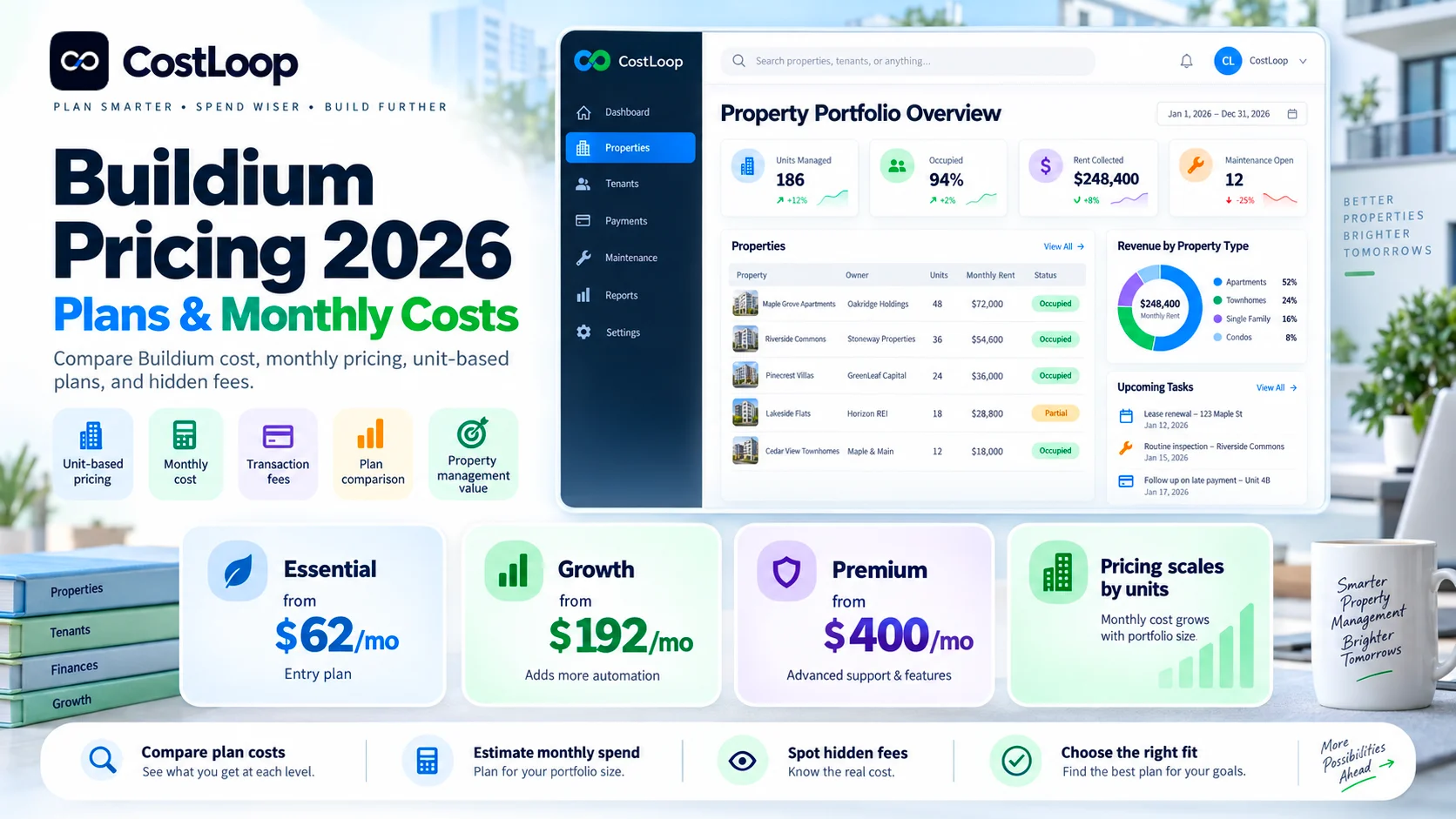
If you are searching for Buildium cost in 2026, the current U.S. pricing page starts at $62/month for Essential, $192/month for Growth, and $400/month for Premium. Those are starting prices, not universal flat prices: Buildium says its plans scale with the number of units you manage, and portfolios above 5,000 units or community associations should contact sales for pricing.
The base subscription is only the first part of Buildium monthly cost. Transaction fees, eSignatures, tenant screening, property inspections, business-bank-account setup, 1099 e-filing, showing coordination, onboarding and optional marketplace services can materially change the invoice. The economic difference between plans can therefore depend as much on payment volume and workflow usage as on the headline monthly plan price.
Key takeaways
- Buildium has three current plans: Essential, Growth and Premium.
- Current U.S. starting prices are $62/month, $192/month and $400/month respectively.
- Buildium prices scale with the number of units managed, so the starting price is a floor rather than a promise for every portfolio.
- Incoming EFT costs $2.35 on Essential, $1.35 on Growth, and is free for the first 12 months on Premium before dropping to $0.60 per transaction.
- Credit-card payments are currently 2.99% across all three plans; outgoing EFT is $0.99 per transaction.
- The live pricing table lists eSignatures at $5/document on Essential, $1/document on Growth, and included/unlimited on Premium. Some other Buildium pages still describe Growth eSignatures as unlimited, so confirm the current commercial terms before purchase.
- Growth and Premium require customized onboarding for new customers; Buildium does not publish one universal onboarding price on the pricing page.
- Essential property inspections can add a $99 setup fee plus $40-$95/month; Growth and Premium currently bundle inspections more aggressively.
- For high-volume rent collection, the lower EFT fee can offset a meaningful part of the Growth or Premium plan uplift.
- Buildium offers pricing for portfolios above 5,000 units and community associations through sales rather than one public universal rate.
In this guide
- Buildium plans and starting prices
- How unit-based Buildium pricing works
- Essential vs Growth vs Premium
- Buildium monthly cost examples
- ePay / EFT and credit-card fees
- eSignature, tenant-screening and inspection costs
- Bank-account setup, 1099 and showing-coordinator fees
- Break-even math between Buildium plans
- Onboarding, support and API differences
- How to calculate Buildium total cost of ownership
- How to choose the right plan
- Renewal and cost-control checklist
Methodology and disclosure
This guide is based primarily on Buildium's current U.S. pricing page and current Buildium product/help content reviewed on September 9, 2026. Where Buildium publishes a concrete price or fee, this article uses it. Where Buildium says pricing scales by unit count or requires sales/onboarding without publishing one universal dollar figure, the article says so rather than inventing an estimate.
Primary sources: Buildium pricing, Buildium property-management software, and current Buildium plan/product documentation.
CostLoop publishes this guide and operates in recurring software-cost, license, renewal and subscription tracking. CostLoop does not replace Buildium. Buildium manages property-management operations; CostLoop helps businesses keep the commercial record around recurring software: cost, billing cycle, owner, documents, renewal date and review decisions.
Related CostLoop guides
- Hidden Costs of SaaS
- SaaS Cost Management
- Software Budget Template
- Annual vs Monthly SaaS Billing
- Renewal Tracker for Software Subscriptions
- How to Negotiate SaaS Pricing
- What to Store With Every Subscription Record
- How to Track Software Subscriptions
- Software Subscription Audit Checklist
- CostLoop Features
- CostLoop Pricing
Buildium pricing in 2026
Essential: $62/month · Growth: $192/month · Premium: $400/month. Buildium also offers a 14-day free trial with no credit card required. Pricing scales with unit count, so verify the quote for your portfolio size.
| Plan | Starting price | Best fit | Key pricing advantage |
|---|---|---|---|
| Essential | $62/month | Smaller portfolios needing core accounting, leasing and maintenance | Lowest base price |
| Growth | $192/month | Growing managers that need more analytics, support and lower transaction costs | Lower EFT/eSignature costs; more included services |
| Premium | $400/month | Larger or more automated operations needing API, priority support and lowest transaction costs | Open API, priority support, broader included services |
These figures are starting prices. Buildium says pricing scales by unit count, so the real invoice depends on the size of your portfolio. The pricing page directs portfolios above 5,000 units and community associations to contact sales. Do not model Buildium from the starting price alone: use the published starting price as a floor. For procurement, the written quote for your exact unit count, plan and services is the number that matters.
How unit-based Buildium pricing works
Buildium is not a simple $62-flat-for-everyone product. Current Buildium content states that pricing scales with the number of units managed. That means a 25-unit operator and a 1,500-unit manager can sit on the same named plan but should not assume the same monthly subscription price. The only responsible way to budget above the starting tier is to use Buildium's actual quote for your unit count.
Buildium Essential: starting at $62/month
Essential is the entry plan for property managers that need Buildium's core platform without the deeper analytics, lower transaction pricing and advanced support of Growth and Premium.
Current plan highlights include core accounting, maintenance and work-order management, leasing and applicant workflows, resident and owner portals, rental listing syndication, basic communications, the Buildium AI Assistant, standard and bulk reporting, and marketing website and prospect-management capabilities.
The tradeoff is that Essential carries more usage-based fees. On the live pricing page, eSignatures are $5 per document, incoming EFT is $2.35 per transaction, property inspections require separate setup/monthly fees, and every business bank account has a $99 setup fee.
Who should choose Essential? Smaller portfolios where the base subscription matters more than high transaction volume; teams that do not need Open API access or priority support; businesses that can tolerate higher per-transaction EFT and eSignature costs; property managers who want to validate the platform before paying for the Growth uplift.
When Essential gets expensive: Essential can look cheap on the pricing page and become expensive in operations. The biggest variables are payment volume, eSignatures, business-bank-account setup and inspections. A manager collecting hundreds of incoming EFT payments or signing many leases can reach the point where the Growth uplift is partly or fully offset by lower usage charges.
Buildium Growth: starting at $192/month
Growth costs $130/month more at the published starting point. The value proposition is not simply "more features." It is also lower variable pricing and more bundled operational support.
Growth includes everything in Essential, plus more customization and reporting automation, business analytics and performance insights, enhanced tenant screening, AI-enhanced communications, lower incoming EFT pricing, lower eSignature pricing on the current pricing table, live phone support, 10 free business-bank-account setups, included property-inspection fees under current packaging, and customized onboarding required for new customers.
One documentation caveat matters: the live Buildium pricing table currently lists Growth eSignatures at $1 per document, while other Buildium pages still describe Growth as offering unlimited eSignatures. Because the live pricing table is the most direct current commercial source, this guide uses $1/document for budgeting and recommends confirming the current term in writing.
Essential vs Growth: simple break-even math
At the published starting prices: $192 - $62 = $130/month additional base subscription. Incoming EFT saves $1.00 per transaction on Growth ($2.35 vs $1.35). Therefore, 130 incoming EFT transactions per month would offset the $130 starting-price difference from EFT savings alone.
That is not a recommendation to upgrade at exactly 130 payments. It is a way to measure the economics. If Growth also saves money on eSignatures, inspections and bank-account setup, the practical break-even point can be lower.
Buildium Premium: starting at $400/month
Premium is the highest public Buildium tier. It is aimed at organizations that need stronger automation, integrations and support, plus the lowest published transaction pricing.
Premium includes everything in Growth, plus Open API access, priority support, broader AI and automation capabilities, Premium marketplace/integration capabilities, 100 free business-bank-account setups, included eSignatures on the live pricing table, property-inspection fees included under current packaging, and incoming EFT free for the first 12 months, then $0.60 per transaction.
Premium costs $208/month more than Growth at the published starting point. Whether that is economical depends on transaction volume, API value, support requirements, inspection usage, bank-account count and automation needs.
Growth vs Premium EFT break-even
Using only incoming EFT fees: Growth incoming EFT is $1.35 per transaction; Premium is $0 for the first 12 months, then $0.60. Starting-plan difference: $400 - $192 = $208/month.
During Premium's first 12 months, $208 ÷ $1.35 ≈ 154 incoming EFT transactions per month. After the first year, the fee difference is $0.75, so $208 ÷ $0.75 ≈ 278 incoming EFT transactions per month. Those are transaction-only break-even points; Premium's API, support, eSignatures, inspections and bank-account allowances can change the decision.
Buildium monthly cost: the fees outside the base plan
| Cost item | Essential | Growth | Premium |
|---|---|---|---|
| Incoming EFT | $2.35/transaction | $1.35/transaction | First 12 months free; then $0.60 |
| Outgoing EFT | $0.99/transaction | $0.99/transaction | $0.99/transaction |
| Credit cards | 2.99% | 2.99% | 2.99% |
| Business bank setup | $99/account | 10 free, then $99/account | 100 free, then $99/account |
| eSignatures | $5/document | $1/document on live pricing table | Included/unlimited on live pricing table |
| Tenant screening | $17/screen or $35 applicant-paid | Enhanced screening $20 available | Enhanced screening $20 available |
| Property inspections | $99 setup + $40-$95/month | Included under current packaging* | Included |
| 1099 e-Filing | $50/batch + $4.50/form | $50/batch + $4.50/form | $50/batch + $4.50/form |
| Showings Coordinator | Starts $41/month + $25 setup | Starts $41/month; setup waived | Starts $41/month; setup waived |
* Buildium's pricing page notes that Growth property-inspection fees are included under current packaging, with a $0.40-per-unit charge after three years. Verify current terms in your agreement.
ePay: why payment volume can dominate Buildium cost
Property-management software is unusual because the subscription fee can be smaller than the transaction economics around rent collection. If hundreds of residents pay by EFT each month, a $1 difference per incoming payment can exceed the plan-price difference.
Example: 200 incoming EFT payments per month
| Plan | Base starting price | Incoming EFT cost | Estimated monthly total* |
|---|---|---|---|
| Essential | $62 | 200 × $2.35 = $470 | $532 |
| Growth | $192 | 200 × $1.35 = $270 | $462 |
| Premium, first year | $400 | 200 × $0 = $0 | $400 |
| Premium, after year 1 | $400 | 200 × $0.60 = $120 | $520 |
* Illustrative floor model using starting plan prices only. It excludes unit-count uplift, outgoing EFT, card payments, eSignatures, screening, inspections, onboarding, taxes and other services.
In this narrow example, Growth is cheaper than Essential despite the higher base plan. Premium is cheapest in year one at this payment volume because incoming EFT is free for the first 12 months. After year one, Growth becomes cheaper again if no other Premium-only value is counted.
Credit-card fees
Buildium currently lists 2.99% per credit-card transaction across Essential, Growth and Premium. That means upgrading does not reduce the published card percentage. If your residents predominantly pay by card, plan selection should be driven by the other plan differences rather than expecting a lower card-processing rate.
eSignature costs
The live pricing table currently lists Essential at $5 per document, Growth at $1 per document, and Premium as unlimited/included. If your leasing team generates 40 eSignature documents per month, the live pricing table implies $200/month on Essential versus $40/month on Growth, a $160 difference. Combined with EFT savings, that can materially change the Buildium monthly cost comparison.
Documentation discrepancy: Some Buildium plan/blog pages still describe Growth eSignatures as unlimited. The live pricing table currently shows $1/document. Confirm the current Growth eSignature term in your quote or checkout before relying on either figure.
Tenant screening costs
Buildium currently publishes $17 per standard tenant screening, $35 per applicant-paid screening, and $20 per enhanced tenant screening on eligible Growth/Premium workflows.
Screening is therefore a transaction cost, not simply a plan feature. A property manager processing 30 paid screenings in one month should include that volume in the acquisition/leasing budget rather than treating the base software subscription as the full Buildium cost.
Property inspections
Property inspections are another area where plan packaging changes the economics. Essential is $99 setup fee plus $40-$95 monthly. Growth's current pricing page says fees are included, with $0.40 per unit after three years. Premium includes inspections under current pricing.
If inspections are a regular operating workflow, compare the actual annual inspection cost under Essential against the Growth uplift rather than comparing only $62 versus $192.
Business bank-account setup
Buildium ties part of its pricing to business-bank-account setup: Essential is $99 per business bank account. Growth includes 10 free business bank accounts, then $99 each. Premium includes 100 free business bank accounts, then $99 each.
This matters for property managers with many trust, operating or property-level accounts. A portfolio requiring 20 business bank accounts would create 20 setup charges on Essential, but only 10 chargeable accounts on Growth and none under Premium's 100-account allowance, assuming the current terms apply to the account setup you need.
Other Buildium add-ons and operational charges
1099 e-Filing: $50 per batch plus $4.50 per form under current published pricing.
Showings Coordinator: Starts at $41/month depending on unit tier. Essential currently has a $25 setup fee; Growth and Premium waive that setup fee.
Renters insurance: Buildium lists renters insurance starting at $12/month through the Resident Center. The economic impact depends on who pays and the chosen coverage.
Marketplace integrations: Third-party marketplace products can have their own pricing, setup and implementation costs. Do not assume every Buildium integration is included in the core subscription.
All Property Management leads: Premium customers may receive up to $500 of eligible free leads under current promotional/commercial terms; treat this as potential value, not a guaranteed discount on the subscription.
Onboarding and implementation cost
Buildium says all new customers purchasing Growth or Premium must use customized onboarding. Buildium's pricing page explains that onboarding includes importing existing data and building a training plan, but it does not publish one universal onboarding dollar amount there.
That means a responsible budget should separate recurring subscription cost from implementation: Buildium onboarding charge if applicable, internal staff time for data cleanup and migration, bank-account and payment setup, property/unit/import validation, resident and owner communication rollout, training and process redesign, and integration configuration.
Do not invent a Buildium onboarding number from an old review. Ask for the implementation scope and any one-time charge in writing.
Buildium support and API differences
| Capability | Essential | Growth | Premium |
|---|---|---|---|
| Ticket support | Included | Included | Included |
| Live phone support | No | Included | Included |
| Priority support | No | Available for purchase | Included |
| Customized onboarding | Not listed as required | Required for new customers | Required for new customers |
| Open API | No | No | Included |
If API access or priority support is a hard requirement, Premium may be the only relevant public tier. That turns the comparison from "$192 vs $400" into "can Growth satisfy the requirement at all?"
Buildium cost examples
Because the core subscription scales by unit count and Buildium does not publish one universal price for every portfolio size, the safest examples use published starting prices and explicitly model usage fees.
Scenario 1: smaller manager, light digital-payment volume. Plan: Essential. Published starting subscription: $62/month. 40 incoming EFT payments: 40 × $2.35 = $94. 10 eSignature documents: 10 × $5 = $50. Illustrative monthly floor: $206 before screening, bank setup, inspections, unit-count uplift or other services.
Scenario 2: growing manager, 200 incoming EFT payments. Plan: Growth. Published starting subscription: $192/month. 200 incoming EFT payments: 200 × $1.35 = $270. 20 eSignature documents using live pricing-table rate: 20 × $1 = $20. Illustrative monthly floor: $482 before unit-count uplift, screening, onboarding or other services.
Scenario 3: larger operation evaluating Premium in year one. Plan: Premium. Published starting subscription: $400/month. 250 incoming EFT payments in first 12 months: $0 under current published offer. eSignatures: included under live pricing table. Illustrative monthly floor: $400 before unit-count uplift, outgoing EFT, cards, screening, onboarding or other services.
These examples are deliberately incomplete floors. Buildium's unit-based subscription quote is the missing variable that must be obtained from the vendor.
How to calculate your real Buildium monthly cost
Monthly Buildium TCO = quoted plan subscription + incoming EFT + outgoing EFT + card fees + eSignatures + screening + inspections + add-ons + amortized onboarding/implementation + taxes
Annual Buildium TCO = (monthly recurring total × 12) + one-time onboarding/setup + annual filing/add-on costs + internal implementation labor
For annual budgeting, use your actual transaction volumes. A payment-fee model based on "average property manager behavior" is less useful than your own rent-payment count, signature volume, screening activity, bank-account structure and inspection frequency.
Monthly vs annual Buildium billing
Buildium's current public materials are not perfectly consistent on billing language. One current Buildium article describes the plans as monthly with no contracts, while another 2026 Buildium article says annual billing saves 10%. That suggests billing options can depend on the commercial path or current packaging. Do not assume either term from a third-party pricing article: confirm the billing cadence, annual discount, commitment and cancellation rules in your checkout or written agreement.
For a general decision framework, see CostLoop's annual vs monthly SaaS billing guide.
Which Buildium plan should you choose?
Choose Essential when your portfolio is still relatively small, you need the core accounting/leasing/maintenance platform, payment and eSignature volume is low enough that higher transaction fees are not material, and you do not need live phone support, Open API or priority support.
Choose Growth when incoming EFT volume is high enough for the lower transaction rate to matter, you want deeper analytics and reporting automation, live phone support matters, you need more included bank-account setup and inspection value, and you want the broader Growth feature set without paying for Premium API/automation.
Choose Premium when Open API is required, priority support matters operationally, you run high transaction volumes, included eSignatures/inspections materially reduce usage fees, your operation needs the deepest automation and integration layer, and the 100-account setup allowance has meaningful value for your structure.
What not to do when budgeting for Buildium
- Do not multiply $62 by 12 and call that the annual Buildium cost. The plan scales by units and carries transaction/add-on costs.
- Do not choose Growth solely because it is "most popular." Model payment, signature and inspection volume.
- Do not assume every Buildium integration is free. Marketplace partners can have separate pricing.
- Do not budget from old eSignature screenshots. Current Buildium pages contain conflicting Growth eSignature language.
- Do not ignore business-bank-account setup if you manage many accounts.
- Do not treat onboarding as free unless your written quote says so.
- Do not wait until renewal to discover who owns the Buildium contract and what services are actually in use.
A practical Buildium renewal review
Run this review 60-90 days before renewal:
- Confirm current unit count and expected growth.
- Pull the next-term Buildium quote.
- Verify the exact plan and billing term.
- Review incoming and outgoing EFT volume.
- Review card-payment volume.
- Count eSignature documents used.
- Review tenant-screening volume and type.
- Count business bank accounts.
- Review property-inspection usage.
- List all marketplace/add-on products.
- Check whether API access is still required.
- Review support usage and whether Priority Support matters.
- Compare actual invoice cost against the original plan price.
- Check competing property-management platforms only if a real workflow or cost problem exists.
- Record the decision, contract and next renewal date.
Use a renewal tracker so the decision happens before the charge, not after it.
How CostLoop fits with Buildium
CostLoop does not manage properties, collect rent or replace Buildium. It manages the commercial software record around Buildium and the rest of your stack.
A property-management company can use CostLoop to track: Buildium plan and actual recurring cost, billing cycle and renewal date, internal subscription owner, contract and order-form links, invoices and supporting documents, cancellation/vendor-management link, related software such as accounting, e-signature, maintenance, marketing and communication tools, and notes from the last renewal review.
See CostLoop Features and CostLoop Pricing for the current product scope.
Frequently asked questions
How much does Buildium cost in 2026?
Buildium currently starts at $62/month for Essential, $192/month for Growth and $400/month for Premium. The actual subscription scales with the number of units managed, so larger portfolios should use Buildium's written quote rather than the starting price.
What is the Buildium monthly cost?
Your Buildium monthly cost is the quoted plan subscription plus transaction and add-on costs such as EFT, credit-card payments, eSignatures, screening, inspections, bank setup and other services you use.
Does Buildium charge per unit?
Buildium's current 2026 content states that pricing scales with the number of units managed. The public pricing page shows starting plan prices rather than a complete per-unit rate table.
Does Buildium have a free plan?
No permanent free plan is currently advertised. Buildium offers a 14-day free trial with no credit card required.
What are Buildium's EFT fees?
Current published incoming EFT fees are $2.35 per transaction on Essential, $1.35 on Growth, and free for the first 12 months on Premium before $0.60 per transaction. Outgoing EFT is $0.99 across the plans.
What are Buildium credit-card fees?
Buildium's live pricing page currently lists 2.99% per credit-card transaction across Essential, Growth and Premium.
How much does Buildium tenant screening cost?
Current pricing lists $17 per standard screening, $35 for applicant-paid screening, and $20 for enhanced screening available on Growth and Premium workflows.
Does Buildium charge for eSignatures?
The live pricing table currently lists $5/document on Essential, $1/document on Growth and unlimited/included on Premium. Some other Buildium pages still describe Growth as unlimited, so verify the current Growth term before purchase.
Does Buildium charge for onboarding?
Buildium requires customized onboarding for new Growth and Premium customers, but the main pricing page does not publish one universal onboarding dollar amount. Ask for the one-time implementation charge and scope in writing.
Which Buildium plan is best for a small property manager?
Essential is the natural starting point when the portfolio is smaller and transaction volume is modest. Growth can become financially sensible earlier than expected if lower EFT/eSignature costs and included services offset the higher subscription.
When does Buildium Premium make sense?
Premium is most relevant when Open API, priority support, deeper automation, high payment volume, included eSignatures/inspections or the larger bank-account allowance have measurable value.
Does Buildium offer pricing for more than 5,000 units?
Yes. Buildium's pricing FAQ directs organizations managing more than 5,000 units, and community associations seeking pricing, to contact sales.
Final verdict
The useful answer to Buildium cost in 2026 is not simply "$62, $192 or $400 per month." Those are the published starting points. The real economic model combines a unit-scaled subscription with payment transactions, eSignatures, screenings, bank setup, inspections, onboarding and optional services.
Essential is the lowest-entry-cost plan. Growth becomes more attractive as transaction volume and operational complexity rise. Premium is less about buying a bigger feature list and more about API access, support, automation and reducing specific usage fees at scale.
Get the quote for your unit count, model the usage fees with your real volumes, separate one-time implementation from recurring spend, and review the full invoice before renewal. That is the only reliable way to know what Buildium actually costs your business.

About the author
Milosh Mladenovski is a CostLoop founder and works on subscription discovery, license inventory and recurring software cost workflows. Author profile · LinkedIn