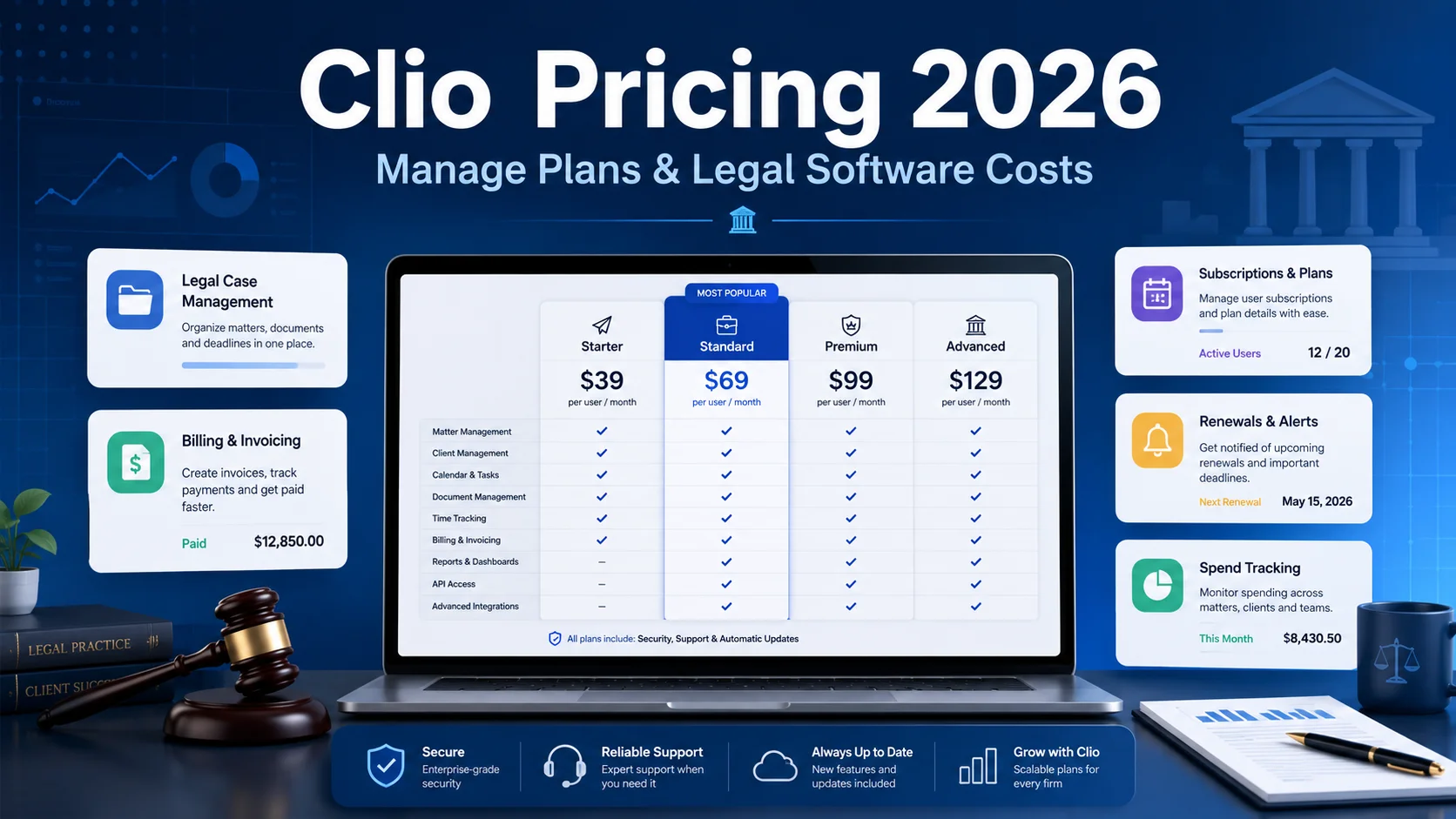
Last pricing verification: September 3, 2026
Quick answer
If you are searching Clio Manage pricing, the current U.S. pricing page starts at $49 USD per user per month for Clio Manage and offers four practice-management plans: Starter, Core, Signature, and Elite.
The important catch is that Clio currently publishes only the starting price openly on its main U.S. page. Core, Signature, and Elite are shown with "Get pricing" or "Book a demo" rather than one universal public dollar figure. That means a responsible 2026 guide should not invent exact higher-tier prices and present them as current official U.S. rates.
Clio also has costs beyond the base subscription if your firm uses online payments or paid add-ons. On the current U.S. pricing page, standard card processing is 2.95%, American Express is 3.75%, eCheck and ACH are 1%, and Pay Later with Affirm is 4.95%. Clio Grow is included in Elite and available as an add-on for Core and Signature.
So the real Clio case management cost is: Base subscription + paid users + selected add-ons + payment-processing fees + any migration/implementation costs specific to your firm.
This guide breaks down the current plan structure, what each tier is designed for, how to model the real Clio legal software cost, and what to check before you sign or renew.
Key takeaways
- Current U.S. Clio Manage pricing starts at $49/user/month.
- The current U.S. plan names are Starter, Core, Signature, and Elite.
- Core, Signature, and Elite do not currently show one universal public U.S. list price on the main pricing page; Clio directs buyers to Get pricing or Book a demo.
- Starter includes matter/contact management, calendaring, task management, unlimited document storage, time and expense tracking, invoicing, legal accounting, and online payments.
- Core adds more workflow and AI-assisted administration, including custom fields, billing automation, verified calendar/task creation from documents, and a secure client portal.
- Signature adds stronger governance and reporting, including unlimited custom roles/permissions, matter stages, custom reporting, multi-currency billing, and split billing.
- Elite combines Clio Manage with Clio Grow for client intake, CRM, scheduling, referral tracking, and marketing-related workflows.
- Clio offers a 7-day free trial for Clio Manage with no credit card required.
- Clio says every plan includes live 24/5 support and training, and the service carries a 99.9% uptime guarantee.
- The base subscription is only part of your Clio case management cost if your firm processes client payments or adds extra products.
In this guide
- Current Clio Manage plans in 2026
- What Clio actually publishes about pricing
- Starter vs Core vs Signature vs Elite
- How Clio billing terms work
- Current Clio Payments fees
- Clio Grow and other add-on costs
- Cost examples for 3-, 5-, 10-, and 20-user firms
- How to calculate total legal software cost
- How to choose the right plan without overbuying
- How to control seats and renewals after purchase
Methodology and disclosure
This article is based primarily on Clio's current official U.S. pricing page, Clio Manage product page, and current Clio Payments fee documentation, reviewed on September 3, 2026.
Where Clio publishes a concrete price or fee, this guide uses it. Where Clio requires a quote, this guide says so. We do not fill missing prices with figures copied from reseller pages, old screenshots, or stale reviews.
CostLoop publishes this guide and operates in software subscription, renewal, license, and recurring-cost tracking. CostLoop does not replace Clio. Clio is legal practice management software. CostLoop is a lightweight commercial-control layer for tracking software costs, owners, licenses, documents, and renewals across your whole business stack.
For related cost-control workflows, see CostLoop's Software Budget Template, Renewal Tracker, Software License Inventory, License Tracking Software, and Monthly Business Expense Tracking guide.
Related CostLoop guides
- PracticePanther Pricing 2026
- Case Management Software Pricing 2026
- Software Budget Template
- Renewal Tracker for Software Subscriptions
- Software License Inventory
- License Tracking Software
- How to Track Monthly Business Expenses
- Subscription Manager for Small and Medium Business
- CostLoop Features
- CostLoop Pricing
Clio Manage pricing in 2026
The current U.S. Clio pricing page uses four practice-management tiers:
| Plan | Current Public Pricing Status | What It Is For |
|---|---|---|
| Starter | Starts at $49/user/month | Firms that need core matter, billing, document, calendar, and accounting workflows |
| Core | Get pricing | Firms that want stronger automation, AI-assisted billing/admin, custom fields, and client portal workflows |
| Signature | Get pricing | Firms that need deeper reporting, matter stages, governance, permissions, and multi-currency/split billing |
| Elite | Get pricing / Book a demo | Firms that want Signature plus Clio Grow for intake, CRM, scheduling, and client acquisition |
A note on older Clio plan names
If you see older articles using names such as EasyStart, Essentials, Advanced, or Expand, do not assume those pages reflect the current U.S. plan structure. Clio's current U.S. pricing page now uses Starter, Core, Signature, and Elite.
Regional Clio sites can also use different packages, currencies, or plan names. For a U.S. firm, the U.S. pricing page should be your source of truth. For another country, use the country-specific Clio page and confirm the quote in writing.
That sounds obvious, but it matters. Legal software pricing changes, and stale comparison pages stay indexed for years.
Starter: the entry-level Clio Manage plan
Starter is the current entry point for firms that want Clio Manage without the deeper governance and client-acquisition layers of the higher plans.
Clio's current U.S. page says plans start at $49 per user per month and places Starter at the base of the practice-management stack.
Starter includes: matter and contact management, calendaring, task management, unlimited document storage, mobile access, firm dashboard, time and expense tracking, hourly/flat-rate/contingency billing, invoicing, payment plans, automated bill reminders, legal accounting and reconciliation tools, and online payments.
Who Starter is for
Starter makes sense if your firm is moving from disconnected spreadsheets, email, local folders, or a smaller legal tool and mainly needs one system for matters, deadlines, documents, time, billing, and accounting.
When Starter is too basic
Starter becomes less attractive if your firm needs custom fields, secure client portal workflows, stronger automation, matter stages, custom reporting, granular roles and permissions, or multi-currency billing.
At that point, the Clio case management cost of moving to Core or Signature may be justified by the operational control you gain.
Core: automation and stronger practice workflows
Core includes everything in Starter and adds features aimed at reducing administrative work.
Clio currently highlights capabilities such as: custom fields, automated billing workflows, AI-assisted bill drafting, turning documents into verified calendar events and tasks, AI-drafted client updates based on matter activity, secure client portal functionality, additional e-signature capacity, and two custom roles / more granular permissions than Starter.
Core pricing
Clio's current U.S. page does not show one universal public Core price. It directs buyers to Get pricing.
That is important. If another article gives you an exact current U.S. Core price without linking to a current Clio source, treat it as a lead, not as your budget.
Your written Clio quote is what matters.
Signature: governance, reporting, and complex billing
Signature is the current plan for firms that have moved beyond basic practice management and need tighter operational control.
Clio highlights: matter stages / kanban-style workflow visibility, unlimited custom roles and granular permissions, AI-assisted profitability and productivity reporting, saved and scheduled reports, multi-currency billing, split billing, unlimited e-signatures, and stronger reporting and management depth.
Signature pricing
Clio currently uses Get pricing rather than a universal public U.S. price for Signature.
For firms evaluating Signature, the right buying question is not simply "What is the monthly price?" It is: "Which Signature-only controls will we actively use, and are they worth the additional annual cost across every paid user?"
That distinction is how you avoid paying for enterprise-style control your firm never uses.
Elite: Clio Manage plus Clio Grow
Elite is positioned as the broader package for firms that want practice management and client acquisition in one Clio relationship.
It includes Signature's practice-management capabilities plus Clio Grow.
Clio Grow adds functions such as: lead capture, intake forms, online appointment scheduling, CRM-style lead management, referral and marketing tracking, review requests, and client-acquisition workflows.
Why Elite changes the cost comparison
Elite should not be compared only against lower Clio Manage tiers.
A better comparison is: Elite cost vs Signature + whatever separate CRM/intake/scheduling/reputation tools your firm would otherwise pay for.
If Elite replaces two or three separate tools, the higher Clio legal software cost can still lower total software spend. If your firm already has a strong CRM and intake stack that it intends to keep, Elite may duplicate spend.
That is why a full software inventory matters. CostLoop's Software License Inventory guide explains how to map existing tools, owners, renewals, and overlap before adding another platform.
What does Clio case management cost for a small firm?
Because only the current starting price is publicly exposed on Clio's main U.S. page, the safest examples use the Starter floor and then show how to model a quoted higher tier.
3-user firm on Starter at the published starting price
3 users x $49 = $147/month. Annualized = $1,764/year.
5-user firm on Starter at the published starting price
5 users x $49 = $245/month. Annualized = $2,940/year.
10-user firm on Starter at the published starting price
10 users x $49 = $490/month. Annualized = $5,880/year.
20-user firm on Starter at the published starting price
20 users x $49 = $980/month. Annualized = $11,760/year.
These are floor-style examples, not promises that every Clio quote will use $49 for every user under every billing term.
For Core, Signature, or Elite
Use the actual quote: Monthly subscription cost = quoted price per user x paid users. Then annualize it: Annual subscription cost = monthly subscription cost x 12.
If your quote is annual, use the annual contract value directly and divide by 12 only for internal monthly budgeting.
Clio legal software cost: what sits outside the base subscription?
The base Clio Manage fee is only one part of total cost.
A serious budget should consider: subscription fees, user growth, Clio Grow or other add-ons, payment-processing fees, migration or implementation work, third-party integrations, internal training/change-management time, and renewal uplift or plan changes.
Clio Payments fees in 2026
Clio Payments is integrated into Clio Manage, but transaction processing is not free.
The current U.S. pricing comparison shows these rates:
| Payment Method | Current Listed Fee |
|---|---|
| eCheck | 1% |
| ACH | 1% |
| Standard credit/debit cards | 2.95% |
| American Express | 3.75% |
| Pay Later with Affirm | 4.95% |
Why this matters
A law firm can pay more in transaction fees than it pays in software subscription fees if it processes substantial client revenue through Clio.
For example, if a firm processes $50,000 per month in standard card payments at 2.95%: $50,000 x 2.95% = $1,475/month in processing fees. Annualized: $1,475 x 12 = $17,700/year.
That does not mean Clio Payments is expensive relative to alternatives. It means payment volume belongs in your Clio cost model.
A pricing article that ignores payment processing is incomplete for firms that intend to collect a meaningful share of client payments through the platform.
Clio Grow and add-on cost
Clio Grow is included in Elite and available as an add-on for Core and Signature.
The current U.S. pricing page sends buyers to Get pricing for the add-on rather than displaying one universal public current price.
Evaluate the add-on by replacement value
Before paying for Clio Grow, list the tools it may replace: legal CRM, intake forms, appointment scheduling, email follow-up workflows, referral tracking, and review-generation tools.
If those separate subscriptions total more than the Grow uplift, consolidation may be financially sensible. If your team will keep those systems anyway, you may be buying duplicate functionality.
CostLoop's Software Budget Template is useful here because it forces you to compare the full monthly stack rather than evaluating one vendor in isolation.
Trial, support, and cancellation terms
Clio Manage currently advertises a 7-day free trial with no credit card required.
Clio also states: every plan includes training and live 24/5 support, the service has a 99.9% uptime guarantee, subscriptions can be canceled at any time, and cancellation takes effect at the end of the current monthly or annual term.
What to verify before purchasing
Do not rely only on the public FAQ. Ask sales to confirm in writing: monthly vs annual price, whether there is an annual discount, minimum contract term, renewal date, renewal notice requirements, user-addition / user-removal rules, prorating behavior, data export after cancellation, migration scope, and add-on pricing.
Then put the renewal date and contract document somewhere your firm will actually review before renewal. CostLoop's Renewal Tracker explains the basic process.
How to choose the right Clio Manage plan
Choose Starter when your priority is core case/matter management, you need legal accounting, billing, documents, calendars, and tasks in one system, your workflows are relatively straightforward, and you do not need advanced reporting or granular governance.
Choose Core when custom fields matter, your team wants secure client portal workflows, billing automation and AI-assisted administration will save real time, and you need more permission control than Starter.
Choose Signature when management wants deeper reporting and profitability visibility, matter stages are important, your firm needs unlimited granular roles/permissions, you need multi-currency or split billing, and governance is becoming a real operational requirement.
Choose Elite when you also need client intake and CRM, Clio Grow can replace separate lead, scheduling, intake, or marketing tools, and your firm wants fewer vendors and one legal-operations platform.
What not to do when buying Clio
Do not buy the highest tier because it looks safer
That is how software budgets get bloated.
Buy the plan whose features map to actual workflows your firm will use now or in the next contract period.
Do not model cost from one employee
Clio is priced per user. A $20 difference between tiers becomes $100/month across 5 users, $200/month across 10 users, or $400/month across 20 users.
Small per-user differences become meaningful annual numbers.
Do not ignore inactive accounts
If a lawyer or staff member leaves and the paid seat remains active through renewal, that is pure waste.
Use an offboarding checklist and reconcile paid Clio users against your actual team before renewal. CostLoop's License Tracking Software guide covers purchased seats, assignments, usage, and renewals as separate controls.
Do not ignore overlapping legal tools
Before upgrading to Elite or buying add-ons, check whether your firm already pays for overlapping tools in CRM, e-signature, document automation, scheduling, intake forms, accounting, payment processing, or reporting.
The decision should be made at stack level, not vendor level.
A practical Clio total-cost formula
Use this model: Annual Clio TCO = annual subscription + add-ons + payment fees + migration/setup + paid integrations + internal implementation cost.
A more detailed version is: Annual TCO = (price per user x paid users x 12) + add-on subscriptions + annual payment-processing fees + one-time project costs + integration costs.
Add payment volume separately
For example: Annual card fee estimate = annual card volume x applicable processing rate.
That one line can completely change the decision for a firm that processes large volumes through the platform.
Cost per active user
A useful internal metric is: Cost per active user = monthly Clio subscription cost / active users.
Suppose you pay for 15 users but only 12 use Clio consistently. Even if every seat costs the same on paper, your effective cost per active user is higher because three paid seats are doing nothing.
This is why seat review belongs in every renewal cycle.
Renewal review checklist
Run this 30-60 days before renewal:
- Export or verify the current paid user list.
- Remove departed employees and duplicate users.
- Identify people who no longer need full access.
- Review whether the current Clio plan is still appropriate.
- List every paid Clio add-on.
- Compare Grow against any external CRM/intake tools.
- Review Clio Payments volume and fee impact.
- Check whether any integrations can be removed.
- Confirm upcoming hiring that may change user count.
- Ask Clio for the next-term quote before the cancellation window closes.
- Store the quote and contract with the subscription record.
- Record the next renewal date immediately after signing.
CostLoop's Subscription Manager is designed around this commercial layer: cost, owner, renewal date, documents, and reminder workflows across all of your recurring software.
How CostLoop fits with Clio
CostLoop does not compete with Clio as legal practice management software.
Clio manages legal work. CostLoop helps track the business software around that work.
A law firm might use CostLoop to maintain one record for: Clio Manage, Clio Grow, Microsoft 365, Adobe Acrobat, Zoom, legal research platforms, e-signature software, cybersecurity tools, accounting software, and backup/storage services.
For each subscription, you can track: current cost, billing cycle, renewal date, owner, seat count / license context, documents and invoices, and cancellation link.
That gives finance or firm management a software-cost view that Clio itself is not designed to provide across third-party vendors.
See CostLoop features and CostLoop pricing for the product itself.
Frequently asked questions
What is Clio Manage pricing in 2026?
Current U.S. Clio Manage pricing starts at $49 per user per month. The current plan names are Starter, Core, Signature, and Elite. Clio's main U.S. pricing page directs buyers to get pricing for the higher tiers rather than displaying one universal public dollar amount for each.
What is the Clio case management cost for a 5-person firm?
At the currently published $49/user/month starting point, five users would equal $245/month or $2,940/year before add-ons and payment-processing fees. Higher Clio Manage tiers require current pricing from Clio.
What is the Clio legal software cost beyond the subscription?
The total Clio legal software cost can include paid users, add-ons such as Clio Grow, payment-processing fees, integrations, migration/setup work, and internal implementation time.
Does Clio charge per user?
Yes. Clio's U.S. page describes pricing on a per-user basis, starting at $49 USD per user per month.
Does Clio have a free trial?
Yes. Clio Manage currently advertises a 7-day free trial with no credit card required.
What are Clio's payment-processing fees?
The current U.S. pricing page lists 1% for eCheck and ACH, 2.95% for standard credit/debit cards, 3.75% for American Express, and 4.95% for Pay Later with Affirm.
Is Clio Grow included with Clio Manage?
Clio Grow is included in the current Elite package and is available as an add-on for Core and Signature. Current U.S. add-on pricing is sales-led on the main pricing page.
Which Clio plan is best for a small law firm?
Starter is the most straightforward entry point if the firm mainly needs matters, documents, calendars, billing, payments, and accounting. Core makes more sense when automation, custom fields, and client portal features justify the added cost.
Can Clio be canceled monthly?
Clio says you can cancel at any time, with cancellation taking effect at the end of the current term, whether the term is monthly or annual. Confirm your specific contract terms before purchasing.
Final verdict
The useful 2026 answer is not a fake four-row price table copied from an old article.
The current U.S. reality is: Clio Manage starts at $49/user/month, the current plans are Starter, Core, Signature, and Elite, higher-tier U.S. pricing is currently sales-led on the main page, Elite includes Clio Grow, and payment-processing fees can materially increase total cost for firms that collect significant client revenue through Clio.
Because the software is per-user, inactive accounts and unnecessary plan upgrades compound quickly.
Get the quote, model the entire annual cost, check what Clio can replace in your current stack, and review every paid user before renewal.

About the author
Milosh Mladenovski is a CostLoop founder and works on subscription discovery, license inventory and recurring software cost workflows. Author profile · LinkedIn