Pricing verified: August 18, 2026
Quick answer
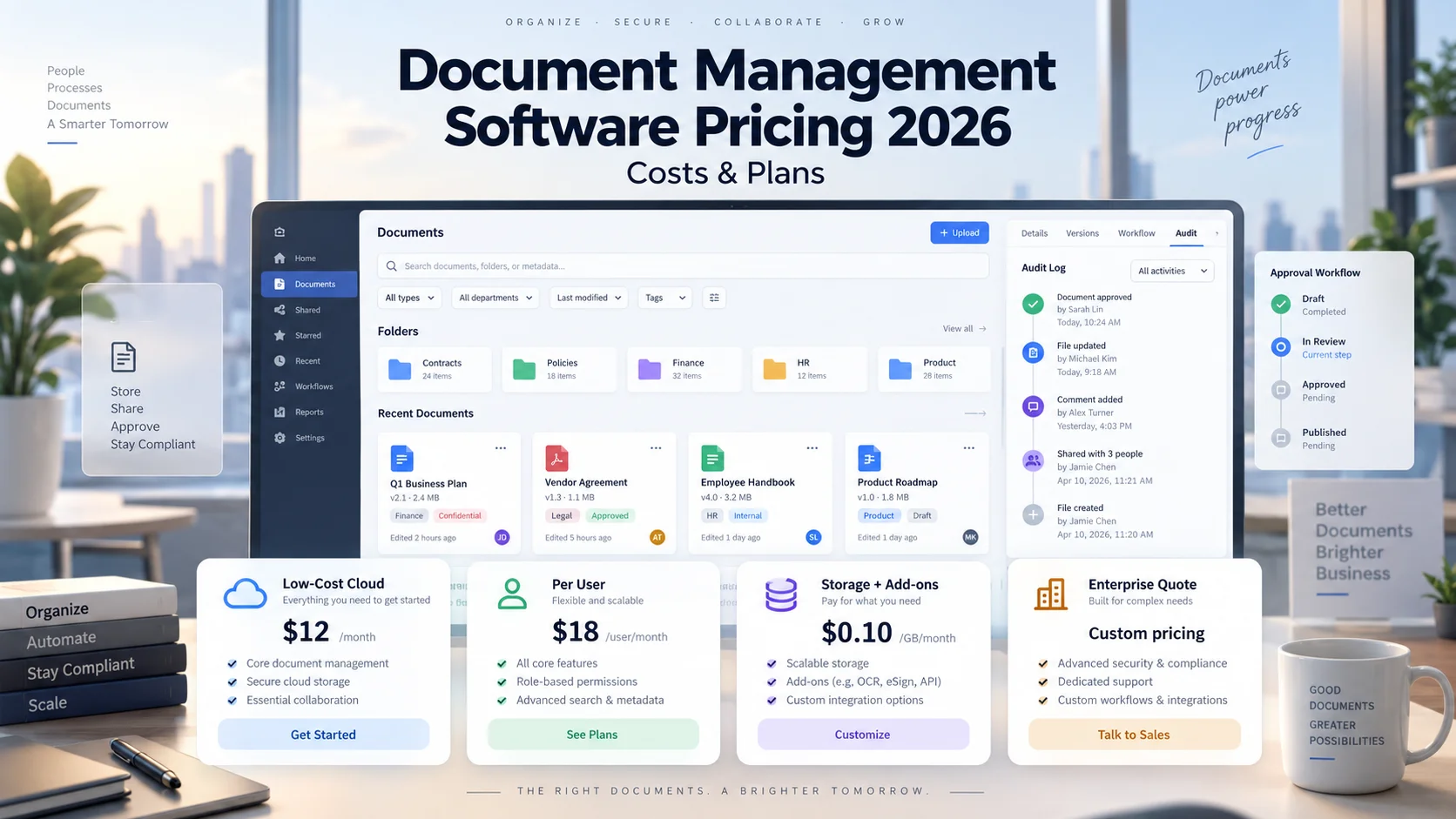
Document management software pricing in 2026 ranges from roughly $3-$5 per user per month for low-cost cloud document platforms to $65+ per seat for dedicated document-management systems, with enterprise DMS deployments often moving into custom pricing once workflow automation, compliance, storage, migration and AI are added.
Current transparent examples include Zoho WorkDrive from $3/user/month on monthly billing, Microsoft 365 Business Basic without Teams at $5.40/user/month paid yearly with SharePoint and OneDrive included, Box Business Starter at $5/user/month on the current annual-billing view, Box Business at $15, Dropbox Standard around $15/user/month on the current U.S. comparison page, and M-Files Essentials at $65/seat/month. DocuWare says its cloud plans typically range from about $30 to $125+ per user/month depending on plan size, user type, storage and add-ons.
The cost of document management software is not only the seat price. OCR and intelligent document processing, workflow automation, retention, e-signature, API usage, AI consumption, external collaborators, storage, implementation, migration, training and premium support can all change the real monthly or annual bill.
Key takeaways
- Zoho WorkDrive currently publishes Starter at $3/user/month, Team at $6 and Business at $11 on monthly billing, with a three-user self-service minimum.
- Microsoft 365 Business Basic (no Teams) is currently $5.40/user/month paid yearly in the U.S. and includes SharePoint, OneDrive and 1 TB of cloud storage per user.
- Box currently shows Business Starter at $5/user/month, Business at $15, Business Plus at $25 and Enterprise at $35 per user/month on its annual-billing view, with a three-user minimum.
- Dropbox currently lists Standard at $15/user/month and Advanced at $24/user/month on its U.S. business comparison page; Enterprise is custom-priced.
- M-Files Essentials currently starts at $65/seat/month; Enterprise is custom-priced.
- DocuWare says its cloud per-user cost typically ranges from $30 to $125+ per month, with final pricing depending on users, storage and add-on modules.
- Cheap file storage is not automatically a full document management system. Version control, metadata, OCR, workflows, retention and auditability are what usually increase price.
- The cheapest DMS can become expensive if it requires separate e-signature, workflow, OCR or compliance products.
- Implementation and migration can matter more than the first-year software license for a full DMS rollout.
- Three-year total cost of ownership is a better comparison than the lowest advertised per-user price.
Scope: what counts as document management software here?
This guide focuses on business systems used to store, organize, search, share, secure, version and govern documents. It includes both lighter cloud content platforms and more traditional DMS products because buyers often compare them during the same procurement process.
It does not treat every cloud drive as a full DMS. A product becomes more DMS-like when it adds structured metadata, controlled versions, granular permissions, approval workflows, retention rules, audit trails, OCR/content search, records controls and integrations.
The page also stays separate from contract lifecycle management, legal case management, construction PDF markup, and web content management. Those are distinct search intents even though each category stores documents.
How this guide differs from related software categories
Document management overlaps with several adjacent software categories, but the buying problem is different. This guide focuses on general business document management and content control rather than construction PDF markup, legal case management, web content management, or contract lifecycle management.
That scope keeps the comparison useful: lighter cloud document platforms can be evaluated beside dedicated DMS products without mixing in software whose primary job is managing construction projects, legal matters, contracts, or websites.
If the workflow is construction PDFs, drawings and markup, keep that intent with Bluebeam Pricing 2026. Clio and PracticePanther pricing remain the authority for legal case management pricing on CostLoop; this page does not target legal document management.
Related CostLoop guides
- Digital Asset Management Software Pricing 2026
- Bluebeam Pricing 2026
- Software Budget Template
- Hidden Costs of SaaS
- SaaS Cost Management
- Annual vs Monthly SaaS Billing
- How to Negotiate SaaS Pricing
- What to Store With Every Software Subscription Record
- Renewal Tracker for Software Subscriptions
- Software License Inventory
- CostLoop Features
- CostLoop Pricing
Document management software pricing models in 2026
For simple team storage and document collaboration, low-cost products can stay below $10/user/month. For controlled document lifecycles, advanced workflows, audit trails, retention, compliance and automation, expect higher seat prices or custom enterprise quotes.
| Pricing model | How the bill grows | Examples | Main cost risk |
|---|---|---|---|
| Per user / seat | Every paid internal user increases recurring cost | Zoho WorkDrive, Box, Dropbox, M-Files | Paying full price for low-use users |
| Bundle pricing | DMS capability comes inside a broader productivity suite | Microsoft 365 / SharePoint | Duplicate spend if you already own similar tools |
| User + storage + add-ons | Users combine with storage, AI, API or external-collaborator usage | Box, Zoho WorkDrive, DocuWare | Overages and add-on creep |
| Custom enterprise quote | Users, storage, workflows, compliance, deployment and services are negotiated | DocuWare, M-Files Enterprise, enterprise Box/Dropbox | Opaque implementation and renewal economics |
| Single-tenant / dedicated deployment | Base infrastructure + setup + storage + user fees | Folderit enterprise example | High fixed cost before user count matters |
Document management software price comparison at a glance
| Platform | Current 2026 pricing signal | Best described as | Important cost variable |
|---|---|---|---|
| Zoho WorkDrive | $3 / $6 / $11 user/month on monthly billing | Low-cost team document/content management | Users, pooled storage, client users, storage add-ons |
| Microsoft 365 + SharePoint | $5.40/user/month paid yearly for Business Basic no Teams | Productivity bundle with SharePoint + OneDrive | Users, Microsoft 365 edition, extra compliance/security needs |
| Box | Annual view: $5 Starter, $15 Business, $25 Business Plus, $35 Enterprise user/month | Cloud content management | Min. users, collaborators, AI units, APIs, security |
| Dropbox | $15 Standard, $24 Advanced user/month; Enterprise custom | Cloud file/document collaboration | Users, storage, security, enterprise controls |
| M-Files | $65/seat/month Essentials; Enterprise custom | Dedicated document management | Seats, governance, AI, enterprise scope |
| DocuWare | Typically about $30-$125+ user/month; tailored quote | DMS + workflow automation | User type, storage, modules, IDP/integrations |
Low-cost document management software
The phrase "low cost document management software" usually means one of two things: a low seat price for basic document collaboration, or a low total stack cost after replacing several separate tools. Those are not always the same.
For teams that mainly need shared folders, permissions, versioning, search and collaboration, Zoho WorkDrive, Microsoft 365/SharePoint and Box Business Starter are the most obvious low-cost entry points in this comparison.
The key warning is feature depth. If a $3-$5 plan later needs a separate workflow engine, OCR service, records-retention product, e-signature product or compliance archive, the total stack can overtake a more expensive DMS.
| Low-cost option | Published entry price | Minimum team math | What you are really buying |
|---|---|---|---|
| Zoho WorkDrive Starter | $3/user/mo monthly | 3 users = $9/mo | Shared DMS workspace, 1 TB team storage for 3-10 users |
| Microsoft 365 Business Basic (no Teams) | $5.40/user/mo, paid yearly | 3 users = $16.20/mo eq. | SharePoint + OneDrive + email/web Office bundle |
| Box Business Starter | $5/user/mo annual view | 3 users = $15/mo | 100 GB storage, sharing, basic business content controls |
Zoho WorkDrive pricing
Zoho WorkDrive is one of the clearest low-cost options. Zoho's current 2026 buyer guide lists monthly pricing at $3/user for Starter, $6/user for Team and $11/user for Business. Paid self-service plans normally start at three users.
For 3-10 users, Starter includes 1 TB of shared team storage, Team 3 TB and Business 5 TB. After the tenth user, each additional license adds 100 GB on Starter, 300 GB on Team or 500 GB on Business.
Team adds stronger data administration and recovery controls; Business adds advanced workflows, custom domain, device management, audit trail, DLP policies, classification labels, metadata templates and broader governance capabilities.
WorkDrive also has separately purchased client-user licenses and storage add-ons, so external collaboration and storage growth should be included in the final budget.
| Users | Starter @ $3 | Team @ $6 | Business @ $11 |
|---|---|---|---|
| 3 | $9/mo | $18/mo | $33/mo |
| 10 | $30/mo | $60/mo | $110/mo |
| 25 | $75/mo | $150/mo | $275/mo |
| 50 | $150/mo | $300/mo | $550/mo |
Microsoft SharePoint pricing through Microsoft 365
For small and midsize companies, SharePoint is often purchased indirectly through Microsoft 365 rather than as a stand-alone DMS decision. The current U.S. Microsoft 365 Business Basic plan is $7/user/month paid yearly with Teams, or $5.40/user/month paid yearly without Teams.
Business Basic includes SharePoint, OneDrive, business email, web/mobile Office apps and 1 TB of cloud storage per user. That can make the effective document-management price very low if the company already needs Microsoft 365 for email and productivity.
The trade-off is implementation. SharePoint can be inexpensive to license and expensive to structure badly. Information architecture, permissions, metadata, retention, migration, Power Automate workflows and governance can all create internal or consulting cost.
If your company already pays for a Microsoft 365 plan that includes SharePoint, the incremental SharePoint license cost may effectively be zero. The real cost may instead be administration, migration, governance and workflow design.
Box pricing
Box spans inexpensive team storage through enterprise content management. On Box's current annual-billing view, Business Starter is $5/user/month, Business $15, Business Plus $25 and Enterprise $35. The business plans have a three-user minimum.
Business and above add unlimited storage, broader e-signature capability, more integrations and stronger controls. Business Plus adds advanced admin controls and unlimited external collaborators. Enterprise adds content portals, advanced workflows, advanced security and higher API limits.
Box also prices some platform capabilities separately. Its current page lists Core API and AI-unit commercial products and document-generation APIs, so high-volume API, AI or embedded-content use can create a second pricing dimension beyond seats.
| 10-user Box team | Monthly equivalent | Annualized |
|---|---|---|
| Business Starter @ $5 | $50 | $600 |
| Business @ $15 | $150 | $1,800 |
| Business Plus @ $25 | $250 | $3,000 |
| Enterprise @ $35 | $350 | $4,200 |
Dropbox Business pricing
Dropbox remains more file-collaboration oriented than a traditional metadata-heavy DMS, but it is a real substitute for companies whose document-management requirement is primarily secure storage, sharing, recovery, search and team administration.
Dropbox's current U.S. business comparison page lists Standard at $15/user/month, Advanced at $24/user/month and Enterprise as custom. Standard starts with 3 TB of team storage; Advanced starts with 15 TB for teams and adds stronger administration, security and compliance controls.
The 2026 product structure is worth watching because Dropbox has changed storage packaging for Standard and Advanced. Current help documentation describes Standard as 3 TB for the first actively used license plus 1 TB for each additional active license, while Advanced starts at 15 TB total with 5 TB per actively used license and a three-license minimum.
| 10-user team | Monthly price | Annualized price |
|---|---|---|
| Dropbox Standard @ $15 | $150 | $1,800 |
| Dropbox Advanced @ $24 | $240 | $2,880 |
M-Files pricing
M-Files sits much closer to a traditional document-management system than simple file storage. M-Files currently lists Essentials at $65 per seat per month. Enterprise is custom-priced according to scale, compliance and AI usage needs.
The higher seat price is buying a different problem set: context-first document management, governance, metadata-driven organization, workflow and automation rather than just shared storage.
That is why M-Files should not be judged against a $3 cloud-drive plan solely on price. The right comparison is whether the business actually needs automated governance, structured metadata and enterprise document control.
| M-Files Essentials users | Monthly cost at $65/seat | Annual cost |
|---|---|---|
| 5 | $325 | $3,900 |
| 10 | $650 | $7,800 |
| 25 | $1,625 | $19,500 |
| 50 | $3,250 | $39,000 |
DocuWare pricing
DocuWare publishes a useful current planning range even though final pricing is customized. DocuWare says cloud plans typically cost about $30 to $125+ per user per month depending on plan size, user type and number of users, with total cost also affected by storage and add-on modules.
DocuWare Cloud includes core document management and workflow functionality, including intelligent indexing, Workflow Manager, forms, full-text search, version control and access controls. Specialized capabilities such as SAP integration and intelligent document processing can be additional.
For 10 users, a simple $30-$125+ per-user planning range implies roughly $300-$1,250+ per month before storage/add-on differences. That is not a quote; it is a budgeting range published by DocuWare itself.
Folderit enterprise: a useful single-tenant pricing example
Dedicated single-tenant hosting can change the economics completely. Folderit publishes a single-tenant white-label enterprise example based on AWS Ireland with a fixed base fee, setup cost, storage and per-user charges.
The current published example shows a €10,000 one-time setup fee, €1,000/month base fee, €200/TB/month and €2/user/month, with regional AWS costs and VAT potentially changing the total.
This is useful because it shows why enterprise DMS cannot always be compared on seat price. Once isolation, hosting region, branding and dedicated infrastructure are required, fixed platform cost can dominate the budget.
The eight biggest document management cost drivers
1. Internal users. Seat-based systems scale directly with employee count. Confirm whether administrators, auditors, read-only users and occasional contributors need full paid seats.
2. External collaborators. Some products include external collaborators; others require paid accounts or client-user add-ons. This matters for agencies, legal teams, construction firms and partner-heavy workflows.
3. Storage. Pooled storage, per-user storage and storage add-ons behave differently. A cheap seat can become expensive for scan-heavy or media-heavy teams.
4. OCR and intelligent document processing. Scanning, OCR, classification and data extraction may be standard, tier-gated or sold separately.
5. Workflow automation. Review, approval, acknowledgement and routing workflows often sit above entry-level storage plans.
6. Compliance and retention. DLP, retention policies, legal hold, eDiscovery, audit trails, records management and regulatory controls often require higher tiers.
7. APIs and AI usage. Box AI units, API limits and other consumption-based features can create usage charges beyond seats.
8. Migration and implementation. Cleaning folder structures, importing documents, preserving permissions/metadata, configuring retention and training users can cost more than the first year of licenses.
Storage pricing is not comparable at face value
One product may offer 1 TB per user, another a fixed pool for the team, another unlimited storage, and another a quoted storage allowance. Those models should not be compared as if one terabyte had the same commercial value everywhere.
Document-heavy teams should model active data, archived data, file-size limits, retention, version history and expected annual growth. Versioning can multiply storage consumption even when the number of documents stays constant.
Document management implementation costs
Implementation is where many DMS budgets fail. A migration that simply copies folders is cheap. A migration that classifies documents, maps metadata, validates permissions, applies retention, redesigns workflows and cleans duplicates is a different project.
- Information architecture and taxonomy design
- Metadata / custom-field design
- Permission and security model
- Document migration
- OCR / content-index rebuilding
- Workflow configuration
- Retention and records rules
- SSO and identity integration
- Line-of-business integrations
- User and administrator training
- Pilot testing and cutover
- Post-launch cleanup and governance
10-user cost comparison
A 10-user scenario makes the difference between light document collaboration and dedicated DMS pricing visible. These are license/subscription comparisons, not full TCO. Microsoft, Box, Dropbox and Zoho may require less formal implementation for simple file collaboration; M-Files and DocuWare are being compared because buyers evaluating controlled document management may consider them despite the higher price.
| Platform / tier | 10-user monthly equivalent | Annualized |
|---|---|---|
| Zoho WorkDrive Starter @ $3 | $30 | $360 |
| Zoho WorkDrive Team @ $6 | $60 | $720 |
| Microsoft 365 Business Basic no Teams @ $5.40 | $54 | $648 |
| Box Business Starter @ $5 | $50 | $600 |
| Box Business @ $15 | $150 | $1,800 |
| Dropbox Standard @ $15 | $150 | $1,800 |
| Dropbox Advanced @ $24 | $240 | $2,880 |
| M-Files Essentials @ $65 | $650 | $7,800 |
| DocuWare published planning range | $300-$1,250+ | $3,600-$15,000+ |
50-user cost comparison
At 50 users, a $10/user/month plan difference equals $6,000 per year. That is why feature-gated upgrades should be tied to a real requirement, not simply purchased for the whole company by default.
| Platform / tier | 50-user monthly equivalent | Annualized |
|---|---|---|
| Zoho WorkDrive Starter @ $3 | $150 | $1,800 |
| Zoho WorkDrive Team @ $6 | $300 | $3,600 |
| Zoho WorkDrive Business @ $11 | $550 | $6,600 |
| Microsoft 365 Business Basic no Teams @ $5.40 | $270 | $3,240 |
| Box Business @ $15 | $750 | $9,000 |
| Dropbox Standard @ $15 | $750 | $9,000 |
| M-Files Essentials @ $65 | $3,250 | $39,000 |
When a cheap DMS is actually more expensive
Suppose a company chooses a $5/user document platform for 50 users: $250/month or $3,000/year. If it then adds a $400/month workflow product, a $300/month e-signature product and a $500/month OCR/automation service, the "cheap" stack becomes $17,400/year before implementation.
A more expensive integrated DMS can be cheaper if it genuinely replaces those components. The important word is genuinely: do not justify a premium DMS using tools you will keep paying for anyway.
Low-cost document management software: selection checklist
- Define whether you need simple shared files or controlled document lifecycles.
- Count internal users and external collaborators separately.
- Estimate storage and version-history growth for three years.
- List must-have features: OCR, workflows, metadata, retention, audit trail, e-signature, SSO and API.
- Check whether your Microsoft 365, Zoho or other suite already includes a usable document platform.
- Price required add-ons before choosing the cheapest tier.
- Estimate migration effort, not only subscription price.
- Test permissions and search with real documents during the trial.
- Calculate Year 1 and three-year TCO.
- Document the renewal owner and cancellation/notice rules before signing.
Three-year document management TCO
For a simple cloud repository, subscription cost may dominate. For a regulated or workflow-heavy DMS, implementation and administration can be larger than the software license. That difference is why one "average DMS price" is not very useful.
3-year TCO =
subscriptions + storage/add-ons + implementation/migration
+ integrations + support + training
+ internal administration + renewal increases
- retired-tool savings
Hidden fees and overlooked costs
- Storage add-ons
- External/client user licenses
- OCR and intelligent document processing
- AI credits or AI units
- API usage
- Document generation
- eSignature limits
- Workflow/automation modules
- Records management and retention
- DLP/security upgrades
- SSO and identity features
- Migration and data cleanup
- Professional services
- Premium support
- Sandbox/test environments
- Single-tenant or regional hosting
- Tax, VAT and currency conversion
- Renewal uplift
For the broader software-spend pattern, see Hidden Costs of SaaS.
How to compare two DMS quotes fairly
- Normalize the same number and type of users.
- Match the same storage quantity and growth assumption.
- Match the same external-collaboration requirement.
- Include OCR, e-signature, workflows and records/retention in both quotes.
- Use the same migration volume and metadata complexity.
- Separate one-time implementation from recurring software.
- Include API/AI/automation usage where applicable.
- Compare Year 1, Year 2 and three-year TCO.
- Check renewal uplift and notice/cancellation terms.
- List which existing tools will actually be retired.
Annual vs monthly billing
DMS products use a mix of monthly, annual and custom enterprise contracts. Zoho WorkDrive supports monthly and yearly billing. Microsoft Business Basic's headline U.S. price is paid yearly. Box displays different monthly and annual views. Enterprise M-Files and DocuWare proposals may use negotiated contract terms.
The longer the commitment, the more important migration success becomes. A yearly discount is worthless if the rollout fails and the company cannot resize or exit the contract. Use Annual vs Monthly SaaS Billing for the wider commitment framework.
Negotiating document management software pricing
- Ask for internal, external, read-only and administrator user definitions.
- Request storage, overage and version-history rules in writing.
- Separate base subscription from OCR, AI, workflow and API add-ons.
- Get migration scope and data-cleaning assumptions into the statement of work.
- Ask whether implementation is fixed-fee, capped or time-and-materials.
- Negotiate renewal-uplift caps for multi-year deployments.
- Ask whether unused seats can be reduced at renewal.
- Price regional hosting or single-tenant requirements before procurement is finalized.
- Compare the cost of bundled capabilities with the tools you can actually retire.
For commercial tactics, see How to Negotiate SaaS Pricing.
What to store with a DMS subscription record
- Vendor and plan/edition
- Paid users and user types
- Storage allowance and current usage
- External/client user entitlements
- OCR/IDP plan
- Workflow/automation modules
- AI/API allowances
- Implementation and migration agreement
- Support level
- Renewal date and notice period
- Annual contract value
- Price-uplift cap
- Order form, SOW and security documents
- Internal business owner and technical owner
CostLoop's What to Store With Every Software Subscription Record provides the broader subscription-record structure. For renewal review, use CostLoop's Renewal Tracker, and for license and role hygiene, see Software License Inventory. For the wider budgeting process, see SaaS Cost Management.
Frequently asked questions
How much does document management software cost in 2026?
Low-cost cloud document platforms can start around $3-$5 per user per month, while dedicated DMS platforms can run $30-$125+ per user or more. Enterprise pricing may also include custom storage, workflow, implementation and dedicated-infrastructure charges.
What is the lowest-cost document management software in this comparison?
Zoho WorkDrive Starter is currently $3/user/month on monthly billing with a three-user self-service minimum. Microsoft 365 Business Basic without Teams is $5.40/user/month paid yearly and includes SharePoint and OneDrive. Box Business Starter is $5/user/month on the current annual-billing view.
How much does Microsoft SharePoint cost?
For small businesses, SharePoint is commonly included in Microsoft 365. Microsoft 365 Business Basic currently costs $7/user/month paid yearly with Teams or $5.40 without Teams in the U.S., and includes SharePoint plus OneDrive.
How much does Box cost for business?
Box's current annual-billing view shows Business Starter at $5/user/month, Business at $15, Business Plus at $25 and Enterprise at $35, with a three-user minimum for business plans.
How much does Dropbox cost for business?
Dropbox's current U.S. business comparison lists Standard at $15/user/month and Advanced at $24/user/month; Enterprise is custom-priced.
How much does M-Files cost?
M-Files currently lists Essentials at $65 per seat per month. M-Files Enterprise is custom-priced.
How much does DocuWare cost?
DocuWare says its cloud pricing typically ranges from about $30 to $125+ per user per month, depending on plan size, user type, user count, storage and add-ons. A current quote is required for an exact figure.
What hidden costs should I check in a DMS quote?
Check storage, external users, OCR/IDP, workflows, AI/API usage, e-signatures, records/retention, SSO, migration, training, premium support, regional hosting and renewal increases.
Is document management software the same as cloud storage?
Not exactly. Cloud storage focuses on storing, syncing and sharing files. A full DMS typically adds metadata, controlled versions, workflow, retention, audit trails, structured permissions and records/governance capabilities.
Should I choose the cheapest DMS?
Choose the lowest total-cost system that satisfies your required control level. A cheap storage plan can become expensive if you need several separate products for workflow, OCR, e-signature and compliance.
Final verdict
Document management software pricing in 2026 ranges from very inexpensive collaboration tools to enterprise governance platforms. That range exists because the products are solving different problems.
If your company mainly needs organized shared files, version history and secure collaboration, Zoho WorkDrive, Microsoft 365/SharePoint, Box or Dropbox can be economical. If you need formal document control, rich metadata, automated workflows, retention, auditability, OCR and regulatory governance, M-Files, DocuWare or another dedicated DMS can justify a much higher price.
The right comparison is not "which tool has the lowest price per user?" It is "what level of document control do we need, which costs repeat every year, and which separate tools or manual processes can the DMS actually replace?"

About the author
Milosh Mladenovski is a CostLoop founder and works on subscription discovery, license inventory and recurring software cost workflows. Author profile · LinkedIn