Last verified: July 28, 2026
Quick answer
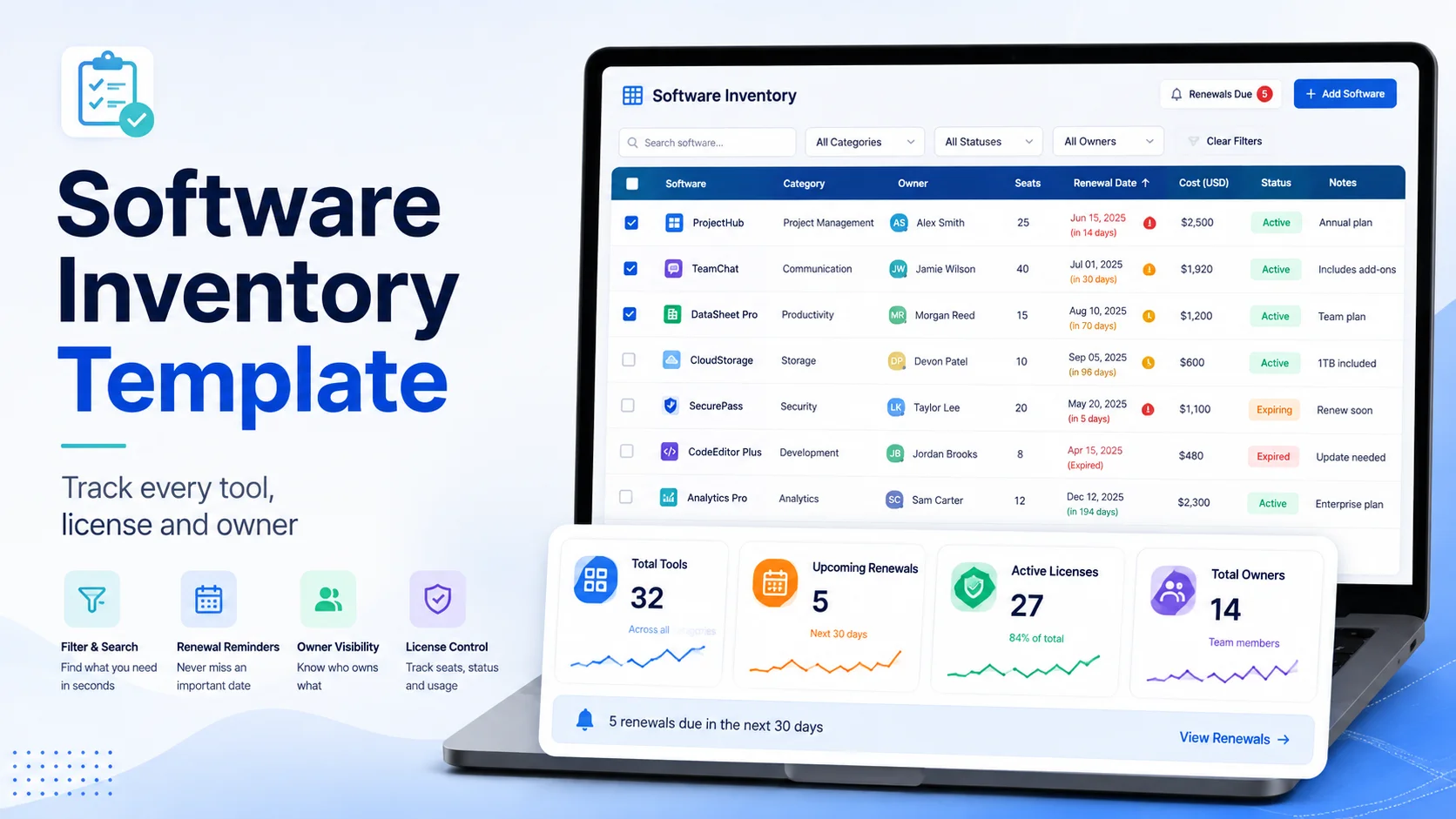
A good software inventory template is a structured record of every application your business uses, who owns it, who has access, what it costs, how it is licensed, and when it renews or should be reviewed.
For a small or medium business, the template should at minimum track:
- Software name
- Vendor
- Category
- Plan or edition
- License type
- Seats purchased
- Seats assigned
- Active users
- Owner
- Department
- Monthly or annual cost
- Billing cycle
- Renewal date
- Notice or cancellation deadline
- Contract or invoice link
- Admin portal or cancellation link
- Status
- Last reviewed date
If you are looking for a software inventory spreadsheet, software inventory template Excel file, or software inventory template XLS structure, the safest starting point is a modern .xlsx workbook with one master software table and optional supporting tabs for users, vendors, and renewals.
The template below is designed so you can copy it directly into Excel or Google Sheets, then later move the same data into a dedicated tracking system if the spreadsheet becomes too fragile - see how CostLoop compares to Google Sheets for what changes when you make that move.
In this guide
- A copyable software inventory list template
- The fields every inventory should contain
- A simple Excel workbook structure
- Formulas for unused seats, annualized cost, and renewal status
- How to use a software inventory tracking template without creating spreadsheet chaos
- The difference between software inventory, license inventory, and hardware asset inventory
- How often to review the list
- When to move from Excel to dedicated license or subscription software
Methodology and disclosure
CostLoop publishes this guide and builds software for subscription, license, renewal, and recurring-cost tracking. That means we have direct experience with the operational problems this template is designed to solve.
The template structure was also checked against current software asset-management guidance. CIS Control 2 recommends maintaining a detailed inventory of licensed software and includes fields such as title, publisher, initial use date, business purpose, version, deployment mechanism, decommission date, and number of licenses where applicable. ServiceNow's current Software Asset Management documentation similarly separates software licenses, entitlements, allocations, compliance, and optimization.
This is a practical operating template, not a substitute for enterprise SAM, legal interpretation of software agreements, or automated endpoint discovery.
For deeper background, see CostLoop's guides to software license inventory, license tracking software, software license management, and software license lifecycle management.
Related CostLoop guides
- Software License Inventory: Build a Complete License Database
- License Tracking Software: Track Licenses, Usage & Renewals
- Cloud-Based Software License Management
- Unused Software Licenses: Find Wasted Seats
- Best License Management Software
- CostLoop Features
- CostLoop Pricing
Copy this software inventory template
Start with one row per software product or subscription. Do not create one row per user in the master sheet unless your team is tiny. User-level assignments are easier to manage on a separate tab.
Core software inventory list template
This is the minimum viable software inventory list template I would trust for an actual business. Anything much thinner quickly turns into a list of app names that cannot support renewal or cost decisions.
| Column | What to Record | Example |
|---|---|---|
| Inventory ID | Stable unique identifier | SW-001 |
| Software name | Product name | Figma |
| Vendor | Publisher or supplier | Figma, Inc. |
| Category | Functional category | Design |
| Plan / edition | Paid tier or SKU | Professional |
| License type | Named user, device, concurrent, subscription, perpetual | Named user |
| Seats purchased | Quantity paid for | 12 |
| Seats assigned | Quantity currently assigned | 10 |
| Active users | Users active during your review window | 8 |
| Owner | Person accountable for the tool | Head of Design |
| Department | Main cost center or team | Product Design |
| Billing cycle | Monthly, annual, multi-year, perpetual | Annual |
| Cost | Current invoice or subscription amount | $1,800/year |
| Renewal date | Next renewal or contract expiration | 2027-04-15 |
| Notice deadline | Last safe date to cancel or renegotiate | 2027-03-15 |
| Admin URL | Vendor admin or billing portal | Vendor billing page |
| Contract / invoice | Link to evidence | Drive / SharePoint link |
| Status | Active, trial, review, cancel, retired | Active |
| Last reviewed | Last verified date | 2026-09-01 |
| Notes | Anything decision-relevant | 2 seats unused |
Recommended software inventory spreadsheet structure
A single flat sheet works for a very small team. Once you have more than about 20-30 tools, split the workbook into separate tabs so you stop repeating the same information everywhere.
Tab 1: Software
One row per product or subscription.
Recommended columns: Inventory ID, Software name, Vendor ID, Category, Plan / edition, License type, Status, Business purpose, Owner, Department, Admin URL, Support URL, Initial use date, Decommission date, Last reviewed
Tab 2: Licenses and costs
One row per entitlement, subscription, or commercial line item.
Recommended columns: Inventory ID, Subscription / license ID, Seats purchased, Seats assigned, Active users, Price per seat, Invoice total, Currency, Billing cycle, Contract start date, Renewal date, Notice deadline, Auto-renewal (Yes/No), Purchase order, Invoice link, Contract link
Tab 3: Users and assignments
Use this when you need seat-level accountability.
Recommended columns: Inventory ID, Software name, User name, Work email, Department, License role, Assigned date, Last active date, Status, Remove / keep decision
Tab 4: Vendors
One row per vendor.
Recommended columns: Vendor ID, Vendor name, Account manager, Sales contact, Support contact, Billing portal, Contract owner, Total annual spend, Number of products, Strategic / non-strategic, Notes
Tab 5: Renewal calendar
This can be generated from the license/cost tab rather than maintained manually.
Recommended columns: Software, Owner, Annualized cost, Renewal date, Notice deadline, Days to notice deadline, Seat review required, Decision, Decision owner
That five-tab structure is more durable than trying to force every software, user, license, vendor, and renewal field into one enormous sheet.
Software inventory spreadsheet formulas that are actually useful
A template becomes much more valuable when it produces decisions instead of just storing rows.
1. Unassigned seats
Formula: Seats purchased - Seats assigned
Example: Purchased 20, Assigned 16, Unassigned 4. This is the first obvious reclamation signal.
2. Inactive assigned seats
Formula: Seats assigned - Active users
Example: Assigned 16, Active users 12, Inactive assigned seats 4. This catches users who still have access but are not meaningfully using the product.
3. Seat utilization rate
Formula: Active users / Seats purchased x 100
Example: 12 active users / 20 seats = 60% utilization. Do not treat 60% as automatically bad. Some teams intentionally keep spare capacity. The useful part is making the gap visible before renewal.
4. Annualized cost
If monthly: Monthly cost x 12. If quarterly: Quarterly cost x 4. If annual: Annual invoice amount.
This lets you sort the inventory by financial importance instead of by software name.
5. Cost per active user
Formula: Annualized cost / Active users
This is often more useful than sticker price. A $2,000/year tool used by 50 people may be more efficient than a $500/year tool used by one person.
6. Days until renewal
In Excel: =RenewalDate-TODAY()
Then use conditional formatting: Red for 0-30 days, Amber for 31-60 days, Green for more than 60 days.
For contracts with notice periods, track the notice deadline, not just the renewal date. If cancellation requires 30 days' notice, discovering the renewal 14 days before renewal is already too late.
Software inventory template Excel: recommended setup
If you are specifically looking for a software inventory template Excel format, use .xlsx unless you have a genuine compatibility reason not to.
Use an Excel Table, not a random cell range
Convert each data range into an Excel Table. That gives you filters, structured references, automatic formula propagation, easier sorting, and safer row additions.
Add controlled dropdowns
Use Data Validation for fields such as:
Status: Active, Trial, Under review, Planned cancellation, Retired
Billing cycle: Monthly, Quarterly, Annual, Multi-year, Perpetual, Usage-based
License type: Named user, Concurrent, Device, Site, Subscription, Perpetual, Usage / credits, Other
Controlled values stop the classic spreadsheet problem where one person enters "Annual," another enters "Yearly," and another enters "12 months."
Freeze identifiers, not assumptions
Give every software record a stable ID such as SW-001. Names change. Products get rebranded. Vendors acquire each other. The ID is what keeps assignments and cost records connected.
Software inventory template XLS vs XLSX
People still search for software inventory template XLS, but .xls is the old Excel 97-2003 binary format.
For a new workbook, use .xlsx. Use .xls only when a legacy system specifically requires it, an old integration cannot read .xlsx, or you have a documented compatibility constraint. Otherwise, .xlsx gives you better modern Excel support and avoids unnecessary legacy limitations.
Example completed software inventory row
A template is easier to understand when you see what a decision-ready record looks like.
| Field | Example |
|---|---|
| Inventory ID | SW-014 |
| Software | Asana |
| Vendor | Asana, Inc. |
| Category | Project Management |
| Plan | Starter |
| License type | Named user subscription |
| Seats purchased | 10 |
| Seats assigned | 9 |
| Active users | 7 |
| Owner | Operations Lead |
| Department | Operations |
| Billing cycle | Annual |
| Annual cost | $1,318.80 |
| Renewal date | 2027-02-01 |
| Notice deadline | 2027-01-02 |
| Status | Active - review before renewal |
| Decision note | Review 2 low-use seats before renewal |
The useful part is not that the sheet knows you use Asana. The useful part is that it tells you who owns the renewal, what it costs, and what should be reviewed before money is committed again.
Software inventory vs software license inventory
These terms overlap but are not identical.
Software inventory
A software inventory answers: What applications exist in our environment? What versions are installed or used? Who owns them? What is their business purpose? Are they authorized and supported?
CIS Control 2 treats this as a security and governance foundation and recommends maintaining a detailed inventory of licensed software installed on enterprise assets.
Software license inventory
A software license inventory goes deeper into commercial rights: What did we buy? What license metric applies? How many rights or seats do we own? Who or what consumes them? What contract or entitlement proves those rights?
CostLoop's software license inventory guide covers that deeper entitlement and database model.
SaaS subscription inventory
A SaaS-heavy small business often needs a simpler operational view: software name, owner, plan, seats, cost, renewal, cancellation path, usage signal.
That is where a lightweight software inventory tracking template can work extremely well before enterprise SAM complexity becomes necessary.
Software inventory vs hardware asset inventory
Do not mix laptops, servers, monitors, SaaS subscriptions, and software entitlements into one undefined "IT inventory" table unless the company is tiny.
A hardware asset inventory needs fields such as serial number, asset tag, model, purchase date, warranty, location, and assigned employee.
A software inventory needs fields such as vendor, version, business purpose, owner, license model, seats, cost, renewal, and authorization status.
They can be linked through asset IDs when software is device-based, but they should not be treated as the same dataset.
How to build your software inventory in 30 minutes
Step 1: Create the master sheet
Start with the core columns from the template above. Do not over-engineer the workbook before you have data.
Step 2: Pull obvious software from finance
Review credit-card transactions, invoices, accounting categories, and recurring vendor payments. This finds paid software but misses free tools, centrally invoiced tools, and shadow IT.
Step 3: Ask department owners
Send each team a simple question: "Which software tools does your team actively use or pay for, and who owns each one?" Do not ask employees to fill 25 columns. Collect the minimum data and normalize it centrally.
Step 4: Check admin and identity systems
Depending on your environment, useful sources include Google Workspace, Microsoft 365 / Entra, SSO applications, browser extension data, vendor admin consoles, and endpoint-management tools.
Step 5: Assign one owner per tool
If ownership is "IT" or "Finance" for everything, the inventory is weak. The owner should be the person accountable for deciding whether the tool is still needed and whether the renewal is justified.
Step 6: Add cost and renewal evidence
Do not guess. Link to invoices, contracts, renewal emails, order forms, and vendor billing portals.
Step 7: Review the highest-cost tools first
Sort by annualized cost. You do not need perfect data on every $5/month app before reviewing a $20,000 annual contract.
How to maintain a software inventory tracking template
The worst way to maintain an inventory is an annual "software audit" where somebody tries to reconstruct the entire company from scratch.
Update the inventory when business events happen
Trigger an update when: a new tool is purchased, a trial becomes paid, an employee joins, an employee leaves, a seat is added or removed, a plan is upgraded or downgraded, a contract is amended, ownership changes, a renewal decision is made, or a tool is cancelled or retired.
Run a quarterly hygiene review
Every quarter, check: blank owners, missing renewal dates, tools not reviewed recently, inactive seats, duplicate tools, retired software still marked active, and invoices with no matching inventory record.
For renewal-specific workflow, see CostLoop's software license lifecycle management guide.
Common mistakes in software inventory spreadsheets
1. One row per invoice instead of one row per product
Invoices are evidence. They are not the inventory model.
2. No unique ID
This makes it hard to connect products to user assignments, vendors, and renewals.
3. Mixing purchased, assigned, and active seats
These are three different numbers. A 50-seat contract with 45 assigned users and 31 active users tells a completely different story than a single column labeled "Seats: 50."
4. Tracking renewal date but not notice deadline
A renewal date without the contractual notice period can give you false confidence.
5. No owner
If no one owns the tool, no one owns the renewal decision.
6. Storing passwords in the spreadsheet
Do not use a software inventory sheet as a password manager. Store only the admin or vendor portal URL and use an actual password manager for credentials.
7. Never archiving retired tools
Do not delete history. Mark the tool retired and keep the decommission date. Historical inventory helps explain spend changes and prevents duplicate repurchases.
When a spreadsheet is enough
A spreadsheet is usually enough when you have fewer than roughly 20-30 active software tools, one person can realistically maintain it, most licensing is simple SaaS seat-based pricing, renewal reminders are not yet operationally complex, and you do not need automated discovery or enterprise entitlement reconciliation.
When the software inventory spreadsheet starts failing
Move beyond a spreadsheet when: different people maintain conflicting copies, renewal dates are missed, you cannot trust the seat counts, there are too many users to reconcile manually, nobody knows which invoice belongs to which tool, ownership changes are not reflected, finance, IT, and operations each maintain their own inventory, or you need automated discovery, usage data, or compliance workflows.
At that point, the spreadsheet is not "free." It is costing you time and creating risk.
Where CostLoop fits
CostLoop is designed for teams that have outgrown a loose spreadsheet but do not need an enterprise SAM implementation.
It helps centralize the operational fields that matter most for SaaS and recurring software: software and subscription records, owners, costs, billing cycles, renewal dates, seat counts, documents and invoice links, cancellation links, reminders and usage signals.
That makes CostLoop a logical next step when your software inventory spreadsheet is technically still working but requires too much manual babysitting.
See CostLoop features and CostLoop pricing for the current product scope.
Frequently asked questions
What is a software inventory template?
A software inventory template is a structured list or spreadsheet used to record the applications a business owns, subscribes to, or authorizes, together with fields such as vendor, owner, license type, seats, cost, renewal date, status, and supporting evidence.
What should a software inventory list template include?
A useful software inventory list template should include software name, vendor, category, plan or edition, license type, purchased seats, assigned seats, owner, department, cost, billing cycle, renewal date, notice deadline, contract or invoice link, status, and last reviewed date.
Can I manage software inventory in Excel?
Yes. A software inventory template Excel workbook is a good starting point for small teams. Use .xlsx, structured Excel Tables, dropdowns for controlled fields, and separate tabs for software, licenses/costs, user assignments, vendors, and renewals once the list grows.
What is a software inventory spreadsheet?
A software inventory spreadsheet is a workbook used to maintain a central record of business software. It may track products, vendors, versions, owners, seats, users, costs, renewals, and authorization status.
Should I use an XLS or XLSX software inventory template?
For a new workbook, use .xlsx. The phrase software inventory template XLS usually refers to the older Excel format. Use .xls only when a legacy system specifically requires it.
What is a software inventory tracking template?
A software inventory tracking template is designed for ongoing maintenance rather than a one-time list. It should include review dates, status, owners, renewal dates, and fields that help identify changes such as unused seats, plan upgrades, cancellations, or retired software.
How often should a software inventory be reviewed?
Update it whenever a purchase, renewal, cancellation, onboarding, offboarding, plan change, or ownership change occurs. A quarterly hygiene review is a practical minimum for small and medium businesses. CIS Control 2 recommends reviewing and updating the software inventory at least bi-annually, or more frequently.
Is a software inventory the same as a license inventory?
No. A software inventory focuses on what software exists and is authorized or used. A license inventory focuses on the rights or entitlements the organization purchased and who or what consumes those rights. The two should be linked when licensing complexity matters.
Final checklist
Before you call the template complete, make sure:
- Every active software product has one master record.
- Every record has an owner.
- Paid tools have a verified cost and billing cycle.
- Renewal and notice dates are recorded.
- Purchased, assigned, and active seats are separate fields.
- Contracts and invoices are linked rather than buried in email.
- Status values are standardized.
- Retired tools are archived with a decommission date.
- The spreadsheet has one owner responsible for data quality.
- The inventory is updated by business events, not rebuilt once a year.
A spreadsheet is a good starting point. The goal is not to maintain a beautiful spreadsheet forever. The goal is to know what software you have, what you pay, who owns it, and what action needs to happen next.

About the author
Milosh Mladenovski is a CostLoop founder and works on subscription discovery, license inventory and recurring software cost workflows. Author profile · LinkedIn