Last verified: July 23, 2026
Quick answer
If you are searching tableau costs, the short version is this:
Tableau Cloud Standard
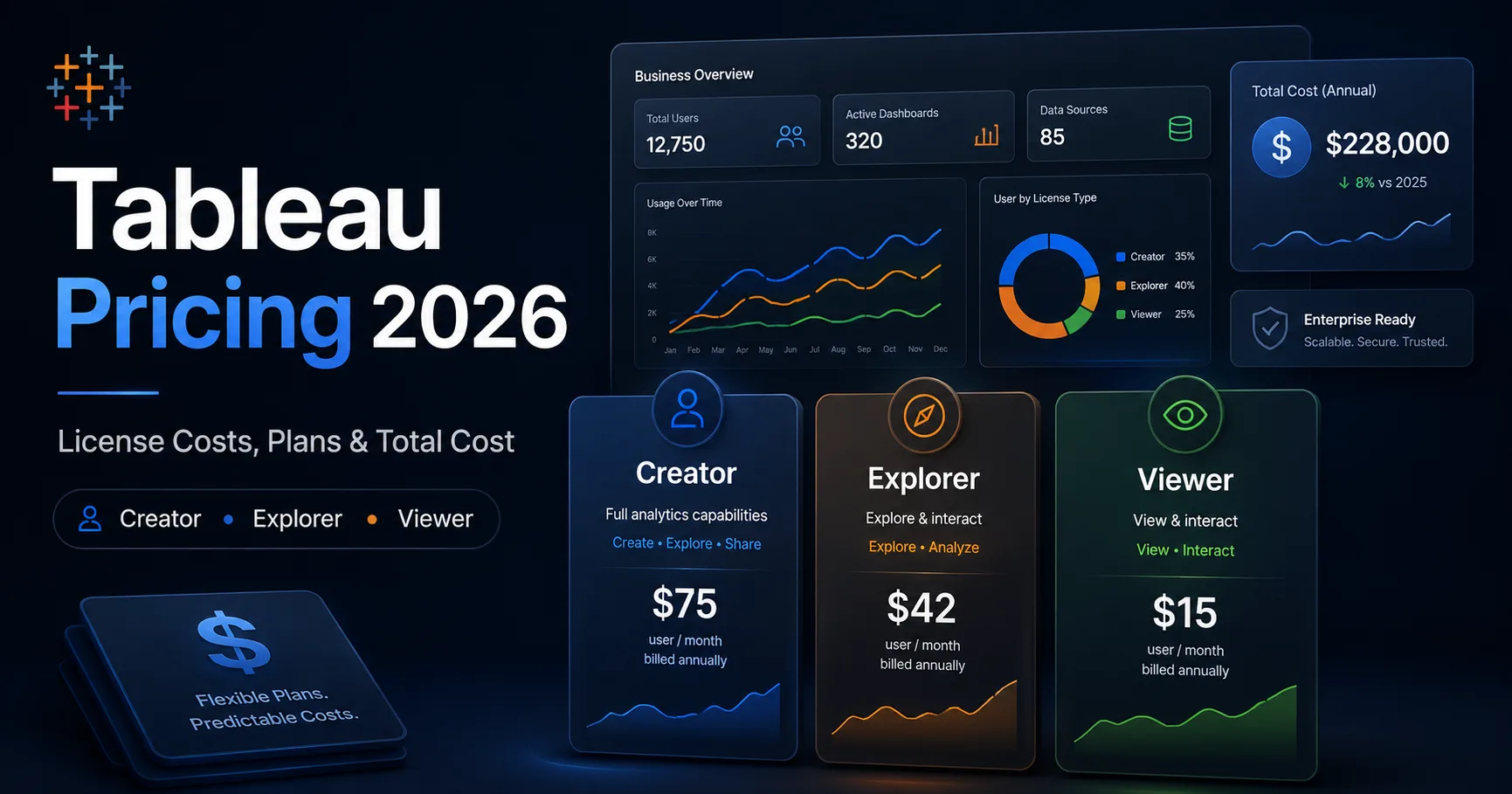
- Creator: $75 per user/month, billed annually
- Explorer: $42 per user/month, billed annually
- Viewer: $15 per user/month, billed annually
Tableau Cloud Enterprise
- Creator: $115 per user/month, billed annually
- Explorer: $70 per user/month, billed annually
- Viewer: $35 per user/month, billed annually
Tableau Enterprise includes Advanced Management and Data Management, which matters because many buyers separately search tableau advanced management pricing and tableau data management pricing. As of September 16, 2024, Advanced Management is no longer sold as a standalone add-on for new purchases. It comes through qualifying editions such as Tableau Enterprise rather than as an independent line item.
If you only wanted the fast answer, that is it. But if you are actually trying to budget for Tableau, the headline per-user prices are only the start. Your real total cost depends on license mix, whether you need Enterprise capabilities, whether you are using Tableau Cloud or Tableau Server, and how well you manage Tableau licenses after purchase.
In this guide
- Tableau Cloud Standard and Enterprise pricing
- Creator, Explorer, and Viewer license costs
- Practical total-cost examples
- How to manage Tableau licenses without overbuying
- Current Advanced Management packaging
- Current Data Management pricing reality
- Tableau Server and non-Cloud cost considerations
- Renewal and license-optimization checklist
Why this guide matters
A lot of Tableau pricing pages online are a mess. They mix old pricing models with current role-based licensing, skip over Enterprise packaging, or pretend they know the exact standalone price for products that are quote-based or bundled.
That is useless if you are trying to plan a real software budget.
This guide is built to answer the practical buying questions:
- What are current tableau costs?
- How much do Creator, Explorer, and Viewer licenses cost?
- What is included in Standard vs Enterprise?
- What should you assume about tableau advanced management pricing?
- What should you assume about tableau data management pricing?
- How do you manage Tableau licenses so costs do not drift upward after renewal?
Methodology and disclosure
This guide is based on Tableau’s and Salesforce’s public pricing and licensing documentation reviewed in August 2026, including the official Tableau pricing page, Tableau Cloud pricing, and Tableau license-type guide. Where the vendor publishes a number, this article uses it. Where the vendor requires a sales conversation, this article says so plainly instead of inventing fake certainty.
CostLoop publishes this guide and competes broadly in software cost visibility, renewal tracking, and seat control, but it is not a BI platform and does not replace Tableau. Tableau is for analytics and visualization. CostLoop is a lightweight control layer for tracking recurring software spend, owners, seat counts, renewals, and related documents across your software stack.
For that broader workflow, see CostLoop’s guides to software license management, license tracking software, software license lifecycle management, and unused software seats.
Related CostLoop guides
- Cloud-Based Software License Management
- Software License Inventory
- Best License Management Software
- Best Spend Management Software
- Subscription Tracker vs Spreadsheet
- CostLoop Features
- CostLoop Pricing
Tableau pricing structure in 2026
Tableau pricing is role-based. The three core license types are:
- Creator for people who build and prepare content
- Explorer for people who explore data and interact more deeply with published content
- Viewer for people who mainly consume dashboards and insights
That role-based structure is the key to understanding tableau costs. You do not need every user on the most expensive license. If you buy Creator licenses for people who only consume dashboards, you are wasting money.
Tableau Cloud pricing: Standard vs Enterprise
Tableau’s current pricing pages split Tableau Cloud into Standard and Enterprise editions.
All public role prices below are billed annually.
| Edition | Creator | Explorer | Viewer | Best for |
|---|---|---|---|---|
| Tableau Cloud Standard | $75/user/month | $42/user/month | $15/user/month | Core Tableau Cloud analytics |
| Tableau Cloud Enterprise | $115/user/month | $70/user/month | $35/user/month | Advanced governance and management |
Tableau Cloud Standard
Tableau Cloud Standard is the straightforward paid edition for teams that want Tableau hosted by Tableau and do not want to manage infrastructure.
The public pricing is:
- Creator: $75/user/month billed annually
- Explorer: $42/user/month billed annually
- Viewer: $15/user/month billed annually
Standard includes access to Tableau Cloud, support for up to 3 sites, and access to Tableau Pulse. For Creators, it also includes Tableau Desktop and Tableau Prep Builder.
Tableau Cloud Enterprise
Tableau Cloud Enterprise is the more advanced edition.
The public pricing is:
- Creator: $115/user/month billed annually
- Explorer: $70/user/month billed annually
- Viewer: $35/user/month billed annually
Enterprise includes everything in Standard, plus:
- Data Management
- Advanced Management
- eLearning
- support for up to 10 sites
This matters because many buyers search tableau advanced management pricing and tableau data management pricing as if these are separate simple add-ons. In current packaging, they are often part of the Enterprise-level conversation rather than simple standalone webstore purchases.
Tableau license types and what they really cost
A big part of controlling tableau costs is understanding what each role actually needs.
Creator
Creator is the highest-cost user role and is meant for analysts, authors, and people building data flows and dashboards. It includes the broadest capabilities, plus Tableau Desktop and Tableau Prep Builder.
Use Creator for people who:
- connect to data
- build dashboards
- publish content
- prepare or shape data
- manage analytical assets
Do not give Creator to someone who only reads dashboards once a week.
Explorer
Explorer sits in the middle. It is more capable than Viewer but less expensive than Creator.
Use Explorer for people who:
- interact with dashboards beyond passive viewing
- create or modify content within governed environments
- need deeper analytical exploration but not full authoring power
Viewer
Viewer is for dashboard consumption.
Use Viewer for people who:
- mainly consume dashboards
- monitor KPIs
- need access to insights but not full analytical authoring features
This is where many organizations save money. If leadership, sales, or support teams only need dashboards, Viewer can make much more sense than Explorer or Creator.
Tableau cost examples
Here are practical scenarios so tableau costs stop feeling abstract.
Example 1: small analytics team on Standard
- 2 Creators × $75 = $150/month
- 3 Explorers × $42 = $126/month
- 10 Viewers × $15 = $150/month
- Total: $426/month, billed annually
- Annual equivalent: $5,112/year
Example 2: department deployment on Standard
- 5 Creators × $75 = $375/month
- 10 Explorers × $42 = $420/month
- 50 Viewers × $15 = $750/month
- Total: $1,545/month, billed annually
- Annual equivalent: $18,540/year
Example 3: enterprise deployment on Enterprise edition
- 5 Creators × $115 = $575/month
- 20 Explorers × $70 = $1,400/month
- 100 Viewers × $35 = $3,500/month
- Total: $5,475/month, billed annually
- Annual equivalent: $65,700/year
These examples are directional and based on public per-user pricing. Your real total may differ depending on negotiated contracts, regional pricing, and any non-public enterprise packaging.
Manage Tableau licenses the right way
The keyword manage tableau licenses is more than an SEO phrase. It is where buyers either control spend or let it quietly bloat.
If you want to manage Tableau licenses properly, track at least:
- license type by user: Creator, Explorer, Viewer
- named owner of each seat
- last meaningful use or business need
- team / department
- contract start and renewal date
- annual committed cost
- whether the user still needs their current tier
The biggest Tableau licensing mistake
The biggest mistake is simple: organizations leave people on Creator licenses after their role changes.
That is bad spend management.
If somebody moved from active dashboard building to simple dashboard consumption, downgrade them. If someone no longer uses Tableau, reclaim the seat before renewal.
CostLoop’s unused software seats and license tracking software guides are directly relevant here.
Tableau Advanced Management pricing
A lot of buyers search tableau advanced management pricing expecting a clean standalone price.
That is no longer the current buying reality.
What changed
Tableau’s official Advanced Management documentation states that as of September 16, 2024, Advanced Management is no longer available as an independent add-on option. Its capabilities are available if you previously purchased it, or if you purchase certain qualifying editions such as:
- Tableau Enterprise
- Tableau Cloud+
- Tableau+ Bundle (for Tableau Cloud)
- Tableau Server+ / Tableau Enterprise for Tableau Server
What that means for budgeting
If you need Advanced Management capabilities today, the correct budgeting assumption is not:
“Let’s just add a simple standalone Advanced Management line item.”
That is outdated.
The correct assumption is:
Advanced Management is generally part of the edition or bundle conversation for qualifying deployments, and you may need Enterprise-level licensing or a sales conversation.
So the honest answer to tableau advanced management pricing is:
- there is not a simple current standalone public list price for new purchases
- Advanced Management is tied to specific qualifying editions and bundles
- if you need it, you should price the relevant edition rather than assume an old add-on model still applies
Tableau Data Management pricing
The same problem appears with tableau data management pricing.
What Tableau publishes publicly
Tableau’s official Data Management product page says to contact sales for Enterprise pricing and more information. It does not give a simple public fixed price on the main product page.
How Data Management fits into current packaging
On Tableau Cloud, Enterprise includes Data Management as part of the edition.
That means if you are searching tableau data management pricing, there are two practical realities:
- In Tableau Cloud Enterprise, Data Management is already part of the package.
- For other deployment patterns or enterprise conversations, pricing is still sales-led rather than a clean self-serve published figure.
Budgeting advice
If your team needs Data Management for governance, cataloging, prep flow management, or stronger data control, do not budget from forum rumors or stale add-on references. Use one of these two paths:
- price Tableau Cloud Enterprise if that fits your deployment, or
- contact sales if you need a different packaging model
Tableau Server and non-Cloud buying questions
Some buyers still compare Tableau Cloud with Tableau Server or want self-managed deployment options.
That is valid, but you should not assume the public Cloud pricing table tells you the whole Server story.
For Tableau Server and higher-end editions, the buying process tends to be more sales-led, especially when you start discussing:
- Enterprise editions
- Advanced Management
- production and non-production environments
- deployment-level licensing
- core-based or user-based deployment considerations
If your organization needs Server specifically, request a tailored quote rather than forcing Cloud numbers onto a different deployment model.
Total cost of Tableau: what teams forget
The title of this article includes total cost for a reason.
Your Tableau invoice is not the same thing as your real Tableau cost.
1. Wrong license mix
Too many Creators is the fastest way to overspend.
2. Unused seats
A dormant Viewer seat is cheap waste. A dormant Creator seat is expensive waste.
3. Renewal inertia
Many teams renew the same role mix every year without asking whether it still matches actual usage.
4. Overlapping tools
Tableau is often one analytics tool inside a bigger stack that might also include Power BI, Looker, Excel-based reporting, or other BI and reporting products. If nobody is rationalizing that overlap, total reporting spend drifts.
5. Governance and premium capabilities
Once Enterprise governance, Data Management, or Advanced Management enter the picture, the cost conversation gets broader than a simple Creator/Explorer/Viewer count.
Tableau renewal checklist
Before every renewal, review:
- How many Creator, Explorer, and Viewer seats are assigned?
- Which users still need their current license tier?
- Which seats can be downgraded or reclaimed?
- Are Enterprise capabilities such as Advanced Management and Data Management actually being used?
- Is Tableau overlapping with another BI or reporting platform?
- What is the renewal notice deadline, not just the renewal date?
- Who owns the commercial decision for the next term?
A renewal review should happen early enough to change the contract, not after the invoice arrives.
When Tableau is worth the cost
Tableau is usually worth the money when:
- you have serious reporting or dashboard needs
- the business actually uses the insights produced
- different user roles can be matched to the right license tiers
- governance and analytical adoption matter enough to justify the spend
Tableau is usually not worth the money when:
- only a handful of people truly use it
- most users could work with exported reports or a lighter reporting stack
- no one is managing licenses and renewals intentionally
- your license mix was never reviewed after the initial purchase
How CostLoop fits
CostLoop does not replace Tableau. That would be nonsense.
What CostLoop does help with is the commercial control layer around Tableau:
- storing subscription or contract details
- tracking Creator, Explorer, and Viewer counts
- recording owners
- managing renewal dates
- linking invoices or contract documents
- reviewing whether seats and editions still make sense before renewal
If Tableau is one of many recurring software costs in your organization, CostLoop gives you a cleaner way to keep that software inventory visible without relying on an ignored spreadsheet. See CostLoop features and CostLoop pricing for the product itself.
Frequently asked questions
What are Tableau costs in 2026?
Current public tableau costs for Tableau Cloud Standard are $75/user/month for Creator, $42/user/month for Explorer, and $15/user/month for Viewer, billed annually. Tableau Cloud Enterprise is $115/user/month for Creator, $70/user/month for Explorer, and $35/user/month for Viewer, billed annually.
How do you manage Tableau licenses?
To manage Tableau licenses properly, track the role assigned to each user, the business owner, renewal date, actual usage or need, and whether the person still needs Creator, Explorer, or Viewer. The biggest savings usually come from downgrading or reclaiming unnecessary seats.
What is Tableau Advanced Management pricing?
Tableau advanced management pricing is no longer a simple standalone pricing question for new purchases. Tableau states Advanced Management is no longer available as an independent add-on option and is instead tied to qualifying editions or bundles.
What is Tableau Data Management pricing?
Tableau data management pricing is not published as a simple universal list price on the main product page. Tableau says to contact sales for Enterprise pricing and more information. In Tableau Cloud Enterprise, Data Management is included in the edition.
What is the difference between Tableau Standard and Enterprise?
The biggest difference is that Enterprise includes additional governance and management capabilities, including Data Management and Advanced Management, plus eLearning and support for more sites.
Is Tableau Cloud or Tableau Server cheaper?
There is no universal answer. Tableau Cloud has clear public role-based pricing. Tableau Server and higher-end deployments are more sales-led and depend on deployment requirements, so you should not assume one is cheaper without a tailored quote.
Final verdict
If you want the blunt version:
- Tableau’s public pricing is clear enough for Standard and Enterprise role-based Cloud licenses.
- The main drivers of tableau costs are your Creator / Explorer / Viewer mix and whether you need Enterprise governance capabilities.
- Advanced Management is not a simple standalone new-purchase add-on anymore.
- Data Management is either part of Enterprise packaging or part of a sales-led pricing conversation.
- The easiest way to overspend is to buy too many high-tier licenses and then fail to review them before renewal.
If your team uses Tableau, the right move is not just buying licenses. It is reviewing them regularly, making sure your license mix matches actual usage, and tracking the renewal before it sneaks up on you.
CostLoop helps teams track recurring software costs, owners, seats, renewal dates, and related documents with a software subscription tracker. See the CostLoop pricing plans.

About the author
Milosh Mladenovski is a CostLoop founder and works on subscription discovery, license inventory and recurring software cost workflows. Author profile · LinkedIn