Last pricing verification: September 9, 2026
Quick answer
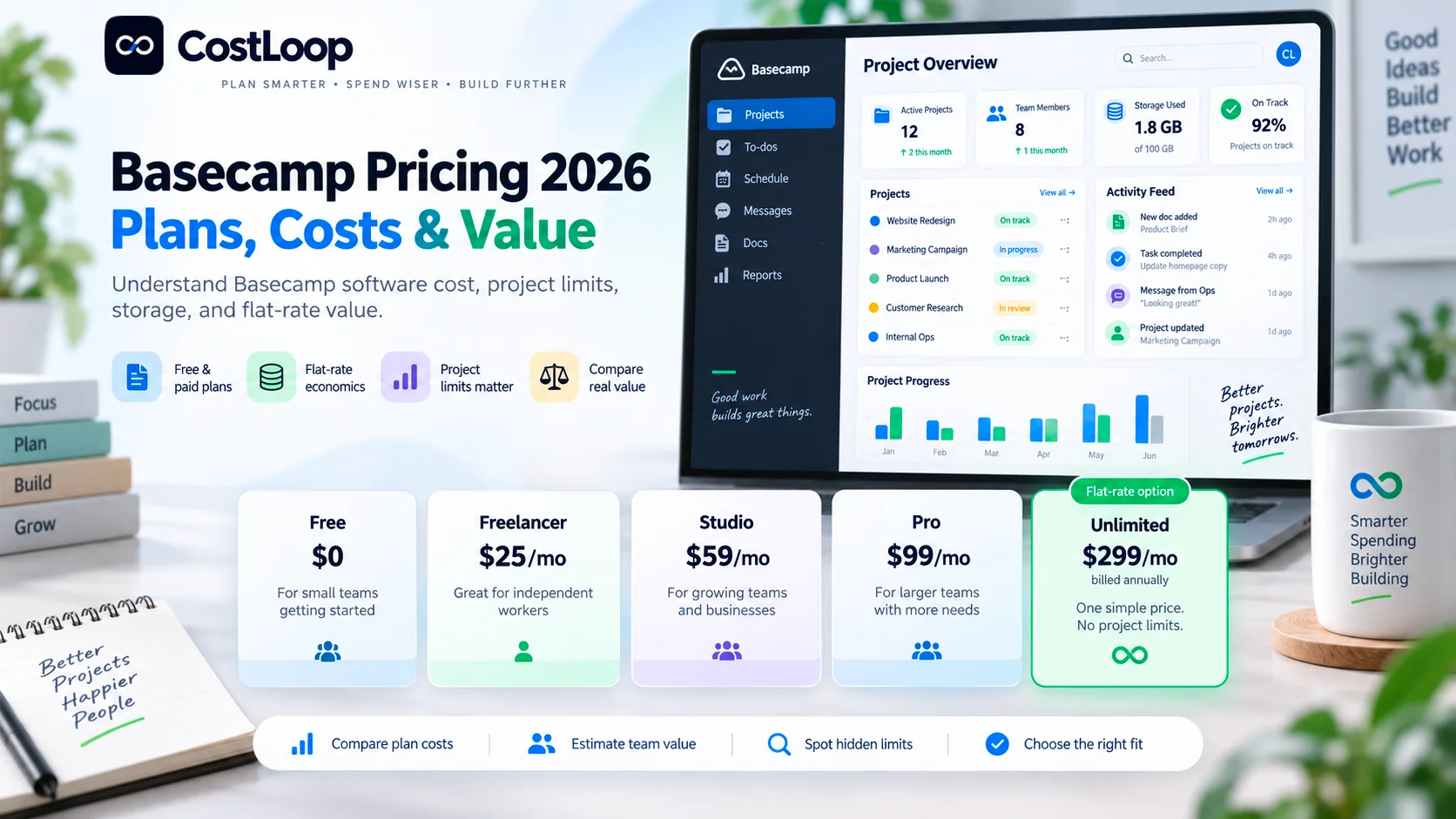
If you are searching for Basecamp software cost, the current 2026 pricing is unusually simple because Basecamp does not charge normal per-user fees on its main paid plans. Free costs $0 for one project and up to 5 users. Freelancer is $25/month for up to 3 active projects and 20 users. Studio is $59/month for up to 10 active projects with unlimited users. Pro is $99/month for up to 25 active projects with unlimited users. Unlimited is $299/month billed annually, with unlimited projects and unlimited users.
That pricing model changes the buying decision. With Basecamp, headcount often stops being the main cost driver once you reach Studio. Active-project limits and storage become more important than seat count. A 30-person team can still pay $59/month on Studio if 10 active projects are enough, while a conventional $10-per-user project-management tool would cost about $300/month before add-ons.
The tradeoff is equally important: cheap effective cost per user does not automatically mean Basecamp is the best fit. If your organization needs portfolio management, advanced resource planning, agile backlogs, complex workflow automation, enterprise reporting or deep administration, the lower Basecamp subscription can be offset by separate tools you still need to buy.
This guide breaks down Basecamp project management pricing, plan limits, annual costs, effective cost per user, break-even points against per-seat competitors, storage, trials, cancellation terms, discounts, and the conditions under which Basecamp is genuinely good value.
Key takeaways
- Basecamp Free costs $0 and supports 1 project, 1 GB of storage and up to 5 users.
- Freelancer costs $25/month for up to 3 active projects, 5 GB and 20 users.
- Studio costs $59/month for up to 10 active projects, 25 GB and unlimited users.
- Pro costs $99/month for up to 25 active projects, 100 GB and unlimited users.
- Unlimited costs $299/month billed annually, or $3,588/year, and includes unlimited projects, unlimited users and 1 TB of storage.
- Basecamp says Studio and higher have unlimited users with no per-user fees, so effective cost per user falls sharply as team size grows.
- The main economic constraint is usually active projects, not seats. Archived or deleted projects do not count against the active-project limit.
- Paid plans except Unlimited advertise 30-day free trials; Unlimited advertises a 45-day free trial. Basecamp says no credit card is required to start a trial.
- Basecamp says subscriptions can be canceled at any time, and annual-plan cancellations are prorated back to the card.
- Registered 501(c)(3) nonprofits can receive 10% off, while qualifying educational classroom use can be free.
In this guide
- Current Basecamp plans and pricing
- How Basecamp pricing differs from per-user project tools
- Free vs Freelancer vs Studio vs Pro vs Unlimited
- Basecamp software cost for different team sizes
- Effective cost per user and break-even vs $10-$11 per-user competitors
- Cost per active project
- Storage, trials, cancellation and discounts
- Hidden and overlooked Basecamp costs
- When Basecamp is strong value, and when it can become false economy
- How to budget Basecamp total cost and review it at renewal
Methodology and disclosure
This article is based primarily on Basecamp's current official pricing page and pricing FAQ, reviewed on September 9, 2026. Where Basecamp publishes a concrete current price, project cap, storage limit, trial term, cancellation rule or discount, this guide uses it. We do not reuse older Basecamp pricing structures or third-party screenshots as current list prices.
CostLoop publishes this guide and operates in software subscription, renewal, license and recurring-cost tracking. CostLoop does not replace Basecamp as project-management software. Basecamp manages work and collaboration. CostLoop is the buyer-side commercial layer for tracking what software your company pays for, who owns each subscription and when the next renewal decision is due.
Cannibalization note: CostLoop already has a category-level Project Management Software Pricing 2026 article. That page owns broad comparison intent across many vendors. This page is intentionally vendor-specific and owns Basecamp software cost, Basecamp pricing, Basecamp plan limits and Basecamp project management pricing.
Related CostLoop guides
- Project Management Software Pricing in 2026
- Project Management Subscription Tracker
- Asana Pricing 2026
- Wrike Pricing 2026
- Smartsheet Pricing 2026
- Jira Pricing 2026
- Microsoft Project Pricing 2026
- Software Budget Template
- Renewal Tracker for Software Subscriptions
- How to Reduce Software Spend
- CostLoop Features
- CostLoop Pricing
Basecamp pricing in 2026: plans at a glance
| Plan | Public price | Active projects | Users | Storage | Trial |
|---|---|---|---|---|---|
| Free | $0 | 1 | Up to 5 | 1 GB | No trial needed |
| Freelancer | $25/month | Up to 3 | Up to 20 | 5 GB | 30 days |
| Studio | $59/month | Up to 10 | Unlimited | 25 GB | 30 days |
| Pro | $99/month | Up to 25 | Unlimited | 100 GB | 30 days |
| Unlimited | $299/month, billed annually | Unlimited | Unlimited | 1 TB | 45 days |
Pricing note: the $25, $59 and $99 prices are shown publicly as monthly account prices and their plan descriptions include annual billing. Basecamp does not display a separate lower annual-discount rate for those three plans on the current pricing page. Unlimited is explicitly shown as $299/month billed annually, which equals $3,588 per year before taxes or extra storage.
How Basecamp project management pricing works
Most project-management tools make the invoice scale with paid users. Basecamp mostly does not. Its current pricing page leads with the message that everyone is included and emphasizes fixed prices. Freelancer still has a 20-user cap, but Studio, Pro and Unlimited advertise unlimited users with no per-user fees.
That means Basecamp software cost is driven mainly by four variables: how many active projects you need at the same time, how much included storage you need, whether Freelancer's 20-user ceiling is enough, and whether your workflow requires other specialist tools that Basecamp does not replace.
Archived or deleted projects do not count against the active-project limit. That matters because a team running many projects over a year may still fit Studio if only ten need to remain active simultaneously. The relevant metric is concurrent project load, not lifetime project count.
Basecamp Free: $0
Basecamp Free is a permanent $0 option for one project. It currently includes 1 GB of storage and supports up to 5 users. The free package still gets the core collaboration foundation, including project templates, multiple project tools and time tracking.
Free is best treated as a personal or very small-team workspace, not as the baseline for a growing company. The hard one-project limit forces an upgrade quickly if separate client, internal or departmental projects need to run in parallel.
A useful detail: Basecamp says you can delete the current free project and start another. You simply cannot keep more than one project active on the free account.
Basecamp Freelancer: $25 per month
Freelancer is the first paid plan at $25/month. It supports up to 3 active projects, 5 GB of storage and up to 20 users. There are no incremental per-user charges inside that 20-person limit.
Annualized, the headline Basecamp software cost is $300/year.
This is why Freelancer can look extremely cheap on a per-person basis. But do not over-read that math. A 15-person team with eight simultaneous client projects cannot stay on Freelancer even though the user count fits. The three-active-project ceiling, not seat count, becomes the upgrade trigger.
Basecamp Studio: $59 per month
Studio costs $59/month and is the first tier with unlimited users. It supports up to 10 active projects and includes 25 GB of storage. Basecamp itself labels Studio as a starting point with room to grow.
The headline annual cost is $708/year.
Studio is where Basecamp's pricing model becomes economically unusual. With a normal $10/user project-management subscription, six paid users equal $60/month. Studio is $59/month for unlimited users. If ten active projects are enough, the Basecamp account price becomes cheaper than a $10/user tool at roughly six users.
Basecamp Pro: $99 per month
Pro costs $99/month, supports up to 25 active projects, includes 100 GB of storage and allows unlimited users. Its headline annual cost is $1,188.
Against a $10/user competitor, Pro reaches break-even at around 10 users because ten $10 seats equal $100/month. The meaningful question is then whether 25 active projects and Basecamp's feature model fit your operating needs.
Basecamp Unlimited: $299 per month billed annually
Unlimited is the top package at $299/month billed annually. That is $3,588/year. It removes the active-project limit, keeps unlimited users, includes 1 TB of storage, adds priority support and personalized onboarding, and extends the free trial to 45 days.
Against a $10/user project-management tool, Unlimited becomes cheaper on headline subscription price at roughly 30 users. Against Asana Starter at $10.99/user/month on annual billing, the break-even is roughly 28 users. These are subscription-price comparisons only, not feature-equivalent recommendations.
Annual Basecamp software cost by plan
Do not assume annual billing automatically means an annual discount. On the current Basecamp page, Freelancer, Studio and Pro list monthly prices and mention annual billing availability, but no separate lower annual rate is shown. Unlimited is the only tier explicitly presented as $299/month billed annually.
| Plan | Monthly headline | Annualized headline | Main capacity constraint |
|---|---|---|---|
| Free | $0 | $0 | 1 active project / 5 users |
| Freelancer | $25 | $300 | 3 active projects / 20 users |
| Studio | $59 | $708 | 10 active projects |
| Pro | $99 | $1,188 | 25 active projects |
| Unlimited | $299 | $3,588 | No project/user cap; annual billing |
The most important Basecamp cost metric: active projects
Because Studio and Pro do not charge per user, cost per active project is often more informative than cost per seat. At full project capacity:
| Plan | Monthly price | Active-project limit | Cost per active project at full capacity |
|---|---|---|---|
| Freelancer | $25 | 3 | $8.33 |
| Studio | $59 | 10 | $5.90 |
| Pro | $99 | 25 | $3.96 |
Unlimited has no fixed denominator, so the metric falls as project count grows. At 50 active projects, $299/month equals about $5.98 per active project. At 100 active projects it is $2.99. At 200, it is about $1.50.
This is useful for agencies and service businesses. A 40-person agency with eight live client projects may fit Studio at $59/month. A 12-person agency with 35 live projects cannot. Headcount alone does not tell you which Basecamp plan you need.
What is included across Basecamp plans?
Basecamp says the same core feature family is included from Free through Unlimited. The current pricing page highlights Message Boards, To-dos, Card Tables, Campfires and Pings, Scheduling, Docs and Files, Reports and Automatic Check-ins. Project templates and time tracking also appear across the current plan descriptions.
This packaging matters because Basecamp does not use the common SaaS pattern where every meaningful workflow feature is locked behind a higher per-seat tier. Upgrading Basecamp is primarily about capacity, storage and top-tier service rather than unlocking an entirely different core product.
That simplicity is one of Basecamp's strongest value arguments. It also means buyers should avoid assuming a higher plan will solve a capability gap. If the missing capability is resource planning, complex portfolio analytics or specialized agile tooling, upgrading capacity may not solve the problem.
Effective cost per user by team size
| Team size | Monthly account cost | Effective cost per user |
|---|---|---|
| 1 | $25 | $25.00 |
| 5 | $25 | $5.00 |
| 10 | $25 | $2.50 |
| 20 | $25 | $1.25 |
| Team size | Monthly account cost | Effective monthly cost per user |
|---|---|---|
| 5 | $59 | $11.80 |
| 10 | $59 | $5.90 |
| 20 | $59 | $2.95 |
| 25 | $59 | $2.36 |
| 50 | $59 | $1.18 |
| 100 | $59 | $0.59 |
| Team size | Monthly account cost | Effective monthly cost per user |
|---|---|---|
| 5 | $99 | $19.80 |
| 10 | $99 | $9.90 |
| 20 | $99 | $4.95 |
| 25 | $99 | $3.96 |
| 50 | $99 | $1.98 |
| 100 | $99 | $0.99 |
| Team size | Monthly equivalent | Effective monthly cost per user |
|---|---|---|
| 10 | $299 | $29.90 |
| 25 | $299 | $11.96 |
| 30 | $299 | $9.97 |
| 50 | $299 | $5.98 |
| 100 | $299 | $2.99 |
| 250 | $299 | $1.20 |
| 500 | $299 | $0.60 |
Break-even vs $10-$11 per-user competitors
| Basecamp plan | Flat monthly price | Break-even vs $10/user tool | Break-even vs Asana Starter at $10.99/user |
|---|---|---|---|
| Freelancer | $25 | 3 users, if project cap fits | 3 users, if project cap fits |
| Studio | $59 | 6 users | 6 users |
| Pro | $99 | 10 users | 10 users |
| Unlimited | $299 | 30 users | 28 users |
These break-even figures answer only one question: when does the Basecamp subscription become cheaper than the competitor subscription? They do not prove Basecamp is the better product for that team. Feature fit, integration requirements and workflow complexity still matter.
For the wider market comparison, see CostLoop's Project Management Software Pricing in 2026 guide.
Basecamp trials and credit-card requirements
Basecamp currently offers 30-day free trials for Freelancer, Studio and Pro, and a 45-day trial for Unlimited. Basecamp says it does not require a credit card to start those trials and therefore does not automatically charge you at the end of the trial. If you want to continue, you enter payment details after the trial.
That is a meaningful buying advantage. It removes the common trial-to-paid surprise and gives teams enough time to test the real operating model before committing.
Cancellation, downgrades and annual refunds
Basecamp says accounts can be canceled at any time without a retention process. It also states that if you cancel an annual package, the unused difference is prorated back to the credit card.
Paid accounts can be downgraded to another paid tier when current usage fits the lower plan. For example, you cannot downgrade to Freelancer while five projects remain active or to Studio if storage usage exceeds that tier's allowance. Basecamp says it does not support downgrading a paid account directly to Free; returning to Free requires a new free account.
Nonprofit and education discounts
Basecamp currently advertises a 10% discount for registered 501(c)(3) nonprofits. It also says K-12 schools, homeschoolers and universities can use Basecamp free when the account is used for class work only. Verification is required, and the discount applies to one account.
This can materially change the value calculation for nonprofits and education. Do not build a budget around the discount until eligibility has been confirmed with Basecamp.
Storage costs and limits
| Plan | Included storage |
|---|---|
| Free | 1 GB |
| Freelancer | 5 GB |
| Studio | 25 GB |
| Pro | 100 GB |
| Unlimited | 1 TB |
Basecamp currently says Unlimited customers who exceed the included 1 TB can add another 5 TB for $100/month. That adds $1,200/year if used for a full year.
For lower tiers, the public guidance is mainly to upgrade to the next package if more storage is needed. That means a storage problem can become a plan-upgrade problem even when project and user capacity are otherwise sufficient.
Hidden and overlooked Basecamp costs
Basecamp is relatively transparent, but a low flat subscription can still hide economic costs outside the invoice.
1. Upgrading because of active-project limits. A team may have only eight users but need 18 simultaneous client projects. That immediately pushes the account beyond Studio into Pro, regardless of the low effective cost per user.
2. Storage-driven upgrades. File-heavy teams can outgrow a plan's storage before they outgrow its project count. Model storage realistically if your projects contain large design assets, video, research files or client deliverables.
3. External integrations and companion tools. Basecamp does not publish a long menu of paid native add-ons on the pricing page, which keeps the core invoice clean. But third-party integrations, automation services, reporting tools or specialist products can have their own subscription costs. Include those if they are necessary to make the workflow complete.
4. Feature gaps that create duplicate software. The biggest hidden cost can be paying for Basecamp and then also paying for a separate agile tool, resource planner, advanced reporting product or portfolio layer. A $59 account is not cheap if it becomes one of four products needed to manage the same work.
5. Migration and internal rollout. Even if Basecamp does not charge you an implementation fee, your team spends time importing projects, recreating templates, reorganizing files, training users and changing operating habits. That labor is real year-one cost.
A practical Basecamp total-cost formula
Use this model:
Year-one Basecamp TCO = annual Basecamp subscription + extra storage + paid integrations/companion tools + migration + internal rollout cost
For later years:
Steady-state annual TCO = Basecamp subscription + storage + paid integrations/companion tools + admin/operating cost
Then calculate net incremental cost:
Net incremental cost = Basecamp TCO - annual cost of software that Basecamp actually replaces
That last line matters. If Basecamp replaces a separate team chat, lightweight file-sharing workflow and project tool, the flat price may create more value than the sticker comparison suggests. If it replaces nothing and becomes another layer, the economics are weaker.
Basecamp cost scenarios
Scenario 1: freelancer or small agency with 3 active client projects. A 10-person agency with no more than three active projects could use Freelancer at $25/month, or $300/year. The effective account cost is $2.50/user/month. If project count grows to four, however, Freelancer no longer fits and Studio becomes the next step.
Scenario 2: 20-person services team with 8 active projects. Studio fits the project count and has unlimited users. Cost is $59/month or $708/year. Effective monthly cost per person is $2.95. A $10/user competitor would be roughly $200/month or $2,400/year before add-ons, so the headline gap is $1,692/year.
Scenario 3: 50-person company with 20 active projects. Pro fits at $99/month or $1,188/year. Effective cost per person is $1.98/month. A $10/user competitor would be about $500/month, or $6,000/year. Again, this only proves Basecamp is cheaper on subscription price if the feature set is sufficient.
Scenario 4: 100-person organization with 60 active projects. Studio and Pro no longer fit because of project caps. Unlimited is $299/month billed annually, or $3,588/year. Effective account cost is $2.99/user/month at 100 users. A $10/user tool would be about $12,000/year, a headline difference of $8,412 before feature and integration differences.
When Basecamp is strong value
- Many collaborators need access but the number of simultaneous projects is modest.
- You want one predictable account price rather than seat management.
- Your work fits Basecamp's communication, to-do, card-table, scheduling, file and check-in model.
- You frequently invite clients or contractors and want to avoid guest-seat math.
- You value simple self-serve cancellation and a trial without automatic billing.
- You can replace overlapping collaboration tools rather than adding Basecamp on top of them.
When Basecamp can be false economy
- You need advanced resource capacity planning or detailed portfolio management.
- Engineering or product teams depend on sophisticated agile backlog and issue-tracking workflows.
- Your organization needs highly customized workflows, complex automation or deep enterprise analytics.
- You need many simultaneous projects but your team is too small to benefit from flat-rate economics.
- Large file volumes force a tier upgrade primarily for storage.
- Basecamp would coexist with multiple paid tools that duplicate its communication and project functions.
A low account price does not make software cheap if the company has to rebuild missing capabilities elsewhere. Value comes from the combination of price, workflow fit and replacement value.
Which Basecamp plan should you choose?
Choose Free when you are testing Basecamp personally, one project is enough, five users or fewer need access, and 1 GB storage is sufficient.
Choose Freelancer when you run no more than three active projects, 20 users or fewer need access, you want the lowest paid account price, and 5 GB of storage is enough.
Choose Studio when you need unlimited users, ten active projects are enough, you want a low flat price for a growing team, and 25 GB storage fits.
Choose Pro when you need up to 25 active projects, unlimited users matter, 100 GB storage is useful, and Studio's project cap is the main constraint.
Choose Unlimited when you genuinely need more than 25 active projects, unlimited users and unlimited projects simplify procurement, 1 TB storage is valuable, priority support and personalized onboarding matter, and the $3,588 annual commitment still beats the alternative stack.
What not to do when buying Basecamp
Do not compare only on per-user price. Basecamp is intentionally not priced like a per-seat SaaS tool. Once unlimited users apply, project capacity is the more important commercial constraint.
Do not buy Unlimited just because the per-user math looks great. Unlimited at 100 users looks cheap per person, but a 15-person company with 12 active projects may be better on Pro at $99/month. Buy for actual project capacity and operating needs.
Do not treat all project-management products as feature-equivalent. Basecamp, Jira, Wrike, Smartsheet and Asana solve overlapping problems in different ways. Subscription-price math should narrow the shortlist, not replace workflow evaluation.
Do not ignore the software Basecamp is supposed to replace. If the business keeps every previous project, chat and collaboration tool after adopting Basecamp, the promised simplification never turns into savings.
Renewal review checklist
- Confirm the current Basecamp package and billing cadence.
- Count active projects, not historical project count.
- Review storage use against the plan limit.
- Confirm whether user count still fits Freelancer if you are on that tier.
- List external tools that exist because Basecamp does not cover a required workflow.
- Identify tools Basecamp has genuinely replaced.
- Check whether Pro could be downgraded to Studio by archiving completed projects.
- Check whether Unlimited is still necessary or whether active-project count has fallen.
- Review extra storage if purchased.
- Confirm account owner and renewal date.
- Store the pricing decision and next review date with the subscription record.
For the broader renewal process, use CostLoop's Renewal Tracker for Software Subscriptions guide.
How CostLoop fits with Basecamp
CostLoop does not replace Basecamp. Basecamp manages projects, communication and collaboration. CostLoop helps the business manage Basecamp as a recurring commercial relationship alongside every other software subscription.
A CostLoop record for Basecamp can keep the current account price, billing cycle, renewal date, internal owner, plan, project-cap context, invoice or contract links, cancellation/vendor-management link and review notes visible in one place.
That becomes more useful when Basecamp sits alongside Jira, Asana, Notion, Slack, Microsoft 365, Adobe, Zoom and other recurring tools. The financial question is rarely only "Is Basecamp cheap?" It is "What does our entire collaboration and project-management stack cost, and which products still earn their place?"
See CostLoop Features and CostLoop Pricing for the current product scope.
Frequently asked questions
How much does Basecamp cost in 2026?
Basecamp Free is $0. Freelancer is $25/month, Studio $59/month, Pro $99/month, and Unlimited is $299/month billed annually. The plans differ mainly by active-project capacity, storage, user limits and top-tier support rather than by conventional per-seat pricing.
What is Basecamp software cost for a 20-person team?
It depends on project count. Freelancer is $25/month if no more than three active projects are needed and 20 users is enough. Studio is $59/month for up to ten active projects and unlimited users. Pro is $99/month for up to 25 active projects and unlimited users.
Does Basecamp charge per user?
Not on Studio, Pro or Unlimited. Those plans include unlimited users with no per-user fee. Freelancer allows up to 20 users for the flat $25/month account price. Free allows up to 5 users.
What is Basecamp project management pricing for unlimited users?
Studio is $59/month with unlimited users and up to 10 active projects. Pro is $99/month with unlimited users and up to 25 active projects. Unlimited is $299/month billed annually with unlimited users and unlimited projects.
How much is Basecamp Unlimited per year?
$299/month billed annually equals $3,588 per year before taxes or optional extra storage.
Does Basecamp have a free trial?
Yes. Freelancer, Studio and Pro currently advertise 30-day trials. Unlimited advertises a 45-day trial. Basecamp says no credit card is required to start the trial.
Does Basecamp automatically charge after the trial?
Basecamp says no. It does not collect a credit card when the trial begins, so users must enter payment details if they want to continue after the trial.
Can Basecamp be canceled at any time?
Yes. Basecamp states that cancellation is self-serve and available at any time. It also says annual-plan cancellations are prorated back to the card for the unused difference.
Does Basecamp offer nonprofit pricing?
Basecamp currently advertises 10% off for registered 501(c)(3) nonprofits, subject to verification.
Is Basecamp free for education?
Basecamp says K-12 schools, homeschoolers and universities can receive free use when the account is used for class work, subject to verification.
How much does extra Basecamp storage cost?
Unlimited includes 1 TB. Basecamp currently says an additional 5 TB can be added for $100/month if needed.
Is Basecamp cheaper than Asana or Wrike?
It can be, especially as headcount grows, because Studio and higher do not charge per user. But subscription price is not a feature-equivalent comparison. The right decision depends on project limits, workflow requirements and whether Basecamp replaces other paid tools.
Final verdict
Basecamp software cost is attractive precisely because it breaks the normal per-seat pricing model. Freelancer is $25/month, Studio $59, Pro $99, and Unlimited $299/month billed annually. Once you reach Studio, user count stops increasing the subscription bill.
That can make Basecamp exceptionally economical for collaborative teams, agencies and companies that invite many people into a relatively controlled number of active projects. Studio can beat a $10/user competitor around six users, Pro around ten, and Unlimited around thirty.
But the project caps matter more than the seat math. A small team with many simultaneous projects can need a higher Basecamp tier than a larger team with fewer active projects. And a cheap Basecamp subscription is not good value if the company still needs separate paid products for core workflows Basecamp does not provide.
Choose Basecamp by active-project capacity first, workflow fit second and effective cost per user third. Then review the account before renewal rather than assuming a flat price is automatically optimized forever.

About the author
Milosh Mladenovski is a CostLoop founder and works on subscription discovery, license inventory and recurring software cost workflows. Author profile · LinkedIn