Last pricing verification: September 9, 2026
Quick answer
Project management software pricing in 2026 spans several very different models. The cheapest mainstream paid plans start around $5-$10 per user per month when billed annually, while advanced work-management, resource-planning and portfolio tiers commonly land around $19-$30+ per user per month. Enterprise plans are usually quote-based. Basecamp is the major exception in this comparison because most of its paid plans use flat monthly pricing rather than per-seat pricing.
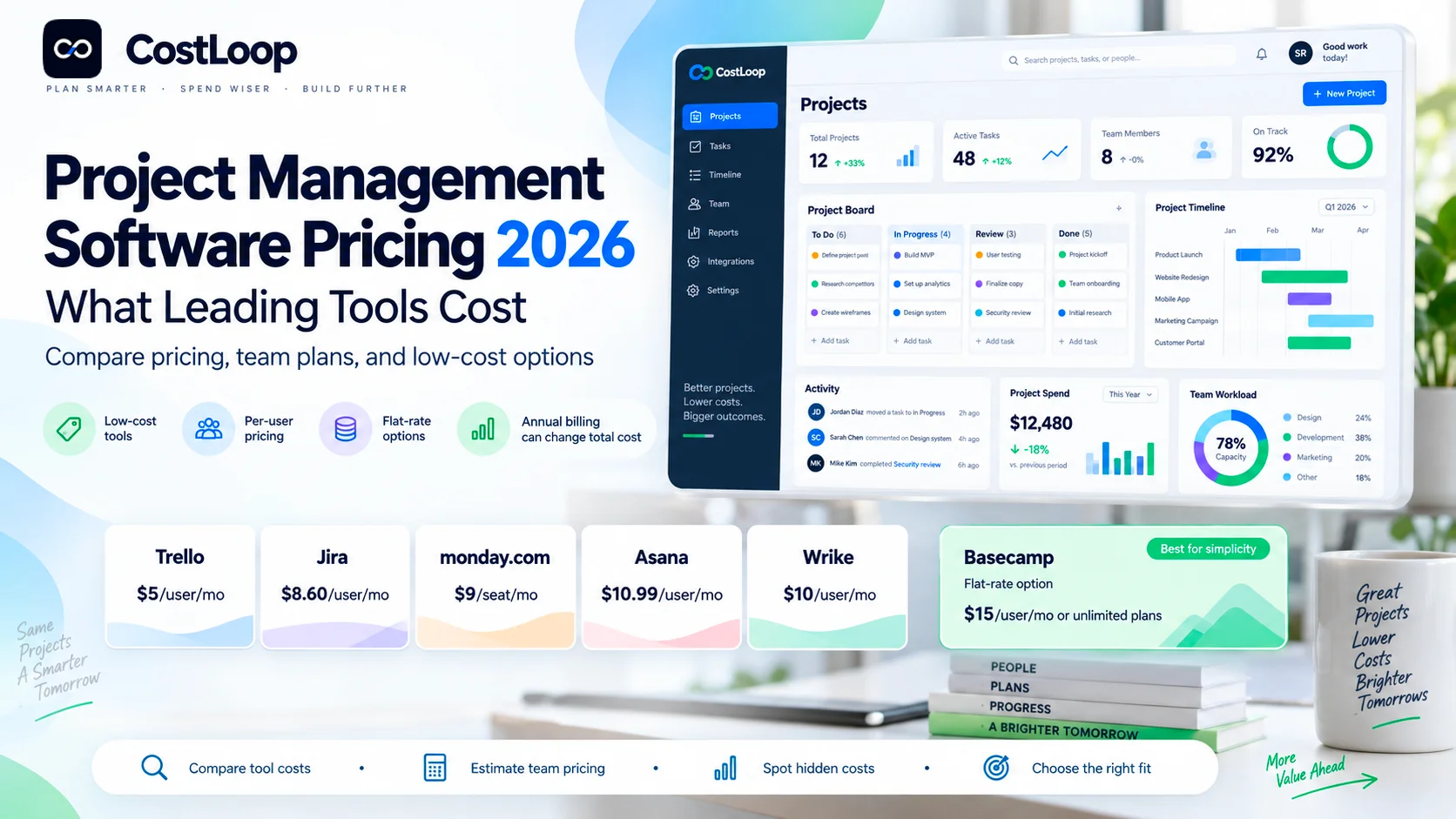
If your priority is low cost project management software, Trello Standard starts at $5/user/month billed annually, ClickUp Unlimited at $7, Jira Standard at $7.91, monday.com Basic and Smartsheet Pro at $9, Teamwork Basics at $9.99, and Microsoft Planner Plan 1 and Wrike Team at $10. Asana Starter is $10.99/user/month billed annually. But the lowest sticker price is not always the lowest real cost: minimum seat rules, annual commitments, guests, automation limits, AI credits, add-ons, implementation work and unused seats can all change the economics.
Key takeaways
- The cheapest mainstream paid option in this comparison is Trello Standard at $5/user/month billed annually.
- ClickUp Unlimited at $7/user/month is one of the strongest low-cost feature-to-price options, but ClickUp is also testing a new AI-bundled plan structure with selected workspaces, so upgrade screens can differ.
- Jira Standard is $7.91/user/month and Jira Premium is $14.54; monthly billing uses exact users while annual billing uses user tiers.
- monday.com starts at $9/seat/month billed annually, but paid plans require at least 3 seats. Standard at $12 adds the project-management capabilities many teams actually buy monday.com for.
- Smartsheet Pro is $9/member/month billed annually; Business is $19 and starts at 3 members.
- Asana Starter is $10.99/user/month annually, Advanced is $24.99, and Asana does not sell a one-user paid plan.
- Wrike Team is $10/user/month and Business is $25, both displayed as monthly equivalents billed annually under the current 2026 packaging.
- Microsoft Planner Plan 1 is $10/user/month, Plan 3 is $30 and Plan 5 is $55, all paid yearly. Basic Planner is included in Microsoft 365.
- Basecamp uses flat pricing on most paid tiers: $25 Freelancer, $59 Studio, $99 Pro, and $299/month for Unlimited billed annually. That can beat per-seat tools quickly as headcount grows.
- The real project-management cost should be modeled as subscription + billable seats + add-ons/AI + integrations + implementation + duplicated tools + unused licenses.
In this guide
- Current project management software pricing in 2026
- The cheapest paid project-management tools
- Trello, ClickUp, Jira, monday.com, Smartsheet, Teamwork, Microsoft Planner, Asana, Wrike and Basecamp
- What a 5-, 10- and 25-person team can pay
- Per-seat vs flat-rate pricing
- Monthly vs annual billing and minimum-seat traps
- AI credits, automation, guests and add-on costs
- How to choose low cost project management software without underbuying
- How to calculate real annual TCO and cost per active user
- How to control seats and renewals after purchase
Methodology and disclosure
This guide was verified against the current official U.S. pricing pages and current billing documentation from Trello/Atlassian, ClickUp, Jira/Atlassian, monday.com, Smartsheet, Teamwork.com, Microsoft, Asana, Wrike, Basecamp and Notion on September 9, 2026. Where a vendor publishes a concrete current price, we use it. Where pricing is quote-based, we say so. We do not convert old blog screenshots, reseller estimates or historical enterprise quotes into fake 2026 list prices.
CostLoop publishes this guide and operates in recurring software cost, license, renewal and subscription tracking. CostLoop is not project-management software and is not ranked as one of the tools. Its role is the buyer-side commercial layer: tracking what your company pays for Asana, Jira, monday.com, Wrike, Smartsheet and the rest of your software stack, who owns each subscription, how many seats you carry and when the next renewal decision is due.
Related CostLoop guides
- Project Management Subscription Tracker
- Asana Pricing 2026
- Wrike Pricing 2026
- Smartsheet Pricing 2026
- Jira Pricing 2026
- Microsoft Project Pricing 2026
- Software Budget Template
- How to Reduce Software Spend
- Renewal Tracker for Software Subscriptions
- License Tracking Software
- CostLoop Features
- CostLoop Pricing
Project management software pricing in 2026
There is no single project management software pricing model. The market now mixes free tiers, per-user plans, minimum-seat requirements, annual user tiers, flat account pricing, usage-based AI and enterprise quotes. That is why a simple row of "price per user" numbers can be useful for discovery but insufficient for budgeting.
The public price is only the first line of the budget
A serious project-management budget should separate at least six components:
- Core plan subscription: the public or quoted recurring license price.
- Billable seats: full users, members, editors or agents actually charged under the vendor rules.
- Add-ons and usage: AI credits, premium integrations, advanced resource management, whiteboards, data connectors or extra automation.
- Implementation and migration: configuration, templates, imports, permissions, workflows and internal change management.
- Overlapping software: project tools that remain live after the new platform is purchased.
- Renewal drift: inactive users, unnecessary tiers and add-ons that stay in place because nobody reviews them.
Use this formula for planning: Annual PM software TCO = core subscription + paid seats + add-ons/usage + implementation + integrations + duplicated tools + taxes
Low cost project management software: cheapest current paid options
If your search intent is specifically low cost project management software, the useful comparison is not "which vendor has a free plan?" Most serious teams eventually need features that sit behind a paid tier: unlimited boards, Gantt/timeline views, automation, permissions, dashboards, resource planning or stronger reporting. The table below compares the lowest practical public paid tier from each major vendor.
| Tool | Entry Paid Plan | Current Starting Price | Pricing Model | Best-Known Cost Angle |
|---|---|---|---|---|
| Trello | Standard | $5/user/mo annual | Per user | Lowest public paid entry price in this comparison |
| ClickUp | Unlimited | $7/user/mo annual | Per user | Broad feature set at a low entry price |
| Jira | Standard | $7.91/user/mo | Per user / annual tiers | Strong value for agile and software teams |
| monday.com | Basic | $9/seat/mo annual | Per seat, 3-seat minimum | Standard at $12 is often the more realistic PM tier |
| Smartsheet | Pro | $9/member/mo annual | Per member | Spreadsheet-style work management; Business $19 |
| Teamwork | Basics | $9.99/user/mo annual | Per user | Services-focused with time tracking |
| Microsoft Planner | Plan 1 | $10/user/mo annual | Per user | Premium Planner; basic Planner also included in Microsoft 365 |
| Wrike | Team | $10/user/mo annual | Per user | Low entry; Business jumps to $25 |
| Asana | Starter | $10.99/user/mo annual | Per user | Strong general-purpose PM; Advanced $24.99 |
| Basecamp | Freelancer | $25/month flat | Flat account price | Can be unusually cheap per person if project limits fit |
Which low-cost option is actually the best value?
Trello Standard: best if your workflow is fundamentally boards, cards, checklists and lightweight automation. ClickUp Unlimited: strongest low-cost choice when you want many project-management features without immediately moving to a $15-$25 tier. Jira Standard: best low-cost choice for software, product and agile teams that already fit Jira workflows. monday.com Standard rather than Basic: often the more realistic value tier if timelines, integrations and automation matter. Smartsheet Pro: strong for small operations teams that prefer a spreadsheet-like model and have no more than 10 members. Basecamp Studio: can be dramatically cheaper per person for a larger collaborative team if 10 active projects are enough.
Trello pricing: lowest public paid entry price
Trello remains one of the easiest tools to budget. Free supports up to 10 collaborators per Workspace. Standard costs $5 per user per month billed annually or $6 billed monthly. Premium costs $10 annually or $12.50 monthly. Enterprise is currently $17.50 per user per month billed annually, or $210 per user per year.
Standard adds unlimited boards, advanced checklists, custom fields, card mirroring and more automation. Premium adds Calendar, Timeline, Table, Dashboard and Map views plus AI and stronger admin controls. Enterprise adds organization-wide permissions, unlimited Workspaces and enterprise security/control features.
Trello is genuinely low cost when one or a few boards are enough. The common trap is keeping a cheap Trello workspace alive after another project tool becomes the real system of record. Low price does not make duplicate software free.
See the full Trello Pricing 2026 guide for Workspace billing, guest costs, Business Class legacy pricing and Enterprise minimums. Official pricing: trello.com/en/pricing
ClickUp pricing: broad features at $7/user/month
ClickUp's current main pricing page shows Free Forever, Unlimited at $7 per user per month billed yearly ($10 monthly), Business at $12 billed yearly ($19 monthly), and Enterprise via custom pricing. Unlimited includes unlimited storage, Gantt charts, integrations, custom fields, native time tracking, goals/portfolio management and resource management.
Business adds advanced dashboards, webhooks/automation integrations, more automations, portfolio workload management, proofing and Google SSO. ClickUp advertises up to 30% savings with yearly billing.
A separate ClickUp help article says some Workspaces are beginning to see a new AI-bundled plan structure with Core, Business, Business Plus, Enterprise and Max. ClickUp says current customers keep their existing plan/price and the rollout is not yet universal.
That rollout is the key 2026 freshness issue. A current comparison should not pretend every ClickUp buyer sees exactly the same upgrade menu. Use the public pricing page as the general reference, then verify the plans shown inside your own Workspace before budgeting an upgrade.
Official pricing: clickup.com/pricing
Jira pricing: strong value with annual-tier nuance
Jira Cloud Free supports up to 10 users. Standard is currently $7.91 per user per month and Premium is $14.54. Enterprise is quote-based and annual-only. Jira also now includes Rovo Search, Chat and Agents on paid plans, with different credit allowances by tier.
Standard includes roles/permissions, external collaboration, multi-region data residency, 250 GB storage and 400 automation steps per user per month. Premium adds cross-team planning/dependency management, approvals, unlimited storage, stronger support and 750 automation steps per user per month.
Monthly billing uses the exact number of Jira users. Annual subscriptions charge the user tier that most closely matches the account size.
The annual-tier rule matters. A project-management pricing table that multiplies $7.91 by the exact annual user count can be directionally useful but not always equal to the final Atlassian invoice. Use the official calculator for the actual annual tier.
Official pricing: atlassian.com/software/jira/pricing
monday.com pricing: $9 entry, but Standard is often the real comparison
monday.com Work Management has a Free plan for up to 2 seats. Basic is $9 per seat per month billed annually, Standard is $12, Pro is $19, and Enterprise is custom. monday.com's current task-management pricing guidance lists monthly rates of $12, $14 and $24 respectively and says paid plans require a minimum of 3 seats.
Basic is inexpensive but is more limited for advanced project planning. Standard adds stronger workflow/project functionality and is the plan many teams should compare against competitors rather than using Basic as the sole benchmark. Pro moves into time tracking, workload and higher automation/integration capacity. The current pricing page also includes AI credits, and extra credits can be purchased.
For a two-person team, the paid minimum matters immediately: a $9 sticker price can still mean three paid seats. For larger teams, AI credits and workflow consumption are another cost dimension to track alongside seats.
Official pricing: monday.com/pricing
Smartsheet pricing: $9 Pro, $19 Business
Smartsheet Pro is $9 per member per month billed yearly or $12 billed monthly, for 1-10 members with unlimited contributors. Business is $19 per member per month annually or $24 monthly and starts at 3 members. Enterprise and Advanced Work Management are custom-priced.
Pro includes Gantt, table, board and calendar views, unlimited sheets/forms/reports and 250 automations per month. Business adds unlimited guests, Timeline, workload tracking, admin controls and unlimited automations. Premium capabilities such as Dynamic View and Data Shuttle can create meaningful costs beyond the base plan.
Smartsheet looks inexpensive at the Pro level, but organizations that need enterprise workflows, connectors, resource management or premium apps should budget the whole solution, not just member licenses.
Official pricing: smartsheet.com/pricing
Teamwork pricing: project management built around client work
Teamwork.com's current pricing page lists Free for up to 5 users and 5 projects, Basics at $9.99 per user per month billed yearly, Accelerate at $24.99, and Optimize/Enterprise via sales quote. Basics includes Gantt/Table/List/Board views, templates and billable time tracking.
Accelerate adds forms, 20,000 automations, workload/capacity management, time budgets/retainers, invoice creation and accounting integrations. Optimize moves deeper into quotes, pipeline-to-project handoff, resource scheduling, multi-currency budgets and profitability.
Teamwork currently says AI is included in paid plans for an introductory period and usage-based AI credits will launch in September 2026. That AI wording is a refresh trigger. Because we are publishing in September 2026, confirm the live billing page before assuming AI usage remains included without a separate variable charge.
Official pricing: teamwork.com/pricing
Microsoft Planner and Project pricing: $10 to $55/user/month
Microsoft's current project-management packaging now centers on Planner. Basic Microsoft Planner is included in Microsoft 365. Planner Plan 1 is $10 per user per month paid yearly, Planner and Project Plan 3 is $30, and Planner and Project Plan 5 is $55.
Plan 1 adds premium planning features including dependencies, reports, Timeline/Gantt, backlogs/sprints, people management and project goals. Plan 3 adds advanced dependencies, portfolios, baselines/critical path, Project desktop and Project Online capabilities. Plan 5 adds advanced portfolio management and enterprise resource management/allocation.
The biggest budgeting mistake is comparing a $10 Planner Plan 1 seat with a $10 general-purpose tool as if they are identical. Microsoft customers should first check what Planner capabilities are already included in their Microsoft 365 subscription, then buy premium licenses only for people who need the advanced features.
Official pricing: microsoft.com Planner pricing
Asana pricing: $10.99 Starter, $24.99 Advanced
Asana Personal is free for up to 2 users. Starter is $10.99 per user per month billed annually or $13.49 monthly. Advanced is $24.99 annually or $30.49 monthly. Enterprise and Enterprise+ are quote-based.
Starter adds Timeline/Gantt, reporting dashboards, forms, custom fields, unlimited automations and free guests. Advanced adds portfolios, goals, workload, approvals/proofing and stronger reporting/integration options.
Asana does not offer a one-user paid plan; current help documentation says paid plans for small teams start with 2-seat subscriptions.
For small teams, the two-seat minimum matters. For larger teams, the bigger cost jump is not monthly vs annual billing; it is whether the organization genuinely needs Advanced across every paid member instead of Starter.
Official pricing: asana.com/pricing
Wrike pricing: $10 Team, $25 Business
Wrike's current 2026 pricing is Free, Team at $10 per user per month, Business at $25, and quote-based Pinnacle and Apex. The displayed Team and Business amounts are billed annually. Team supports 2-15 users and Business supports 5-200.
Team is a relatively low-cost step up from basic task management with Gantt and dashboards. Business is a 2.5x jump in public per-user price and adds the customizable workflow layer many operational teams buy Wrike for. Pinnacle and Apex move into resource planning, budgeting, BI, enterprise integration and AI/workflow scale.
Wrike's real cost can become more complicated than $10 or $25 because license types, seat purchasing, add-ons such as Whiteboards and enterprise services can change the total. CostLoop has a separate current Wrike pricing guide for the full license analysis.
Official pricing: wrike.com/price
Basecamp pricing: flat-rate economics change the comparison
Basecamp uses a very different model. Free includes one project and up to 5 users. Freelancer is $25/month for up to 3 active projects and 20 users. Studio is $59/month for up to 10 active projects and unlimited users. Pro is $99/month for up to 25 active projects and unlimited users. Unlimited is $299/month billed annually with unlimited projects and users.
There are no per-user fees on paid Basecamp tiers. The economic limit is the number of active projects and storage, not user seats.
Studio at $59/month can be cheaper than a $10/user tool once you reach roughly 6 users, provided 10 active projects are enough. Pro at $99/month can beat a $10/user tool around 10 users, provided 25 active projects fit the operating model.
Basecamp is why "price per user" tables can be misleading. A 30-person team can pay $59/month on Studio if the project limit fits, while a $10/user competitor would be $300/month. But if your company needs 50 active projects or advanced resource/portfolio controls, the comparison changes completely.
Official pricing: basecamp.com/pricing
What a 5-, 10- and 25-person team can pay
The table below uses each vendor's lowest mainstream public paid per-user plan and assumes annual-billing prices where that is the advertised entry rate. It is a comparison model, not a guaranteed invoice. Jira annual tiers, monday.com minimum seats, taxes, regional pricing and vendor-specific billing rules can change the final amount.
| Tool / Entry Paid Plan | 5 Users / Year | 10 Users / Year | 25 Users / Year |
|---|---|---|---|
| Trello Standard | $300 | $600 | $1,500 |
| ClickUp Unlimited | $420 | $840 | $2,100 |
| Jira Standard | $474.60 | $949.20 | $2,373 |
| monday.com Basic | $540 | $1,080 | $2,700 |
| Smartsheet Pro | $540 | $1,080 | Not available above 10 Pro members |
| Teamwork Basics | $599.40 | $1,198.80 | $2,997 |
| Planner Plan 1 | $600 | $1,200 | $3,000 |
| Wrike Team | $600 | $1,200 | Team is capped at 15 users |
| Asana Starter | $659.40 | $1,318.80 | $3,297 |
At 25 users, even a small $3-$5 difference in the per-user rate becomes $900-$1,500 per year. That matters. But the lower-priced plan can still be the worse deal if it forces your team to keep a second product for reporting, time tracking, intake, resource planning or client collaboration. The correct comparison is the total cost of the operating stack after consolidation, not the cheapest line item in isolation.
Basecamp flat-rate break-even examples
Basecamp deserves a separate calculation because its prices do not scale with seats on Studio and higher tiers.
Studio at $59/month vs a $10/user tool: the $10/user tool reaches $60/month at 6 users. If Studio's 10 active-project limit is sufficient, Basecamp is already cheaper on subscription price at that point.
Pro at $99/month vs a $10/user tool: the $10/user tool reaches $100/month at 10 users. If 25 active projects are enough, Pro can be cheaper from roughly 10 users upward.
Studio vs Trello Standard at $5/user: Trello reaches $60/month at 12 users. Basecamp Studio becomes cheaper on subscription price above roughly 12 users, subject to project limits.
Flat rate does not automatically mean better value. If your workflows require portfolio management, resource planning, agile backlogs or complex automation, buying a cheaper flat plan and then adding separate tools can erase the savings.
Pricing models compared
| Pricing Model | How It Works | Common Examples | Main Buyer Risk |
|---|---|---|---|
| Per-user annual rate | Monthly equivalent shown, annual commitment | Asana, Wrike, Microsoft Planner | Seat count compounds quickly |
| Per-user monthly/annual choice | Lower annual price, higher monthly price | Trello, ClickUp, Smartsheet | Annual savings can become waste if adoption falls |
| Minimum seat blocks | Paid plan starts at a minimum user count | monday.com; Asana starts paid at 2 seats | Small teams can pay for unused capacity |
| Annual user tiers | Annual price tied to user band rather than exact count | Jira | A few extra users can move the account to a higher tier |
| Flat account pricing | One monthly price for many or unlimited users | Basecamp | Project/storage limits matter more than seats |
| Custom enterprise quote | Pricing negotiated by scope and contract | Most enterprise tiers | Headline comparisons stop being reliable |
| Usage/AI add-ons | Credits or premium AI capacity can sit on top | monday.com, ClickUp rollout, Teamwork | Usage can create a second variable cost |
What drives project management software cost beyond the plan price?
1. Paid-seat rules. Some tools bill every member, some allow free guests or viewers, some enforce minimum seats, and some use annual user tiers. Track purchased seats separately from assigned and active users.
2. The feature tier your workflow actually needs. Entry plans are often cheap because Gantt, workload, time tracking, approvals, portfolios, advanced permissions or resource management sit higher. Compare the plan that supports your real workflow, not the cheapest vendor card.
3. Annual vs monthly billing. Annual billing commonly saves 15%-30%, but it also converts a flexible subscription into a commitment. The discount only creates savings if the team still needs the tool for most of the term.
4. AI credits and usage. AI is increasingly bundled into project-management plans, but not always with unlimited usage. monday.com sells additional credits, ClickUp is rolling out AI-bundled packages to some workspaces, and Teamwork is moving toward usage-based AI credits. Treat AI as a possible variable-cost layer.
5. Automation and integration limits. A low tier can look cheap until the team hits automation-action, API or integration caps. Upgrading only for capacity can be more expensive than choosing the right tier from the start.
6. Resource management and portfolio modules. The biggest price jumps often happen when project software becomes enterprise work management: workload, resource allocation, portfolios, financials, governance and BI push teams into $19-$55/user plans or custom quotes.
7. Implementation and migration. Data import, workflow mapping, permissions, templates, integrations, training and change management all have cost even when the vendor charges no setup fee.
8. Duplicate project tools. The classic waste pattern is Asana + Trello + Notion + Jira + an old monday.com workspace all surviving inside one company. Each team has a reason; the business has five invoices. Category-level visibility matters.
9. Renewal inertia. Per-seat tools quietly retain departed employees, contractors and people who no longer need full access. Annual renewal should include a seat reconciliation, plan review and add-on review.
How to choose project management software by price and use case
The cheapest tier is the right answer only if it supports the workflow. A marketing team that needs intake forms, approvals, workload and reporting can easily spend more time compensating for a $5 plan than it saves in license fees. A 20-person professional-services firm can overpay just as easily by buying a sophisticated $25/user work-management platform when Basecamp or Teamwork Basics would cover the actual process.
A practical procurement scorecard
- List the 5-10 workflows the platform must own: planning, tasks, intake, approvals, resources, client work, time, reporting, portfolio management or agile delivery.
- Mark each capability required / useful / unnecessary.
- Identify the cheapest vendor tier that covers every required item.
- Calculate the exact billable seat count under vendor rules.
- Add required add-ons, AI/automation usage and integrations.
- Estimate migration and internal implementation effort.
- Subtract the annual cost of tools the platform will genuinely replace.
- Compare three-year cost, not only month one.
- Set a renewal owner and review date before signing.
| Use Case | Start With | Why |
|---|---|---|
| Cheapest structured Kanban | Trello Standard | Very low paid entry price and simple adoption |
| Low-cost all-in-one PM | ClickUp Unlimited | Large feature set at $7/user/month |
| Agile/software delivery | Jira Standard | Strong backlog, workflow and development ecosystem |
| Flexible cross-functional work | monday.com Standard | Broad work-management model, automation and views |
| Spreadsheet-oriented operations | Smartsheet Pro / Business | Familiar grid model with project/workflow depth |
| Client services and billable work | Teamwork Basics / Accelerate | Time, clients, budgets and profitability orientation |
| Microsoft-centric organizations | Planner Plan 1 | Natural fit with Microsoft 365 and Teams |
| General business project management | Asana Starter | Strong usability, timeline, forms and automation |
| Advanced operational workflows | Wrike Business | Custom work structures, intake and enterprise path |
| Flat-rate collaboration | Basecamp Studio / Pro | Unlimited users can radically reduce per-person cost |
How to calculate real project management software TCO
Use a model that makes pricing comparable across vendors even when the licensing models differ.
Year-one TCO = annual subscription + add-ons/usage + implementation/migration + integrations + internal rollout cost
Steady-state annual TCO = subscription + add-ons/usage + integration maintenance + admin/operating cost
Net incremental cost = new platform TCO - annual cost of tools actually retired
Cost per active user
A useful renewal metric is effective cost per active user, not price per purchased seat.
Effective monthly cost per active user = annual PM software TCO / 12 / active users
Example: a 25-seat plan at $12/user/month costs $3,600/year. If only 18 people actively use the product, the effective subscription cost is $16.67 per active user per month, before add-ons. The sticker price remains $12; the business reality is higher because seven paid seats are idle.
Project management software renewal checklist
Run this 60-90 days before an annual renewal, especially for platforms with seat-based billing or automatic renewal.
- Confirm the current contract price, renewal date and notice deadline.
- Export the current paid member or seat list.
- Remove departed employees, contractors and duplicate accounts.
- Identify people who can become free guests, viewers or limited users.
- Compare purchased seats with active users.
- Review the current plan against features actually used.
- List every paid add-on, AI pack, integration module or premium service.
- Identify overlapping project-management tools elsewhere in the company.
- Calculate annual spend by project-management category, not only vendor.
- Ask the vendor for the next-term quote before the cancellation window closes.
- Make an explicit renew / downgrade / consolidate / renegotiate / cancel decision.
- Store the new order form and next renewal date immediately.
Useful CostLoop workflows: Software Budget Template · How to Reduce Software Spend · Renewal Tracker · License Tracking Software
Where CostLoop fits
CostLoop is not a replacement for Asana, Jira, monday.com, ClickUp, Smartsheet, Wrike, Trello, Planner or Basecamp. Those tools manage projects and work. CostLoop helps manage the recurring software cost around them.
A business can use CostLoop to keep one commercial record for every project-management subscription: vendor, plan, recurring cost, billing cycle, renewal date, owner, seat/license context, invoice or contract documents, cancellation/vendor link, notes and review status. That makes it easier to see duplicate PM tools across departments and review the category before renewal rather than after another annual charge.
See CostLoop features or CostLoop pricing for the current product scope.
Frequently asked questions
How much does project management software cost in 2026?
Mainstream paid project-management plans commonly start around $5-$11 per user per month when billed annually. Advanced plans with workload, portfolios, resource management, financial controls or enterprise security commonly cost $19-$30+ per user per month, with top enterprise tiers often quote-based.
What is the cheapest paid project management software?
Among the leading tools compared here, Trello Standard has the lowest public paid starting price at $5/user/month billed annually. ClickUp Unlimited is $7, Jira Standard $7.91, monday.com Basic and Smartsheet Pro $9, and Teamwork Basics $9.99.
What is the best low cost project management software?
There is no universal winner. Trello is the cheapest simple board-centric option; ClickUp Unlimited offers one of the broadest feature sets at a low price; Jira Standard is strong for agile/software teams; and Basecamp can be extremely cheap per person for larger teams because Studio and Pro use flat pricing.
How much is project management software for 10 users?
At current annual-billing entry rates, 10 users would be about $600/year on Trello Standard, $840 on ClickUp Unlimited, about $949 on Jira Standard, $1,080 on monday.com Basic or Smartsheet Pro, $1,198.80 on Teamwork Basics, $1,200 on Planner Plan 1 or Wrike Team, and $1,318.80 on Asana Starter. Vendor rules can change the exact invoice.
Is annual project management software cheaper than monthly billing?
Usually. Trello, ClickUp, monday.com, Smartsheet and Asana all show lower annual-equivalent pricing than monthly billing. But annual billing only saves money when the team continues using the software; an unused annual seat is still waste.
Why does Basecamp pricing look so different?
Basecamp charges flat account prices on its paid tiers instead of charging every user separately. Freelancer is $25/month for up to 20 users and 3 active projects; Studio is $59/month with unlimited users and 10 active projects; Pro is $99/month with unlimited users and 25 active projects.
Does Microsoft Planner cost extra if we already have Microsoft 365?
Basic Microsoft Planner is included in Microsoft 365 according to Microsoft's current plan comparison. Premium Planner Plan 1 is $10/user/month paid yearly, with Plan 3 at $30 and Plan 5 at $55.
Does Jira charge every user the same way annually?
Not exactly. Jira monthly subscriptions are based on the exact active user count, while annual subscriptions use the closest user tier. Use Atlassian's pricing calculator for the actual annual invoice rather than relying only on simple per-user multiplication.
What hidden costs should I include?
Include minimum or unused seats, AI/automation usage, add-ons, integrations, migration, training, internal administration, duplicate PM tools and renewal price changes.
How do I compare project management software fairly?
Compare the cheapest tier that supports your required workflows, calculate the exact billable user quantity, add necessary extras and implementation, then subtract tools the platform will actually replace. A three-year TCO is more useful than a single per-user sticker price.
Final verdict
Project management software pricing in 2026 is competitive at the entry level. Trello, ClickUp, Jira, monday.com, Smartsheet, Teamwork, Microsoft Planner, Wrike and Asana all provide credible paid options around $5-$11 per user per month. That makes it easy to focus on tiny price differences and miss the bigger cost drivers.
The real money appears when a team grows, needs a higher feature tier, carries unused seats, adds AI/automation capacity, or keeps two or three overlapping project tools alive. A $7 product can become more expensive than a $12 product if the $12 platform replaces another subscription. A $59 flat Basecamp plan can beat a $10/user platform for a larger team, but only if Basecamp's project model fits.
Start with workflow fit, not the cheapest logo. Then calculate billable seats, annual commitment, add-ons and replacement value. Finally, treat the renewal as a fresh buying decision. That is how you keep low cost project management software genuinely low cost after year one.

About the author
Milosh Mladenovski is a CostLoop founder and works on subscription discovery, license inventory and recurring software cost workflows. Author profile · LinkedIn