Last verified: August 7, 2026
Quick answer
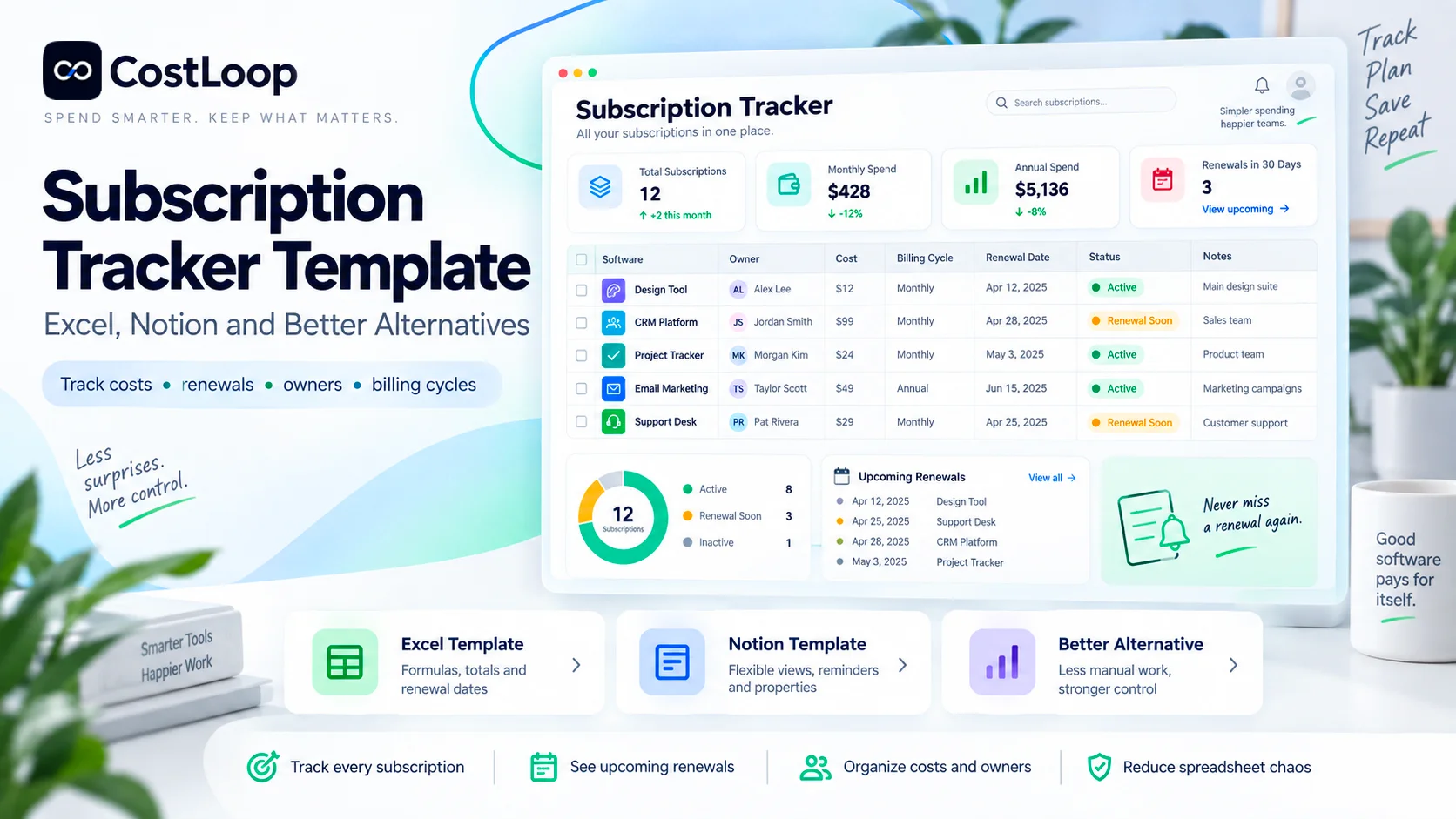
A subscription tracker template is a structured way to record every recurring subscription, what it costs, how often it bills, who owns it, and when it renews. For a simple setup, Excel is the strongest free template because it handles formulas, totals, filters, and conditional formatting well. Notion is better when you want a shared database with owners, views, files, date reminders, and optional paid automations. Both can work. The point at which they stop being enough is when the business needs the tracker to act without someone remembering to check it: automatic renewal workflows, cleaner records, imports, usage signals, centralized documents, and ongoing accountability. This guide gives you a copyable free template for Excel and Notion, the formulas that make it useful, and a clear framework for deciding when to move to a dedicated subscription tracker.
Key takeaways
- The best subscription tracker template starts with the decision fields, not a giant feature list: subscription, owner, charge amount, billing cycle, monthly equivalent, renewal date, notice period, cancellation link, status, and last review date.
- Excel is the best fit when you want a flexible subscription tracking spreadsheet with formulas, sorting, filtering, and custom financial analysis.
- A Notion subscription tracker is better when records need owners, notes, files, multiple views, and collaborative editing in a workspace the team already uses.
- Notion now supports reminders on Date properties. On paid plans, database automations can also run on recurring schedules and can send email through a connected Gmail account. That makes current Notion more capable than older comparisons suggest.
- A free template is useful only if somebody keeps it current. The most common failure is not the formula. It is the gap between a subscription changing and the tracker being updated.
- Annual subscriptions should be converted to a monthly equivalent for budgeting, but the actual annual charge and renewal date must still be stored separately.
- Track the notice deadline as well as the renewal date. If a vendor requires 30 days notice, the real decision deadline is 30 days before renewal.
In this guide
- A free subscription tracker template you can copy
- The exact columns every tracker should include
- How to build a subscription tracker in Excel
- Excel formulas for monthly cost, annual cost, renewals and unused seats
- How to use conditional formatting for upcoming renewals
- How to build a Notion subscription tracker
- Notion properties, views, reminders, formulas and automations
- Excel vs Notion vs a dedicated subscription tracker
- How to populate the template without missing hidden subscriptions
- A monthly and quarterly maintenance routine
- Common template mistakes
- When a spreadsheet or Notion database stops being enough
- How CostLoop fits as a purpose-built alternative
- Frequently asked questions and implementation guidance
Methodology and disclosure
CostLoop publishes this guide and builds software for tracking recurring software costs, owners, licenses, documents and renewals. That creates a direct commercial interest in the "better alternatives" section, so the comparison is explicit about what Excel and Notion do well rather than pretending a dedicated tool is always necessary.
The template design is based on the fields CostLoop already recommends for subscription records and on the practical controls used in its existing software-budget, renewal-tracker, software-inventory and subscription-audit guides. Excel functionality was checked against Microsoft's current documentation for Excel Tables, structured references and conditional formatting. Notion functionality was checked against current Notion documentation for database properties, templates, formulas, Date reminders and database automations.
The Notion section is intentionally current. Older articles often state that Notion cannot send email reminders. That is no longer a complete description. Notion Date reminders can create notifications and may send email depending on notification state/settings, while paid-plan database automations can use recurring triggers and send mail through Gmail. Free-plan users have materially fewer automation capabilities.
For the broader process rather than the template itself, see How to Track Software Subscriptions and CostLoop's Renewal Tracker guide. For the fields that belong inside each record, see What to Store With Every Software Subscription Record.
What is a subscription tracker template?
A subscription tracker template is a reusable table or database structure for keeping recurring subscriptions in one place. It is not just an expense log. A useful tracker should answer four operational questions without additional detective work:
- What are we paying for?
- How much does it really cost per month and per year?
- Who owns the decision to keep, change or cancel it?
- What must happen before the next renewal?
That is the difference between a subscription tracking spreadsheet and a random list of monthly charges. The list records history. The tracker supports a future action.
For a solo founder with six tools, that action may simply be "cancel this before October 12." For a 20-person business, it may be "ask the marketing owner whether these five seats are still needed, obtain the renewal quote, compare the annual option, then decide before the 30-day notice window closes." The data model should support both without becoming an accounting system.
Free subscription tracker template: copy this structure
Start with one row per subscription or commercial line item. Do not create one row per invoice. Invoices are evidence; the subscription itself is the record you manage.
A copyable starter table
| Field | What to Record | Example |
|---|---|---|
| Subscription | Product or service name | Design Tool Pro |
| Vendor | Company that bills you | Design Vendor Ltd. |
| Category | Function or budget category | Design |
| Owner | Person responsible for the tool | Head of Design |
| Plan | Paid tier or edition | Professional |
| Charge amount | Actual invoice amount | 1,200 |
| Currency | Billing currency | USD |
| Billing cycle | Monthly / quarterly / annual / other | Annual |
| Monthly equivalent | Normalized monthly cost | 100 |
| Annualized cost | Comparable yearly cost | 1,200 |
| Renewal date | Next charge or contract renewal | 2027-04-15 |
| Notice days | Required cancellation / non-renewal notice | 30 |
| Cancel-by date | Last safe decision date | 2027-03-16 |
| Paid seats | Seats/licenses purchased | 12 |
| Active users | Users who actually need/use it | 9 |
| Status | Keep / Review / Cancel / Trial | Review |
| Cancellation URL | Direct billing/cancel path | Vendor billing page |
| Contract / invoice | Link to evidence | Drive / SharePoint link |
| Last reviewed | Date the record was verified | 2026-09-09 |
Minimum viable version: If that table feels too large, start with: Subscription, Owner, Charge Amount, Billing Cycle, Monthly Equivalent, Renewal Date, Status and Cancellation URL. Add seats, documents, notice periods and review fields as soon as the tracker is used by more than one person or annual contracts become meaningful.
| Subscription | Owner | Charge | Cycle | Mo. Equiv. | Renewal | Status |
|---|---|---|---|---|---|---|
| Design Tool | Design Lead | $1,200 | Annual | $100 | Apr 15 | Review |
| CRM Tool | Sales Lead | $180 | Monthly | $180 | Monthly | Keep |
| Analytics Tool | Growth Lead | $600 | Annual | $50 | Nov 1 | Keep |
| Scheduling Tool | Operations | $45 | Monthly | $45 | Monthly | Cancel |
These numbers are illustrative. The structure is the point. Use your actual invoice, contract and renewal evidence rather than copying example values into a real budget.
The fields that matter most
Subscription name and vendor. Store both. The product name and the legal billing vendor can differ, and bank-statement merchant descriptions are often less recognizable than the tool name. Separating the two makes charge reconciliation easier.
Owner. Every business subscription should have one accountable owner. That does not mean the owner pays the invoice personally. It means they can explain why the tool exists, who needs it, and whether it should renew. "IT" or "Finance" as the owner of every row is usually too vague unless one person in that function genuinely makes the decision.
Charge amount, billing cycle and currency. Never store only "$100/month" if the actual contract is $1,200 billed once a year. Keep the real charge amount and cycle, then calculate a separate monthly equivalent. That preserves both cash-flow reality and budget comparability. CostLoop's Annual vs Monthly SaaS Billing guide explains why the billing term and the normalized monthly cost are two different decisions.
Renewal date and cancel-by date. A renewal date tells you when the commercial event happens. A cancel-by date tells you when your decision must already be finished. If a contract renews on December 1 but requires 30 days notice, November 1 is operationally more important than December 1. For the renewal process itself, see Renewal Tracker for Software Subscriptions.
Seats and active users. If a subscription is seat-based, separate what you pay for from what is actually used. "12 seats" is not enough. Twelve purchased, eleven assigned and eight active users tells you something actionable. A single seat count does not. For seat-reclamation logic, see Unused Software Licenses: Find Wasted Seats.
Cancellation link and evidence. Save the direct billing or cancellation path while you know where it is. Also link the latest invoice, contract, order form or relevant renewal email. A tracker becomes dramatically more useful when the decision evidence is one click away instead of buried in somebody's inbox.
How to build a subscription tracker in Excel
Excel is the strongest option when the primary job is structured financial tracking. It handles calculations, filtering, totals and custom reporting better than a typical notes database, and the workbook remains fully under your control.
The mistake is building a giant sheet with random ranges. Use an Excel Table. Microsoft's current guidance describes Tables as structured data ranges with headers, filtering and automatically expanding calculated columns. Structured references use table and column names instead of fragile cell coordinates, which makes the workbook easier to read and maintain.
Recommended Excel workbook structure
For most freelancers and small teams, start with the Subscriptions tab only. Add supporting tabs when duplication or user-level detail becomes painful. Complexity should be earned by a real need.
| Tab | Purpose | Keep Here |
|---|---|---|
| Subscriptions | Master operating list | One row per subscription, owner, cost, cycle, renewal, status |
| Seats (optional) | User-level license detail | Subscription, user, assigned date, active/inactive, decision |
| Vendors (optional) | Vendor/contact layer | Vendor, account rep, support, billing portal, total spend |
| Renewal Calendar | Action view | Renewal, cancel-by date, owner, annualized cost, decision |
| Lists | Controlled dropdown values | Categories, status values, billing cycles, currencies |
Turn the main range into an Excel Table
- Create the headers and enter at least one sample row.
- Select the data range and choose Home → Format as Table (or Insert → Table).
- Confirm the table has headers.
- Give the table a useful name such as Subscriptions.
- Use structured-reference formulas so calculated columns expand automatically as you add rows.
Excel formulas that make the template useful
The examples below assume your Excel Table has the column names shown. If you use different names, change the structured references to match.
Do not turn the workbook into a formula contest. Every calculated field should answer a real decision question. If a formula is not used to review cost, timing, seats or action, it probably does not belong in the core tracker.
Monthly equivalent
=IF([@[Billing Cycle]]="Monthly",[@[Charge Amount]],IF([@[Billing Cycle]]="Quarterly",[@[Charge Amount]]/3,IF([@[Billing Cycle]]="Annual",[@[Charge Amount]]/12,"")))Annualized cost
=IF([@[Billing Cycle]]="Monthly",[@[Charge Amount]]*12,IF([@[Billing Cycle]]="Quarterly",[@[Charge Amount]]*4,IF([@[Billing Cycle]]="Annual",[@[Charge Amount]],"")))Cancel-by date
=[@[Renewal Date]]-[@[Notice Days]]Days until renewal
=[@[Renewal Date]]-TODAY()Unused seats
=MAX([@[Paid Seats]]-[@[Active Users]],0)Seat utilization rate
=IFERROR([@[Active Users]]/[@[Paid Seats]],0)Annual cost per active user
=IFERROR([@[Annualized Cost]]/[@[Active Users]],"")Simple review flag
=IF([@[Cancel-by Date]]<TODAY(),"Notice passed",IF([@[Cancel-by Date]]-TODAY()<=30,"Review now","OK"))Conditional formatting for renewals
Excel conditional formatting is useful because it turns a date column into an action view. A practical rule set is:
- Red: cancel-by date is past or renewal is within 14 days.
- Amber: renewal or cancel-by date is within 15-45 days.
- Green: more than 45 days away and record is complete.
- Gray: cancelled, retired or intentionally inactive.
Color should support a text status, not replace it. Someone who prints the sheet or has difficulty distinguishing colors should still understand what requires action.
Use data validation for controlled values
Use dropdowns for Billing Cycle, Status, Category and Currency. Standardization prevents "Annual," "Yearly," "12 months" and "Annually" from becoming four separate categories in a report.
What Excel does not solve by itself
A spreadsheet does not become current automatically when someone buys or cancels a tool. Conditional formatting only helps if somebody opens the workbook. Scheduled email reminders require an additional workflow or automation layer rather than the template alone. Contracts and invoices can be linked, but document management becomes messy as the number of records grows. Multiple editors can make data-quality ownership unclear unless one person is responsible for the master table. Usage and seat data usually has to be collected manually from vendor admin portals unless another system supplies it.
For the dedicated spreadsheet failure modes, see Why a Subscription Management Spreadsheet Always Fails. For a direct product comparison, see CostLoop vs Google Sheets for Subscription Tracking.
How to build a Notion subscription tracker
A Notion subscription tracker makes sense when the subscription record is partly financial and partly operational. Notion databases can hold numbers, dates, people, files, URLs, formulas, relations and rollups, then show the same data through table, calendar and filtered views. That makes Notion stronger than Excel when a record needs context and collaboration, even though Excel remains better for dense financial modeling.
Start with one database
Do not begin with five linked databases because Notion makes that possible. For most teams, one Subscription database is enough. Use one page per subscription and properties for the data you need to filter or calculate.
Useful Notion views
All subscriptions: complete table, sorted by annualized cost or category. Renewing soon: filter Cancel-by Date or Renewal Date to the next 30-60 days. Needs review: Status = Review, Trial or Cancel. By owner: group records by Owner so accountability is visible. Annual contracts: filter Billing Cycle = Annual. Calendar: show records by Renewal Date or Cancel-by Date. Missing data: filter for empty Owner, Renewal Date or Cancellation URL.
Notion properties for subscription tracking
| Notion Property | Type | Use |
|---|---|---|
| Name | Title | Subscription or tool name |
| Vendor | Text | Company that bills you |
| Category | Select | Design, Marketing, Finance, etc. |
| Owner | Person | Accountable reviewer |
| Charge Amount | Number | Actual invoice amount |
| Currency | Select | USD, EUR, GBP, etc. |
| Billing Cycle | Select | Monthly, Quarterly, Annual |
| Monthly Equivalent | Formula | Normalized monthly spend |
| Renewal Date | Date | Next renewal and reminder anchor |
| Notice Days | Number | Contractual notice period |
| Cancel-by Date | Formula | Decision deadline |
| Paid Seats | Number | Seats purchased |
| Active Users | Number | Users actually active/needed |
| Status | Status / Select | Keep, Review, Cancel, Trial |
| Cancellation URL | URL | Direct billing/cancel path |
| Contract / Invoice | Files & media or URL | Evidence |
| Last Reviewed | Date | Data freshness |
Notion formulas for subscription tracking
Notion's current formula documentation supports property references, if logic, dateSubtract and dateBetween. Test formulas with empty values before deploying them broadly; date calculations fail or become misleading when the source date is missing.
Monthly equivalent
if(prop("Billing Cycle") == "Monthly", prop("Charge Amount"), if(prop("Billing Cycle") == "Quarterly", prop("Charge Amount") / 3, if(prop("Billing Cycle") == "Annual", prop("Charge Amount") / 12, prop("Charge Amount"))))Cancel-by date
dateSubtract(prop("Renewal Date"), prop("Notice Days"), "days")Days until renewal
dateBetween(prop("Renewal Date"), now(), "days")Unused seats
max(prop("Paid Seats") - prop("Active Users"), 0)Utilization percentage
if(prop("Paid Seats") > 0, prop("Active Users") / prop("Paid Seats"), 0)Use a database template for consistent records
Notion database templates can prefill properties and page content whenever a new subscription record is created. A practical "New Subscription" template can include: decision owner, why we bought it, what it replaces, admin/billing portal, cancellation instructions, contract/invoice section, seat-review notes, renewal decision log.
That page-level context is one of Notion's real strengths. You can keep the structured properties clean while still storing the narrative behind the purchase.
Notion reminders are better than older comparisons suggest
Current Notion Date properties can have reminders. When a reminder fires, Notion can notify through Inbox, desktop/mobile push, and under certain notification conditions email. That is enough for a solo user who intentionally sets reminders on each renewal.
On paid Notion plans, database automations go further. Current Notion documentation says automations can run on recurring schedules, send notifications, and send email through a connected Gmail account. Free-plan users can create Slack notification automations but not the broader automation set.
That changes the comparison. The honest limitation is not "Notion has no reminders." The limitation is that a reliable subscription-renewal workflow still has to be designed, configured, tested and maintained inside a general-purpose workspace. If the person who built the database leaves, someone else has to understand the formulas, filters and automations.
When to use Relations and Rollups
Stay with one database until repeated vendor or user data becomes annoying. Then consider a Vendors database related to Subscriptions. A rollup can summarize total annual spend per vendor or the number of active subscriptions tied to that vendor. If you track individual seat assignments, a Users or Licenses database can also be related to Subscriptions.
Do not add relations merely because they look sophisticated. Every relation increases the maintenance burden, and exported relational data is less portable than a simple flat table.
For the direct Notion comparison, see CostLoop vs Notion for Subscription Tracking.
Subscription tracker Excel vs Notion vs better alternatives
Excel wins when analysis is the priority. Choose Excel if you want to slice costs, build custom budget models, reconcile invoices and change the structure constantly. For a founder who enjoys spreadsheets and reviews the file every month, a subscription tracker Excel workbook can remain perfectly adequate for a long time.
Notion wins when context and collaboration are the priority. Choose Notion if the business already lives there and the subscription record needs discussion, documents, owners, internal notes and calendar views. It is especially good when the tracker is part of a broader operating wiki rather than a finance-only workbook.
A dedicated tracker wins when passive control is the priority. A purpose-built tracker becomes compelling when the system needs to work even when nobody opens a spreadsheet or remembers which Notion view to check. The value is not that it can store a row. Excel and Notion can both do that. The value is that subscription-specific actions are native: renewal reminders, missing-owner flags, cancellation links, subscription documents, license context, imports and recurring-cost analytics.
| Option | Best For | Strengths | Main Weakness |
|---|---|---|---|
| Excel | Financially minded solo users and small teams | Formulas, totals, structured tables, flexible analysis | Passive unless someone checks it; reminders need extra automation |
| Notion | Teams already working in Notion | Owners, files, views, reminders, formulas, collaboration | Workflow must be designed and maintained; stronger automations are paid |
| Google Sheets | Cloud spreadsheet users | Easy sharing, familiar formulas, accessible anywhere | Same core maintenance problem as spreadsheets |
| Calendar only | Very small number of annual renewals | Simple reminders | No reliable cost, owner, seat or document view |
| Dedicated tracker | Ongoing business subscription management | Built-in renewal workflow, records, imports, analytics, accountability | Less custom than a blank spreadsheet/database; may become a paid tool |
| Your Situation | Best Starting Point | Why |
|---|---|---|
| Solo founder, a handful of tools | Excel or Google Sheets | Fast, flexible, no new system needed |
| Team already lives in Notion | Notion subscription tracker | Owners, pages, files, views and reminders fit the existing workspace |
| Finance wants custom analysis | Excel | Best calculation and modeling flexibility |
| Renewal decisions keep getting missed | Dedicated tracker | The system must notify rather than wait to be checked |
| Many owners / changing seats | Dedicated tracker or structured Notion system | Manual row maintenance becomes the bottleneck |
| Need a downloadable template for a one-time audit | Excel | Easy to copy, export and share |
| Need ongoing records plus contracts and cancellation paths | Notion or dedicated tracker | Record context matters as much as the numbers |
How to populate the template without missing subscriptions
A perfect template filled with an incomplete list is still an incomplete system. The initial discovery pass matters more than the formatting.
- Review business bank and card statements. Go back far enough to catch annual charges, not only monthly subscriptions.
- Search Gmail or Outlook for invoice, receipt, renewal, subscription and billing messages.
- Check PayPal, Apple, Google Play and other payment intermediaries used for recurring purchases.
- Ask team members which tools they pay for or expense independently.
- Review SSO, workspace admin portals and major SaaS admin consoles for active accounts.
- Reconcile the raw list. Merge duplicates, identify unfamiliar merchant names and confirm which tools are still active.
- Only then move the clean active list into the permanent subscription tracker.
CostLoop's Subscription Audit Checklist gives a full discovery checklist. For inbox-based discovery, see How to Find All Your Subscriptions Using Email.
How to maintain a subscription tracking spreadsheet or Notion database
The tracker should change when the business changes. Waiting for one annual cleanup is how subscription records become stale.
Update the tracker when an event happens
A trial starts; a trial becomes paid; a subscription is purchased; a plan upgrades or downgrades; seats are added or removed; the owner changes; the billing method changes; a renewal quote arrives; the subscription is cancelled; a contract changes; a tool is retired or replaced.
Monthly review: upcoming decisions
What renews or reaches a cancel-by deadline in the next 30-45 days? Which trials are ending? Which records have missing owners or dates? Which costs changed since the last invoice? Which cancellation decisions still need action?
Quarterly review: full hygiene
Confirm every active subscription still exists and is still paid. Remove or archive cancelled tools. Review annualized spend by category and owner. Check paid seats against active users. Find overlapping tools. Check whether annual billing still makes sense. Verify cancellation links and notice periods for high-cost contracts. Update Last Reviewed on every verified row.
Common subscription tracker template mistakes
1. Tracking expenses instead of subscriptions. A monthly ledger can contain twelve rows for the same vendor. A subscription tracker should normally have one active record for the subscription, with invoices linked as evidence. Otherwise renewals and ownership disappear inside transaction history.
2. Mixing actual charge and monthly equivalent. If an annual contract is $1,200, store $1,200 as the charge and $100 as the monthly equivalent. Replacing the real charge with $100 makes cash-flow and invoice reconciliation harder.
3. Tracking renewal date but not notice period. This creates false confidence. A tracker can show a renewal is 25 days away even though the 30-day cancellation window has already closed.
4. No owner. Without an owner, every renewal becomes a finance or founder problem regardless of who actually uses the tool.
5. Storing passwords in the tracker. Do not turn Excel or Notion into a credential vault. Store the admin or billing URL and reference the approved password manager instead.
6. Deleting cancelled history. Archive cancelled or retired records rather than deleting them immediately. Historical context helps explain spend changes, prevents accidental repurchase, and keeps prior contracts/invoices findable.
7. Over-engineering before the data is trustworthy. A beautiful dashboard on top of stale renewal dates is worse than a plain table that is accurate. Build the inventory, verify the evidence, then automate.
When a free subscription tracker template is enough
One person owns the entire software stack. The number of subscriptions is small enough to review manually without friction. Most billing is straightforward monthly or annual SaaS. You already have a reliable monthly review habit. Documents can be stored as links without becoming messy. Renewal reminders are handled intentionally through Notion, calendar, Outlook/Gmail, or another existing system. Seat and usage data can be checked manually before renewal.
There is no magic subscription count where a spreadsheet becomes invalid. A disciplined founder can manage more records in Excel than a disorganized team can manage in expensive software. The trigger to change systems is operational friction, not a marketing threshold.
When to move to a dedicated subscription tracker
Renewals have been missed because nobody checked the template. Multiple people buy software and the master list is no longer trusted. Owners, documents or cancellation paths are regularly missing. You maintain separate spreadsheets for finance, IT and team software. You need automated reminders to specific owners rather than a generic calendar event. You want CSV/import workflows instead of entering every row manually. You need seat, usage or duplicate-tool signals at review time. The tracker requires enough formulas, automations and maintenance that the "free" system has become ongoing admin work.
Where CostLoop fits
CostLoop is the purpose-built alternative in this comparison. It is designed for recurring software subscriptions and licenses rather than being a blank spreadsheet or general workspace database.
Current CostLoop functionality includes subscription and license records, costs, billing cycles, renewal dates, owners, cancellation links, invoice and contract links, notes, renewal reminders, calendar/action views, CSV import/export, bank-statement import on supported plans, and an email-scanner/usage-monitor extension. Current plan limits and feature availability should always be checked on the live pricing page before publishing product-specific claims.
The practical upgrade path is straightforward:
- Start with the free Excel or Notion template if that solves the problem today.
- Build the habit of adding subscriptions when they are purchased and reviewing renewals before they charge.
- Move to a dedicated tracker when reminders, imports, ownership, documents, seat context or data freshness become harder to maintain than the template itself.
See current functionality on CostLoop Features and current plan limits on CostLoop Pricing. For the broader dedicated-tool workflow, see Subscription Manager for Small and Medium Business.
Frequently asked questions
What is the best free subscription tracker template?
For a general business template, Excel or Google Sheets is the simplest free starting point because the structure is portable and formulas are easy to audit. A Notion database is better if collaboration, owners, files and views matter more than advanced spreadsheet analysis.
What columns should a subscription tracking spreadsheet include?
At minimum: subscription name, owner, charge amount, billing cycle, monthly equivalent, renewal date, status and cancellation link. A stronger business version also tracks vendor, category, currency, notice period, cancel-by date, seats, active users, contracts/invoices and last review date.
How do I make a subscription tracker in Excel?
Create one row per subscription, convert the range to an Excel Table, add dropdowns for controlled fields, calculate monthly and annual cost with structured-reference formulas, and use conditional formatting on renewal or cancel-by dates. Review the table monthly and update it whenever a subscription changes.
Can I use Notion as a subscription tracker?
Yes. A Notion subscription tracker can store costs, billing cycles, owners, dates, files, URLs, formulas and status, and can display the same records in table or calendar views. Date properties support reminders, and paid-plan database automations can add scheduled notifications or Gmail-based email actions. The tradeoff is that you have to design and maintain the workflow yourself.
Is there a Notion subscription tracker template?
You can build one as a database template using the property structure in this guide. Notion database templates let you standardize properties and page content for every new record. Keep one Subscription database initially; only add related Vendor or User databases when repeated data creates a real need.
How do I track annual subscriptions in a monthly budget?
Keep the actual annual charge and billing cycle, then calculate a separate monthly equivalent by dividing the annual amount by 12. That gives you an accurate monthly software budget without losing the real renewal amount or date.
Should I use renewal date or cancellation deadline?
Track both. Renewal date is when the next term or charge happens. The cancellation or non-renewal deadline is when you must act. For contracts with notice requirements, the deadline is the more important operational date.
When should I stop using a spreadsheet?
When the spreadsheet is no longer trusted or no longer acts quickly enough. Typical warning signs are missed renewals, stale owners, conflicting copies, missing documents, manual seat checks, or a growing collection of formulas and automations that requires more maintenance than the subscription workflow itself.
Final checklist
- One row/page exists for every active subscription.
- Every subscription has a named owner.
- Actual charge and billing cycle are stored separately from monthly equivalent.
- Annualized cost is calculated consistently.
- Renewal date is verified from a vendor source.
- Notice period and cancel-by date are recorded where relevant.
- Cancellation URL is stored.
- Paid seats and active users are separate fields where licensing is seat-based.
- Contracts and invoices are linked rather than buried in email.
- Status values are standardized.
- Cancelled records are archived rather than simply disappearing.
- A monthly upcoming-renewal review exists.
- A quarterly full-stack review exists.
- Someone owns the accuracy of the tracker itself.
The right subscription tracker is the lightest system that stays accurate and forces renewal decisions before the charge. Excel is strongest for calculations, Notion for flexible records, and dedicated software for passive operational control.

About the author
Milosh Mladenovski is a CostLoop founder and works on subscription discovery, license inventory and recurring software cost workflows. Author profile · LinkedIn