Last verified: July 30, 2026
Quick answer
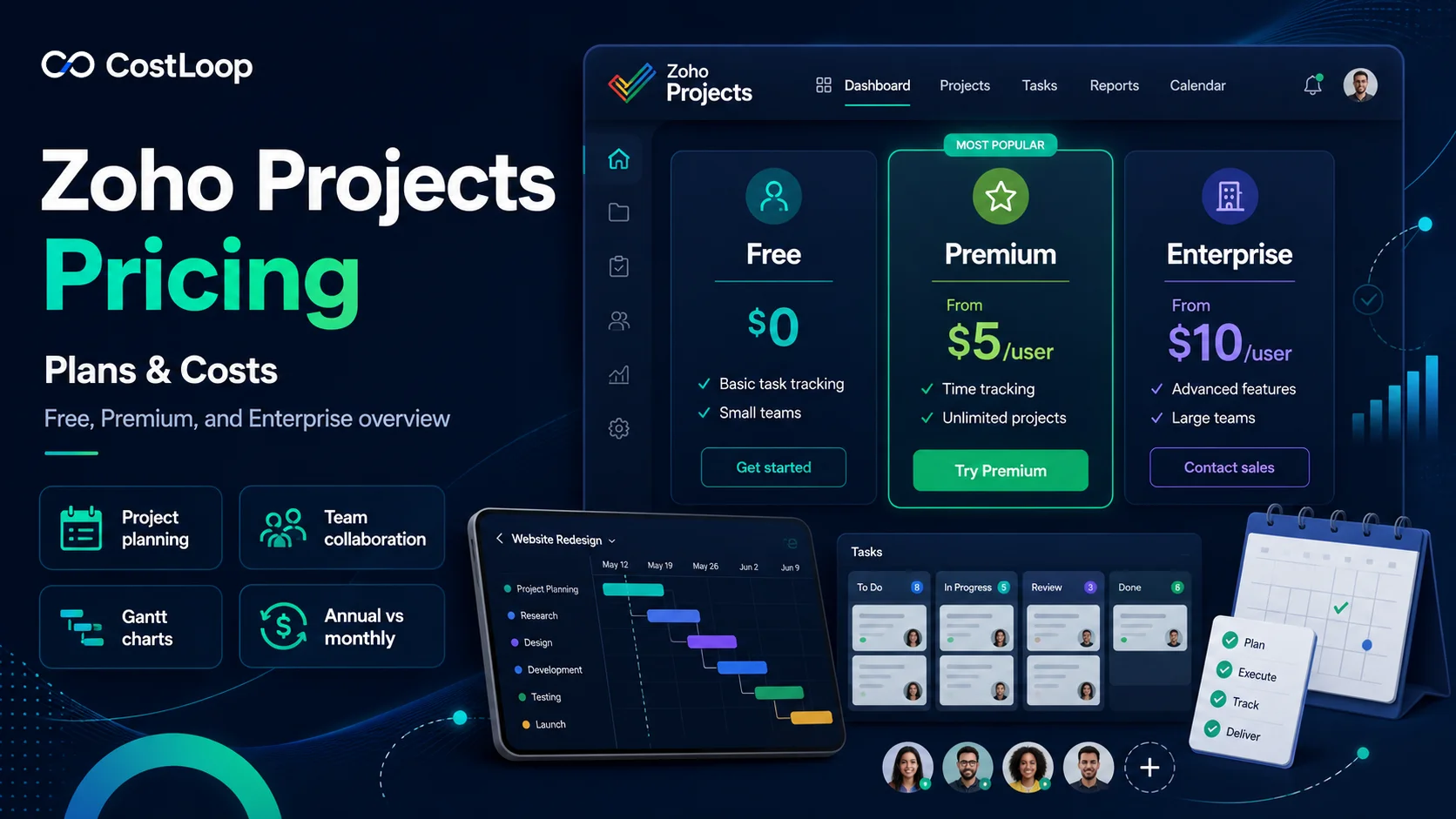
If you are searching for the zoho projects price, here is the current U.S. pricing structure straight from Zoho's own pricing page:
| Plan | Price (Billed Annually) | Price (Billed Monthly) | Users |
|---|---|---|---|
| Free | $0 | $0 | Up to 5 users |
| Premium | $4/user/month | $5/user/month | Unlimited paid users |
| Enterprise | $9/user/month | $10/user/month | Unlimited paid users + 10 read-only |
| Ultimate | $14/user/month | $15/user/month | Unlimited paid users + 100 read-only |
The short version: Zoho Projects pricing plans range from a free tier for up to 5 users to $14/user/month (billed annually) on the Ultimate plan. Annual billing saves roughly 10-20% compared to paying month to month, and every paid plan includes Zoho's Zia AI assistant.
The rest of this guide breaks down what each plan actually includes, how the free plan compares to the paid tiers, and how to estimate your real annual cost before you buy.
Methodology and disclosure
This guide is based on Zoho's current official pricing and plan-comparison pages, reviewed in September 2026. Where Zoho publishes a specific dollar figure, this article uses it. Regional pricing (VAT, GST, and other local taxes) can change your final invoice, so treat these as U.S. list prices rather than a universal global quote.
CostLoop publishes this guide and operates in software-cost, license, and renewal tracking. CostLoop is not a project-management replacement for Zoho Projects. The overlap is commercial control: keeping the plan, seat count, owner, and renewal date visible once your team has purchased a subscription.
For related buying guidance, see CostLoop's guides to software license management, license tracking software, and software license lifecycle management.
Related CostLoop guides
- Project Management Subscription Tracker
- Asana Pricing 2026
- Jira Pricing 2026
- Smartsheet Pricing 2026
- Software License Inventory
- Best License Management Software
- CostLoop Features
- CostLoop Pricing
Zoho Projects pricing plans in 2026
Zoho Projects has four pricing tiers: Free, Premium, Enterprise, and Ultimate. Each tier is cumulative - every plan includes everything in the tier below it, plus additional capabilities.
Free plan: $0
Price: $0, no credit card required
Users: Up to 5 users
The free plan is a genuinely usable starting point for very small teams, not just a stripped-down demo. It includes:
- 3 projects
- Subtasks
- Whiteboard
- 5 GB of storage space
- iOS and Android apps
- Workflow Actions (50 executions/month)
- Integration with Google apps and Office 365
Who should stay on Free: Teams of 5 or fewer people running 3 or fewer active projects, with no need for time tracking, budgeting, or custom workflows.
Premium plan: $4/user/month
Price: $4/user/month billed annually ($5/user/month billed monthly)
Users: Unlimited paid users
Storage: 100 GB
Premium is where Zoho Projects becomes a real project management tool rather than a basic task tracker. It adds:
- Unlimited projects
- Custom views and statuses
- Project custom modules
- Task blueprint
- Project budget and EVM (earned value management)
- Time logs and timesheets
- Timesheet multi-level approvals
- Workflow Actions (5,000 executions/month)
- One business calendar and holiday list
- Recurring tasks and task reminders
- Web tabs
- Smart AI capabilities with Zia
Annual cost example: 10 users x $4/month x 12 = $480/year
Who should choose Premium: Growing teams that have outgrown the 3-project limit and need real budgeting, time tracking, and recurring task automation, but do not yet need SSO, custom domains, or portfolio-level reporting.
Enterprise plan: $9/user/month
Price: $9/user/month billed annually ($10/user/month billed monthly)
Users: Unlimited paid users, plus 10 read-only users included
Storage: 120 GB
Enterprise is aimed at larger teams and organizations that need governance, security, and portfolio-level visibility across multiple projects. It adds everything in Premium plus:
- 10 read-only users included
- Resources (add-on)
- Global custom modules
- Custom profiles, roles, and fields
- Custom domain
- Workflow Actions (50,000 executions/month)
- 3 business calendars and holiday lists
- Single Sign-On (SSO)
- Two-Factor Authentication (2FA)
- Portfolio dashboard
- Critical path and baseline
- Sandbox environment
- Power BI integration
- User hierarchy
Annual cost example: 25 users x $9/month x 12 = $2,700/year
Who should choose Enterprise: Organizations running multiple concurrent projects that need SSO/2FA for security compliance, portfolio dashboards for executive visibility, or a sandbox for testing workflow changes before rolling them out.
Ultimate plan: $14/user/month
Price: $14/user/month billed annually ($15/user/month billed monthly)
Users: Unlimited paid users, plus 100 read-only users included
Storage: 15 GB per user, minimum 150 GB per organization
Ultimate is Zoho's top tier, built for large enterprises with complex reporting, dashboard, and automation needs. It adds everything in Enterprise plus:
- 100 read-only users included
- 100 resources
- Unlimited custom dashboards
- Multi-user and multi-project timesheets
- DAP (Digital Adoption Platform) integration
- Lite user add-on option
- Workflow Actions (500,000 executions/month)
- 20 business calendars and holiday lists
Annual cost example: 50 users x $14/month x 12 = $8,400/year
Who should choose Ultimate: Large organizations running high volumes of automation (workflow executions), needing dozens of custom dashboards, or requiring extensive read-only access for external stakeholders such as clients or auditors.
Zoho Projects cost by team size
Because pricing is per user per month, the total zoho projects cost scales directly with headcount. Here is what that looks like across common team sizes on annual billing:
| Scenario | Plan | Monthly Cost | Annual Cost |
|---|---|---|---|
| 5 users | Premium ($4/user) | $20/month | $240/year |
| 10 users | Premium ($4/user) | $40/month | $480/year |
| 10 users | Enterprise ($9/user) | $90/month | $1,080/year |
| 25 users | Enterprise ($9/user) | $225/month | $2,700/year |
| 50 users | Ultimate ($14/user) | $700/month | $8,400/year |
| 100 users | Ultimate ($14/user) | $1,400/month | $16,800/year |
These figures do not include local taxes (VAT, GST, or similar), which Zoho charges in addition to the listed prices depending on your billing region.
Monthly vs annual billing: how much do you actually save?
Zoho Projects pricing plans are cheaper per user when you commit to annual billing instead of paying month to month. The gap is meaningful once you have more than a handful of seats:
- Premium: $5/month billed monthly vs $4/month billed annually - a 20% savings
- Enterprise: $10/month billed monthly vs $9/month billed annually - a 10% savings
- Ultimate: $15/month billed monthly vs $14/month billed annually - a 7% savings
For a 25-user Enterprise deployment, that difference is $25/month, or $300/year, just for choosing annual billing over monthly. If you are confident in your team size for the next 12 months, annual billing is close to a default choice. If your headcount is volatile or you are still trialing the product internally, monthly billing gives you room to downgrade or cancel without losing a prepaid year.
What is included on every paid plan
Beyond the plan-specific features listed above, Zoho includes several things across all paid tiers that some competitors charge extra for:
- iOS and Android mobile apps
- Google Workspace and Microsoft Office 365 integration
- Zia, Zoho's built-in AI assistant, for analytics insights, content generation, and workflow automation
- A 15-day free trial of either paid plan with no credit card required up front
Zoho also does not require a long-term contract, and you can upgrade or downgrade your plan at any time.
Zoho Projects free vs paid: when do you need to upgrade?
The free plan is capped at 5 users and 3 projects with 5 GB of storage. You will likely need to upgrade when any of the following becomes true:
- Your team grows past 5 people
- You need more than 3 active projects at once
- You need time tracking, timesheets, or project budgeting
- You need recurring tasks or custom workflow automation beyond 50 executions/month
- You need more than 5 GB of file storage
Most teams outgrow the free plan on project count or storage well before they outgrow the 5-user limit, so track those two metrics closely if you are trying to stay on Free as long as possible.
How to estimate your Zoho Projects budget before buying
Step 1: Count actual paid users needed
Separate people who need full edit access from people who only need to view project status. Enterprise and Ultimate both include a pool of read-only users (10 and 100 respectively) at no extra per-seat cost, which can meaningfully reduce your effective cost per person if you have many stakeholders who only need visibility.
Step 2: Match required features to the right tier
Do not default to Enterprise or Ultimate because they sound more complete. If your team does not need SSO, custom domains, or a sandbox, Premium at $4/user/month may cover everything you actually use.
Step 3: Decide on billing cycle
If your headcount is stable, choose annual billing for the discount. If you expect significant team changes in the next few months, monthly billing avoids being locked into a seat count that no longer matches your team.
Step 4: Model total annual cost
Multiply your confirmed user count by the monthly per-user price, then by 12. Add local taxes where applicable. That is your real annual commitment, not just the advertised per-user sticker price.
Common mistakes when budgeting for Zoho Projects
- Comparing the monthly billing price against a competitor's annual price, which makes Zoho look more expensive than it is
- Buying Enterprise or Ultimate for the whole team when most users only need Premium-level features
- Forgetting that read-only users are included free on Enterprise (10) and Ultimate (100), and paying for full seats for people who only need visibility
- Not accounting for local VAT/GST, which Zoho adds on top of the listed price depending on your billing country
- Ignoring the free plan entirely when a small team could realistically run on it for months before needing to upgrade
How to track Zoho Projects as a recurring cost after purchase
Once you have picked a plan, treat the subscription like any other recurring software commitment. Record:
- Plan tier (Free, Premium, Enterprise, or Ultimate)
- Paid seat count and read-only seat count
- Billing cycle (monthly or annual)
- Per-user cost and total monthly/annual cost
- Renewal date
- Contract or invoice owner
- Whether seats are still actively used at each renewal
That is where a dedicated recurring-software tracker becomes useful. CostLoop can store the commercial record around Zoho Projects alongside the rest of your software stack, so nobody has to reconstruct the plan and seat count from an old invoice when renewal time comes around.
Frequently asked questions
What is the Zoho Projects price?
Zoho Projects pricing plans range from a free tier for up to 5 users to $4/user/month (Premium), $9/user/month (Enterprise), and $14/user/month (Ultimate) when billed annually. Monthly billing is slightly higher at $5, $10, and $15 per user respectively.
What is the pricing for Zoho Projects plans?
There are four pricing tiers: Free ($0, up to 5 users), Premium ($4/user/month annually), Enterprise ($9/user/month annually), and Ultimate ($14/user/month annually). Each tier includes everything in the plan below it.
What is the Zoho Projects cost for a small team?
A team of 5 or fewer people running 3 or fewer projects can use the free plan at no cost. Once you exceed those limits, Premium at $4/user/month billed annually is the next tier, which for a 5-person team is $240/year.
What is the cost difference between Zoho Projects plans?
Premium costs $4/user/month, Enterprise costs $9/user/month (a $5 increase), and Ultimate costs $14/user/month (another $5 increase), all billed annually. Each increase primarily adds security, governance, and automation-volume capabilities rather than core project management features.
Does Zoho Projects have a free plan?
Yes. The free plan supports up to 5 users, 3 projects, and 5 GB of storage, with no credit card required to sign up.
Is Zoho Projects cheaper billed annually or monthly?
Annual billing is cheaper on every paid plan. Premium drops from $5 to $4/user/month (20% savings), Enterprise from $10 to $9 (10% savings), and Ultimate from $15 to $14 (7% savings) when billed annually instead of monthly.
Do read-only users cost extra on Zoho Projects?
No, up to a point. Enterprise includes 10 read-only users at no additional cost, and Ultimate includes 100. Beyond those limits, additional read-only access may require additional paid seats or add-ons.
Final verdict
Zoho Projects pricing is straightforward compared to many project management tools: four clearly defined tiers, transparent per-user pricing published directly on Zoho's site, and no requirement to talk to sales just to see a number.
If you want the short version:
- Free: $0, up to 5 users, 3 projects
- Premium: $4/user/month annually, unlimited projects, budgeting and time tracking
- Enterprise: $9/user/month annually, SSO, 2FA, portfolio dashboard, 10 free read-only users
- Ultimate: $14/user/month annually, unlimited dashboards, 100 free read-only users, highest automation limits
Most small and medium teams will find Premium or Enterprise covers their actual needs. Reserve Ultimate for organizations that genuinely need its automation volume, dashboard count, or large read-only user pool, rather than buying the top tier by default.

About the author
Milosh Mladenovski is a CostLoop founder and works on subscription discovery, license inventory and recurring software cost workflows. Author profile · LinkedIn