Last verified: July 31, 2026
Quick answer
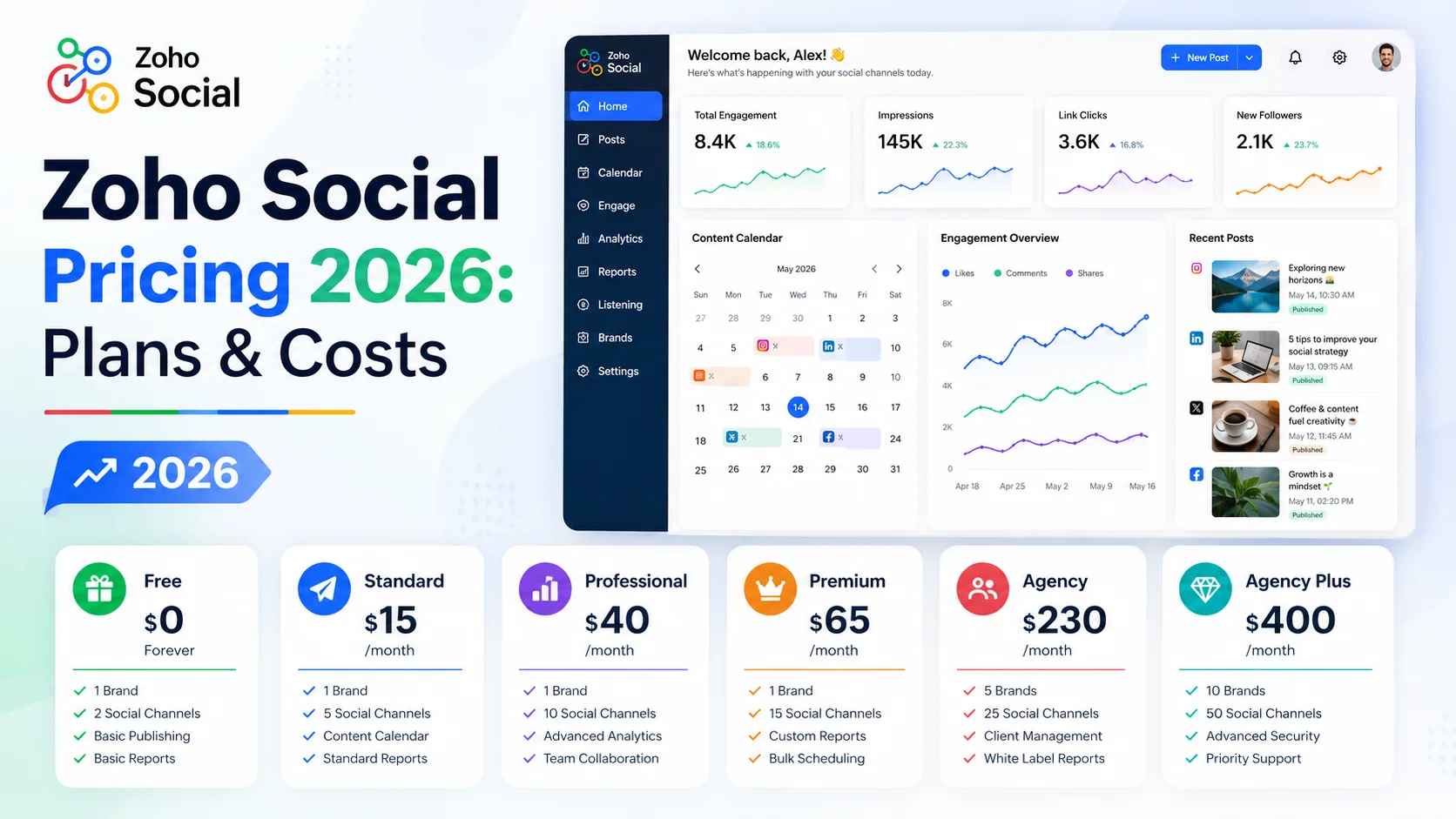
Zoho Social pricing in 2026 ranges from a permanent Free plan to Agency Plus at $460/month. For normal business use, Standard costs $15/month or $10/month billed annually, Professional costs $40/month or $30/month billed annually, and Premium costs $65/month or $40/month billed annually. Agency plans cost $320/month or $230/month billed annually, while Agency Plus costs $460/month or $330/month billed annually.
The headline Zoho Social cost is only part of the decision. Zoho prices around a combination of brands, included team members, social channels, and add-ons, so a $15 plan can be enough for a solo operator but a team managing several brands can move into Premium or Agency pricing quickly.
Short version: Standard is the cheapest practical paid plan for one person and one brand. Professional adds serious publishing and monitoring features. Premium is the first plan built for a real internal team. Agency and Agency Plus are for businesses managing many client brands.
Zoho Social pricing at a glance
| Plan | Monthly Billing | Annual Billing Equivalent | Included Brands | Included Team Members |
|---|---|---|---|---|
| Free | $0 | $0 | 1 | 1 |
| Standard | $15/mo | $10/mo | 1 | 1 |
| Professional | $40/mo | $30/mo | 1 | 1 |
| Premium | $65/mo | $40/mo | 1 | 3 |
| Agency | $320/mo | $230/mo | 10 | 5 |
| Agency Plus | $460/mo | $330/mo | 20 | 5 |
Pricing note: prices are in USD and were checked against Zoho's public pricing and help material on September 2, 2026. Taxes, regional pricing, add-ons, and future vendor changes can alter the final amount.
What is Zoho Social?
Zoho Social is Zoho's social media management platform for publishing, scheduling, monitoring, collaboration, reporting, and managing multiple social channels from one dashboard. It supports major networks such as Facebook, Instagram, LinkedIn, X, Google Business Profile, YouTube, Pinterest, TikTok, Mastodon, Threads, and Bluesky, with WhatsApp Business and Telegram Business available on higher plans.
For a marketing team, the real purchasing question is not whether Zoho Social has enough features. It is whether the plan structure matches your number of brands and collaborators without creating unnecessary recurring cost.
That is why the rest of this guide focuses on the actual economics of the plans rather than repeating a feature list.
How this guide was researched
CostLoop publishes this pricing guide. CostLoop is not a social media management platform and does not replace Zoho Social. It helps teams track recurring software costs, owners, renewal dates, seats, documents, and other subscription details across their software stack.
Pricing and plan claims in this article were checked primarily against Zoho's official Zoho Social pricing page, plan comparison, paid-plan help documentation, and team-member add-on documentation. The public prices were cross-checked against current pricing directories where necessary because portions of Zoho's pricing page are rendered dynamically.
For broader software-cost control, see CostLoop's guides to tracking marketing software subscriptions, SaaS cost management, and renewal tracking.
Zoho Social Free plan: $0
Zoho Social's Free plan is a real permanent free tier, not just a trial.
It includes: 1 brand, 1 team member, 6 social channels, basic publishing functionality, 24/5 email support, 5 AI credits.
Zoho also offers a 15-day trial with no credit card required. When that trial ends, the account moves to the Free plan unless you upgrade.
Who should use Free?
Free makes sense if you are: testing Zoho Social before committing, a solo founder with very simple publishing needs, managing one brand and a limited set of social networks, or not yet ready to pay for monitoring, reporting, or more advanced scheduling workflows.
When Free stops being enough
The moment your workflow depends on broader channel coverage, more advanced reporting, professional scheduling, approvals, or multiple collaborators, Free becomes too limited.
Do not stay on Free simply because it costs nothing if your team ends up rebuilding the missing workflow manually in spreadsheets and chat messages. Cheap software that creates hours of manual work is not actually cheap.
Zoho Social Standard pricing: $15 monthly or $10 annually
Standard is the first paid Zoho Social tier and the obvious entry point for a solo marketer.
Current pricing: $15/month on monthly billing, $10/month equivalent when billed annually, $120/year on annual billing.
It includes 1 brand, 1 team member, roughly 12 supported channels, and 40 AI credits.
Key capabilities include: centralized dashboard, multi-channel publishing, scheduling, publishing calendar, drafts, activity logs, summary reports, image editing and media optimization.
Who should choose Standard?
Choose Standard when one person manages one business brand and mainly needs a cleaner publishing calendar and scheduled posting workflow.
The main Standard limitation
Standard is still essentially a single-user plan. Zoho's current team-member add-on documentation states that Free and Standard do not support purchasing additional team members as add-ons.
That makes Standard cheap, but it also gives it a hard ceiling for a collaborative marketing team.
Zoho Social Professional pricing: $40 monthly or $30 annually
Professional is where Zoho Social becomes a more serious social publishing and monitoring tool.
Current pricing: $40/month on monthly billing, $30/month equivalent when billed annually, $360/year on annual billing.
It includes 1 brand and 1 team member, but unlike Standard it supports additional team members and additional brands within Zoho's add-on rules.
Professional adds features such as: livestream functionality, CustomQ, repeat posting, bulk scheduling, post insights, media library, RSS feeds, messages, monitoring dashboard, pause/resume content, custom video thumbnails, Instagram first comment.
Who should choose Professional?
Professional makes sense for a business where one primary marketer owns social media but needs better scheduling, monitoring, and reporting than Standard provides.
The pricing trap
Professional costs three times as much as Standard on annual billing, but it still starts with one brand and one included team member. The extra money is paying for capability, not a larger included team.
If you actually need three people collaborating, compare Professional plus extra-user charges with Premium before committing.
Zoho Social Premium pricing: $65 monthly or $40 annually
Premium is the most interesting plan for an internal marketing team because it changes the included capacity, not just the feature set.
Current pricing: $65/month on monthly billing, $40/month equivalent when billed annually, $480/year on annual billing.
Premium includes: 1 brand, 3 team members, about 14 channels, 80 AI credits, content approvals and workflow, collaborative discussions, inbox capabilities, custom reports, shared reports, custom roles, UTM parameters, Zoho CRM integration, Zoho Desk integration, lead-generation features.
Who should choose Premium?
Premium is usually the right comparison point for: in-house marketing teams, companies where 2-3 people need access, businesses requiring approval workflows, teams using Zoho CRM or Zoho Desk, and teams needing deeper reporting and collaboration.
Why Premium can be better value than Professional
The annual price difference between Professional and Premium is only $10/month equivalent: Professional is $30/month equivalent, Premium is $40/month equivalent.
For that extra $120/year, Premium moves from one included user to three and adds significantly stronger collaboration and reporting capabilities.
For a multi-person team, Premium can therefore be more economical than trying to stretch a lower plan beyond its natural use case.
Zoho Social Agency pricing: $320 monthly or $230 annually
Agency is designed around managing multiple client brands rather than one internal company presence.
Current pricing: $320/month on monthly billing, $230/month equivalent when billed annually, $2,760/year on annual billing.
It includes: 10 brands, 5 team members, agency-oriented client functionality, custom views for clients, branded reporting, client invitations, portal customization, scheduled and emailed reports.
Who should choose Agency?
Agency makes sense if you are genuinely managing social media for multiple external customers.
It usually does not make sense for a normal company with one corporate brand just because the plan sounds more professional. Buying agency capacity you do not use is pure waste.
Zoho Social Agency Plus pricing: $460 monthly or $330 annually
Agency Plus increases the included brand capacity for larger social media agencies.
Current pricing: $460/month on monthly billing, $330/month equivalent when billed annually, $3,960/year on annual billing.
It includes: 20 brands, 5 team members, Agency features, additional brand capacity.
If you are not managing a large client portfolio, this tier should not even be in your shortlist.
Zoho Social annual vs monthly pricing
Zoho's pricing page prominently advertises "Yearly - Save 33%". The practical savings vary when you compare each currently published monthly rate with its annual-billing equivalent.
Calculated from the public plan rates, the effective discount is approximately: Standard 33.3%, Professional 25%, Premium 38.5%, Agency 28.1%, Agency Plus 28.3%.
The lesson is simple: do not use one generic percentage when budgeting. Use the actual plan price.
For a broader framework on when committing annually makes sense, see CostLoop's guide to annual vs monthly SaaS billing.
Zoho Social cost examples for real teams
The easiest way to understand Zoho Social cost is to model actual use cases.
Scenario 1: solo founder managing one brand
Requirements: one person, one brand, scheduling and basic publishing. Likely plan: Standard.
Cost: monthly billing $180/year, annual billing $120/year. Savings from annual billing: $60/year.
Scenario 2: one experienced social media manager
Requirements: one person, one brand, bulk scheduling, monitoring, RSS feeds, stronger reporting. Likely plan: Professional.
Cost: monthly billing $480/year, annual billing $360/year.
Scenario 3: three-person in-house marketing team
Requirements: 3 users, one company brand, approvals, collaboration, reports, CRM integration. Likely plan: Premium.
Cost: monthly billing $780/year, annual billing $480/year.
This is one of the strongest value points in the plan structure because Premium includes all three team members.
Scenario 4: agency managing 10 clients
Requirements: 10 brands, 5 users, client reporting, agency workflow. Likely plan: Agency.
Cost: monthly billing $3,840/year, annual billing $2,760/year.
Scenario 5: large agency managing 20 clients
Likely plan: Agency Plus. Cost: monthly billing $5,520/year, annual billing $3,960/year.
Extra team members and brand add-ons
This is where the headline plan price can stop matching your real invoice.
Zoho allows additional team-member and brand add-ons on eligible paid plans. Current Zoho help documentation lists additional team members at $12/member/month on monthly billing, or $10/member/month when billed annually.
The add-on rules differ by plan. In particular: Free and Standard do not support additional team-member purchases; Professional, Premium, Agency, and Agency Plus support extra team members; Professional allows a limited number of additional brands; Agency plans are structured around larger included brand counts.
Before upgrading, calculate the plan after adding the users and brands you actually need. Do not compare base prices if your required setup is larger than the base plan.
What does "Brand" mean in Zoho Social pricing?
A "Brand" is one managed brand identity with its associated social channels.
This is important because Zoho Social does not simply price by number of social profiles. The plan gives you a brand container and then supports a defined channel set inside that brand.
For one company, one brand may be enough even if you publish across Facebook, Instagram, LinkedIn, X, TikTok, and YouTube.
For an agency managing 15 different clients, one brand is obviously not enough even if each client only uses two social networks.
This brand-based pricing model is the main reason you should define your account structure before comparing plans.
Which Zoho Social plan is best?
Choose Free if you are only testing the platform, one person manages social media, six channels are enough, and advanced scheduling and reporting are unnecessary.
Choose Standard if one person manages one brand, you need more channels and proper scheduling, and collaboration is not required.
Choose Professional if one primary marketer manages social media, bulk scheduling, monitoring, messages, and richer publishing matter, and you may need add-on users later.
Choose Premium if 2-3 people collaborate, approvals and reporting matter, you use Zoho CRM or Zoho Desk, and you want the strongest non-agency value tier.
Choose Agency if your business manages multiple client brands, client access and branded reports are required, and 10 included brands are useful rather than wasted capacity.
Choose Agency Plus if 20 included brands match your client portfolio and Agency's capacity is already too small.
Hidden and overlooked Zoho Social costs
Zoho Social is relatively transparent, but your real total still depends on more than the base price.
1. Additional team members
Extra users can turn a low plan into a more expensive setup. Before adding users one by one, compare the next plan up.
2. Additional brands
If you manage several businesses or client accounts, brand add-ons can matter more than seat costs.
3. Duplicate social media tools
A company can end up paying for Zoho Social while another team still pays for Hootsuite, Buffer, Sprout Social, Later, or a social scheduling feature inside a broader marketing suite.
The real waste is not paying $40 for Zoho Social. It is paying $40 for Zoho Social and $100+ for another tool doing the same job.
CostLoop's marketing-tool subscription tracker is designed to make those overlapping recurring costs visible.
4. Annual commitments to unused tools
Annual billing can save money, but only if you continue using the product. A discounted subscription that sits unused for eight months is still waste.
Before annual renewal, review actual usage and ownership. CostLoop's renewal tracker guide explains how to make renewal reviews systematic.
5. Team changes
If a marketing employee leaves, their access and paid add-ons do not necessarily become somebody else's responsibility automatically. Keep ownership and renewal information centralized.
For the broader process, see SaaS license management and software license lifecycle management.
Is Zoho Social worth the cost?
Zoho Social is strong value if your workflow fits its pricing model.
It is especially attractive for: businesses already using Zoho CRM or Zoho Desk, solo marketers who need inexpensive scheduling, small teams that can use Premium's three included users, and agencies that genuinely need multi-brand client management.
It is less attractive if: you only need occasional posting, another tool in your stack already handles scheduling well, your team needs specialist capabilities outside Zoho Social's scope, or you are paying for an Agency tier while managing only one or two brands.
The correct question is not "Is $40/month cheap?" It is "Does this subscription create more operational value than its annual cost, and is it replacing another tool or adding another line item?"
For a practical evaluation framework, see CostLoop's guide to measuring SaaS ROI.
How to control Zoho Social cost after you buy it
The best pricing decision can still turn into wasted spend if nobody reviews the subscription later.
Track these fields from day one: plan name, monthly or annual cost, billing cycle, number of brands, included and paid team members, subscription owner, renewal date, payment method, cancellation / downgrade path, related invoice or contract documents.
If you manage Zoho Social alongside dozens of other subscriptions, keep those records in one system instead of relying on somebody's memory. If you are building that process from scratch, start with CostLoop's guide to tracking software subscriptions.
CostLoop's guide to what to store with every subscription record covers the minimum data model.
Zoho Social vs broader Zoho subscriptions
A company using Zoho can easily end up with several separate Zoho products or a broader Zoho suite.
That matters because the decision is not always "keep or cancel Zoho Social." Sometimes the better question is whether your wider Zoho package already gives you overlapping functionality, or whether separate products are still justified.
CostLoop has a separate CostLoop vs Zoho comparison that explains the difference between using Zoho's business-app ecosystem and using CostLoop to track recurring software costs across all vendors.
Frequently asked questions
How much does Zoho Social cost in 2026?
Zoho Social pricing starts at $0 for Free. Standard costs $15/month or $10/month billed annually, Professional costs $40/month or $30/month billed annually, Premium costs $65/month or $40/month billed annually, Agency costs $320/month or $230/month billed annually, and Agency Plus costs $460/month or $330/month billed annually.
What is the cheapest paid Zoho Social plan?
Standard is the cheapest paid plan at $15/month, or $10/month equivalent on annual billing.
What is the Zoho Social cost for three users?
Premium is usually the cleanest fit for three users because it includes 3 team members. It costs $65/month or $40/month equivalent when billed annually.
Does Zoho Social have a free plan?
Yes. Zoho Social has a permanent Free plan with one brand, one team member, a limited set of social channels, and basic functionality.
Does Zoho Social offer a free trial?
Yes. Zoho states that its trial runs for 15 days and does not require credit-card information. After the trial, the account can move to the forever-free plan.
Is annual Zoho Social pricing cheaper?
Yes. Every paid tier is cheaper on annual billing. The actual saving varies by plan even though Zoho displays a general "Save 33%" yearly-billing message.
How much are extra Zoho Social users?
Zoho's current help documentation lists additional team members at $12 per member per month, or $10 per member per month billed annually, on eligible plans.
What is a Zoho Social Brand?
A Brand is the business or client identity whose social channels you manage together. Each plan includes a specific number of Brands and channels per Brand.
Which Zoho Social plan is best for small businesses?
Standard works for one-person workflows. Professional is better for deeper publishing and monitoring. Premium is usually the strongest value for a small team because it includes three team members and collaboration features.
Which Zoho Social plan is best for agencies?
Agency includes 10 brands and five team members. Agency Plus includes 20 brands and five team members. Choose based on the number of client brands you actually manage rather than buying the larger tier preemptively.
Final verdict
Zoho Social remains one of the more affordable social media management platforms, but the plan names alone do not tell you what you will really pay.
The useful breakdown is: Free for testing and light solo usage, Standard for one-person social scheduling, Professional for deeper publishing and monitoring, Premium as the strongest fit for an in-house marketing team, Agency for client work across up to 10 included brands, and Agency Plus for larger multi-brand agency operations.
If you are buying for a team, pay particular attention to included users and brands. Those two variables determine your real Zoho Social cost more than the feature list does.
And once you buy it, treat the renewal as a decision, not an automatic charge. Track Zoho Social alongside the rest of your marketing stack so you know what you pay, who owns it, and whether another tool is doing the same job.

About the author
Milosh Mladenovski is a CostLoop founder and works on subscription discovery, license inventory and recurring software cost workflows. Author profile · LinkedIn